exif-parser review
exif-parser 0.1.12 synchronously reads EXIF metadata from JPEG bytes supplied as a Node Buffer or browser ArrayBuffer. It returns named tags by default, turns GPS coordinates and several rational values into ordinary numbers, finds JPEG dimensions, and can extract the thumbnail stored inside an EXIF block. The current npm version dates from July 2017; its release commit fixed a logic error that had left the tags result empty. It does not alter metadata, rotate pixels from the Orientation tag, or understand HEIC, AVIF, WebP, PNG, XMP, and IPTC. Use it as a narrow JPEG reader, not as a general image inspection layer.
exif-parser 0.1.12 installed in 0.6 seconds as one 1 MB package in our sandbox, but it has no types and its published code has not changed since 2017. Keep it for a tested JPEG-only compatibility path; choose exifr or ExifReader for new uploads, broader formats, or maintained browser packaging.
We installed it
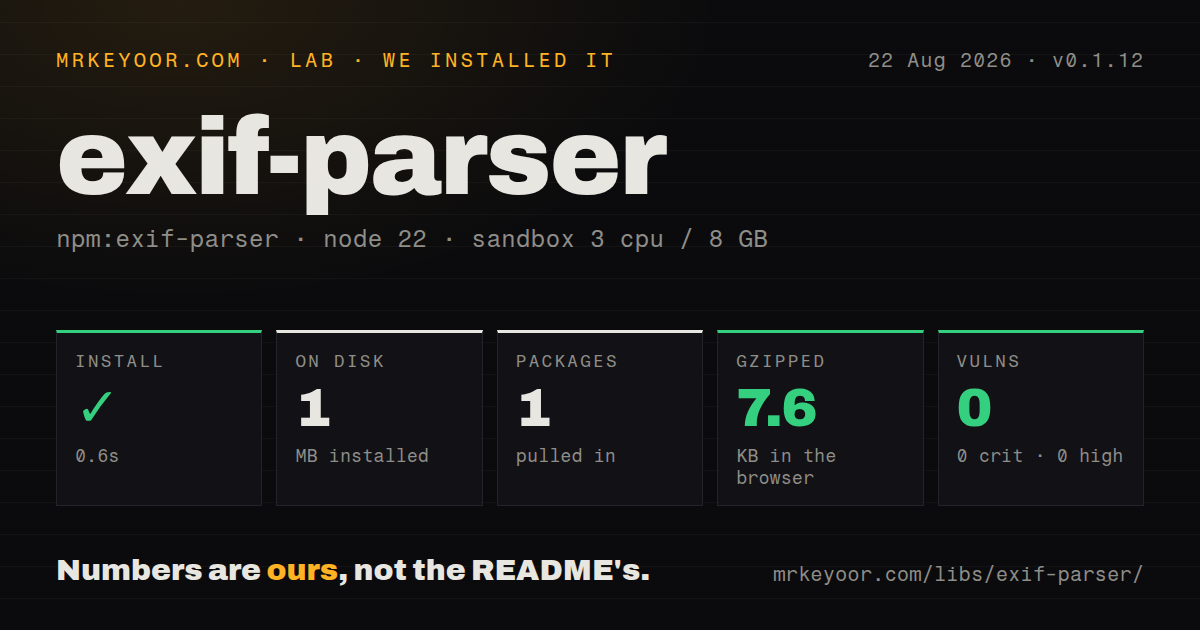
| Install | ✓ · 0.6s | 1 package on disk · 1 MB |
| Import | ✓ | ESM import works · require() works · CommonJS package |
| Browser | 7.6 KB | gzipped (21.4 KB minified), bundled with esbuild |
| Types | — | no TypeScript types found |
| Known vulns | 0 | 0 critical · 0 high · 0 moderate · 0 low (npm audit) |
Answers from our run
Does exif-parser install cleanly?
Yes. In a fresh container with an empty cache, npm install exif-parser finished in 0.6s, leaving 1 package and 1 MB on disk. npm audit reported no known vulnerabilities.
How much does exif-parser add to a browser bundle?
7.6 KB gzipped (21.4 KB minified) when the whole package is bundled for the browser with esbuild. Importing only part of it is usually smaller.
Does exif-parser work with both ESM and CommonJS?
Yes. Both import 'exif-parser' and require('exif-parser') worked in Node 22 in our run. The package is published as CommonJS.
Does exif-parser include TypeScript types?
No type declarations were found in our install, so TypeScript users need their own declarations.
exif-parser or exifr: which should you use?
exifr: Use it for a maintained reader with wider image-format coverage, modern module entry points, and TypeScript declarations. exif-parser 0.1.12 installed in 0.6 seconds as one 1 MB package in our sandbox, but it has no types and its published code has not changed since 2017.
When should you not use exif-parser?
Uploads may be HEIC, AVIF, WebP, PNG, RAW, or standalone TIFF. The parser enters a JPEG section reader first and throws when JPEG markers are absent.
Use it if
- An existing Node service expects version 0.1.12's synchronous `create(buffer).parse()` result shape.
- The input is known JPEG data and the required fields are common EXIF tags, dimensions, GPS coordinates, or a JPEG thumbnail.
- A browser path can supply an ArrayBuffer and can carry a small CommonJS parser through its own bundler.
- You can catch parse errors, cap the input, and treat every returned tag as untrusted metadata.
- Uploads may be HEIC, AVIF, WebP, PNG, RAW, or standalone TIFF. The parser enters a JPEG section reader first and throws when JPEG markers are absent.
- TypeScript declarations are required. Our package inspection found none, so typed projects must maintain a local declaration or choose a parser that publishes types.
- Current maintenance is a requirement. Version 0.1.12 was published in 2017, and later repository fixes for browser DataView offsets never became an npm release.
- You must write, remove, or normalize metadata. The public API only reads fields and thumbnails; it does not strip GPS, rewrite EXIF, or apply Orientation to pixels.
- Capture timestamps must retain their original timezone meaning. Default simplification converts selected EXIF date strings even though camera timestamps commonly omit an offset.
- A complete metadata inventory is needed. Tag resolution uses a fixed table, while maker notes, XMP, IPTC, and several newer container formats sit outside this package.
Setup reality
We installed exif-parser 0.1.12 in a fresh Node 22 Bookworm sandbox in 0.6 seconds. It left one package and 1 MB on disk, with 468 KB unpacked. npm audit reported 0 known vulnerabilities. The package has 0 direct and 0 peer dependencies, no declared license in its npm metadata, and no TypeScript declarations. It is CommonJS without an exports map; require() and ESM import both worked in our checks.
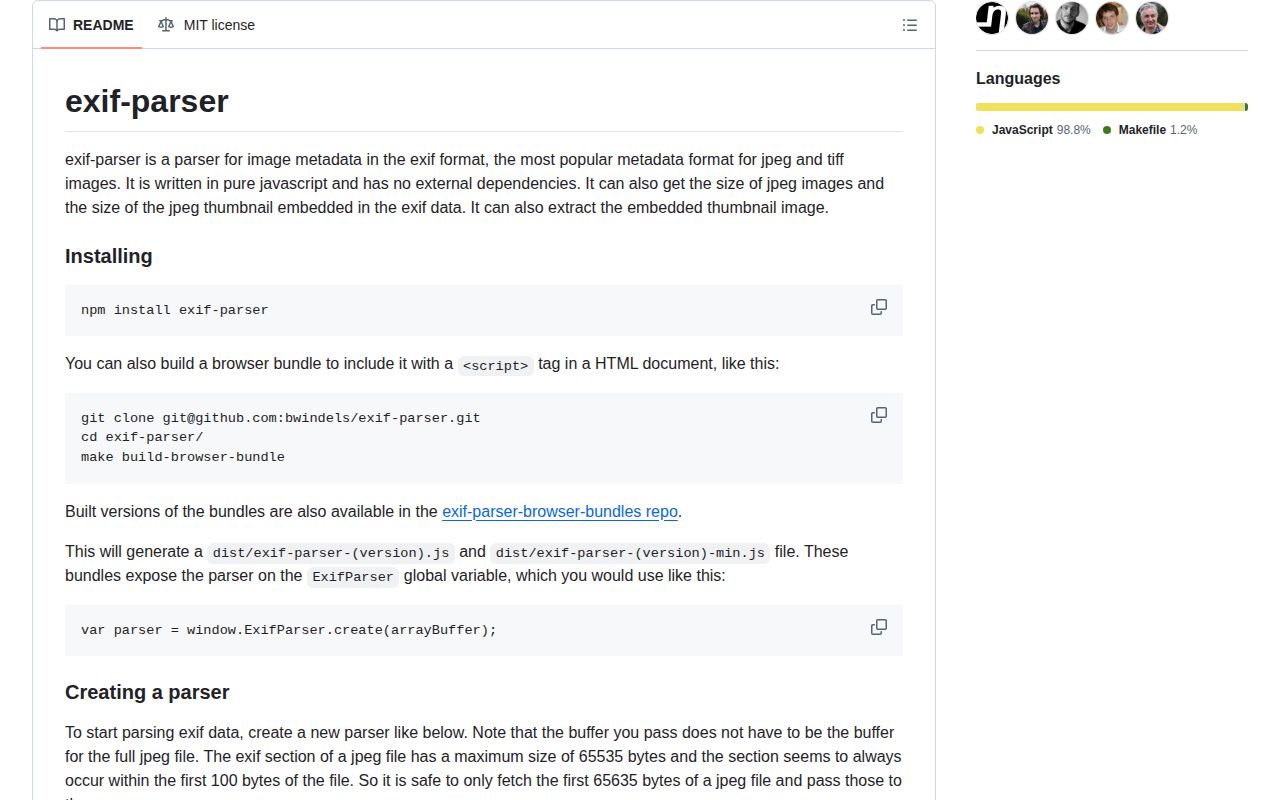
No credentials, config file, or native build step is involved. In Node, call create() with a Buffer. Browser code must pass an ArrayBuffer; if the bytes arrive as a Uint8Array view, slice its exact byteOffset and byteLength before parsing. The npm package has no browser field or ready-made global bundle. The README points script-tag users to a separate bundle repository, while our esbuild test produced 21.4 KB minified and 7.6 KB gzipped.
parse() runs synchronously and throws on invalid JPEG data. Truncation, bad offsets, or unsupported TIFF field layouts can also surface as Buffer or DataView range errors, so wrap every untrusted upload in a size limit and a try/catch. Defaults read tags and image size, resolve known numeric tag IDs to names, omit pointer and binary fields, and simplify several value shapes. Disable those conversions when the original arrays or numeric tag IDs matter.
The README proposes fetching the first 65,635 bytes because a JPEG EXIF section is limited to 65,535 bytes and normally appears near the beginning. A server may ignore the Range header and return the whole image, so check the response. Thumbnail helpers need the thumbnail bytes to be present in the supplied prefix. hasThumbnail() can identify JPEG or TIFF thumbnails, but getThumbnailSize() passes the thumbnail through the JPEG parser and should be limited to image/jpeg.
Patterns
Read tags from a Node Buffer parse-node-buffer
const fs = require('node:fs')
const ExifParser = require('exif-parser')

const bytes = fs.readFileSync('photo.jpg')
let result
try {
  result = ExifParser.create(bytes).parse()
} catch (error) {
  throw new Error(`Bad JPEG metadata: ${error.message}`)
}
console.log(result.tags)
Version 0.1.12 parses synchronously and throws for invalid or truncated JPEG data. Bound the file size before reading an upload into memory.
Read a browser File parse-browser-file
async function readExif(file) {
  const bytes = await file.arrayBuffer()
  return ExifParser.create(bytes).parse()
}

const result = await readExif(input.files[0])
The README's script-tag build exposes `ExifParser` as a global. That bundle lives outside the npm package.
Pass only a Uint8Array view's bytes slice-typed-array
function exactBuffer(view) {
  return view.buffer.slice(view.byteOffset, view.byteOffset + view.byteLength)
}

const result = ExifParser.create(exactBuffer(view)).parse()
Passing `view.buffer` directly includes unrelated bytes when the view begins after offset 0 or ends before the backing ArrayBuffer.
Fetch the documented JPEG prefix fetch-exif-prefix
const response = await fetch(url, { headers: { Range: 'bytes=0-65634' } })
if (!response.ok) throw new Error(`HTTP ${response.status}`)
const bytes = await response.arrayBuffer()
const result = ExifParser.create(bytes).parse()
The README uses a 65,635-byte prefix. Check the response length because servers can ignore Range and send the full object.
Read camera and orientation tags read-camera-fields
const { Make, Model, Orientation, DateTimeOriginal } = result.tags
console.log({
  camera: [Make, Model].filter(Boolean).join(' '),
  orientation: Orientation || 1,
  capturedAt: DateTimeOriginal
})
Tags may be absent or forged. The parser reports Orientation but does not rotate pixels, and default date simplification may change the value type.
Handle simplified GPS coordinates read-gps
const latitude = result.tags.GPSLatitude
const longitude = result.tags.GPSLongitude
if (Number.isFinite(latitude) && Number.isFinite(longitude)) {
  console.log({ latitude, longitude })
}
Default simplification combines DMS values with N, S, E, or W references. GPS fields reveal location and need an explicit retention policy.
Read JPEG dimensions without decoding pixels read-dimensions
const result = ExifParser.create(bytes)
  .enableReturnTags(false)
  .enableImageSize(true)
  .parse()

console.log(result.getImageSize())
The method returns dimensions only when the supplied bytes contain a supported JPEG start-of-frame section. It does not validate the pixel stream.
Keep fractions and date strings unsimplified preserve-value-shapes
const result = ExifParser.create(bytes)
  .enableSimpleValues(false)
  .parse()

console.log(result.tags.ExposureTime, result.tags.DateTimeOriginal)
Disabling simple values preserves arrays and strings instead of applying GPS, fraction, and date conversions.
Return numeric tag records use-numeric-tags
const result = ExifParser.create(bytes)
  .enableTagNames(false)
  .parse()

for (const tag of result.tags) {
  console.log(tag.section, tag.type, tag.value)
}
This bypasses the package's fixed name table. Callers must interpret each section and numeric tag ID themselves.
Extract an embedded JPEG thumbnail extract-jpeg-thumbnail
const fs = require('node:fs')

if (result.hasThumbnail('image/jpeg')) {
  const thumbnail = result.getThumbnailBuffer()
  fs.writeFileSync('thumbnail.jpg', thumbnail)
}
The original buffer must include the complete thumbnail bytes. Validate the extracted JPEG before serving or processing it.
Inspect JPEG thumbnail dimensions read-thumbnail-size
if (result.hasThumbnail('image/jpeg')) {
  const size = result.getThumbnailSize()
  if (size) console.log(size.width, size.height)
}
Check specifically for `image/jpeg`; `getThumbnailSize()` invokes the JPEG section parser even though EXIF can carry a TIFF thumbnail.
Expose binary EXIF fields include-binary-tags
const result = ExifParser.create(bytes)
  .enableBinaryFields(true)
  .parse()
Binary values are Buffers in Node and ArrayBuffers in browsers. Leave them disabled unless a known field requires its raw bytes.
Alternatives
| Package | Registry | Pick it when |
|---|---|---|
| exifr | npm | Use it for a maintained reader with wider image-format coverage, modern module entry points, and TypeScript declarations. |
| exifreader | npm | Use it when EXIF must be read alongside IPTC, XMP, ICC, PNG, WebP, HEIC, and other metadata families. |
| sharp | npm | Use it when metadata inspection belongs in a Node pipeline that also rotates, resizes, converts, or strips images. |
| piexifjs | npm | Use it when a JPEG workflow needs to modify or remove EXIF fields as well as read them. |
More utils guides
lru-cache · type-fest · ajv · zod · p-limit · find-up · the whole shelf →
How this guide is made: grounded in the library's documentation, release notes, changelog, and issue history, on a fixed rubric — not a hands-on install of every release. The 50 most-downloaded entries are additionally install-verified in clean containers. Corrections: contact the desk.