exenv review
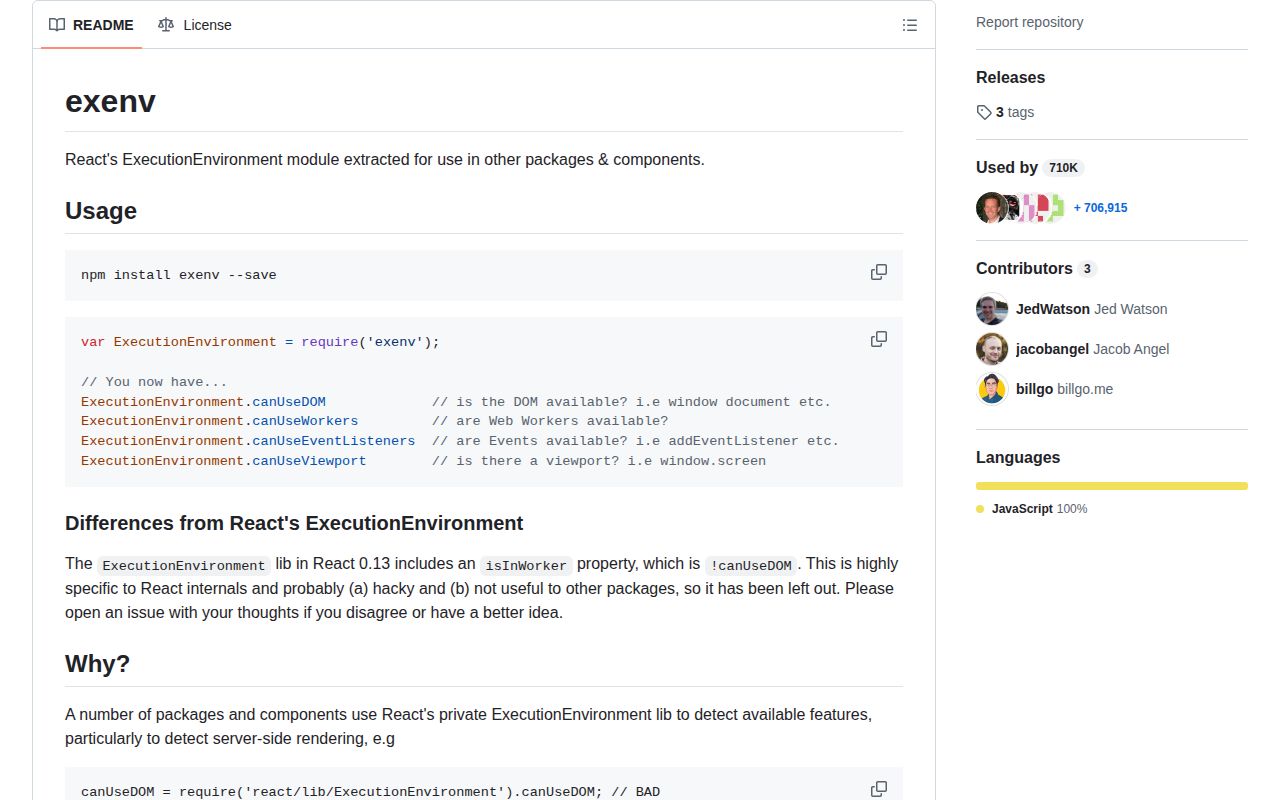
exenv 1.2.2 is a 39-line environment probe extracted from React's private ExecutionEnvironment module. Importing it returns four booleans computed immediately: canUseDOM, canUseWorkers, canUseEventListeners, and canUseViewport. It answers whether specific browser globals existed when the module loaded; it does not identify Node, a browser tab, jsdom, Deno, or a worker as a runtime. The current version changed the package's license field to a valid SPDX identifier in 2017. Its feature-detection code is unchanged from 1.2.1.
exenv 1.2.2 installed in 0.9 seconds as one 1 MB package in our sandbox, but its four booleans freeze at import time and its code has not changed since 2016. Keep it for compatibility with an existing API; write direct capability checks in new frontend or SSR code.
We installed it
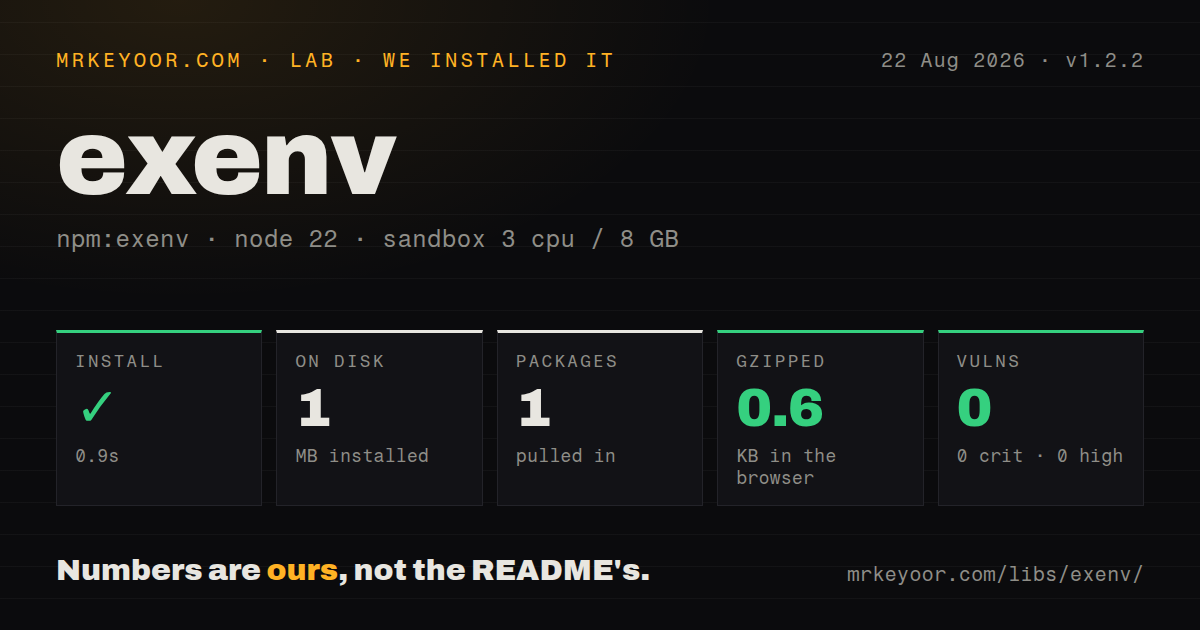
| Install | ✓ · 0.9s | 1 package on disk · 1 MB |
| Import | ✓ | ESM import works · require() works · CommonJS package |
| Browser | 0.6 KB | gzipped (1.1 KB minified), bundled with esbuild |
| Types | — | no TypeScript types found |
| Known vulns | 0 | 0 critical · 0 high · 0 moderate · 0 low (npm audit) |
Answers from our run
Does exenv install cleanly?
Yes. In a fresh container with an empty cache, npm install exenv finished in 0.9s, leaving 1 package and 1 MB on disk. npm audit reported no known vulnerabilities.
How much does exenv add to a browser bundle?
0.6 KB gzipped (1.1 KB minified) when the whole package is bundled for the browser with esbuild. Importing only part of it is usually smaller.
Does exenv work with both ESM and CommonJS?
Yes. Both import 'exenv' and require('exenv') worked in Node 22 in our run. The package is published as CommonJS.
Does exenv include TypeScript types?
No type declarations were found in our install, so TypeScript users need their own declarations.
exenv or can-use-dom: which should you use?
can-use-dom: Use it when an old CommonJS package needs only a single DOM availability boolean. exenv 1.2.2 installed in 0.9 seconds as one 1 MB package in our sandbox, but its four booleans freeze at import time and its code has not changed since 2016.
When should you not use exenv?
New code only needs to guard document access: the exact DOM test fits in a few local lines and avoids an inactive dependency
Use it if
- You maintain a CommonJS component whose public behavior already depends on exenv's four flag names
- Server-rendered code needs one early guard before it touches window or document
- A legacy browser bundle must keep the same UMD global, AMD, and CommonJS behavior
- Your test environment installs all browser globals before application modules are loaded
- New code only needs to guard document access: the exact DOM test fits in a few local lines and avoids an inactive dependency
- You need current packaging: our install found CommonJS with no exports map and no bundled TypeScript declarations
- Your tests add or remove jsdom after imports: all four flags are snapshots and do not react to later global changes
- You need runtime identity: canUseWorkers only checks for a global Worker and cannot distinguish a browser, web worker, Node worker_threads, or a test shim
- Your dependency policy requires recent maintenance: npm 1.2.2 was published in 2017, and GitHub records the last repository push in 2018
Setup reality
Our install of exenv 1.2.2 completed in 0.9 seconds and left one package using 1 MB on disk. npm audit found 0 known vulnerabilities. The package is 20 KB unpacked and declares no direct or peer dependencies, so there is no native compiler, install script, or peer-resolution work.
No credentials or configuration are involved. The package is CommonJS in a UMD wrapper and has no exports map. require() and ESM import both worked in our Node 22 sandbox, though no TypeScript declarations were bundled. Version 1.2.2 only corrected the SPDX license field to BSD-3-Clause; it did not add an environment check.
Every flag is calculated once during module evaluation. Import exenv before jsdom creates window, and canUseDOM remains false because Node caches the exported object. A test can load globals first, clear the module cache carefully, or run each environment in a separate process. The same stale-snapshot problem appears if browser globals disappear after import.
The 1.1 KB minified browser build measured 0.6 KB gzipped in our test. canUseDOM requires window.document.createElement. Event-listener and viewport flags also require that DOM check, while canUseWorkers only looks for a global named Worker. None of these checks proves an API call will succeed, and they are unsuitable for security decisions or browser identification.
Patterns
Protect a DOM-only branch guard-dom-access
const { canUseDOM } = require('exenv');

if (canUseDOM) {
  document.getElementById('app')?.classList.add('ready');
}
canUseDOM is true only when window, window.document, and document.createElement existed during the first import.
Return a server-side viewport fallback choose-ssr-fallback
const { canUseDOM } = require('exenv');

const viewportWidth = canUseDOM ? window.innerWidth : 1024;
A false canUseDOM value says the DOM probe failed; it does not identify Node.js or reveal the eventual client width.
Create a worker only when its global exists check-workers
const { canUseWorkers } = require('exenv');

const worker = canUseWorkers ? new Worker('/search-worker.js') : null;
canUseWorkers checks only typeof Worker !== 'undefined'; construction can still fail because of URLs, policy, or a partial shim.
Attach a window listener behind the flag check-event-listeners
const { canUseEventListeners } = require('exenv');

if (canUseEventListeners) {
  window.addEventListener('resize', onResize);
}
canUseEventListeners requires canUseDOM plus either window.addEventListener or the old window.attachEvent API.
Read screen dimensions conditionally check-viewport
const { canUseViewport } = require('exenv');

const size = canUseViewport
  ? { width: window.screen.width, height: window.screen.height }
  : null;
canUseViewport only tests that window.screen is truthy after the DOM probe; it does not check VisualViewport or measurement accuracy.
Delay loading a browser-only module defer-browser-module
const { canUseDOM } = require('exenv');

const editor = canUseDOM
  ? require('./browser-editor')
  : require('./editor-placeholder');
The conditional must wrap require(); a top-level import of browser-editor can throw before exenv's flag is consulted.
Create jsdom before requiring exenv install-jsdom-first
const { JSDOM } = require('jsdom');
const dom = new JSDOM('<!doctype html>');

global.window = dom.window;
global.document = dom.window.document;

const { canUseDOM } = require('exenv');
console.assert(canUseDOM === true);
Node caches the first computed object, so importing exenv before these two globals are assigned leaves canUseDOM false.
Reload the snapshot in an isolated test reset-test-snapshot
const modulePath = require.resolve('exenv');

delete require.cache[modulePath];
const currentEnvironment = require('exenv');
console.log(currentEnvironment.canUseDOM);
Deleting require.cache recomputes all four flags, but isolated processes or preinstalled globals avoid cache side effects across tests.
Load exenv explicitly from Node ESM use-from-esm
import { createRequire } from 'node:module';

const require = createRequire(import.meta.url);
const { canUseDOM } = require('exenv');
The package has no native ESM entry or exports map; createRequire uses its documented CommonJS export without relying on bundler interop.
Type the four flags locally declare-local-type
type Exenv = {
  canUseDOM: boolean;
  canUseWorkers: boolean;
  canUseEventListeners: boolean;
  canUseViewport: boolean;
};

const environment = require('exenv') as Exenv;
Version 1.2.2 bundles no TypeScript declaration, so this local shape is useful only when no installed community declaration already covers the module.
Branch on the capability you will use avoid-runtime-labels
const { canUseEventListeners } = require('exenv');

if (canUseEventListeners) {
  startInteractiveMode();
} else {
  renderStaticOutput();
}
The four flags describe exposed APIs, not named runtimes; canUseEventListeners is more precise here than treating canUseDOM as a browser label.
Read the browser-script global read-umd-global
<script src="/vendor/exenv/index.js"></script>
<script>
  if (window.ExecutionEnvironment.canUseDOM) {
    bootWidget();
  }
</script>
Without CommonJS or AMD present, the UMD wrapper assigns one global named window.ExecutionEnvironment.
Alternatives
| Package | Registry | Pick it when |
|---|---|---|
| can-use-dom | npm | Use it when an old CommonJS package needs only a single DOM availability boolean. |
| browser-or-node | npm | Use it when code must label browser, Node.js, web worker, jsdom, and Deno environments. |
| is-browser | npm | Use it for a small browser boolean when you accept another older package instead of an inline check. |
More web frontend guides
postcss · react · react-dom · tailwindcss · clsx · htmlparser2 · the whole shelf →
How this guide is made: grounded in the library's documentation, release notes, changelog, and issue history, on a fixed rubric — not a hands-on install of every release. The 50 most-downloaded entries are additionally install-verified in clean containers. Corrections: contact the desk.