dom-serialize review
dom-serialize 2.2.1 turns browser DOM objects into HTML-shaped strings, including Text, Attr, Comment, Document, DocumentFragment, NodeList, and arrays as well as elements. Its special feature is a bubbling `serialize` event fired for every visited node. A listener can replace that node's output, substitute another Node, or cancel it. The package is useful when that event hook is already part of a browser pipeline, but it is a CommonJS artifact from 2015 with HTML-specific casing and void-element rules.
Our browser bundle for dom-serialize 2.2.1 measured 43.7 KB minified and 15.5 KB gzipped, and the package still has no types or exports map. Keep it for its per-node event override in an existing browser stack; choose a native or tree-specific serializer for new code.
We installed it
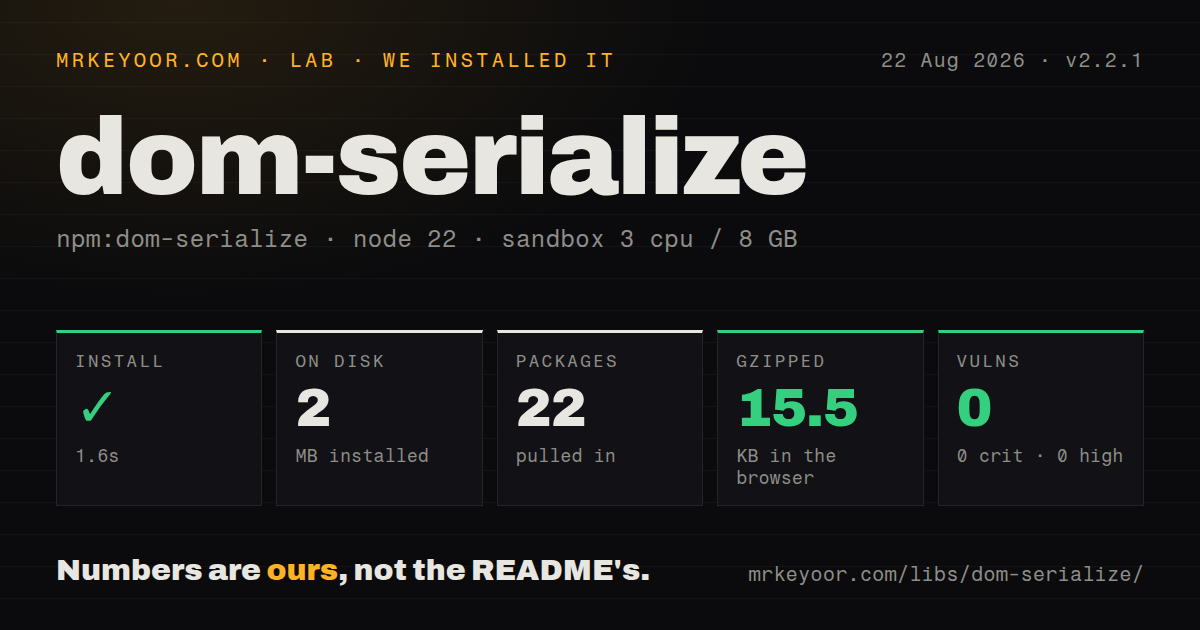
| Install | ✓ · 1.6s | 22 packages on disk · 2 MB |
| Import | ✓ | ESM import works · require() works · CommonJS package |
| Browser | 15.5 KB | gzipped (43.7 KB minified), bundled with esbuild |
| Types | — | no TypeScript types found |
| Known vulns | 0 | 0 critical · 0 high · 0 moderate · 0 low (npm audit) |
Answers from our run
Does dom-serialize install cleanly?
Yes. In a fresh container with an empty cache, npm install dom-serialize finished in 2 seconds, leaving 22 packages and 2 MB on disk. npm audit reported no known vulnerabilities.
How much does dom-serialize add to a browser bundle?
15.5 KB gzipped (43.7 KB minified) when the whole package is bundled for the browser with esbuild. Importing only part of it is usually smaller.
Does dom-serialize work with both ESM and CommonJS?
Yes. Both import 'dom-serialize' and require('dom-serialize') worked in Node 22 in our run. The package is published as CommonJS.
Does dom-serialize include TypeScript types?
No type declarations were found in our install, so TypeScript users need their own declarations.
dom-serialize or w3c-xmlserializer: which should you use?
w3c-xmlserializer: Use it for specification-oriented XML serialization of DOM nodes. Our browser bundle for dom-serialize 2.2.1 measured 43.7 KB minified and 15.5 KB gzipped, and the package still has no types or exports map.
When should you not use dom-serialize?
You only need an element's markup in a modern browser, where outerHTML avoids 4 runtime dependencies and an event dispatched per node
Use it if
- Your input mixes elements, text nodes, comments, fragments, documents, NodeLists, and arrays under one serializer
- A parent listener needs to redact or replace descendant markup through the package's bubbling `serialize` event
- You are maintaining code whose output and extension points already depend on dom-serialize 2.2.1
- A synchronous browser-side serializer is acceptable and every replacement string comes from trusted code
- You only need an element's markup in a modern browser, where `outerHTML` avoids 4 runtime dependencies and an event dispatched per node
- You serialize XML or namespaced SVG: the implementation lowercases every element name and applies an HTML void-element list
- Your policy forbids application listeners from affecting serialization: each visited node receives a bubbling, cancelable custom event
- You require first-party TypeScript declarations or an ESM export map: version 2.2.1 ships neither
- You need active release work: npm still serves the November 2015 version and the repository's last push was 2019-08-03
Setup reality
We installed dom-serialize 2.2.1 in our sandbox in 1.6 seconds. It left 22 packages and 2 MB on disk, while npm audit found 0 known vulnerabilities across all four severity levels. The package itself is 56 KB unpacked, declares 4 direct dependencies and 0 peer dependencies, and uses the MIT license. No native compiler, credential, or config file appeared.
The entry point is CommonJS and has no exports map. Both require() and ESM import worked in our Node 22 checks, though we found no TypeScript declarations. A browser build that imported the whole package measured 43.7 KB minified and 15.5 KB gzipped. Node does not supply the DOM objects this code expects, so server use also needs a separate DOM implementation.
Serialization is synchronous and walks the tree recursively. Each Node receives a serialize CustomEvent before normal output is chosen. Set event.detail.serialize to a string or replacement Node, or call preventDefault() to omit the node. Replacement strings are inserted as markup without escaping. The README's callback sample contains serialze; that spelling does nothing. Use the full serialize property name.
The output follows the package's own HTML rules rather than a namespace-aware browser round trip. Element names are lowercased, known void elements receive no closing tag, and unsupported node types return an empty string. Text and attribute values pass through ent, while comments are wrapped directly. Test output against the DOM implementation and node types your application actually supplies.
Patterns
Serialize an element's outer markup serialize-element
const serialize = require('dom-serialize');
const el = document.createElement('p');
el.textContent = 'A & B';
console.log(serialize(el));
// <p>A & B</p>Text nodes encode ampersands and angle brackets. The element name is converted to lowercase.
Encode a standalone text node serialize-text-node
const text = document.createTextNode('<tag> & text');
const output = serialize(text);
// <tag> & textA Text node needs no wrapper. Quote characters are not special in text content under this encoder.
Join a fragment without adding a tag serialize-fragment
const part = document.createDocumentFragment();
part.append(document.createTextNode('before'));
part.append(document.createElement('br'));
part.append(document.createTextNode('after'));
console.log(serialize(part));
A DocumentFragment emits only its children, and `br` is written without a closing tag.
Serialize matching nodes in document order serialize-node-list
const rows = document.querySelectorAll('tr.selected');
const html = serialize(rows);
Objects with a numeric `length` and no `nodeType` are treated as lists and concatenated by index.
Redact one node with an event listener replace-node-output
const secret = document.querySelector('[data-secret]');
secret.addEventListener('serialize', event => {
  event.detail.serialize = '<span>[redacted]</span>';
});
const html = serialize(secret.parentNode);
The replacement string is inserted verbatim. Escape user-controlled content before assigning it to `detail.serialize`.
Cancel serialization for private descendants omit-descendant
const root = document.querySelector('main');
root.addEventListener('serialize', event => {
  if (event.serializeTarget.matches?.('[data-private]')) {
    event.preventDefault();
  }
});
const html = serialize(root);
The event bubbles through real DOM ancestry. Calling `preventDefault()` with no replacement produces an empty string for that node.
Attach a callback for one serialization customize-one-call
const html = serialize(root, event => {
  if (event.serializeTarget.matches?.('[data-summary]')) {
    event.detail.serialize = '...';
  }
});
The package removes this listener after the call. Use `serialize`, not the misspelled `serialze` property shown in the README sample.
Send a mode to delegated listeners pass-context
root.addEventListener('serialize', event => {
  if (event.detail.context === 'email' && event.serializeTarget.nodeName === 'VIDEO') {
    event.detail.serialize = '<a href="/watch">Watch</a>';
  }
});
const email = serialize(root, 'email');
Context is arbitrary caller data stored at `event.detail.context`; dom-serialize does not inspect or validate it.
Substitute another DOM node replace-with-node
const html = serialize(root, event => {
  if (event.serializeTarget.nodeName === 'TIME') {
    event.detail.serialize = document.createTextNode(event.serializeTarget.dateTime);
  }
});
A replacement with a numeric `nodeType` is serialized recursively and can trigger another `serialize` event.
Call the attribute helper directly serialize-attribute
const link = document.createElement('a');
link.setAttribute('title', 'A & "B"');
const attr = serialize.serializeAttribute(link.attributes[0]);
The CommonJS function carries named helpers as properties. Those helpers are present in source but absent from the README API section.
Include a document doctype serialize-document
const type = document.implementation.createDocumentType('html', '', '');
const doc = document.implementation.createDocument(null, 'html', type);
console.log(serialize(doc));
// <!DOCTYPE html><html></html>
Document serialization joins child nodes. Element handling still uses the package's lowercase HTML rules.
Alternatives
| Package | Registry | Pick it when |
|---|---|---|
| w3c-xmlserializer | npm | Use it for specification-oriented XML serialization of DOM nodes. |
| dom-serializer | npm | Use it when the tree comes from htmlparser2, domhandler, or Cheerio. |
| serialize-javascript | npm | Use it to encode JavaScript values into source text rather than to walk DOM nodes. |
More web frontend guides
postcss · react · react-dom · tailwindcss · clsx · htmlparser2 · the whole shelf →
How this guide is made: grounded in the library's documentation, release notes, changelog, and issue history, on a fixed rubric — not a hands-on install of every release. The 50 most-downloaded entries are additionally install-verified in clean containers. Corrections: contact the desk.