custom-event review
custom-event 1.0.1 is a compatibility constructor for DOM `CustomEvent` objects. In our sandbox it bundled to 1.1 KB minified, which matches the tiny scope: use the browser constructor when it works, otherwise fall back to older `document.createEvent` APIs. The value you attach is available as `event.detail`, and dispatch still happens through a DOM target. This package does not provide listeners, pub/sub, a Node event emitter, or a server-side DOM.
custom-event 1.0.1 installed in 0.6 seconds and bundled to 1.1 KB minified in our sandbox, but it shipped no TypeScript declarations and has not been released since 2016. Keep it for a tested legacy-browser path; new code targeting current browsers should call the native `CustomEvent` constructor.
We installed it
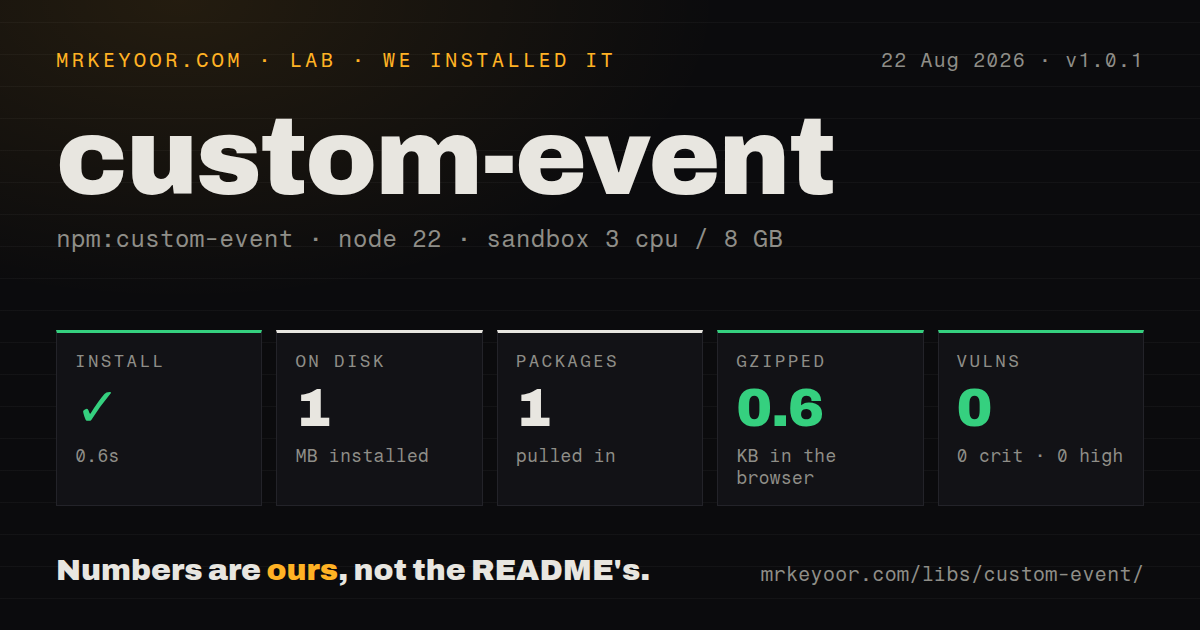
| Install | ✓ · 0.6s | 1 package on disk · 1 MB |
| Import | ✓ | ESM import works · require() works · CommonJS package |
| Browser | 0.6 KB | gzipped (1.1 KB minified), bundled with esbuild |
| Types | — | no TypeScript types found |
| Known vulns | 0 | 0 critical · 0 high · 0 moderate · 0 low (npm audit) |
Answers from our run
Does custom-event install cleanly?
Yes. In a fresh container with an empty cache, npm install custom-event finished in 0.6s, leaving 1 package and 1 MB on disk. npm audit reported no known vulnerabilities.
How much does custom-event add to a browser bundle?
0.6 KB gzipped (1.1 KB minified) when the whole package is bundled for the browser with esbuild. Importing only part of it is usually smaller.
Does custom-event work with both ESM and CommonJS?
Yes. Both import 'custom-event' and require('custom-event') worked in Node 22 in our run. The package is published as CommonJS.
Does custom-event include TypeScript types?
No type declarations were found in our install, so TypeScript users need their own declarations.
custom-event or event-target-shim: which should you use?
event-target-shim: Use it when code needs a WHATWG-style EventTarget as well as event construction. custom-event 1.0.1 installed in 0.6 seconds and bundled to 1.1 KB minified in our sandbox, but it shipped no TypeScript declarations and has not been released since 2016.
When should you not use custom-event?
Only current browsers are supported: globalThis.CustomEvent already supplies the constructor, so this dependency duplicates the platform
Use it if
- An existing browser bundle imports `custom-event` and still has an Internet Explorer compatibility requirement
- One CommonJS constructor must select native or legacy DOM event creation at runtime
- A transitive dependency already expects this exact module and removing it would require patching that dependency
- You are maintaining an older Browserify or webpack build whose tested browser matrix includes the fallback paths
- Only current browsers are supported: `globalThis.CustomEvent` already supplies the constructor, so this dependency duplicates the platform
- You need `on`, `off`, `once`, or `emit`: the package constructs one DOM event and has no listener registry
- Code runs in Node, a worker, or server rendering without a DOM: issues #4 and #5 ask for Node and no-global behavior, while the fallback calls `document`
- TypeScript must resolve package declarations: our install found no bundled types, so a project needs its own module declaration
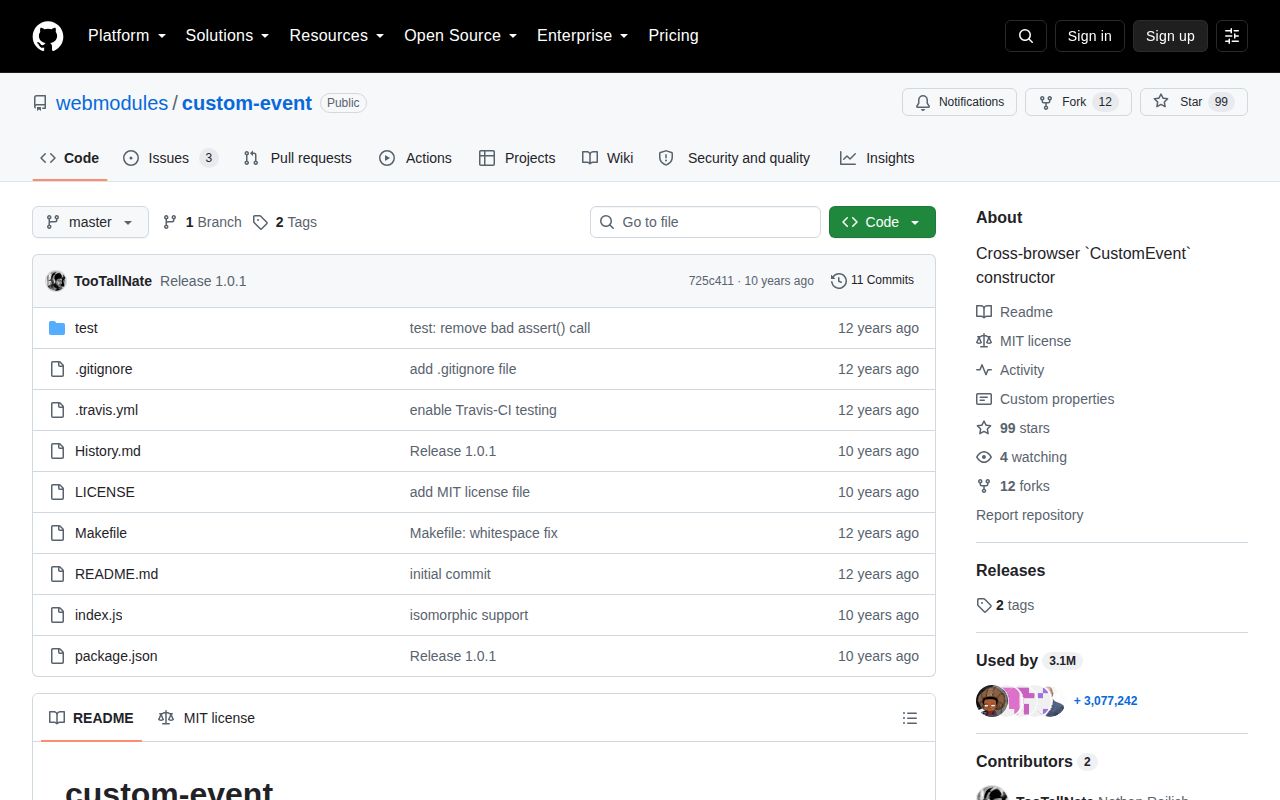
- New dependencies must show active upkeep: version 1.0.1 and the last repository push both date to October 2016, with three issues and pull requests open
Setup reality
Our fresh install of custom-event 1.0.1 completed in 0.6 seconds. It left 1 package and 1 MB on disk, has no direct or peer dependencies, and npm audit reported 0 known vulnerabilities. The MIT package is 44 KB unpacked. We found no TypeScript declarations.
No credentials, config file, native compiler, or service is involved. The package is CommonJS with no exports map; both require() and ESM import worked in our Node 22 check. Its browser bundle measured 1.1 KB minified and 0.6 KB gzipped. A bundler is still needed when source code contains require('custom-event').
At startup the module tests whether the global CustomEvent constructor can create an event. If that test fails, calling the export uses document.createEvent('CustomEvent') and initCustomEvent; the IE 8 branch uses document.createEventObject. Import can therefore appear fine in Node, then construction fails because no document exists. Guard the call during server rendering rather than treating this as a DOM shim.
The options object maps bubbles, cancelable, and detail onto the legacy initializer. Omitted flags become false and omitted detail is undefined. Dispatch the result from the intended element with dispatchEvent, and listen on that target or an ancestor when bubbling is enabled. Test the IE 8 path separately if it still matters because its event-like object cannot promise every modern Event method.
Patterns
Load the CommonJS constructor import-constructor
var CustomEvent = require('custom-event');Version 1.0.1 has no exports map or bundled declaration file. ESM import worked through Node's CommonJS interop in our test.
Dispatch a structured payload send-detail
var CustomEvent = require('custom-event');

var event = new CustomEvent('cart:add', {
  detail: { sku: 'A-42', quantity: 2 }
});
document.dispatchEvent(event);
Custom data belongs in `detail`; the constructor does not turn arbitrary top-level options into event properties.
Read the payload in a listener receive-detail
document.addEventListener('cart:add', function (event) {
  console.log(event.detail.sku, event.detail.quantity);
});
Register on the dispatch target, or on an ancestor when the event has `bubbles: true`.
Let an event reach ancestors enable-bubbling
button.dispatchEvent(new CustomEvent('menu:select', {
  bubbles: true,
  detail: { value: 'settings' }
}));
`bubbles` defaults to false in the fallback, so delegated listeners will otherwise miss the event.
Allow a listener to reject an action make-event-cancelable
var event = new CustomEvent('dialog:before-close', {
  cancelable: true,
  detail: { reason: 'escape' }
});

if (!dialog.dispatchEvent(event)) keepDialogOpen();
`dispatchEvent` returns false only after a listener calls `preventDefault()` on an event created with `cancelable: true`.
Reject a proposed close cancel-default-action
dialog.addEventListener('dialog:before-close', function (event) {
  if (hasUnsavedChanges()) event.preventDefault();
});
The IE 8 `createEventObject` branch should be tested before relying on modern cancellation behavior.
Handle child events on a parent delegate-event
list.addEventListener('row:activate', function (event) {
  console.log(event.detail.id);
});

row.dispatchEvent(new CustomEvent('row:activate', {
  bubbles: true,
  detail: { id: 17 }
}));
The row must be a descendant of `list`, and bubbling must be enabled for this delegation to work.
Create an event without options construct-with-defaults
var ready = new CustomEvent('widget:ready');
widget.dispatchEvent(ready);
The fallback initializes `bubbles` and `cancelable` as false, with `detail` left undefined.
Make the source target explicit dispatch-from-element
var input = document.querySelector('#search');
input.dispatchEvent(new CustomEvent('search:clear', {
  detail: { previousValue: input.value }
}));
The module only creates the event. The browser element supplies `dispatchEvent` and determines the event target.
Skip DOM work during server rendering avoid-server-construction
if (typeof document !== 'undefined') {
  var CustomEvent = require('custom-event');
  document.dispatchEvent(new CustomEvent('app:hydrated'));
}
Without a working native constructor, the fallback dereferences `document`; the package does not install a DOM in Node.
Alternatives
| Package | Registry | Pick it when |
|---|---|---|
| event-target-shim | npm | Use it when code needs a WHATWG-style EventTarget as well as event construction |
| eventemitter3 | npm | Use it for application events across Node and browsers without DOM propagation |
| mitt | npm | Use it for a very small typed event bus where browser Event objects are unnecessary |
More web frontend guides
postcss · react · react-dom · tailwindcss · clsx · htmlparser2 · the whole shelf →
How this guide is made: grounded in the library's documentation, release notes, changelog, and issue history, on a fixed rubric — not a hands-on install of every release. The 50 most-downloaded entries are additionally install-verified in clean containers. Corrections: contact the desk.