cssfontparser review
cssfontparser turns an old-style CSS font shorthand into an object containing style, variant, weight, pixel size, pixel line height, and a family array. A parent font string lets it resolve em and percentage sizes, and a DPI argument controls physical-unit conversion. Version 1.2.1, released in 2015, fixed unitless line-height so 16px/1.2 produces 19.2 pixels. The implementation is one dependency-free CommonJS file with a narrow regular expression and a process-wide result cache. Our install had no TypeScript declarations, though both require() and ESM import loaded it.
cssfontparser 1.2.1 installed in 0.5 seconds and bundled to 1.3 KB gzipped in our sandbox, but its parser code has been unchanged since 2015 and returns shared cached objects. Keep it for known legacy shorthand strings; choose a maintained CSS parser for user input or current syntax.
We installed it
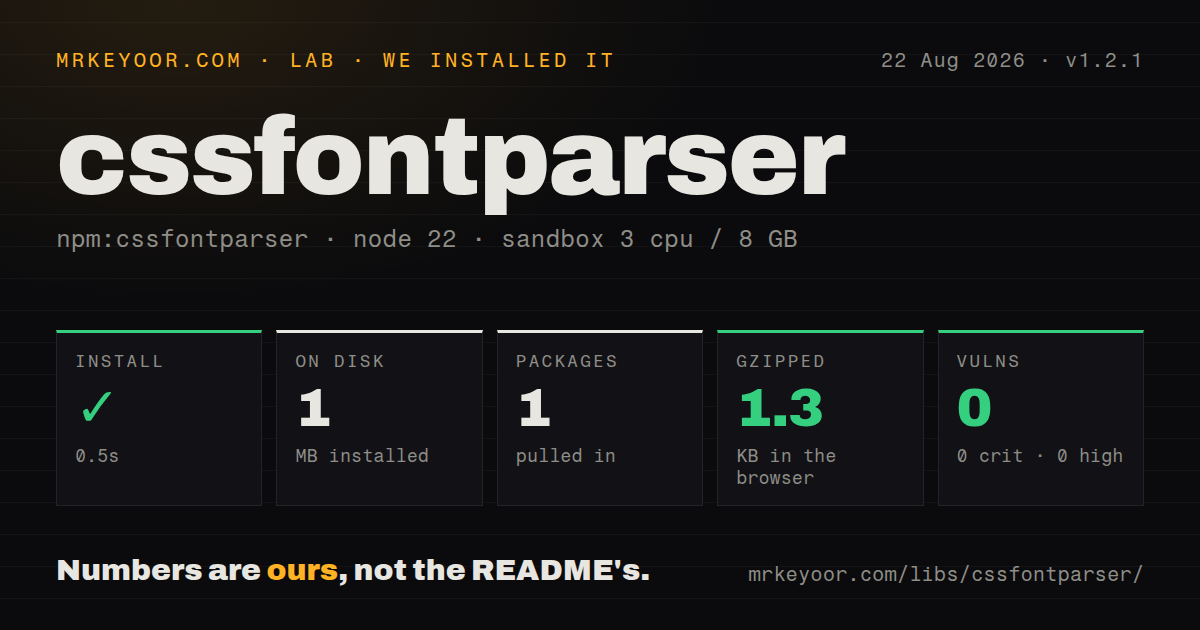
| Install | ✓ · 0.5s | 1 package on disk · 1 MB |
| Import | ✓ | ESM import works · require() works · CommonJS package |
| Browser | 1.3 KB | gzipped (2.5 KB minified), bundled with esbuild |
| Types | — | no TypeScript types found |
| Known vulns | 0 | 0 critical · 0 high · 0 moderate · 0 low (npm audit) |
Answers from our run
Does cssfontparser install cleanly?
Yes. In a fresh container with an empty cache, npm install cssfontparser finished in 0.5s, leaving 1 package and 1 MB on disk. npm audit reported no known vulnerabilities.
How much does cssfontparser add to a browser bundle?
1.3 KB gzipped (2.5 KB minified) when the whole package is bundled for the browser with esbuild. Importing only part of it is usually smaller.
Does cssfontparser work with both ESM and CommonJS?
Yes. Both import 'cssfontparser' and require('cssfontparser') worked in Node 22 in our run. The package is published as CommonJS.
Does cssfontparser include TypeScript types?
No type declarations were found in our install, so TypeScript users need their own declarations.
cssfontparser or css-font-parser: which should you use?
css-font-parser: Use it when you want a newer package focused specifically on the font shorthand. cssfontparser 1.2.1 installed in 0.5 seconds and bundled to 1.3 KB gzipped in our sandbox, but its parser code has been unchanged since 2015 and returns shared cached objects.
When should you not use cssfontparser?
Input can contain var(), calc(), rem, ch, viewport units, system fonts, escaped identifiers, or current generic families; the source regex has no grammar for them
Use it if
- Existing code already depends on this parser's exact object fields and pixel conversion behavior
- Inputs are controlled font shorthands with simple family names and CSS 2-era units
- A parent shorthand must resolve em or percentage sizes without a DOM
- A tiny browser parser matters more than TypeScript declarations or current CSS grammar coverage
- Input can contain var(), calc(), rem, ch, viewport units, system fonts, escaped identifiers, or current generic families; the source regex has no grammar for them
- The package must be actively updated; parser code has not changed since version 1.2.1 in May 2015, and the 2022 commits only added license text
- Callers may mutate parsed objects; identical arguments return the same cached object reference, including its family array
- The project requires shipped TypeScript declarations, an exports map, or an ESM build; our package inspection found none of those
- Serialization must preserve the source text; toString() converts sizes to px, normalizes 5 old generic names, quotes spaced families, and omits weight 400
- Browser-equivalent error handling is required; unsupported input can return undefined on its first parse and null after the failed result enters the cache
Setup reality
Our fresh installation of cssfontparser 1.2.1 completed in 0.5 seconds. It put 1 package and 1 MB on disk, and npm audit found 0 known vulnerabilities. The package is 24 KB unpacked with 0 direct and 0 peer dependencies. It is CommonJS without an exports map; require() and ESM import both succeeded on Node 22. No TypeScript declarations ship. Our all-exports browser build was 2.5 KB minified and 1.3 KB gzipped.
There are no credentials, native builds, or configuration files. The function takes the font string, an optional parent font string, and an optional DPI that defaults to 96. A numeric parent or CSSStyleDeclaration will not work. Relative em and percentage sizes need that second shorthand; without it, parsing may return an object whose size is undefined. Version 1.2.1 specifically computes a unitless line-height by multiplying it by the parsed size, as in 16px/1.2 becoming 19.2.
The main trap is its module-level cache. Repeating the same string, parent, and DPI returns the same object, so changing size or pushing into family changes what later callers see. Clone both the object and its family array before editing. toString() closes over the values assembled during the original parse, which means mutations are not reliably reflected in output. Failed input is cached as null, while the first failed call falls through without an explicit return; always test the result before reading fields.
The regular expression accepts a small slice of font syntax: familiar style, small-caps, old weight forms, several absolute units, em, percentages, and simple quoted or unquoted ASCII family names. It does not understand CSS functions, variables, modern relative units, digits in family names, or newer generic families. Although ex appears in the accepted unit pattern, the numeric converter has no ex case. A syntactic match can therefore still yield undefined numeric fields. Use browser parsing or a maintained CSS syntax library for untrusted stylesheets.
Patterns
Read the six classic font fields parse-shorthand
const parseFont = require('cssfontparser')

const font = parseFont('italic small-caps 700 16px/1.5 Georgia, serif')
console.log(font)
// { style: 'italic', variant: 'small-caps', weight: '700',
//   size: 16, lineHeight: 24, family: ['Georgia', 'serif'] }
Version 1.2.1 turns the unitless 1.5 line height into 24 pixels because the parsed font size is 16 pixels.
Guard every parse result reject-invalid-input
const parsed = parseFont(input)
if (!parsed || typeof parsed.size !== 'number' || !parsed.family) {
  throw new TypeError(`Unsupported font shorthand: ${input}`)
}
A failed first call can return undefined, while the cached failure is null. Relative sizes can also produce an object without size.
Calculate em from a parent shorthand resolve-em
const child = parseFont('1.5em sans-serif', '16px serif')
console.log(child.size) // 24
Argument 2 must be another font string that this parser accepts. A number or computed-style object cannot supply the parent size.
Calculate a percentage size resolve-percentage
const child = parseFont('75% Arial, sans-serif', '20px serif')
console.log(child.size) // 15
Without the 20px parent shorthand, size is undefined even though the returned object can still contain the family list.
Convert points at a chosen DPI set-dpi
const printFont = parseFont('12pt serif', null, 192)
console.log(printFont.size) // 32
Argument 3 defaults to 96 DPI. px bypasses it, while pt, pc, mm, cm, and in are converted with it.
Expand a unitless line height compute-line-height
const font = parseFont('16px/1.25 Arial, sans-serif')
console.log(font.lineHeight) // 20
Version 1.2.1 added this multiplication path. A line-height unit unsupported by numeric() can still become an unintended multiplier.
Resolve the inherit keyword inherit-parent
const inherited = parseFont('inherit', 'italic 14px Georgia, serif')
console.log(inherited.size) // 14
Calling parseFont('inherit') without argument 2 returns undefined. With a parent, inherit returns that cached parent object itself.
Emit the parser's normalized form serialize-result
const font = parseFont('italic 400 12px/2 Unknown Font, SANS-SERIF')
console.log(font.toString())
// italic 12px/24px "Unknown Font", sans-serif
The output drops weight 400, converts the line height to pixels, lowercases the recognized generic, and quotes the spaced family.
Copy before changing parsed data clone-cached-result
const parsed = parseFont('16px Arial, sans-serif')
const editable = {
  ...parsed,
  family: parsed.family.slice(),
}
editable.size = 18
The cache returns one object for identical arguments. Clone the nested family array as well as the top-level object before mutation.
Check the built-in generic table inspect-generics
const { generics } = require('cssfontparser')

if (generics[family.toLowerCase()]) {
  console.log('recognized legacy generic')
}
The exported map has 5 names: serif, sans-serif, cursive, fantasy, and monospace. Newer CSS generic families are absent.
Serialize edited fields yourself format-edited-copy
const parsed = parseFont('16px Arial, sans-serif')
const size = 18
const family = parsed.family.map((name) =>
  name.includes(' ') ? `"${name}"` : name
).join(', ')
const css = `${size}px ${family}`
parsed.toString() uses the values captured during parsing, so it is the wrong formatter after changing size or family.
Walk font fallbacks in order read-family-order
const parsed = parseFont('14px "Open Sans", Arial, sans-serif')
for (const family of parsed.family) {
  console.log(family)
}
The family split is driven by a narrow regular expression. Digits, escapes, functions, and unusual Unicode names need separate tests or another parser.
Alternatives
| Package | Registry | Pick it when |
|---|---|---|
| css-font-parser | npm | Use it when you want a newer package focused specifically on the font shorthand |
| postcss-value-parser | npm | Use it when you need a maintained value tokenizer and can implement the font grammar yourself |
| css-tree | npm | Use it when parsing, validating, walking, and regenerating broader CSS syntax all matter |
More web frontend guides
postcss · react · react-dom · tailwindcss · clsx · htmlparser2 · the whole shelf →
How this guide is made: grounded in the library's documentation, release notes, changelog, and issue history, on a fixed rubric — not a hands-on install of every release. The 50 most-downloaded entries are additionally install-verified in clean containers. Corrections: contact the desk.