css review
Our browser build of css 3.0.0 failed, while both require() and ESM import worked in Node. That result matches the package's job: it synchronously parses a CSS string into the old Rework JavaScript tree and prints that tree back to CSS. Nodes expose selectors, declarations, comments, positions and a documented set of at-rules. Version 3.0.0 updated major dependencies and the supported Node generation, but did not add a new grammar. It has no types, validator, plugin runner, value parser or current-CSS compatibility promise.
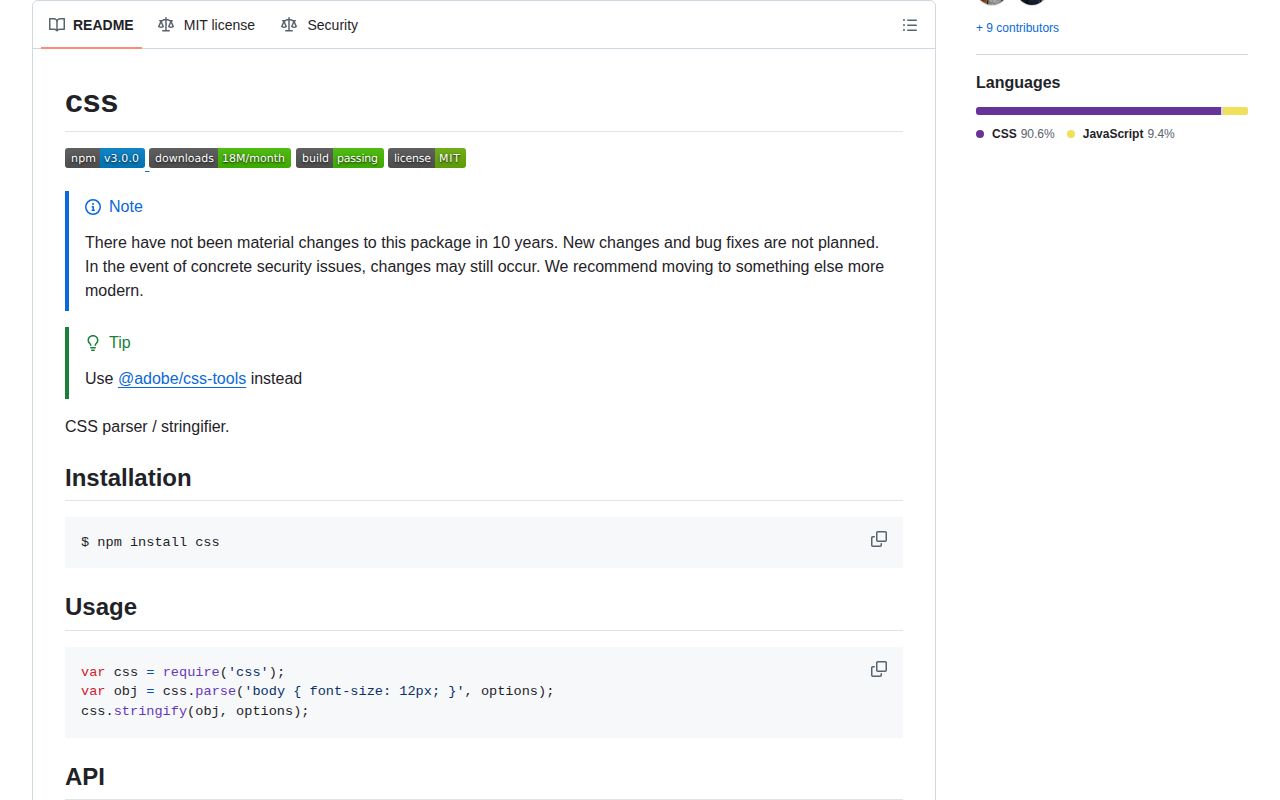
css 3.0.0 took 1.1 seconds and 2 MB in our sandbox, but its browser bundle failed and the maintainers say normal fixes are over. Keep it for Rework AST compatibility; new CSS tooling should start with @adobe/css-tools, PostCSS or css-tree.
We installed it
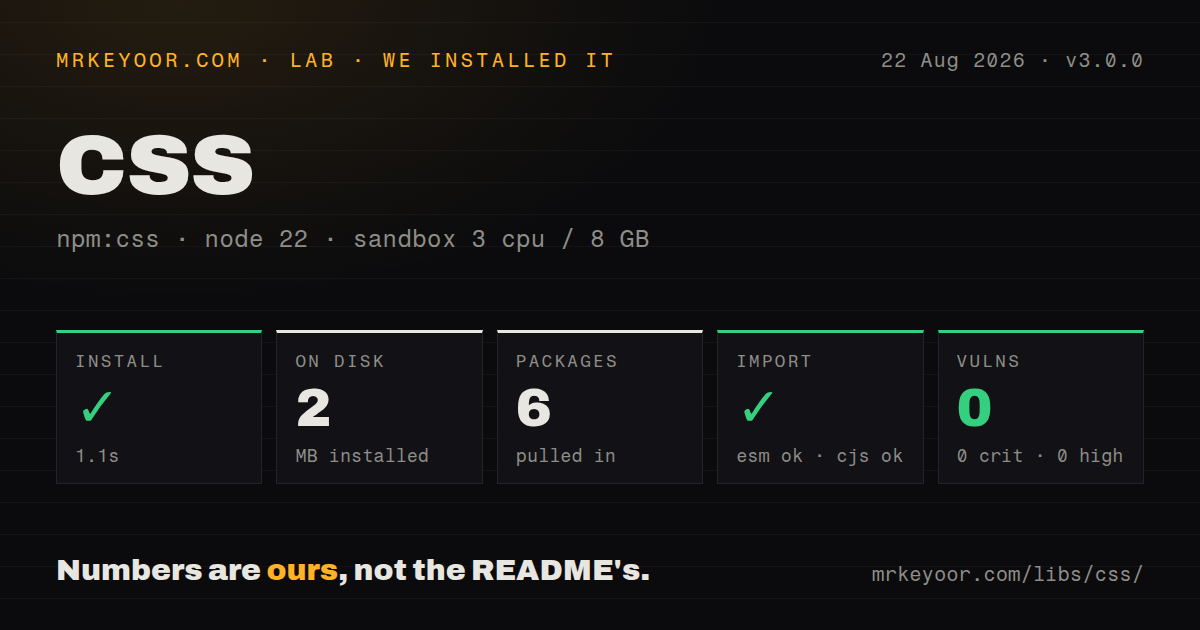
| Install | ✓ · 1.1s | 6 packages on disk · 2 MB · 1 deprecation warning |
| Import | ✓ | ESM import works · require() works · CommonJS package |
| Browser | n/a | could not be bundled for the browser (Node-only code, most likely) |
| Types | — | no TypeScript types found |
| Known vulns | 0 | 0 critical · 0 high · 0 moderate · 0 low (npm audit) |
Answers from our run
Does css install cleanly?
Yes. In a fresh container with an empty cache, npm install css finished in 1 seconds, leaving 6 packages and 2 MB on disk. npm audit reported no known vulnerabilities. The install printed 1 deprecation warning.
Can css run in a browser?
Not directly: esbuild could not bundle it for the browser in our run, which normally means it depends on Node built-ins. Use it on the server, or find a browser-targeted alternative.
Does css work with both ESM and CommonJS?
Yes. Both import 'css' and require('css') worked in Node 22 in our run. The package is published as CommonJS.
Does css include TypeScript types?
No type declarations were found in our install, so TypeScript users need their own declarations.
css or @adobe/css-tools: which should you use?
@adobe/css-tools: Pick the successor named by this repository when you want a similar tree with current fixes and packaged types. css 3.0.0 took 1.1 seconds and 2 MB in our sandbox, but its browser bundle failed and the maintainers say normal fixes are over.
When should you not use css?
You are starting a CSS tool now: the maintainers say ordinary fixes are no longer planned and point new users to @adobe/css-tools
Use it if
- You own a Rework-era transform that already consumes this package's node layout and parent links
- You need a synchronous Node script that edits declarations or selectors in the syntax this parser documents
- You want readable or compressed output from the same small parse and stringify API
- You need positioned parser errors or source maps for an existing build step
- You are starting a CSS tool now: the maintainers say ordinary fixes are no longer planned and point new users to @adobe/css-tools
- Your input can contain newer at-rules outside the documented grammar, such as @layer or @container; this parser has no node type for them
- Your codebase requires packaged TypeScript declarations; css 3.0.0 ships none
- You need property or value validation; declaration values stay as strings and invalid CSS semantics are outside this package's job
- You need browser execution; our esbuild browser bundle failed, so this release did not clear a browser deployment check
Setup reality
Our fresh install of css 3.0.0 finished in 1.1 seconds and left 6 packages using 2 MB. npm printed 1 deprecation warning, while audit found 0 known vulnerabilities. The package itself has 3 direct dependencies, no peers, an MIT license and 76 KB unpacked. It is CommonJS without an exports map; require() and ESM import both loaded it. No TypeScript declarations were present.
Version 3.0.0 needs no credentials or config file. parse() accepts a string and returns an AST synchronously. Give it a source path if error filenames or mappings matter. By default the first syntax error throws with reason, filename, line and column. silent: true stores errors on stylesheet.parsingErrors and attempts to continue, but it cannot teach the grammar an unsupported rule.
Each live node has a non-enumerable parent reference, and position objects retain the input in position.content. JSON serialization leaves those fields out, so a saved and restored tree is not identical to the object parse() returned. Selectors and declaration values are trimmed strings; comments inside them are discarded rather than preserved for output.
stringify() in 3.0.0 is synchronous too. compress removes comments and extra whitespace, while sourcemap changes the result from a string to an object containing code and map. Input source maps are enabled by default and may trigger synchronous file reads for sourceMappingURL references. Set inputSourcemaps: false when files must not be opened. Our minified browser bundle did not build, so treat this as Node code.
Patterns
Parse a stylesheet with source positions parse-stylesheet
const css = require('css')

const ast = css.parse('main { color: navy; }', {
  source: 'src/site.css',
})
console.log(ast.stylesheet.rules[0].position.start)
Line and column values start at 1. Passing source also gives errors and generated mappings a filename.
Read the first positioned parser error catch-syntax-error
try {
  css.parse('a { color red }', { source: 'bad.css' })
} catch (error) {
  console.error(error.reason, error.filename, error.line, error.column)
}
Default parsing throws at the first error. error.source can contain source text, so avoid logging it when styles may contain private data.
Collect recoverable parse errors collect-syntax-errors
const ast = css.parse(input, {
  source: 'incoming.css',
  silent: true,
})

for (const error of ast.stylesheet.parsingErrors) {
  console.error(`${error.line}:${error.column} ${error.reason}`)
}
silent: true records parser errors instead of throwing. It does not add grammar support for an unknown at-rule.
List selectors from top-level rules list-top-level-selectors
const selectors = ast.stylesheet.rules
  .filter((node) => node.type === 'rule')
  .flatMap((node) => node.selectors)

console.log(selectors)
Rules nested under @media or @supports are absent from this result. Their child nodes live in separate rules arrays.
Walk declarations in nested blocks walk-supported-nodes
function walk(nodes, visit) {
  for (const node of nodes) {
    visit(node)
    if (node.rules) walk(node.rules, visit)
    if (node.keyframes) walk(node.keyframes, visit)
    if (node.declarations) walk(node.declarations, visit)
  }
}

walk(ast.stylesheet.rules, (node) => {
  if (node.type === 'declaration') console.log(node.property)
})
The package has no walker. Follow rules, keyframes and declarations explicitly so the non-enumerable parent reference cannot create a recursion loop.
Replace a declaration value rewrite-declaration
walk(ast.stylesheet.rules, (node) => {
  if (node.type === 'declaration' && node.property === 'color') {
    node.value = 'rebeccapurple'
  }
})

const output = css.stringify(ast)
node.value is an unchecked string. stringify() will print a replacement even when it is invalid for the property.
Drop explicit comment nodes remove-comment-nodes
function withoutComments(nodes) {
  return nodes.filter((node) => node.type !== 'comment').map((node) => {
    if (node.rules) node.rules = withoutComments(node.rules)
    if (node.declarations) node.declarations = withoutComments(node.declarations)
    if (node.keyframes) node.keyframes = withoutComments(node.keyframes)
    return node
  })
}

ast.stylesheet.rules = withoutComments(ast.stylesheet.rules)
Only boundary comments become nodes. Comments written inside a selector, property or value were already removed during parsing.
Print CSS with custom indentation print-readable-css
const output = css.stringify(ast, { indent: '    ' })
process.stdout.write(output)
The printer normalizes formatting. It does not reproduce the input's whitespace and comment placement byte for byte.
Print compact CSS print-compressed-css
const compact = css.stringify(ast, { compress: true })
console.log(compact)
compress removes comments and optional spacing. It does not perform modern optimization passes such as prefixing or rule merging.
Return CSS with a serialized source map generate-source-map
const ast = css.parse(input, { source: 'src/input.css' })
const result = css.stringify(ast, {
  sourcemap: true,
  inputSourcemaps: false,
})

console.log(result.code)
console.log(result.map)
sourcemap: true changes the return value to an object with code and map. inputSourcemaps: false prevents referenced maps from causing file reads.
Work with the map generator object obtain-map-generator
const result = css.stringify(ast, {
  sourcemap: 'generator',
  inputSourcemaps: false,
})

const mapObject = result.map.toJSON()
The generator comes from source-map 0.6. Code written for newer source-map releases may expect different behavior.
Save the enumerable part of the AST serialize-ast-snapshot
const json = JSON.stringify(ast)
const snapshot = JSON.parse(json)
JSON.stringify omits parent and position.content because they are non-enumerable. The restored object therefore lacks live parent links and retained source text.
Alternatives
| Package | Registry | Pick it when |
|---|---|---|
| @adobe/css-tools | npm | Pick the successor named by this repository when you want a similar tree with current fixes and packaged types |
| postcss | npm | Pick it when transforms need a maintained parser, a visitor API and the established PostCSS plugin pool |
| css-tree | npm | Pick it for detailed syntax nodes, walking, generation and lexer-backed checks |
| lightningcss | npm | Pick it for modern parsing, prefixing and minification when a native binary fits your deployment |
More utils guides
lru-cache · type-fest · ajv · zod · p-limit · find-up · the whole shelf →
How this guide is made: grounded in the library's documentation, release notes, changelog, and issue history, on a fixed rubric — not a hands-on install of every release. The 50 most-downloaded entries are additionally install-verified in clean containers. Corrections: contact the desk.