css-selector-parser review
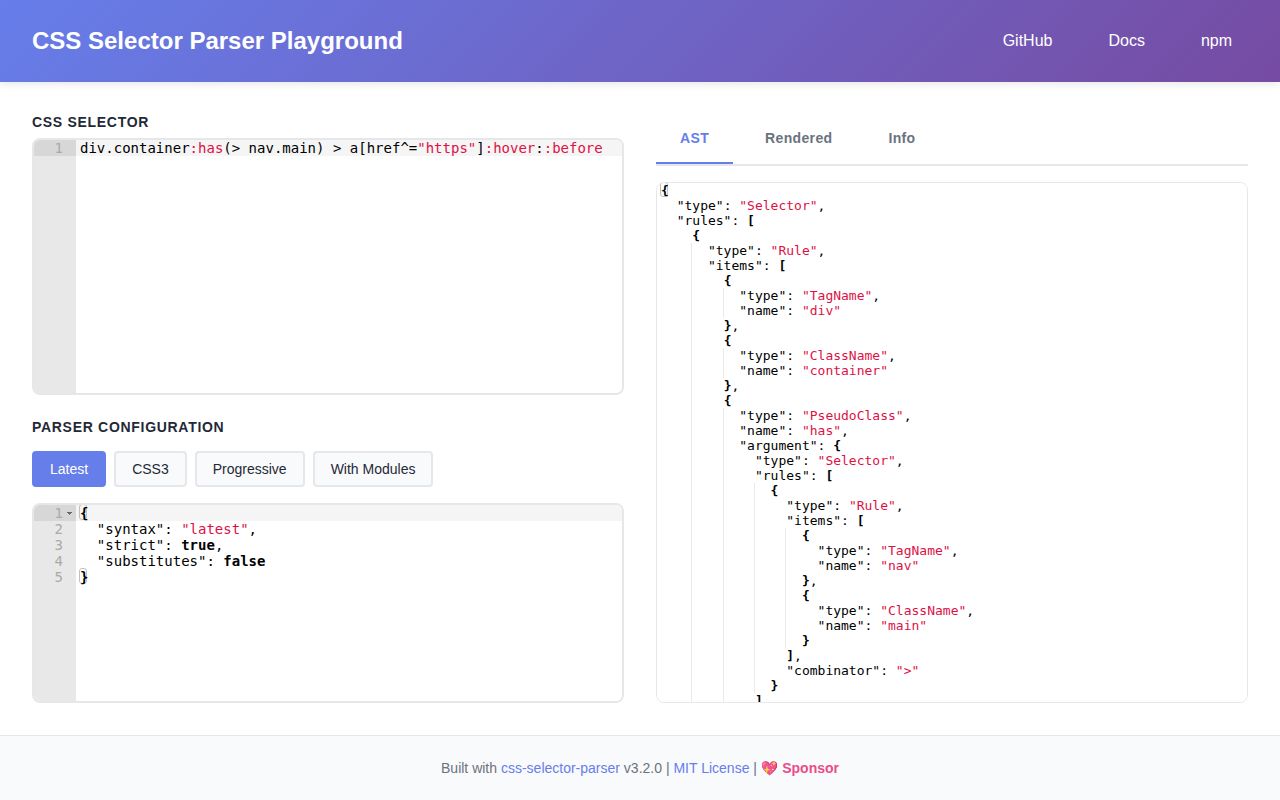
css-selector-parser 3.3.0 reads one CSS selector or a comma-separated selector list and returns a typed tree that code can inspect, change, build, and print. This release adds a `traverse` visitor with parent and ancestor context, including a way to skip children. Its grammar presets run from CSS1 through Selectors Level 4, with switches for nesting, Shadow DOM, and unknown pseudo names. It never looks at an HTML document, matches elements, parses declaration blocks, or computes specificity.
css-selector-parser 3.3.0 installed in 0.8 seconds and occupied 1 MB in our sandbox, while its browser import came to 7.3 KB gzipped with no audit findings. Install it for a typed selector AST and version 3.3 traversal; choose another package for DOM matching, specificity, or lossless source formatting.
We installed it
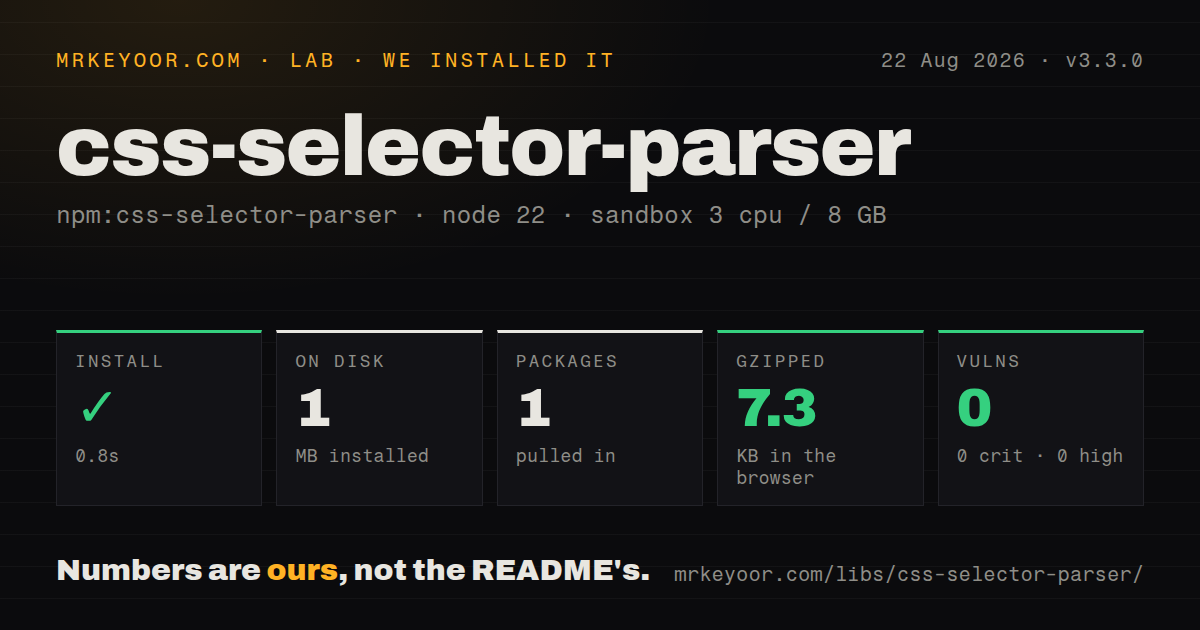
| Install | ✓ · 0.8s | 1 package on disk · 1 MB |
| Import | ✓ | ESM import works · require() works · CommonJS package with exports map |
| Browser | 7.3 KB | gzipped (22.6 KB minified), bundled with esbuild |
| Types | ✓ | TypeScript types bundled |
| Known vulns | 0 | 0 critical · 0 high · 0 moderate · 0 low (npm audit) |
Answers from our run
Does css-selector-parser install cleanly?
Yes. In a fresh container with an empty cache, npm install css-selector-parser finished in 0.8s, leaving 1 package and 1 MB on disk. npm audit reported no known vulnerabilities.
How much does css-selector-parser add to a browser bundle?
7.3 KB gzipped (22.6 KB minified) when the whole package is bundled for the browser with esbuild. Importing only part of it is usually smaller.
Does css-selector-parser work with both ESM and CommonJS?
Yes. Both import 'css-selector-parser' and require('css-selector-parser') worked in Node 22 in our run. The package is published as CommonJS with an exports map.
Does css-selector-parser include TypeScript types?
Yes, type declarations ship inside the package, so no @types install is needed.
css-selector-parser or postcss-selector-parser: which should you use?
postcss-selector-parser: Use it when selector edits belong inside a PostCSS plugin or a full stylesheet pipeline. css-selector-parser 3.3.0 installed in 0.8 seconds and occupied 1 MB in our sandbox, while its browser import came to 7.3 KB gzipped with no audit findings.
When should you not use css-selector-parser?
You need element matching: this parser has no DOM input and no equivalent of querySelectorAll
Use it if
- A linter or codemod needs typed nodes for classes, ids, attributes, combinators, and pseudo arguments
- An editor must accept incomplete selectors with `strict: false` while keeping strict parsing elsewhere
- Your tool needs to choose a fixed selector level or enable nesting and Shadow DOM modules explicitly
- You need to construct a selector tree in code and render escaped CSS from it
- You need element matching: this parser has no DOM input and no equivalent of `querySelectorAll`
- Your transform already runs inside PostCSS: `postcss-selector-parser` works with that processor model and its mutation conventions
- You need a specificity value: the public API documents parsing, AST helpers, rendering, and traversal, but no specificity calculator
- Your stored data uses the 1.x or 2.x AST: version 3 moved selector parts into `Rule.items` and replaced the configurable class with `createParser`
- You must reproduce the input byte for byte: `render` emits selector text from semantic nodes and does not promise to retain the original spaces or escape spelling
Setup reality
Our install of css-selector-parser 3.3.0 finished in 0.8 seconds. It left one package and 1 MB on disk, with 0 direct dependencies, 0 peer dependencies, and 0 known audit vulnerabilities. The package is CommonJS with an exports map; both require() and ESM import worked on our box. TypeScript declarations are bundled. Our browser build measured 22.6 KB minified and 7.3 KB gzipped.
There are no credentials, native build steps, or config files. Configuration happens when you call createParser. The default uses the latest grammar and strict parsing. Pin selectors-3 when newer syntax must fail, or select modules such as css-nesting-1 and css-shadow-parts-1. The progressive preset accepts unknown pseudo names; it does not assign browser behavior to them.
Bad input throws. Editor code should catch that exception and decide whether to retry with strict: false; validators should normally keep the strict default. Dollar substitutes are a package extension and require substitutes: true, so rendered output containing one still needs replacement before a browser can use it. Version 3.3.0 traversal can stop below a node by returning false, which is handy when a pseudo argument should remain opaque.
Migrating an older AST is the expensive part. Version 3 removed CssSelectorParser, made render a separate export, placed tag, class, id, attribute, and pseudo nodes in Rule.items, and represents combinator chains through nestedRule. Do not deserialize a 1.x or 2.x tree and pass it to 3.3.0. If AST objects cross a queue or live in a cache, version that payload with the parser major.
Patterns
Parse a selector into typed nodes parse-selector
import { createParser } from 'css-selector-parser'

const parse = createParser()
const tree = parse('article.card > a[href]:hover')
console.log(tree.rules[0].items)
The default parser uses the latest grammar in strict mode, so malformed input raises an exception.
Handle comma-separated alternatives parse-selector-list
const parse = createParser()
const tree = parse('h2, h3.section-title, main > p')

for (const rule of tree.rules) {
  console.log(rule)
}
Each comma-separated alternative appears in `Selector.rules`; combinators within one alternative are linked by `nestedRule`.
Reject syntax newer than Level 3 pin-selector-level
const parseLevel3 = createParser({ syntax: 'selectors-3' })
const tree = parseLevel3('input[type="email"]:first-child')
An explicit `selectors-3` preset rejects features outside that grammar instead of following the moving `latest` preset.
Keep unknown pseudo names accept-vendor-pseudos
const parseLooseGrammar = createParser({ syntax: 'progressive' })
const tree = parseLooseGrammar('button:vendor-active::vendor-label')
`progressive` permits unknown pseudo names and attribute modifiers, but the AST cannot tell a browser what those names mean.
Parse a CSS nesting selector enable-nesting
const parseNested = createParser({
  syntax: 'selectors-4',
  modules: ['css-nesting-1'],
})

const tree = parseNested('& > .item:hover')
The ampersand comes from `css-nesting-1`; enable that module when the selected preset does not already include it.
Accept host and part selectors enable-shadow-selectors
const parseShadow = createParser({
  syntax: 'selectors-4',
  modules: ['css-scoping-1', 'css-shadow-parts-1'],
})

parseShadow(':host([open]) button::part(label)')
`:host()` and `::part()` come from separate modules, and 3.1.3 fixed `::part()` so its argument is parsed as a string.
Allow an unfinished attribute selector parse-incomplete-input
const parseEditorInput = createParser({
  syntax: 'selectors-4',
  strict: false,
})

const tree = parseEditorInput('[data-state=open')
`strict: false` accepts some browser-tolerated incomplete forms. Keep strict mode for validation and build checks.
Collect class names with the 3.3 visitor collect-classes
import { createParser, traverse } from 'css-selector-parser'

const names = new Set<string>()
const tree = createParser()('main.feed > .card.featured')
traverse(tree, (node) => {
  if (node.type === 'ClassName') names.add(node.name)
})
`traverse` arrived in 3.3.0. This import does not exist in earlier 3.x releases.
Read visitor context inspect-ancestors
traverse(tree, (node, context) => {
  console.log({
    current: node.type,
    parent: context.parent?.type,
    ancestors: context.parents.length,
    property: context.key,
    index: context.index,
  })
})
The root has no parent, and `index` is defined only when the current node belongs to an array.
Stop traversal below pseudo-classes skip-pseudo-arguments
traverse(tree, (node) => {
  if (node.type === 'PseudoClass') return false
  visitVisibleNode(node)
})
Returning `false` skips that node's descendants, including selector trees nested inside functions such as `:has()`.
Construct and print a selector build-and-render
import { ast, render } from 'css-selector-parser'

const tree = ast.selector({
  rules: [ast.rule({
    items: [
      ast.tagName({ name: 'a' }),
      ast.className({ name: 'download' }),
      ast.attribute({ name: 'aria-current' }),
    ],
  })],
})

console.log(render(tree))
AST factory functions create the discriminated shapes expected by the renderer and bundled TypeScript types.
Parse the package's dollar substitute enable-substitutes
const parseTemplate = createParser({
  syntax: 'progressive',
  substitutes: true,
})

const tree = parseTemplate('[data-account=$accountId]')
Dollar substitutes are nonstandard package syntax. Replace them before sending rendered selector text to a browser.
Alternatives
| Package | Registry | Pick it when |
|---|---|---|
| postcss-selector-parser | npm | Use it when selector edits belong inside a PostCSS plugin or a full stylesheet pipeline. |
| css-what | npm | Use it when the token output will feed `css-select` or another DOM matching stack. |
| parsel | npm | Use it for browser-side parsing that also needs the package's specificity utilities. |
More web frontend guides
postcss · react · react-dom · tailwindcss · clsx · htmlparser2 · the whole shelf →
How this guide is made: grounded in the library's documentation, release notes, changelog, and issue history, on a fixed rubric — not a hands-on install of every release. The 50 most-downloaded entries are additionally install-verified in clean containers. Corrections: contact the desk.