css-box-model review
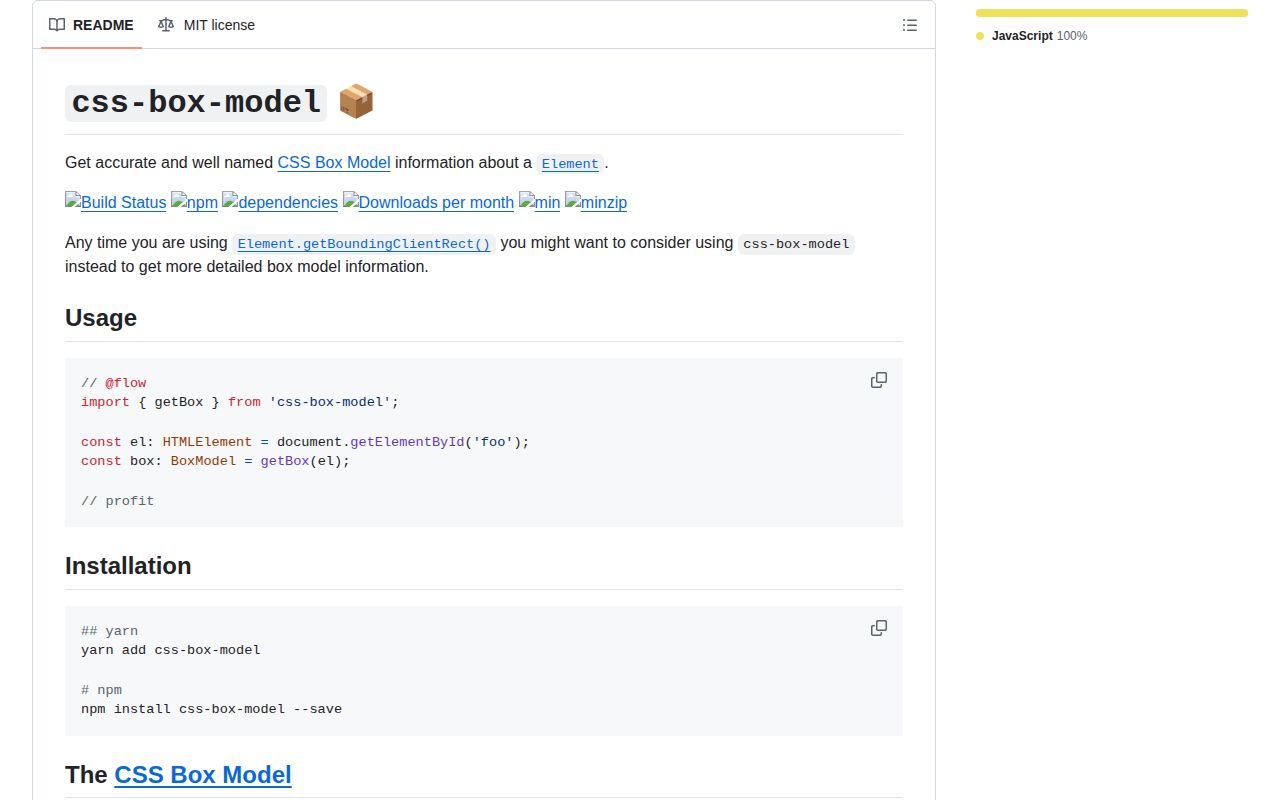
css-box-model 1.2.1 turns an element's border rectangle and computed styles into four named rectangles: margin, border, padding, and content. Each result includes edges, width, height, x and y coordinates, and a center point. The package also provides arithmetic helpers that expand, shrink, offset, or add scroll to those shapes without another DOM read. Its latest release did not add geometry behavior; 1.2.1 added the missing MIT license file. Our browser bundle measured 1.9 KB minified and 0.9 KB gzipped, and the package includes TypeScript declarations.
css-box-model 1.2.1 installed in 0.6 seconds and added 0.9 KB gzipped in our browser build, so its cost is easy to justify when code genuinely needs all four CSS boxes. Skip it for a single border rectangle or any environment without real DOM layout.
We installed it
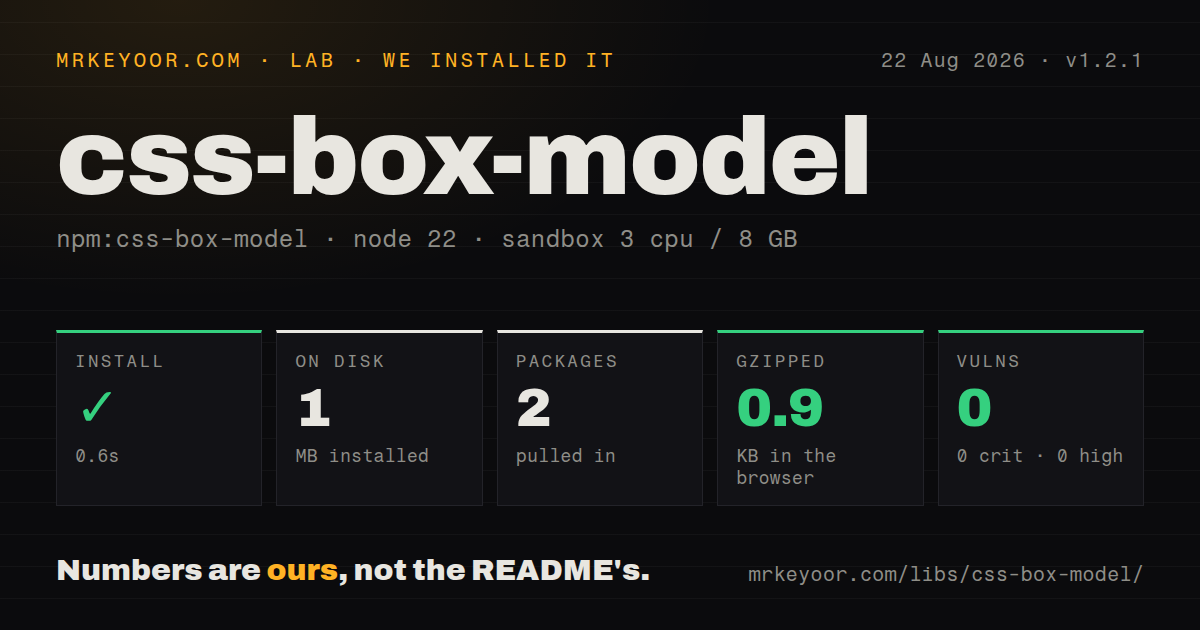
| Install | ✓ · 0.6s | 2 packages on disk · 1 MB |
| Import | ✓ | ESM import works · require() works · CommonJS package |
| Browser | 0.9 KB | gzipped (1.9 KB minified), bundled with esbuild |
| Types | ✓ | TypeScript types bundled |
| Known vulns | 0 | 0 critical · 0 high · 0 moderate · 0 low (npm audit) |
Answers from our run
Does css-box-model install cleanly?
Yes. In a fresh container with an empty cache, npm install css-box-model finished in 0.6s, leaving 2 packages and 1 MB on disk. npm audit reported no known vulnerabilities.
How much does css-box-model add to a browser bundle?
0.9 KB gzipped (1.9 KB minified) when the whole package is bundled for the browser with esbuild. Importing only part of it is usually smaller.
Does css-box-model work with both ESM and CommonJS?
Yes. Both import 'css-box-model' and require('css-box-model') worked in Node 22 in our run. The package is published as CommonJS.
Does css-box-model include TypeScript types?
Yes, type declarations ship inside the package, so no @types install is needed.
css-box-model or @floating-ui/dom: which should you use?
@floating-ui/dom: Use it when rectangles are only an input to popover placement, clipping, shifting, and flipping. css-box-model 1.2.1 installed in 0.6 seconds and added 0.9 KB gzipped in our browser build, so its cost is easy to justify when code genuinely needs all four CSS boxes.
When should you not use css-box-model?
You need only the border rectangle; getBoundingClientRect() already returns it without adding a package
Use it if
- Drag, collision, or hit-testing code needs margin, border, padding, and content rectangles from one measurement
- You already have a DOMRect and CSSStyleDeclaration and want calculateBox() to avoid duplicate reads
- Tests need pure rectangle fixtures through createBox() instead of depending on browser layout
- Page-relative coordinates are needed from a viewport-relative box and a known scroll position
- You need only the border rectangle; getBoundingClientRect() already returns it without adding a package
- The measurement must run during server rendering or in Node; getBox() requires an Element, window.getComputedStyle(), and real browser layout
- Computed spacing can arrive as rem, em, auto, or an empty string; the implementation treats values without a px suffix as zero
- You need popover placement, collision avoidance, clipping, or automatic flipping; this package calculates rectangles and does not choose placement
- You require active releases and current browser guidance; 1.2.1 shipped in 2020 and the repository's last push was in 2023
Setup reality
We installed css-box-model 1.2.1 in a fresh Node 22 Bookworm sandbox. npm completed in 0.6 seconds and left 2 packages using 1 MB on disk. The package is 68 KB unpacked, declares 1 direct dependency and no peers, and ships under MIT. npm audit found 0 known vulnerabilities. No native build, credentials, or project-level configuration was involved.
The published entry is CommonJS without an exports map. require() and ESM import both loaded in our test, and TypeScript declarations are bundled. A full esbuild browser import produced 1.9 KB minified and 0.9 KB gzipped. Version 1.2.1 also contains an ESM distribution file, but consumers resolve it through older main and module fields rather than conditional exports.
getBox() needs a mounted Element because it calls getBoundingClientRect() and window.getComputedStyle(). The returned coordinates begin in the viewport coordinate system. withScroll() converts the complete box model to page coordinates and reads window.pageXOffset and pageYOffset when no explicit position is passed. A server render has neither meaningful layout nor those window values, and jsdom commonly returns zero geometry, so pure fixtures are a better unit-test boundary.
The spacing parser accepts pixel-valued computed properties. A value without the px suffix becomes zero, which matters for incomplete test doubles and unusual computed-style inputs. calculateBox() accepts a rectangle plus styles when the caller already performed both reads. During dragging or animation, collect geometry reads together before writing styles; calling getBox() after each write can force the browser to recalculate layout repeatedly.
Patterns
Read the four CSS boxes measure-element
import { getBox } from 'css-box-model';

const node = document.querySelector('[data-draggable]');
if (!(node instanceof HTMLElement)) throw new Error('Missing draggable');

const measured = getBox(node);
console.log(measured.marginBox, measured.contentBox);
getBox() performs a layout read and a computed-style read. Call it after the element is mounted and participates in layout.
Use the content rectangle read-content-rect
const { contentBox } = getBox(node);
const { width, height, center } = contentBox;
console.log({ width, height, center });
contentBox removes measured border and padding from the border rectangle. Its coordinates remain relative to the viewport.
Inspect each spacing layer inspect-spacing
const model = getBox(node);
console.log({
  marginLeft: model.margin.left,
  borderTop: model.border.top,
  paddingBottom: model.padding.bottom,
});
margin, border, and padding each contain top, right, bottom, and left pixel numbers. Non-pixel input strings are read as zero.
Move viewport geometry to page coordinates convert-to-page
import { getBox, withScroll } from 'css-box-model';

const pageModel = withScroll(getBox(node));
console.log(pageModel.borderBox.top);
withScroll() uses window.pageXOffset and pageYOffset when the second argument is omitted. It therefore needs a browser window.
Apply a known scroll position supply-scroll
const pageModel = withScroll(viewportModel, {
  x: scrollLeft,
  y: scrollTop,
});
An explicit position makes withScroll() a pure calculation and avoids reading the global window, which is useful in tests.
Calculate from existing DOM reads reuse-measurements
import { calculateBox } from 'css-box-model';

const borderBox = node.getBoundingClientRect();
const styles = window.getComputedStyle(node);
const model = calculateBox(borderBox, styles);
calculateBox() accepts the rectangle and CSSStyleDeclaration directly. Use it when another part of the same frame already collected both values.
Build a box model fixture create-test-box
import { createBox } from 'css-box-model';

const fixture = createBox({
  borderBox: { top: 20, right: 220, bottom: 120, left: 20 },
  padding: { top: 8, right: 8, bottom: 8, left: 8 },
});
createBox() needs a rect-like borderBox. Omitted margin, border, and padding edges default to zero.
Derive dimensions from four edges normalize-edges
import { getRect } from 'css-box-model';

const rect = getRect({ top: 10, right: 190, bottom: 90, left: 30 });
console.log(rect.width, rect.height, rect.center);
getRect() computes width, height, x, y, and center from the supplied edges. It does not reorder crossed edges.
Grow a hit-test rectangle expand-hit-target
import { expand, getRect } from 'css-box-model';

const edges = expand(model.borderBox, {
  top: 6, right: 10, bottom: 6, left: 10,
});
const hitRect = getRect(edges);
expand() returns four edges rather than a complete Rect. Pass the result to getRect() when width, height, or center is required.
Inset a rectangle shrink-rect
import { shrink, getRect } from 'css-box-model';

const innerRect = getRect(shrink(model.borderBox, {
  top: 4, right: 4, bottom: 4, left: 4,
}));
shrink() does not clamp the result. Insets larger than the source dimensions can produce a negative width or height.
Translate the complete box model offset-model
import { offset } from 'css-box-model';

const translated = offset(model, { x: 18, y: -9 });
console.log(translated.paddingBox.left);
offset() moves every rectangle by the same x and y values while retaining the original spacing measurements.
Store a typed measurement type-result
import { getBox, type BoxModel } from 'css-box-model';

let previous: BoxModel | undefined;
previous = getBox(node);
Version 1.2.1 ships its own BoxModel declaration. Installing a separate @types package is unnecessary.
Alternatives
| Package | Registry | Pick it when |
|---|---|---|
| @floating-ui/dom | npm | Use it when rectangles are only an input to popover placement, clipping, shifting, and flipping |
| @popperjs/core | npm | Use it for an established modifier-based positioning engine around reference and floating elements |
| compute-scroll-into-view | npm | Use it when the required output is a set of scroll actions that reveals an element |
More web frontend guides
postcss · react · react-dom · tailwindcss · clsx · htmlparser2 · the whole shelf →
How this guide is made: grounded in the library's documentation, release notes, changelog, and issue history, on a fixed rubric — not a hands-on install of every release. The 50 most-downloaded entries are additionally install-verified in clean containers. Corrections: contact the desk.