character-parser review
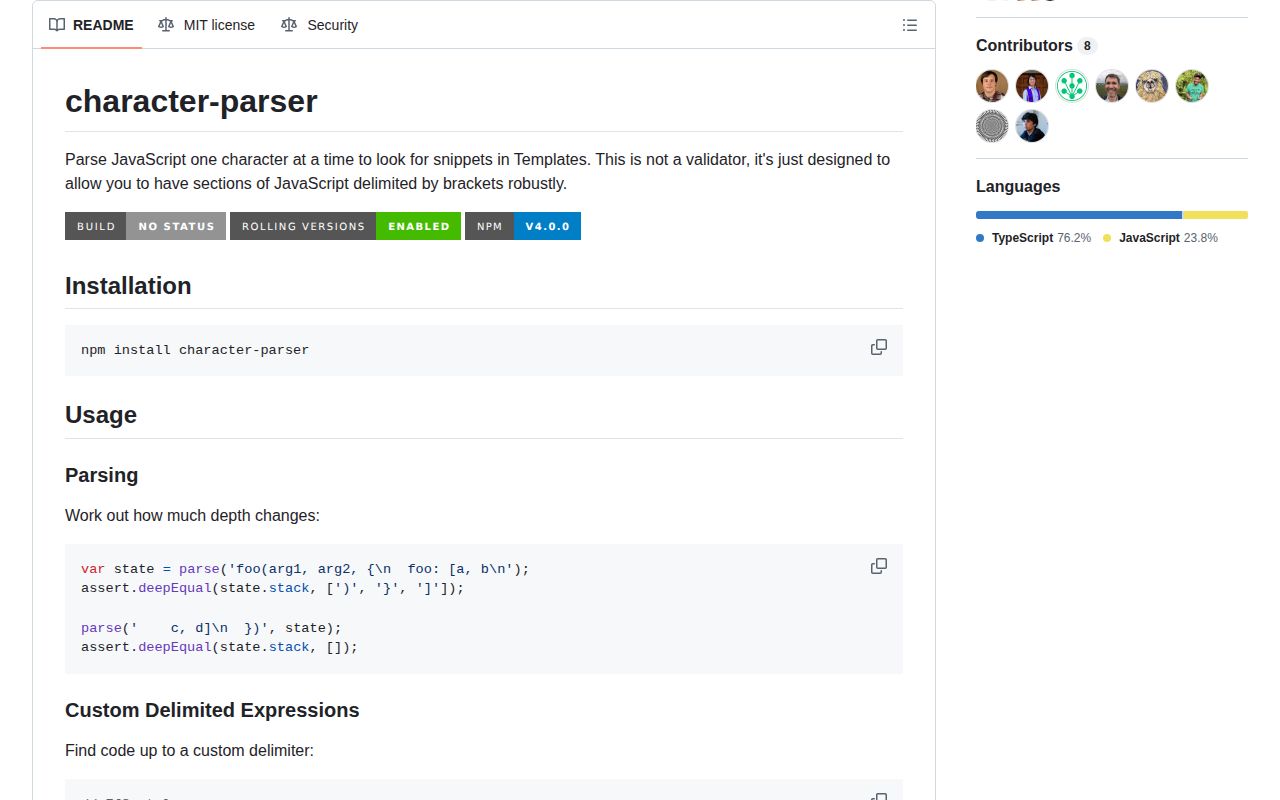
Character-parser 4.0.0 is a 4.6 KB minified scanner for locating the end of JavaScript-like expressions embedded in templates. It walks UTF-16 code units and tracks brackets, quoted strings, template literals, regular-expression literals, escapes, and comments, allowing a delimiter such as %> to be ignored while it appears inside those contexts. The package can preserve scanner state across chunks and returns substring boundaries rather than an AST. Version 4 added separate CommonJS and ESM entries through an exports map and ships TypeScript declarations. Its README states that it is not a JavaScript validator, and the code still decides whether / begins a regex with a lexical heuristic rather than a full grammar.
Character-parser 4.0.0 installed in 0.7 seconds, left 1 MB on our box, and produced a 1.8 KB gzipped browser bundle with no audit findings. It is a good delimiter scanner for template tooling, but choose a real parser if any decision depends on JavaScript being syntactically valid.
We installed it
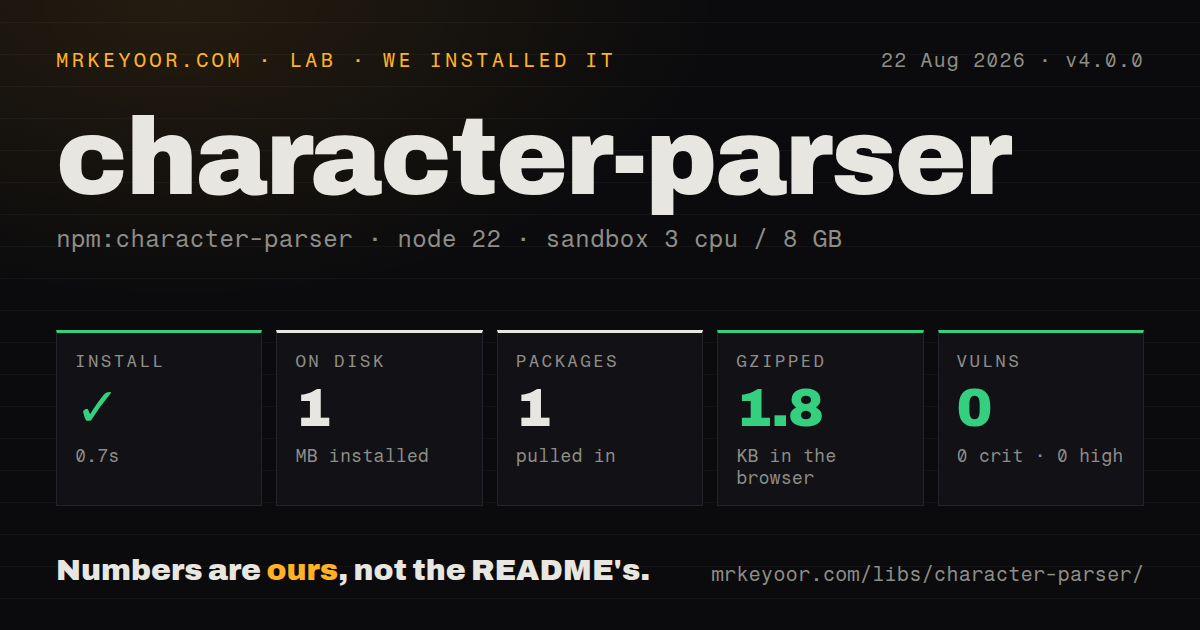
| Install | ✓ · 0.7s | 1 package on disk · 1 MB |
| Import | ✓ | ESM import works · require() works · CommonJS package with exports map |
| Browser | 1.8 KB | gzipped (4.6 KB minified), bundled with esbuild |
| Types | ✓ | TypeScript types bundled |
| Known vulns | 0 | 0 critical · 0 high · 0 moderate · 0 low (npm audit) |
Answers from our run
Does character-parser install cleanly?
Yes. In a fresh container with an empty cache, npm install character-parser finished in 0.7s, leaving 1 package and 1 MB on disk. npm audit reported no known vulnerabilities.
How much does character-parser add to a browser bundle?
1.8 KB gzipped (4.6 KB minified) when the whole package is bundled for the browser with esbuild. Importing only part of it is usually smaller.
Does character-parser work with both ESM and CommonJS?
Yes. Both import 'character-parser' and require('character-parser') worked in Node 22 in our run. The package is published as CommonJS with an exports map.
Does character-parser include TypeScript types?
Yes, type declarations ship inside the package, so no @types install is needed.
character-parser or balanced-match: which should you use?
balanced-match: Use it for balanced delimiters when JavaScript strings, comments, and regex literals do not need special treatment. Character-parser 4.0.0 installed in 0.7 seconds, left 1 MB on our box, and produced a 1.8 KB gzipped browser bundle with no audit findings.
When should you not use character-parser?
You need JavaScript validation or an AST. The README limits character-parser to scanning, and its slash handling cannot replace a grammar parser such as Acorn.
Use it if
- A template engine must find its closing marker without stopping on the same text inside a string, comment, regex, or nested bracket.
- You scan an expression in chunks and need to carry quote, escape, comment, and nesting state into the next call.
- A compiler front end needs a zero-dependency structural scanner before handing extracted JavaScript to a real parser.
- Both CommonJS and ESM consumers need the same small API with bundled TypeScript declarations.
- You need JavaScript validation or an AST. The README limits character-parser to scanning, and its slash handling cannot replace a grammar parser such as Acorn.
- Your input includes JSX, TypeScript syntax, decorators, scopes, identifiers, or error recovery. None of those concepts exist in the returned State.
- You depend on parseUntil({ end }) to limit a scan. Version 4.0.0 declares that option in TypeScript, but the implementation scans to src.length and never reads it.
- You pass Unicode code points to parseChar. The function requires a string whose JavaScript length is exactly 1, so many emoji occupy 2 UTF-16 units and fail that check.
- You require recent lexical updates on a regular release cadence. npm published 4.0.0 in December 2021, and the repository's last push was in August 2024.
Setup reality
We installed character-parser 4.0.0 in a fresh unprivileged Node 22 Bookworm sandbox. npm completed in 0.7 seconds and left 1 package using 1 MB on disk. The tarball unpacks to 52 KB and declares 0 direct dependencies and 0 peers. npm audit reported 0 known vulnerabilities. Both require() and ESM import worked through the exports map, and the package includes TypeScript declarations. Our browser build measured 4.6 KB minified and 1.8 KB gzipped.
There are no credentials, native builds, peers, or config files. ESM callers can use the default parse export or named functions. CommonJS callers receive an exports object, so destructure parse or call require('character-parser').parse; the package object itself is not the parser function. Version 4's main packaging change is this dual entry arrangement.
parse accepts an existing State and can continue across chunks. That State keeps the accumulated source and reversed history, so a long-lived character-by-character stream retains all scanned text. parseUntil starts with fresh state at options.start, excludes the delimiter from its result, and throws when it reaches the input end without a match. Starting midway through an already-open string or comment loses the missing context.
String delimiters and RegExp delimiters are both accepted. Avoid g and y flags on a RegExp delimiter because repeated test() calls mutate lastIndex. Bracket delimiters respect nesting unless ignoreNesting is true; ignoreLineComment lets a delimiter inside a line comment count. Errors use codes beginning CHARACTER_PARSER:, and the higher-level scan functions attach the failing index. Send the extracted substring to Acorn, Babel, TypeScript, or another parser before treating it as valid code.
Patterns
Inspect unfinished brackets inspect-nesting-state
import parse from 'character-parser';

const state = parse('call(arg, {items: [1, 2]');
console.log(state.stack);
Version 4 stores token-type constants in stack; do not assume every entry is a literal closing bracket.
Resume a scan with saved state continue-across-chunks
import { defaultState, parse } from 'character-parser';

let state = defaultState();
state = parse('render({title: "hel', state);
state = parse('lo"})', state);
console.log(state.isNesting());
Pass the returned State into the next call. It retains the concatenated source and reversed history as chunks arrive.
Scan a bounded source range scan-source-range
import { parse } from 'character-parser';

const src = 'prefix fn({x: 1}) suffix';
const state = parse(src, undefined, { start: 7, end: 17 });
parse treats end as exclusive. Its options.end || src.length check means an end value of 0 falls back to the full input.
Stop at an EJS-style marker extract-template-expression
import { parseUntil } from 'character-parser';

const part = parseUntil('user.name.replace("%>", "") %> rest', '%>');
console.log(part.src, part.start, part.end);
The %> inside the quoted argument is ignored. end points at the matched delimiter, which is absent from src.
Begin after an opening marker start-after-opener
const input = '<% profile({name: "%>"}) %> tail';
const part = parseUntil(input, '%>', { start: 2 });
console.log(part.src);
parseUntil creates fresh state at index 2. Starting inside an existing quote, comment, regex, or nesting frame produces the wrong context.
Match either delimiter spelling match-variable-delimiter
const part = parseUntil('value + 1 -%> tail', /-?%>/);Do not add global or sticky flags. RegExp test() mutates lastIndex for those flags across the scanner's repeated calls.
Stop at the first closing bracket ignore-nested-brackets
const part = parseUntil('#[p= [1, 2][i]]', ']', {
  start: 2,
  ignoreNesting: true,
});
ignoreNesting: true can return an incomplete expression such as p= [1, 2; use it only when the outer language wants that first bracket.
Accept a marker inside a line comment count-comment-delimiter
const part = parseUntil('value // close %> ignored', '%>', {
  ignoreLineComment: true,
});
The default ignores delimiters inside // comments until newline. This option changes line comments only; block-comment markers stay hidden.
Feed one UTF-16 unit at a time parse-one-code-unit
import { defaultState, parseChar } from 'character-parser';

const state = defaultState();
for (const unit of 'fn([1])'.split('')) {
  parseChar(unit, state);
}
parseChar checks character.length === 1. Many emoji have length 2 in JavaScript and trigger CHAR_LENGTH_NOT_ONE.
Handle scanner errors by code handle-coded-errors
try {
  parseUntil('fn([1, 2)', '%>');
} catch (error) {
  if (error.code?.startsWith('CHARACTER_PARSER:')) {
    console.error(error.code, error.index);
  } else {
    throw error;
  }
}
parse and parseUntil attach a source index. Direct parseChar errors carry a code but do not add that index for you.
Alternatives
| Package | Registry | Pick it when |
|---|---|---|
| balanced-match | npm | Use it for balanced delimiters when JavaScript strings, comments, and regex literals do not need special treatment. |
| acorn | npm | Use it when standards-focused tokenization, syntax validation, or an ESTree-compatible AST is the actual requirement. |
| esprima | npm | Use it for a small, familiar JavaScript tokenizer and ESTree parser rather than substring boundaries. |
| @babel/parser | npm | Use it when embedded expressions can contain JSX, TypeScript, decorators, or other Babel syntax plugins. |
More utils guides
lru-cache · type-fest · ajv · zod · p-limit · find-up · the whole shelf →
How this guide is made: grounded in the library's documentation, release notes, changelog, and issue history, on a fixed rubric — not a hands-on install of every release. The 50 most-downloaded entries are additionally install-verified in clean containers. Corrections: contact the desk.