cache-manager review
Our cache-manager 7.2.9 install took 1.9 seconds and produced a 2 MB Node package tree with six packages. The library puts one async API over a default process-memory cache or an ordered list of Keyv stores, then adds bulk reads, expiration, events, function wrapping, request coalescing, and background refresh. Version 7 changed a miss from null to undefined. The current 7.2.9 patch changes its build toolchain, so application behavior is the same as earlier 7.2 releases. This belongs in a Node service; our esbuild browser build failed on Node-only code.
cache-manager 7.2.9 installed in 1.9 seconds and used 2 MB in our sandbox, but its browser build failed, so it fits Node services that need Keyv-backed tiers and wrap. Install it only after deciding bounds, TTLs, invalidation, and whether nonBlocking's weaker completion guarantees are acceptable.
We installed it
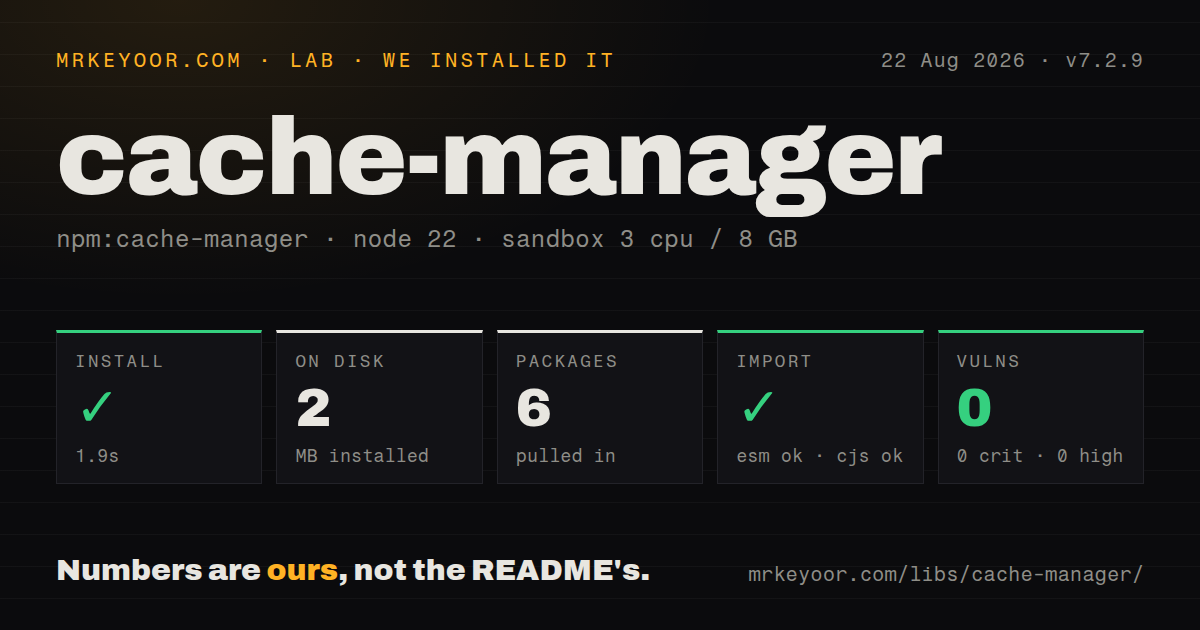
| Install | ✓ · 1.9s | 6 packages on disk · 2 MB |
| Import | ✓ | ESM import works · require() works · ESM package with exports map |
| Browser | n/a | could not be bundled for the browser (Node-only code, most likely) |
| Types | ✓ | TypeScript types bundled |
| Known vulns | 0 | 0 critical · 0 high · 0 moderate · 0 low (npm audit) |
Answers from our run
Does cache-manager install cleanly?
Yes. In a fresh container with an empty cache, npm install cache-manager finished in 2 seconds, leaving 6 packages and 2 MB on disk. npm audit reported no known vulnerabilities.
Can cache-manager run in a browser?
Not directly: esbuild could not bundle it for the browser in our run, which normally means it depends on Node built-ins. Use it on the server, or find a browser-targeted alternative.
Does cache-manager work with both ESM and CommonJS?
Yes. Both import 'cache-manager' and require('cache-manager') worked in Node 22 in our run. The package is published as ESM with an exports map.
Does cache-manager include TypeScript types?
Yes, type declarations ship inside the package, so no @types install is needed.
cache-manager or cacheable: which should you use?
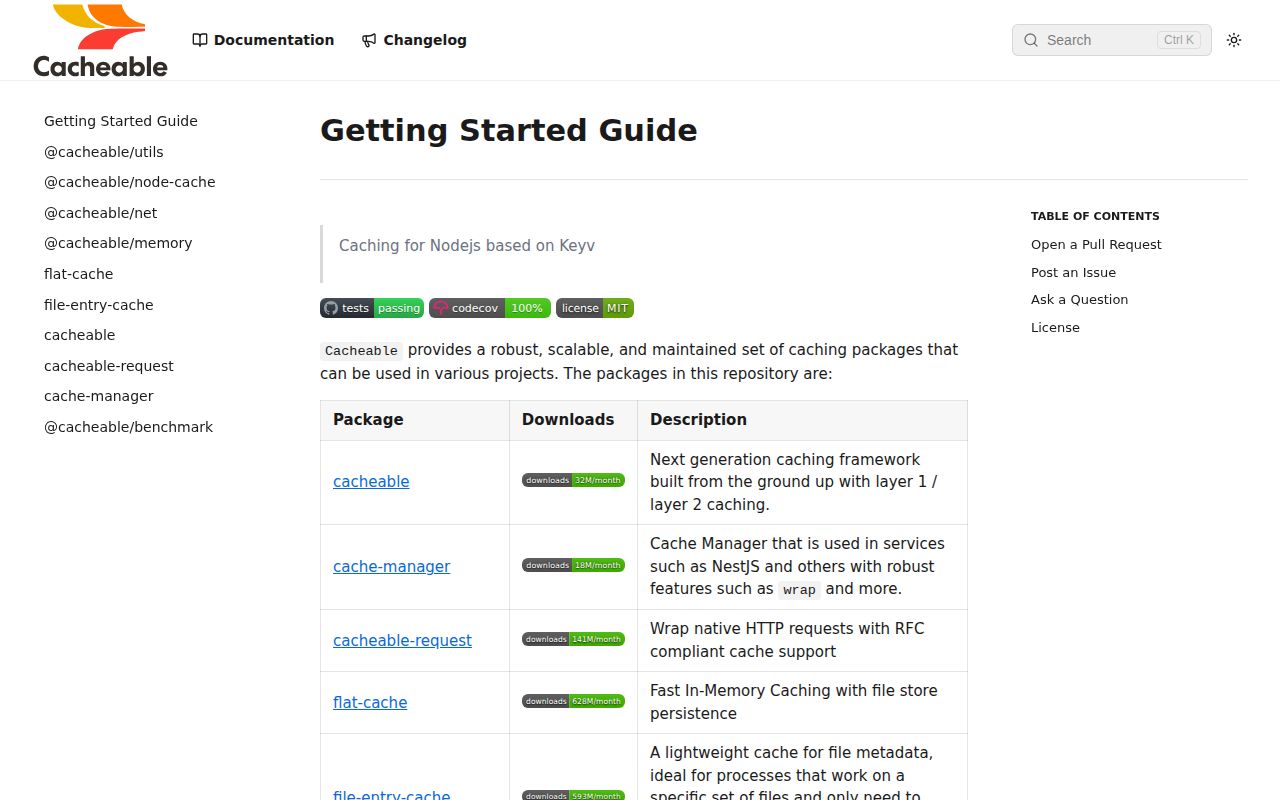
cacheable: Choose it for this monorepo's newer primary and secondary cache model, tag invalidation, and per-store TTLs. cache-manager 7.2.9 installed in 1.9 seconds and used 2 MB in our sandbox, but its browser build failed, so it fits Node services that need Keyv-backed tiers and wrap.
When should you not use cache-manager?
You need a browser cache: our browser bundle failed because esbuild encountered Node-only code
Use it if
- A Node service needs the same get, set, delete, and wrap calls for memory now and a Keyv remote store later
- You need an in-process L1 cache ahead of Redis or another Keyv store, with earlier stores checked first
- Several callers in one process may request the same expensive value and wrap should coalesce that work
- You can define cache keys, TTLs, invalidation, and failure policy instead of expecting the package to choose them
- You need a browser cache: our browser bundle failed because esbuild encountered Node-only code
- You need stampede protection across replicas: wrap coalesces by cache ID and key only inside one JavaScript process
- You want bounded memory out of the box: createCache() uses a process-local Keyv store with no configured LRU limit
- You require every layered write to finish before the call returns while using nonBlocking: the source starts Promise.all without awaiting it
- Your code still uses cache-manager 5 stores or checks misses against null: version 6 moved stores to Keyv and version 7 returns undefined
Setup reality
We installed cache-manager 7.2.9 in 1.9 seconds. The fresh Node 22 sandbox ended with six packages using 2 MB on disk. The package itself has two direct dependencies, no peer dependencies, bundled TypeScript declarations, and a 68 KB unpacked size. npm audit reported 0 known vulnerabilities. Both require() and ESM import worked through the exports map.
createCache() needs no credentials because it starts with an in-memory Keyv store. Redis, Postgres, MongoDB, SQLite, and other remote choices require a separate Keyv adapter, its connection details, and a shutdown path that awaits disconnect(). Store order is priority order. TTL arguments are milliseconds, while ttl(key) returns an absolute expiration timestamp.
The default memory store lives in one process and has no configured size bound. Use a bounded adapter when keys can grow without limit. External Keyv instances also bring serialization rules. The README warns that JSON serialization can change Symbol and Uint8Array values, so binary or unusual values need a suitable serializer or serialization disabled. Version 7 returns undefined for an absent or expired key even though stale README examples still show null.
Layered mode is sequential by default. nonBlocking races reads, which lets a quick undefined from one store beat a slower hit, and it returns from mutations before every store settles. wrap prevents duplicate work only within one process. refreshThreshold serves the cached value and starts refresh in the background when its remaining TTL crosses the threshold; entries without a TTL cannot enter that path. Our browser build failed, so keep cache-manager in Node runtime code.
Patterns
Start a process-memory cache create-memory-cache
import { createCache } from 'cache-manager';

const cache = createCache({ ttl: 60_000 });
The default store is confined to one process and has no configured item limit; use a bounded store for high-cardinality keys.
Store a typed value and handle a miss read-write-value
type User = { id: string; name: string };

await cache.set<User>('user:42', { id: '42', name: 'Ada' }, 30_000);
const user = await cache.get<User>('user:42');
if (user === undefined) console.log('miss');
Version 7 returns undefined for a missing or expired key, and the 30_000 TTL is measured in milliseconds.
Use bulk cache operations read-write-many
await cache.mset([
  { key: 'flag:a', value: true },
  { key: 'flag:b', value: false, ttl: 5_000 },
]);
const values = await cache.mget<boolean>(['flag:a', 'flag:b', 'flag:none']);
mget keeps the requested key order and places undefined in each missing position.
Remove selected entries invalidate-values
await cache.del('user:42');
await cache.mdel(['flag:a', 'flag:b']);
del and mdel operate on every configured store; nonBlocking mode returns before all of those deletions settle.
Flush the complete cache clear-all-stores
await cache.clear();clear() flushes every configured store, so it is unsafe as tenant-specific invalidation unless each tenant has an isolated cache instance.
Cache and coalesce one loader wrap-expensive-call
const user = await cache.wrap(
  'user:42',
  () => database.users.findById('42'),
  60_000,
);
wrap coalesces concurrent work for the same cache ID and key inside this process; a second replica can still run the loader.
Calculate TTL from the loaded value choose-value-ttl
const session = await cache.wrap('session:abc', loadSession, {
  ttl: (value) => value.premium ? 60_000 : 10_000,
});
The TTL callback receives the computed value and must return milliseconds.
Refresh shortly before expiry refresh-hot-entry
const cache = createCache({
  ttl: 60_000,
  refreshThreshold: 10_000,
});
const catalog = await cache.wrap('catalog:v4', loadCatalog);
With less than 10_000 ms remaining, wrap returns the cached value and starts a background refresh; no TTL means no refresh trigger.
Read the absolute expiry time inspect-expiration
await cache.set('rates:usd', rates, 30_000);
const expiresAt = await cache.ttl('rates:usd');
if (expiresAt) console.log(new Date(expiresAt));
ttl() returns an absolute millisecond timestamp from Keyv, not the duration left.
Put bounded memory ahead of Redis configure-memory-redis-tiers
import { createCache } from 'cache-manager';
import { Keyv } from 'keyv';
import KeyvRedis from '@keyv/redis';
import { CacheableMemory } from 'cacheable';

const cache = createCache({ stores: [
  new Keyv({ store: new CacheableMemory({ ttl: 60_000, lruSize: 5_000 }) }),
  new Keyv({ store: new KeyvRedis(process.env.REDIS_URL) }),
] });
The first store has highest read priority; Redis adds credentials, serialization choices, network errors, and a disconnect step.
Turn off JSON serialization for bytes preserve-binary-values
import { Keyv } from 'keyv';

const store = new Keyv();
store.serialize = undefined;
store.deserialize = undefined;
const binaryCache = createCache({ stores: [store] });
Keyv JSON serialization can change Uint8Array and Symbol values; the built-in cache-manager memory store already disables it.
Disconnect adapters during shutdown close-remote-stores
process.once('SIGTERM', () => {
  void cache.disconnect().then(() => {
    process.exitCode = 0;
  });
});
disconnect() closes configured stores that expose a disconnect method, including adapters that keep network sockets open.
Alternatives
| Package | Registry | Pick it when |
|---|---|---|
| cacheable | npm | Choose it for this monorepo's newer primary and secondary cache model, tag invalidation, and per-store TTLs. |
| keyv | npm | Choose it when one storage-neutral key-value API is enough and you do not need cache-manager wrap or tier orchestration. |
| lru-cache | npm | Choose it for a bounded cache inside one process with explicit eviction and no remote backend. |
| @keyv/redis | npm | Choose it when direct Keyv-to-Redis access is clearer than adding a second cache facade. |
More data guides
numpy · pandas · fsspec · lxml · pyarrow · sqlalchemy · the whole shelf →
How this guide is made: grounded in the library's documentation, release notes, changelog, and issue history, on a fixed rubric — not a hands-on install of every release. The 50 most-downloaded entries are additionally install-verified in clean containers. Corrections: contact the desk.