bullmq review
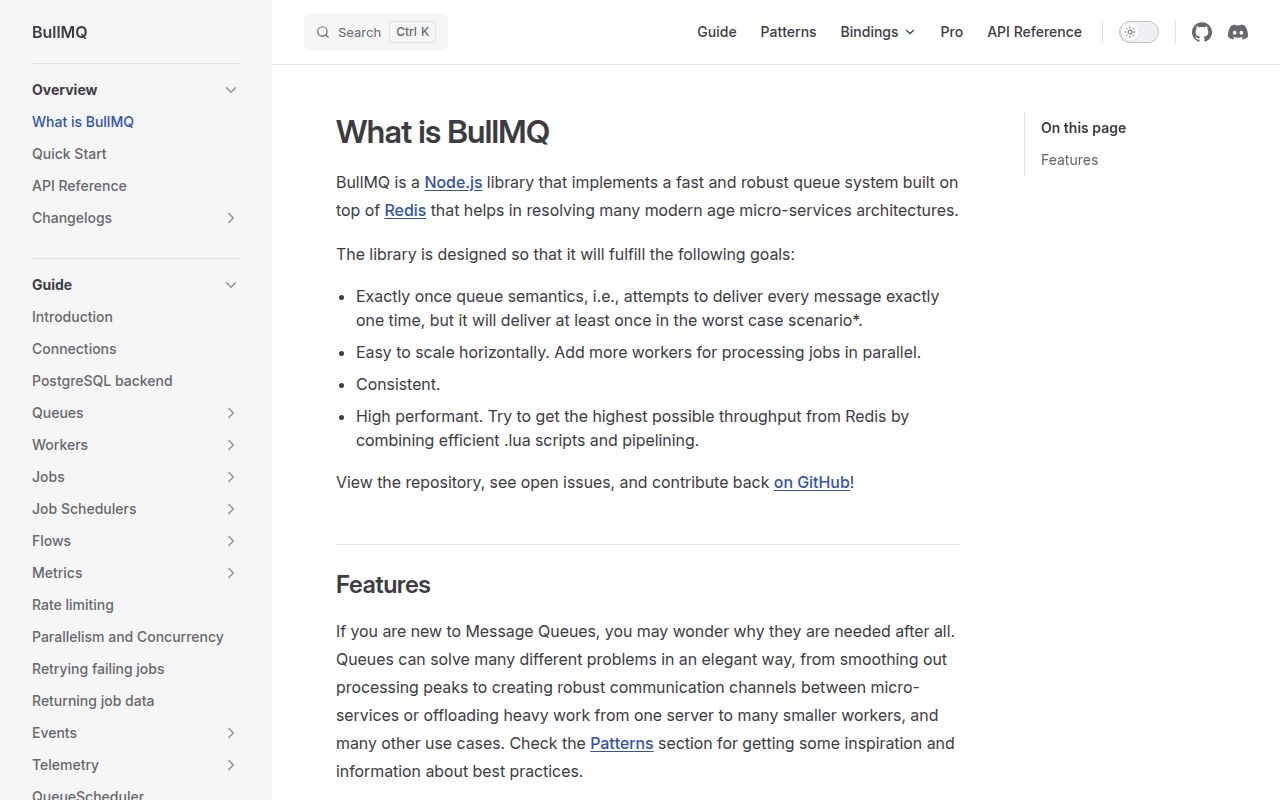
BullMQ 6.3.0 is a server-side job queue for Node.js and Bun. An application puts named jobs and JSON-like data into a queue; separate Worker processes claim them and write progress, results, retries, or failures back to Redis. It also handles delayed work, cron schedules through Job Schedulers, queue-wide rate limits, deduplication, priorities, and parent-child flows. The 6.3.0 release does not change the Node API in its release notes; its listed feature passes PostgreSQL SSL options to the Elixir client. Node users do get the stalled-job key fix from 6.2.1. Our v6.2.0 install was a 13 MB Node-only package graph with bundled TypeScript declarations.
BullMQ 6.2.0 took 4.4 seconds and 13 MB in our sandbox, passed npm audit with 0 findings, and failed a browser bundle, which makes it a practical server-side queue for teams already prepared to operate Redis. Do not install it for a single-process timer or for Pro-only group controls.
We installed it
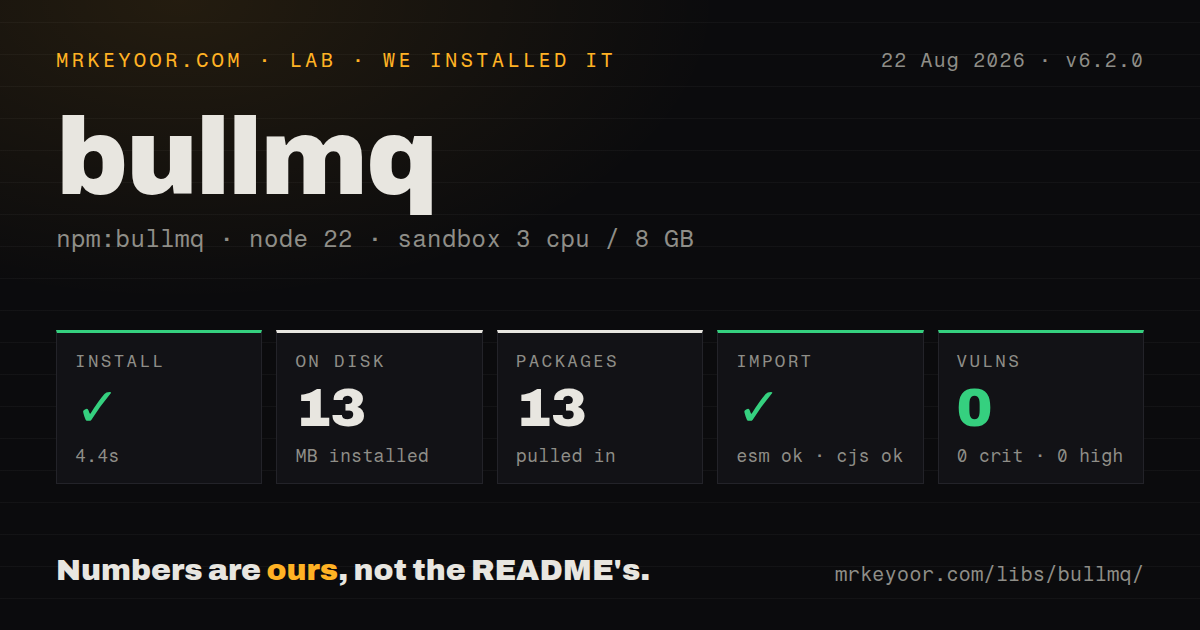
| Install | ✓ · 4.4s | 13 packages on disk · 13 MB |
| Import | ✓ | ESM import works · require() works · CommonJS package |
| Browser | n/a | could not be bundled for the browser (Node-only code, most likely) |
| Types | ✓ | TypeScript types bundled |
| Known vulns | 0 | 0 critical · 0 high · 0 moderate · 0 low (npm audit) |
Answers from our run
Does bullmq install cleanly?
Yes. In a fresh container with an empty cache, npm install bullmq finished in 4 seconds, leaving 13 packages and 13 MB on disk. npm audit reported no known vulnerabilities.
Can bullmq run in a browser?
Not directly: esbuild could not bundle it for the browser in our run, which normally means it depends on Node built-ins. Use it on the server, or find a browser-targeted alternative.
Does bullmq work with both ESM and CommonJS?
Yes. Both import 'bullmq' and require('bullmq') worked in Node 22 in our run. The package is published as CommonJS.
Does bullmq include TypeScript types?
Yes, type declarations ship inside the package, so no @types install is needed.
bullmq or pg-boss: which should you use?
pg-boss: PostgreSQL is already mandatory and adding Redis solely for background jobs is undesirable. BullMQ 6.2.0 took 4.4 seconds and 13 MB in our sandbox, passed npm audit with 0 findings, and failed a browser bundle, which makes it a practical server-side queue for teams already prepared to operate Redis.
When should you not use bullmq?
One in-process timer can safely own the task. BullMQ brings a datastore, long-lived workers, shutdown handling, and stored job state that a small cron callback does not need.
Use it if
- A web request should enqueue email, image work, imports, or webhook delivery and return before that work finishes.
- Jobs must survive a process exit and need delayed starts, retry backoff, deduplication, priorities, or retained failure records.
- Several Node workers need to consume the same queue while a shared datastore coordinates locks and global rate limits.
- A workflow has child jobs that must finish before a parent job becomes eligible to run.
- One in-process timer can safely own the task. BullMQ brings a datastore, long-lived workers, shutdown handling, and stored job state that a small cron callback does not need.
- Your deployment cannot run Redis. The Node README and main guide present Redis as the normal backend; PostgreSQL support in this repository does not make every language client or feature interchangeable.
- Work runs only inside short request-bound functions. Worker and QueueEvents objects keep blocking connections open, and active jobs need a graceful shutdown window.
- You need per-customer groups, group concurrency, or group rate limits from the open-source package. The README places those capabilities in BullMQ Pro.
- The queue producer must ship to a browser. Our esbuild browser build failed, while the package depends on server-side datastore clients and worker behavior.
Setup reality
Our fresh Node 22 Bookworm install of bullmq 6.2.0 completed in 4.4 seconds. It left 13 packages using 13 MB, with 5 direct dependencies and 4 peer dependencies. npm audit found 0 known vulnerabilities. The package is CommonJS without an exports map, yet both require() and ESM import worked. TypeScript declarations are included, and the declared Node floor is 14.17.0. The browser bundle failed, so keep BullMQ in server and worker builds.
Redis is the normal first-run requirement. Supply connection options or an existing client, and plan for extra sockets: Worker and QueueEvents use blocking commands and may duplicate a connection. When passing an ioredis instance to a Worker, set maxRetriesPerRequest: null. BullMQ manages its own key prefix, so the docs warn against ioredis keyPrefix. The production guide also calls for Redis maxmemory-policy=noeviction; evicting queue keys can corrupt job state.
A job can execute more than once after a stalled lock or crash, so processors need idempotent side effects. Local concurrency controls parallel jobs inside one Worker, while several Worker processes add more concurrency across CPUs. The rate limiter applies across the queue, not independently to each Worker. Delayed timestamps and cron schedules mark when work becomes eligible; a busy queue can start it later than that timestamp.
Finished jobs remain in Redis unless removeOnComplete or removeOnFail sets an age or count. Cleanup is lazy and happens when another job reaches that finished state. During shutdown, worker.close() stops claims and waits for active work, but it supplies no deadline. Put the hard timeout in the process supervisor. Teams upgrading old repeatable jobs should follow the v5-to-v6 migration sequence before starting v6 workers because Job Schedulers replace the legacy repeat APIs.
Patterns
Add a job and run a worker enqueue-and-process
import { Queue, Worker } from 'bullmq';

const connection = { host: '127.0.0.1', port: 6379 };
const queue = new Queue('mail', { connection });

await queue.add('welcome', { userId: 42 });

const worker = new Worker('mail', async (job) => {
  if (job.name === 'welcome') await sendWelcome(job.data.userId);
}, { connection });
Queue and Worker must use the same queue name and datastore. Run the Worker in a long-lived server process.
Pass an ioredis client reuse-ioredis-connection
import IORedis from 'ioredis';
import { Queue, Worker } from 'bullmq';

const client = new IORedis({ maxRetriesPerRequest: null });
const queue = new Queue('exports', { connection: client });
const worker = new Worker('exports', exportFile, { connection: client });
A Worker rejects a supplied ioredis connection unless `maxRetriesPerRequest` is null. It still creates a duplicate connection for blocking commands.
Retry with exponential backoff retry-transient-failure
await queue.add('deliver', payload, {
  attempts: 5,
  backoff: { type: 'exponential', delay: 1_000 },
  removeOnComplete: 500,
  removeOnFail: 5_000,
});
The processor must throw for an attempt to fail. A retry can repeat external side effects, so use an idempotency key.
Write typed progress report-progress
import { Job, Worker } from 'bullmq';

type Input = { path: string };
type Result = { rows: number };
type Progress = { parsed: number; total: number };

const worker = new Worker<Input, Result, string, Progress>('imports',
  async (job: Job<Input, Result, string, Progress>) => {
    await job.updateProgress({ parsed: 50, total: 100 });
    return { rows: 100 };
  },
);
The ProgressType generic arrived in 6.2.0. Keep producer and worker type packages aligned during rolling deployments.
Create a recurring scheduler schedule-recurring-job
await queue.upsertJobScheduler(
  'daily-report',
  { pattern: '0 15 3 * * *', tz: 'UTC' },
  { name: 'build-report', data: { period: 'daily' } },
);
BullMQ 6 uses Job Schedulers for recurring work. Migrate legacy repeatable-job records under v5 before the v6 deployment.
Make work eligible in 30 minutes delay-job
await queue.add(
  'send-reminder',
  { invoiceId: 'inv_42' },
  { delay: 30 * 60 * 1_000 },
);
A 30-minute delay sets the earliest eligible time. Worker availability and queue load can push execution later.
Keep the latest job in a burst deduplicate-latest-job
await queue.add('sync-customer', { customerId: 42 }, {
  delay: 5_000,
  deduplication: {
    id: 'customer-42',
    ttl: 5_000,
    extend: true,
    replace: true,
  },
});
With `replace` and `extend`, a new matching job replaces the data and restarts the 5-second TTL.
Wait for child jobs compose-job-flow
import { FlowProducer } from 'bullmq';

const flows = new FlowProducer({ connection });
await flows.add({
  name: 'publish',
  queueName: 'releases',
  data: {},
  children: [
    { name: 'test', queueName: 'checks', data: { ref: 'main' } },
    { name: 'scan', queueName: 'checks', data: { ref: 'main' } },
  ],
});
The parent remains in `waiting-children` until its children complete. Every queue in the flow must share the same Redis deployment.
Limit a queue across workers cap-global-rate
const worker = new Worker('partner-api', callPartner, {
  connection,
  concurrency: 20,
  limiter: { max: 100, duration: 60_000 },
});
The 100-per-minute limit is global to the queue across Worker instances. The concurrency value is local to this Worker.
Observe results from every worker listen-queue-events
import { QueueEvents } from 'bullmq';

const events = new QueueEvents('mail', { connection });
events.on('completed', ({ jobId, returnvalue }) => {
  console.log('completed', jobId, returnvalue);
});
events.on('failed', ({ jobId, failedReason }) => {
  console.error('failed', jobId, failedReason);
});
QueueEvents covers the whole queue and holds a blocking connection. Events on one Worker cover only that Worker instance.
Retain a limited job history bound-job-history
const queue = new Queue('audit', {
  connection,
  defaultJobOptions: {
    removeOnComplete: { age: 3_600, count: 1_000 },
    removeOnFail: { age: 86_400, count: 5_000 },
  },
});
BullMQ removes old records lazily when another job completes or fails. An idle queue can retain records beyond the stated age.
Drain a worker on SIGTERM close-gracefully
process.once('SIGTERM', async () => {
  try {
    await worker.close();
    await queue.close();
  } catch (error) {
    console.error(error);
    process.exitCode = 1;
  }
});
`worker.close()` waits for active jobs without a timeout. Configure the process supervisor's 30-second or other chosen deadline separately.
Alternatives
| Package | Registry | Pick it when |
|---|---|---|
| pg-boss | npm | Pick it when PostgreSQL is already mandatory and adding Redis solely for background jobs is undesirable. |
| bee-queue | npm | Pick it for a narrower Redis queue when flows, Job Schedulers, and BullMQ's larger feature surface add little value. |
| agenda | npm | Pick it when jobs and schedules must live in MongoDB and its document model matches the rest of the service. |
More infra guides
semver · boto3 · opentelemetry-api · @opentelemetry/api · psutil · distro · the whole shelf →
How this guide is made: grounded in the library's documentation, release notes, changelog, and issue history, on a fixed rubric — not a hands-on install of every release. The 50 most-downloaded entries are additionally install-verified in clean containers. Corrections: contact the desk.