bfj review
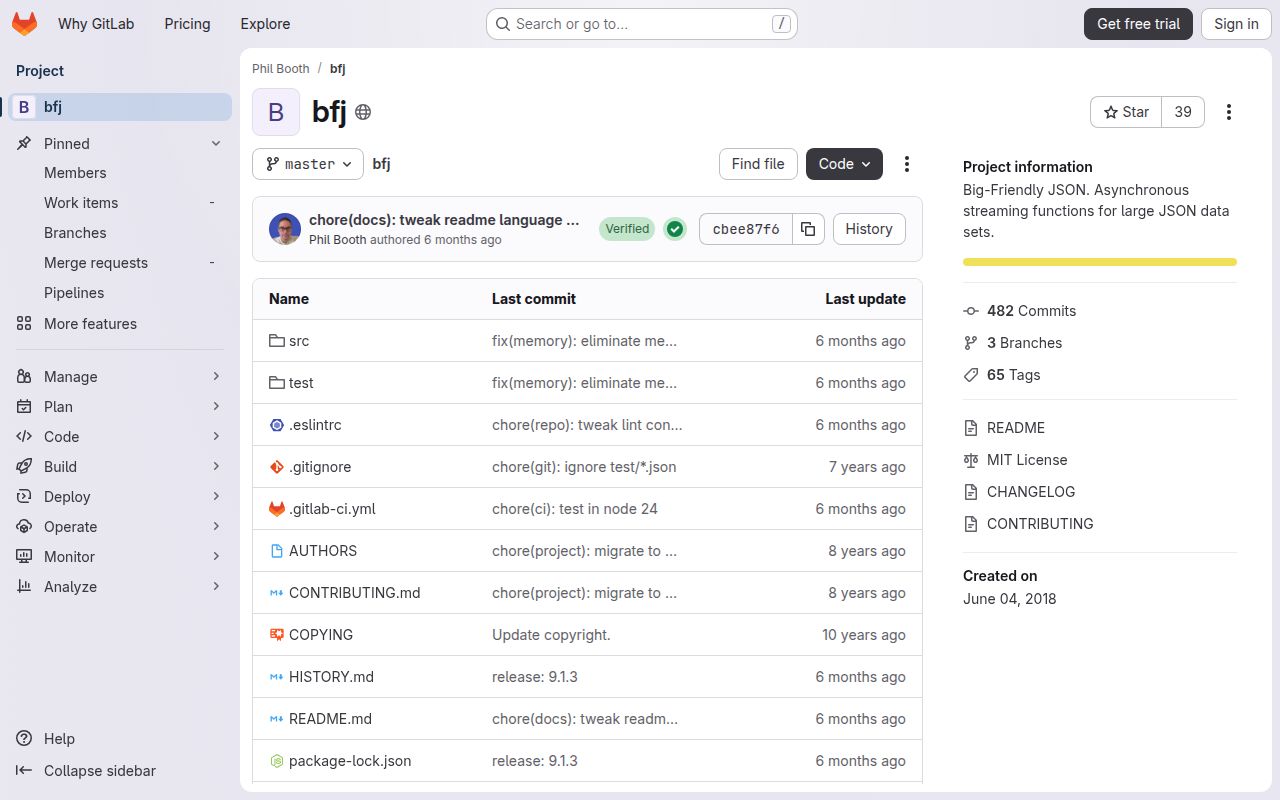
bfj 9.1.3 is a Node 18+ JSON parser and serializer built for large inputs that would otherwise hold the event loop for too long. Its nine functions cover files, streams, selected values, token events, strings, and NDJSON. The package deliberately yields between batches of items and pauses streamed output when its fixed buffer fills. That keeps other callbacks moving, though the maintainers state plainly that bfj is slower than speed-first parsers. Version 9.1.3 removes memory leaks in `walk` and `eventify`; the same release line also dropped a vulnerable JSONPath dependency from `match`.
bfj 9.1.3 installed in 0.5 seconds and occupied 1 MB in our sandbox, with 0 audit findings, but its browser build failed and it ships no types. Install it for large Node JSON jobs where yielding and stream backpressure matter more than raw completion speed; use `match`, `walk`, or `streamify` when the final value itself is too large to retain.
We installed it
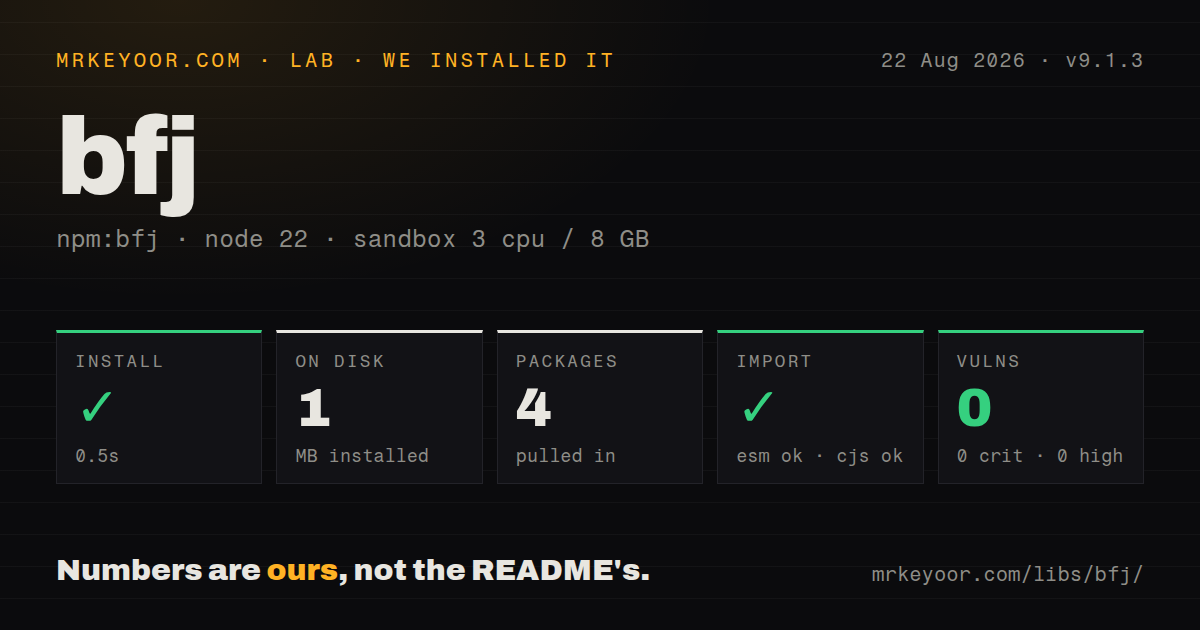
| Install | ✓ · 0.5s | 4 packages on disk · 1 MB |
| Import | ✓ | ESM import works · require() works · CommonJS package |
| Browser | n/a | could not be bundled for the browser (Node-only code, most likely) |
| Types | — | no TypeScript types found |
| Known vulns | 0 | 0 critical · 0 high · 0 moderate · 0 low (npm audit) |
Answers from our run
Does bfj install cleanly?
Yes. In a fresh container with an empty cache, npm install bfj finished in 0.5s, leaving 4 packages and 1 MB on disk. npm audit reported no known vulnerabilities.
Can bfj run in a browser?
Not directly: esbuild could not bundle it for the browser in our run, which normally means it depends on Node built-ins. Use it on the server, or find a browser-targeted alternative.
Does bfj work with both ESM and CommonJS?
Yes. Both import 'bfj' and require('bfj') worked in Node 22 in our run. The package is published as CommonJS.
Does bfj include TypeScript types?
No type declarations were found in our install, so TypeScript users need their own declarations.
bfj or stream-json: which should you use?
stream-json: Choose it for composable token, array, filter, and transform stages in a streaming pipeline. bfj 9.1.3 installed in 0.5 seconds and occupied 1 MB in our sandbox, with 0 audit findings, but its browser build failed and it ships no types.
When should you not use bfj?
Finishing fastest matters more than event-loop fairness. The README answers its performance question with No because every yield adds work and elapsed time.
Use it if
- A Node server must parse a large JSON document without blocking unrelated timers and requests for one long turn.
- You can use `match` or `walk` to consume selected values or tokens instead of retaining the complete document.
- A writable stream needs JSON output that pauses when downstream backpressure fills bfj's buffer.
- Your NDJSON reader can call `parse` sequentially or consume the `walk` and `match` event interfaces.
- Finishing fastest matters more than event-loop fairness. The README answers its performance question with `No` because every yield adds work and elapsed time.
- The completed object or string cannot fit in memory. `parse` resolves with the whole JavaScript value, and `stringify` resolves with one complete string; only the token, match, and stream APIs keep the result incremental.
- Your target is a browser or edge isolate. Our browser build failed, and the API depends on Node files, streams, and event emitters.
- The project requires package-supplied TypeScript declarations. Our install found none, so typed code needs a local declaration or a separately maintained type package.
- You need full JSONPath. `match` accepts a property string, regular expression, or predicate; it does not provide JSONPath filters, scripts, or recursive-descent syntax.
Setup reality
We installed bfj 9.1.3 in 0.5 seconds in a fresh Node 22 Bookworm sandbox. The install left 4 packages and 1 MB on disk. bfj itself has 3 direct dependencies, no peers, and a 536 KB unpacked size. npm audit found 0 known vulnerabilities. Node 18 is the declared minimum, so older services must remain on an earlier major or upgrade their runtime.
No credentials, service, native compiler, or config file is involved. The package is CommonJS without an exports map. Both require('bfj') and ESM import worked in our sandbox, but no TypeScript declarations were present. An esbuild browser bundle failed, which matches the Node stream and filesystem API. Keep it on the server side.
Pick the function according to the memory boundary you need. read and parse yield while reading but still return a complete value. stringify also finishes with one string. match, walk, streamify, and write are the incremental routes. The default yieldRate is 1024 items; lowering it gives other callbacks more chances to run and increases total parsing time. Stream serialization uses a 256-item buffer by default and pauses when the receiver applies backpressure.
Serialization has bfj-specific coercions. Promises resolve to their values, buffers become strings, maps become objects, and other iterables become arrays unless their options are set to ignore. Circular references fail by default; circular: 'ignore' omits them, which can discard data silently. With NDJSON, call parse one item at a time until it returns undefined. read and unpipe do not accept NDJSON.
Patterns
Read a large JSON file without one blocking parse read-json-file
const bfj = require('bfj');

const catalog = await bfj.read('./catalog.json', { yieldRate: 1024 });
console.log(catalog.items.length);
`read` yields every 1024 items by default, but the promise still retains the complete parsed value.
Parse a readable stream parse-readable
const fs = require('node:fs');
const bfj = require('bfj');

const input = fs.createReadStream('./payload.json');
const value = await bfj.parse(input, { yieldRate: 512 });
A 512-item yield rate gives the event loop more frequent turns than the 1024-item default and usually takes longer overall.
Emit matching properties from a document select-values
const fs = require('node:fs');
const bfj = require('bfj');

const matches = bfj.match(fs.createReadStream('./events.json'), 'event');
matches.on('data', (event) => processEvent(event));
matches.on('dataError', (error) => console.error('bad JSON', error));
matches.on('error', console.error);
A string selector matches property names at any depth; use a predicate when depth or value must affect selection.
Match with a predicate filter-by-depth
const selected = bfj.match(input, (key, value, depth) => {
  return depth === 3 && key === 'status' && value === 'queued';
}, { minDepth: 3 });

for await (const status of selected) console.log(status);
The stream emits the matched value, which is `queued` here, rather than the object containing that property.
Write JSON through a bounded buffer write-json-file
const bfj = require('bfj');

await bfj.write('./report.json', report, {
  space: 2,
  bufferLength: 256,
  yieldRate: 1024,
});
The 256-item buffer is the default. Output pauses when the destination cannot accept more data.
Pipe JSON into an HTTP response stream-http-response
response.setHeader('content-type', 'application/json');
const output = bfj.streamify(value, { bufferLength: 512 });
output.on('dataError', (error) => response.destroy(error));
output.on('error', (error) => response.destroy(error));
output.pipe(response);
`dataError` covers invalid data such as an unhandled circular reference; `error` covers other stream failures.
Inspect tokens without building the root object walk-tokens
const walker = bfj.walk(input, { stringChunkSize: 64 * 1024 });
walker.on(bfj.events.property, (name) => console.log('property', name));
walker.on(bfj.events.stringChunk, consumeTextChunk);
walker.on(bfj.events.dataError, console.error);
walker.on(bfj.events.error, console.error);
After one or more 64 KB `stringChunk` events, bfj also emits the normal event containing the complete string.
Pause a token walk for downstream work pause-token-reader
const walker = bfj.walk(input);

walker.on(bfj.events.object, async () => {
  const resume = walker.pause();
  await waitForCapacity();
  resume();
});
`pause()` returns the resume function. Every code path must call it or intentionally destroy the source stream.
Consume NDJSON records in order read-ndjson
const stream = fs.createReadStream('./events.ndjson');

for (;;) {
  const event = await bfj.parse(stream, { ndjson: true });
  if (event === undefined) break;
  await handleEvent(event);
}
Calls must remain sequential. `undefined` marks the end, and the `read` and `unpipe` APIs do not support NDJSON.
Transform values during parsing revive-dates
const value = await bfj.parse(input, {
  reviver(key, item) {
    if (key.endsWith('At') && typeof item === 'string') return new Date(item);
    return item;
  },
});
The reviver runs depth first, like `JSON.parse`'s reviver, and adds work to the parse path.
Turn off bfj-specific coercions control-coercion
const output = bfj.streamify(value, {
  promises: 'ignore',
  buffers: 'ignore',
  maps: 'ignore',
  iterables: 'ignore',
});
By default bfj resolves promises, converts buffers to strings, maps to objects, and other iterables to arrays.
Surface circular references reject-circular-data
const output = bfj.streamify(value);
output.once('dataError', (error) => {
  console.error('value cannot be serialized', error);
});
The default is to fail on a circular reference. Setting `circular: 'ignore'` silently drops the reference.
Alternatives
| Package | Registry | Pick it when |
|---|---|---|
| stream-json | npm | Choose it for composable token, array, filter, and transform stages in a streaming pipeline. |
| JSONStream | npm | Choose it when maintaining an older Node stream pipeline that already uses its path matching API. |
| clarinet | npm | Choose it for a small SAX-style parser that also has browser use cases. |
| jsonparse | npm | Choose it when you want a low-level incremental parser and will build selection and flow control yourself. |
More utils guides
lru-cache · type-fest · ajv · zod · p-limit · find-up · the whole shelf →
How this guide is made: grounded in the library's documentation, release notes, changelog, and issue history, on a fixed rubric — not a hands-on install of every release. The 50 most-downloaded entries are additionally install-verified in clean containers. Corrections: contact the desk.