better-auth review
Better Auth 1.7.1 puts a TypeScript authentication service inside your application. It owns database records for users, linked accounts, sessions, verification tokens, and any plugin tables, then exposes Fetch-compatible handlers plus typed framework clients. Release 1.7 made database joins stable, added issuer to account identity, changed captcha matching to full paths, and split MCP support into another package. The 1.7.1 patch updated security and WebAuthn dependencies and added native PostgreSQL and MySQL transactions to test instances. A whole-package browser build in our sandbox was 715.8 KB minified and 188.2 KB gzipped, so browser code should import a client entry rather than the server package.
Better Auth 1.7.1 took 45.6 seconds and 32 MB in our sandbox, passed npm audit with 0 findings, and gives TypeScript teams a self-hosted account system with a large plugin surface. Install it when you are prepared to own identity operations; choose a hosted service or iron-session when that ownership is the wrong trade.
We installed it
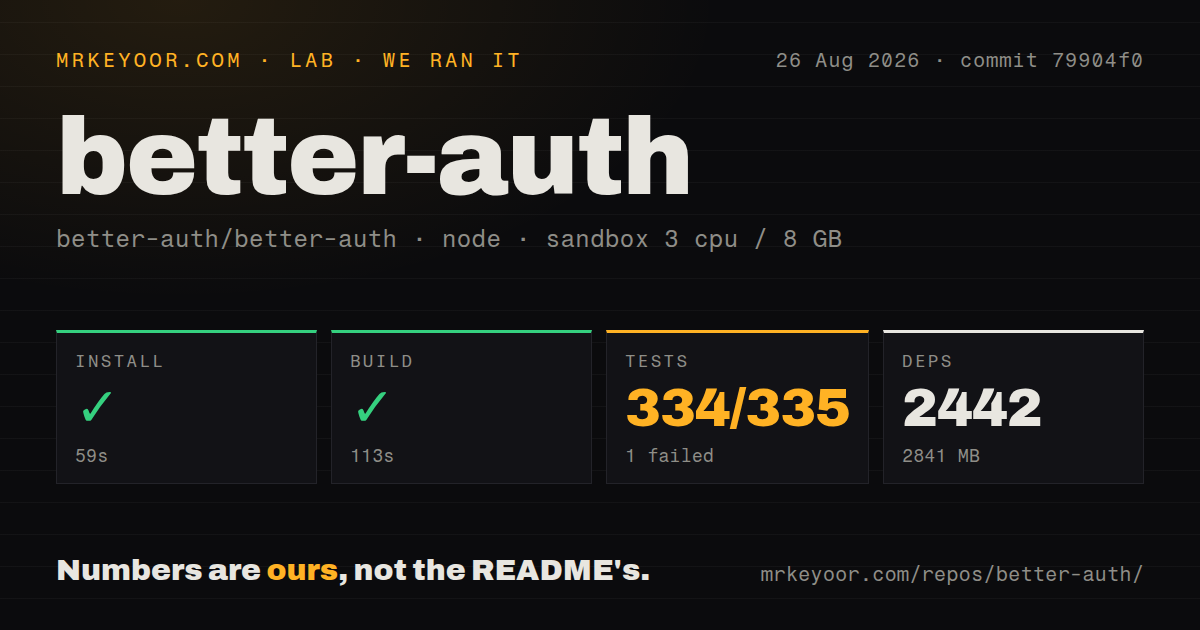
| Install | ✓ · 45.6s | 27 packages on disk · 32 MB |
| Import | ✓ | ESM import works · require() works · ESM package with exports map |
| Browser | 188.2 KB | gzipped (715.8 KB minified), bundled with esbuild |
| Types | ✓ | TypeScript types bundled |
| Known vulns | 0 | 0 critical · 0 high · 0 moderate · 0 low (npm audit) |
Answers from our run
Does better-auth install cleanly?
Yes. In a fresh container with an empty cache, npm install better-auth finished in 46 seconds, leaving 27 packages and 32 MB on disk. npm audit reported no known vulnerabilities.
How much does better-auth add to a browser bundle?
188.2 KB gzipped (715.8 KB minified) when the whole package is bundled for the browser with esbuild. Importing only part of it is usually smaller.
Does better-auth work with both ESM and CommonJS?
Yes. Both import 'better-auth' and require('better-auth') worked in Node 22 in our run. The package is published as ESM with an exports map.
Does better-auth include TypeScript types?
Yes, type declarations ship inside the package, so no @types install is needed.
better-auth or next-auth: which should you use?
next-auth: Pick it for a Next.js codebase already designed around Auth.js providers, callbacks, and session conventions. Better Auth 1.7.1 took 45.6 seconds and 32 MB in our sandbox, passed npm audit with 0 findings, and gives TypeScript teams a self-hosted account system with a large plugin surface.
When should you not use better-auth?
Choose a hosted identity provider when you need someone else to run recovery, compliance work, abuse response, and authentication uptime. Better Auth keeps those duties in your service.
Use it if
- You want user, session, and provider data in a database controlled by your TypeScript application.
- The product needs password or social login now and may later add organizations, passkeys, two-factor checks, SSO, SCIM, or API keys through plugins.
- Several supported web frameworks should share one auth configuration while keeping typed client calls.
- Your team can run migrations and take responsibility for email delivery, OAuth registration, proxy settings, recovery flows, and abuse controls.
- Choose a hosted identity provider when you need someone else to run recovery, compliance work, abuse response, and authentication uptime. Better Auth keeps those duties in your service.
- Use iron-session for a small internal application that only needs an encrypted cookie. Our Better Auth install left 27 packages and 32 MB on disk before any database driver was added.
- Avoid it when authentication schema changes cannot be deployed with application releases. Version 1.7 needs an account issuer backfill, while joins and plugins may alter Prisma or Drizzle relations.
- A CommonJS-only Express codebase is a poor fit. The package declares ESM, even though require worked in our Node 22 test, and the Express guide excludes CommonJS configuration.
- Do not assume the two-factor plugin challenges every login method. Its automatic second step covers credential sign-in; OAuth, passkey, and magic-link routes require an explicit policy.
Setup reality
Our clean install of better-auth 1.7.1 finished in 45.6 seconds in a Node 22 Bookworm container. It placed 27 packages and 32 MB on disk. The published package has 17 direct dependencies, 19 peer dependencies, and 3480 KB unpacked. npm audit returned 0 known vulnerabilities. Both require and ESM import worked despite the package declaring ESM, and TypeScript declarations ship with it. Importing the entire package into esbuild produced 715.8 KB minified and 188.2 KB gzipped.
Set BETTER_AUTH_SECRET to a high-entropy value and BETTER_AUTH_URL to the public canonical origin. List each permitted client in trustedOrigins. Email verification, password reset, magic links, and email OTP still need a mail provider and delivery queue. Every OAuth provider needs its own credentials and an exact callback URL. You must also build the login and recovery screens.
Pick a database adapter before serving requests and apply the matching tables. The built-in Kysely route can use the Better Auth migration command; Prisma and Drizzle projects generate changes and run them with their own migration tools. Moving to 1.7 includes the account issuer backfill. Enabling joins under advanced.database.joins can require regenerated adapter relations.
An in-memory rate limiter cannot coordinate across 2 or more replicas. Store limits in shared storage when traffic is balanced across processes. Accept a forwarded IP header only when the edge proxy replaces client input. Exercise cookies, forwarded headers, mail jobs, OAuth state, and session revocation in the deployed network path. Server modules belong outside the browser graph; client code should use the React, Vue, Svelte, or generic client export.
Patterns
Create a PostgreSQL-backed auth service configure-server
import { Pool } from 'pg'
import { betterAuth } from 'better-auth'

export const auth = betterAuth({
  database: new Pool({ connectionString: process.env.DATABASE_URL }),
  emailAndPassword: { enabled: true, requireEmailVerification: true },
  trustedOrigins: ['https://app.example.com'],
})
BETTER_AUTH_SECRET and BETTER_AUTH_URL must exist in the server environment. The pg driver is a separate installation.
Generate and apply authentication tables migrate-schema
npx auth@latest generate --yes
# Review the generated schema, then apply it with Prisma or Drizzle.

# Built-in Kysely adapter only:
npx auth@latest migrate --yes
Prisma and Drizzle own their migration commands. A 1.7 upgrade also needs the account issuer backfill before the new server handles requests.
Mount the catch-all route in Next.js mount-nextjs-route
// app/api/auth/[...all]/route.ts
import { auth } from '@/lib/auth'
import { toNextJsHandler } from 'better-auth/next-js'

export const { GET, POST } = toNextJsHandler(auth)
The standard client calls /api/auth. If you change that path, update the server and client base settings together.
Create the React browser client create-react-client
import { createAuthClient } from 'better-auth/react'

export const authClient = createAuthClient({
  baseURL: 'https://app.example.com',
})
A same-origin client can omit baseURL. Cross-origin cookies require a matching trusted origin, CORS response headers, and compatible cookie attributes.
Register a password account sign-up-email
const { data, error } = await authClient.signUp.email({
  name: 'Ada Lovelace',
  email: 'ada@example.com',
  password,
  callbackURL: '/dashboard',
})

if (error) showError(error.message)
Server configuration controls password limits, verification, and automatic sign-in. Decide which error details may be shown without exposing account existence.
Sign in with a password sign-in-email
const { data, error } = await authClient.signIn.email({
  email, password, rememberMe: true, callbackURL: '/dashboard',
})
if (error) showError(error.message)
With the two-factor plugin enabled, credential login may return a challenge state before creating a session.
Begin GitHub OAuth sign-in-github
await authClient.signIn.social({
  provider: 'github',
  callbackURL: '/dashboard',
  errorCallbackURL: '/sign-in?oauth=failed',
  newUserCallbackURL: '/welcome',
})
GitHub must have the exact callback URL. Keep its client secret on the server and restrict post-login redirects to approved destinations.
Require a valid server session validate-session-server
import { headers } from 'next/headers'
import { redirect } from 'next/navigation'
import { auth } from '@/lib/auth'

const session = await auth.api.getSession({ headers: await headers() })
if (!session) redirect('/sign-in')
console.log(session.user.id)
Cookie presence alone does not authorize a request. Validate the session inside every protected page, route, and action.
Render React session state read-react-session
function AccountMenu() {
  const { data: session, isPending, error } = authClient.useSession()
  if (isPending) return <span>Loading...</span>
  if (error || !session) return <a href="/sign-in">Sign in</a>
  return <button onClick={() => authClient.signOut()}>{session.user.name}</button>
}
Handle the pending state separately from signed-out state so protected account details do not flash during session loading.
Queue password reset email send-reset-email
export const auth = betterAuth({
  emailAndPassword: {
    enabled: true,
    revokeSessionsOnPasswordReset: true,
    sendResetPassword: async ({ user, url }) => {
      void enqueueEmail({ to: user.email, url })
    },
  },
})
Mail response time must not reveal whether the address exists. Put delivery in a durable queue or the hosting platform's background task mechanism.
Add two-factor authentication enable-two-factor
import { twoFactor } from 'better-auth/plugins'
import { twoFactorClient } from 'better-auth/client/plugins'

export const auth = betterAuth({ plugins: [twoFactor()] })
export const authClient = createAuthClient({
  plugins: [twoFactorClient({ twoFactorPage: '/two-factor' })],
})
Apply the plugin's schema first. OAuth, passkeys, magic links, and other login methods need policy beyond the credential challenge.
Share login limits across replicas share-rate-limits
export const auth = betterAuth({
  advanced: { ipAddress: { ipAddressHeaders: ['cf-connecting-ip'] } },
  rateLimit: {
    enabled: true, storage: 'database',
    customRules: { '/sign-in/email': { window: 10, max: 3 } },
  },
})
Trust cf-connecting-ip only when a locked-down proxy overwrites it. Create the rate-limit table through the selected adapter's migration process.
Alternatives
| Package | Registry | Pick it when |
|---|---|---|
| next-auth | npm | Pick it for a Next.js codebase already designed around Auth.js providers, callbacks, and session conventions. |
| passport | npm | Pick it for Express strategy middleware when your application will supply account storage, sessions, and recovery logic. |
| iron-session | npm | Pick it when an encrypted stateless cookie covers the requirement and no full account system is needed. |
More security guides
cryptography · jose · pyjwt · dompurify · jsonwebtoken · oauthlib · the whole shelf →
How this guide is made: grounded in the library's documentation, release notes, changelog, and issue history, on a fixed rubric — not a hands-on install of every release. The 50 most-downloaded entries are additionally install-verified in clean containers. Corrections: contact the desk.