bcrypt review
bcrypt 6.0.0 is a Node binding for hashing and checking passwords with the OpenBSD bcrypt implementation. A stored hash contains its salt and cost, so verification needs the candidate password and one database value. The asynchronous API sends CPU-heavy work to Node's thread pool; the synchronous calls block the event loop. Version 6 replaced node-pre-gyp with prebuildify, includes platform, architecture, and libc in the native module path, and requires Node 18 or newer. Our package checks found a CommonJS entry that loads through both require() and ESM import, but no bundled TypeScript declarations and no browser-buildable entry.
bcrypt 6.0.0 installed in 1 second and occupied 2 MB in our sandbox, with 0 audit findings, but its native addon and 72-byte password limit are real deployment constraints. Install it for compatibility with existing bcrypt hashes; compare Argon2id before choosing it for a new password database.
We installed it
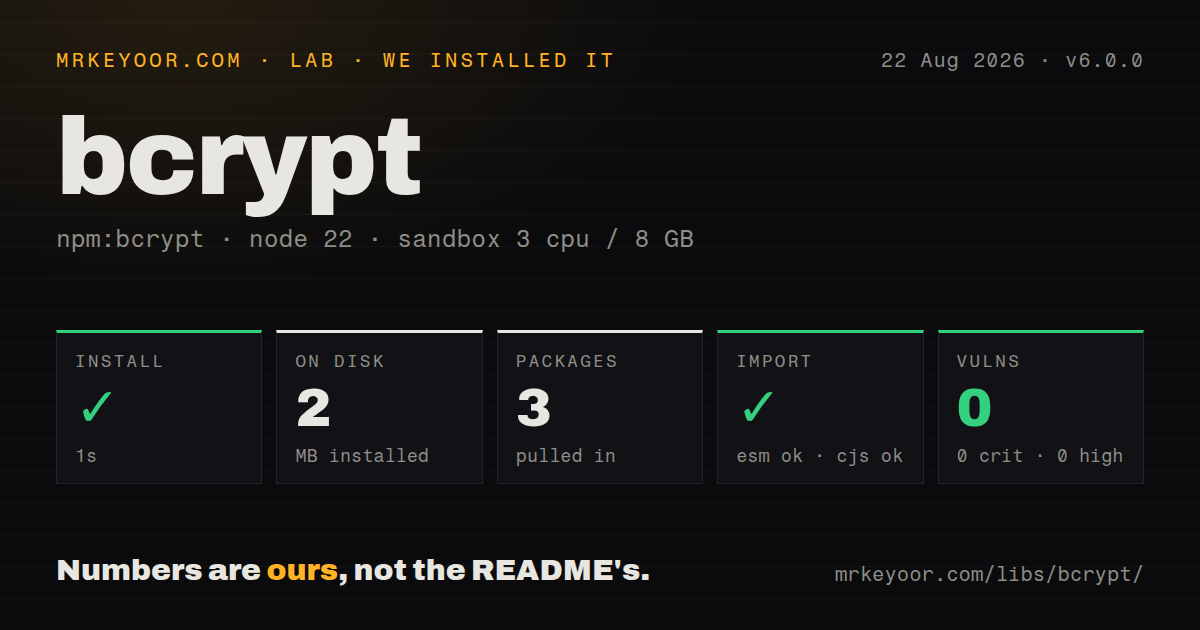
| Install | ✓ · 1s | 3 packages on disk · 2 MB · native build step |
| Import | ✓ | ESM import works · require() works · CommonJS package |
| Browser | n/a | could not be bundled for the browser (Node-only code, most likely) |
| Types | — | no TypeScript types found |
| Known vulns | 0 | 0 critical · 0 high · 0 moderate · 0 low (npm audit) |
Answers from our run
Does bcrypt install cleanly?
Yes. In a fresh container with an empty cache, npm install bcrypt finished in 1 seconds, leaving 3 packages and 2 MB on disk, after a native build step. npm audit reported no known vulnerabilities.
Can bcrypt run in a browser?
Not directly: esbuild could not bundle it for the browser in our run, which normally means it depends on Node built-ins. Use it on the server, or find a browser-targeted alternative.
Does bcrypt work with both ESM and CommonJS?
Yes. Both import 'bcrypt' and require('bcrypt') worked in Node 22 in our run. The package is published as CommonJS.
Does bcrypt include TypeScript types?
No type declarations were found in our install, so TypeScript users need their own declarations.
bcrypt or argon2: which should you use?
argon2: Use it for new password stores that need Argon2id and explicit memory-cost tuning. bcrypt 6.0.0 installed in 1 second and occupied 2 MB in our sandbox, with 0 audit findings, but its native addon and 72-byte password limit are real deployment constraints.
When should you not use bcrypt?
You are choosing a password scheme for a new system and want Argon2id's memory-cost controls; bcrypt only exposes its CPU cost factor
Use it if
- You must verify an existing database of bcrypt hashes with $2a$ or $2b$ prefixes
- Your Node 18+ server can load a native addon and you will use the asynchronous hash and compare calls
- You want the salt and work factor encoded inside each stored password hash
- Your login flow can rehash successful passwords when getRounds() finds an outdated cost
- You are choosing a password scheme for a new system and want Argon2id's memory-cost controls; bcrypt only exposes its CPU cost factor
- Passwords may exceed 72 UTF-8 bytes; bcrypt ignores bytes after that boundary, and an emoji can consume several bytes
- The target is a browser, Cloudflare Worker, or another runtime without Node native addons; our esbuild browser build failed
- Your deployment platform is outside the listed Windows, Linux glibc or musl, and macOS x64 or arm64 prebuilds; installation may require node-gyp, Python, and a C++ toolchain
- You need TypeScript declarations inside the package; our inspection found none, so TypeScript projects need @types/bcrypt or local declarations
Setup reality
We installed bcrypt 6.0.0 in a fresh unprivileged Node 22 Bookworm container with 3 CPUs and 8 GB of RAM. npm finished in 1 second, ran a native or compile step, and left 3 packages using 2 MB on disk. The package itself was 1,228 KB unpacked with 2 direct dependencies, no peer dependencies, and a Node >=18 engine rule. npm audit reported 0 known vulnerabilities.
The published package is CommonJS and has no exports map. Both require() and ESM import worked in our sandbox, but no TypeScript declarations were bundled. A browser build with esbuild failed because the entry reaches Node-only native code. Treat bcrypt as server code and keep it out of shared modules that a frontend bundler may traverse.
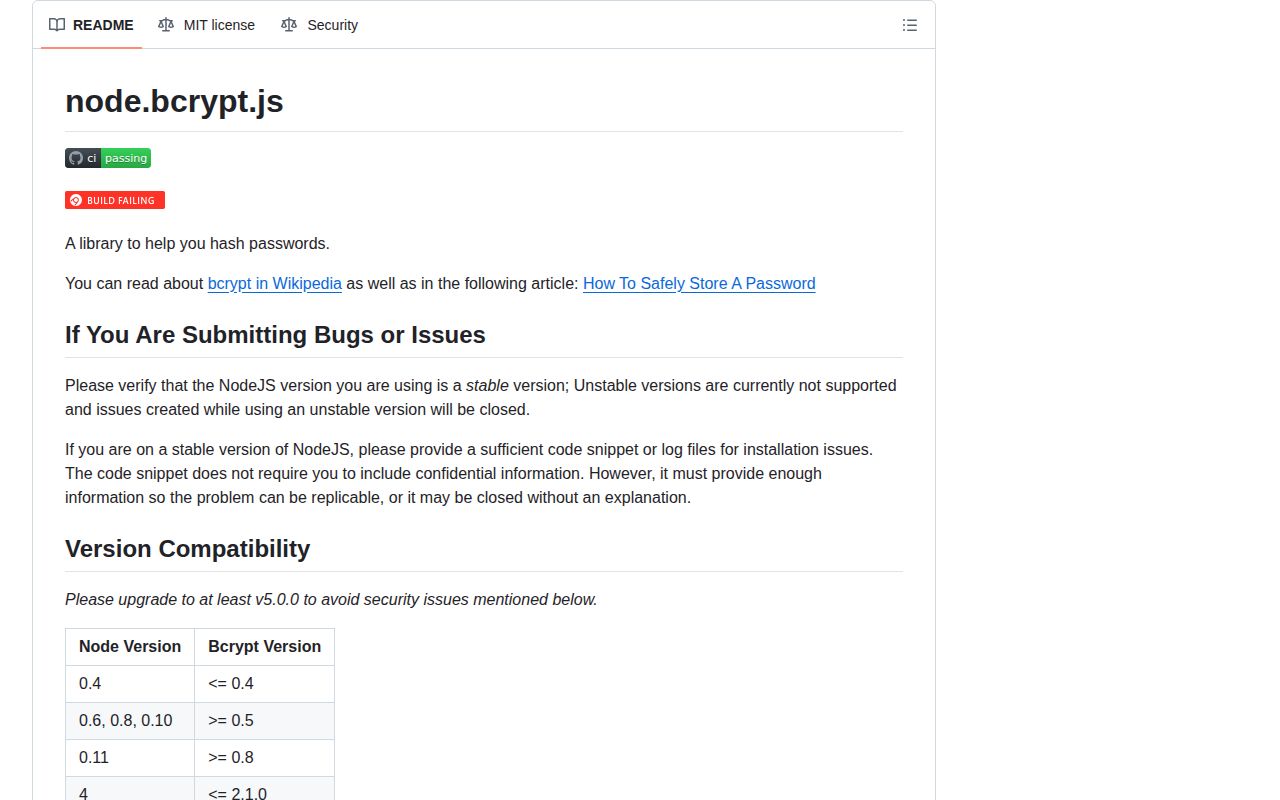
Version 6 uses prebuilt native binaries where the project publishes them: Windows, Linux with glibc or musl, and macOS on x64 or arm64. Prebuilds are best effort. A missing binary falls back to node-gyp, which means Python and a working C++ toolchain; Windows builds also need the relevant Visual Studio workloads. Stable Node releases are the supported target, and the README warns that prerelease Node versions can fail during node-gyp setup.
Bcrypt reads only the first 72 bytes of a password after UTF-8 encoding. Check Buffer.byteLength() before hashing if the application accepts long passphrases. Use hash() and compare() in request handlers because the synchronous variants hold the event loop while the CPU work runs. The async calls use Node's shared thread pool, so a login surge can compete with other thread-pool work; rate limits and bounded authentication concurrency still belong around the library.
Patterns
Hash a password for storage hash-password
import bcrypt from 'bcrypt';

const passwordHash = await bcrypt.hash(password, 12);
await users.insertOne({ email, passwordHash });
The returned bcrypt string already contains the algorithm marker, cost, and salt. Store that one value and discard the plaintext.
Check a login candidate verify-password
const matches = await bcrypt.compare(password, user.passwordHash);
if (!matches) {
  throw new Error('Invalid credentials');
}
compare() reads the salt and cost from the stored hash. Comparing two newly generated hash strings will fail because their salts differ.
Enforce the 72-byte boundary reject-long-password
const bytes = Buffer.byteLength(password, 'utf8');
if (bytes > 72) {
  throw new RangeError('Password exceeds the 72-byte bcrypt limit');
}
Bcrypt ignores input after 72 bytes, not 72 characters. Measure the UTF-8 byte length before calling hash() or compare().
Generate a salt explicitly generate-salt
const salt = await bcrypt.genSalt(12);
const passwordHash = await bcrypt.hash(password, salt);
Passing 12 directly to hash() performs the same salt-generation step. Keep the explicit form only when the intermediate salt is useful to your flow.
Read the cost from a stored hash read-cost
const currentCost = bcrypt.getRounds(user.passwordHash);
console.log({ currentCost });
getRounds() reads the work factor encoded in a valid bcrypt hash. It lets a migration find hashes below the current policy.
Raise the cost after a successful login rehash-on-login
const targetCost = 12;
const matches = await bcrypt.compare(password, user.passwordHash);

if (matches && bcrypt.getRounds(user.passwordHash) < targetCost) {
  const passwordHash = await bcrypt.hash(password, targetCost);
  await users.updateOne({ _id: user._id }, { $set: { passwordHash } });
}
A successful login supplies the plaintext needed to replace an older low-cost hash. Update only after compare() returns true.
Keep hashing off the event loop avoid-sync-server
// Request handler
const passwordHash = await bcrypt.hash(req.body.password, 12);
res.json({ passwordHash });
The async API uses Node's thread pool. hashSync() and compareSync() block the event loop for the full CPU-bound operation.
Load bcrypt from CommonJS commonjs-import
const bcrypt = require('bcrypt');

const matches = await bcrypt.compare(password, storedHash);
bcrypt 6.0.0 publishes a CommonJS entry without an exports map. require() worked in our Node 22 sandbox.
Load bcrypt from an ESM module esm-import
import bcrypt from 'bcrypt';

const passwordHash = await bcrypt.hash(password, 12);
Node's ESM interop exposed the CommonJS default export in our test. Named-import behavior is less portable, so use the default import shown here.
Hash a Buffer input buffer-input
const secret = Buffer.from(password, 'utf8');
const passwordHash = await bcrypt.hash(secret, 12);
hash() accepts a string or Buffer. A Buffer does not remove bcrypt's 72-byte limit; bytes after that point are still ignored.
Use the callback form callback-api
bcrypt.hash(password, 12, (error, passwordHash) => {
  if (error) return next(error);
  saveUser({ email, passwordHash }, next);
});
Async methods return a Promise only when no callback is supplied. Do not await a separate callback-driven completion path.
Run a compare for unknown accounts dummy-compare
const fallbackHash = process.env.BCRYPT_FALLBACK_HASH;
const user = await users.findOne({ email });
const candidateHash = user?.passwordHash ?? fallbackHash;
const matches = await bcrypt.compare(password, candidateHash);

if (!user || !matches) throw new Error('Invalid credentials');
Unknown and known accounts both reach compare(), which avoids an obvious fast path for missing users. Generate the fallback hash ahead of requests and keep one generic error response.
Alternatives
| Package | Registry | Pick it when |
|---|---|---|
| argon2 | npm | Use it for new password stores that need Argon2id and explicit memory-cost tuning |
| bcryptjs | npm | Use it when bcrypt hash compatibility matters but native addons cannot run |
| @node-rs/bcrypt | npm | Use it when you want bcrypt with a Rust-based native binding and a different prebuild matrix |
More security guides
cryptography · jose · pyjwt · dompurify · jsonwebtoken · requests-oauthlib · the whole shelf →
How this guide is made: grounded in the library's documentation, release notes, changelog, and issue history, on a fixed rubric — not a hands-on install of every release. The 50 most-downloaded entries are additionally install-verified in clean containers. Corrections: contact the desk.