bcryptjs review
bcryptjs 3.0.3 is a pure JavaScript implementation of bcrypt for password hashing and verification. It reads the same encoded hashes as the native bcrypt package, including records created with older $2a$ prefixes, while new hashes use $2b$. Our Node 22 sandbox loaded it through both require() and ESM import, and the package brought bundled TypeScript declarations with no direct dependencies. The current patch changes when async hashing yields to the event loop, correcting the callback ordering reported in issue 164.
bcryptjs 3.0.3 installed in 0.6 seconds, occupied 1 MB across 2 packages, and produced no npm audit findings in our sandbox, making it a practical bcrypt fallback for runtimes that reject native addons. New password stores should prefer Argon2id unless bcrypt compatibility is a real requirement.
We installed it
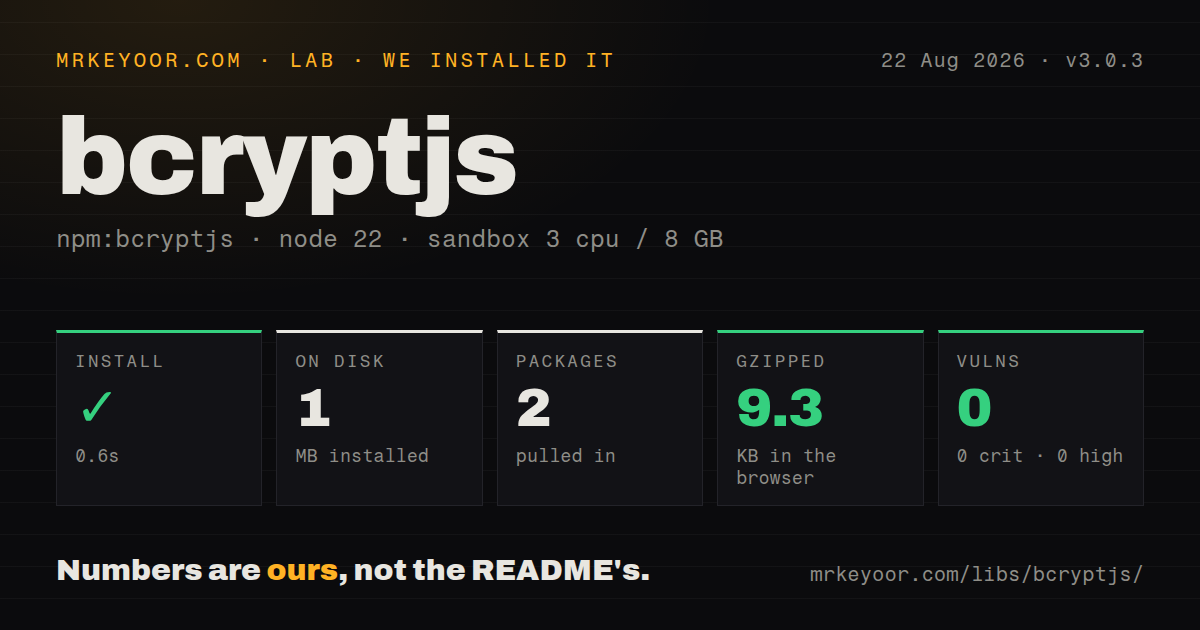
| Install | ✓ · 0.6s | 2 packages on disk · 1 MB |
| Import | ✓ | ESM import works · require() works · ESM package with exports map |
| Browser | 9.3 KB | gzipped (20.3 KB minified), bundled with esbuild |
| Types | ✓ | TypeScript types bundled |
| Known vulns | 0 | 0 critical · 0 high · 0 moderate · 0 low (npm audit) |
Answers from our run
Does bcryptjs install cleanly?
Yes. In a fresh container with an empty cache, npm install bcryptjs finished in 0.6s, leaving 2 packages and 1 MB on disk. npm audit reported no known vulnerabilities.
How much does bcryptjs add to a browser bundle?
9.3 KB gzipped (20.3 KB minified) when the whole package is bundled for the browser with esbuild. Importing only part of it is usually smaller.
Does bcryptjs work with both ESM and CommonJS?
Yes. Both import 'bcryptjs' and require('bcryptjs') worked in Node 22 in our run. The package is published as ESM with an exports map.
Does bcryptjs include TypeScript types?
Yes, type declarations ship inside the package, so no @types install is needed.
bcryptjs or @node-rs/argon2: which should you use?
@node-rs/argon2: Choose it for a new Argon2id password store when prebuilt native binaries suit the deployment. bcryptjs 3.0.3 installed in 0.6 seconds, occupied 1 MB across 2 packages, and produced no npm audit findings in our sandbox, making it a practical bcrypt fallback for runtimes that reject native addons.
When should you not use bcryptjs?
You are designing a new password store with no bcrypt records to preserve. Argon2id adds memory cost, while bcrypt only makes CPU work expensive.
Use it if
- Your database already contains bcrypt hashes and the deployment cannot load a native Node addon.
- The same password-checking code must run in Node and a browser-capable JavaScript build.
- A serverless or restricted runtime needs bcrypt compatibility without compiler tools or platform binaries.
- You want the package root to work from both CommonJS and ESM while keeping TypeScript declarations in the dependency itself.
- You are designing a new password store with no bcrypt records to preserve. Argon2id adds memory cost, while bcrypt only makes CPU work expensive.
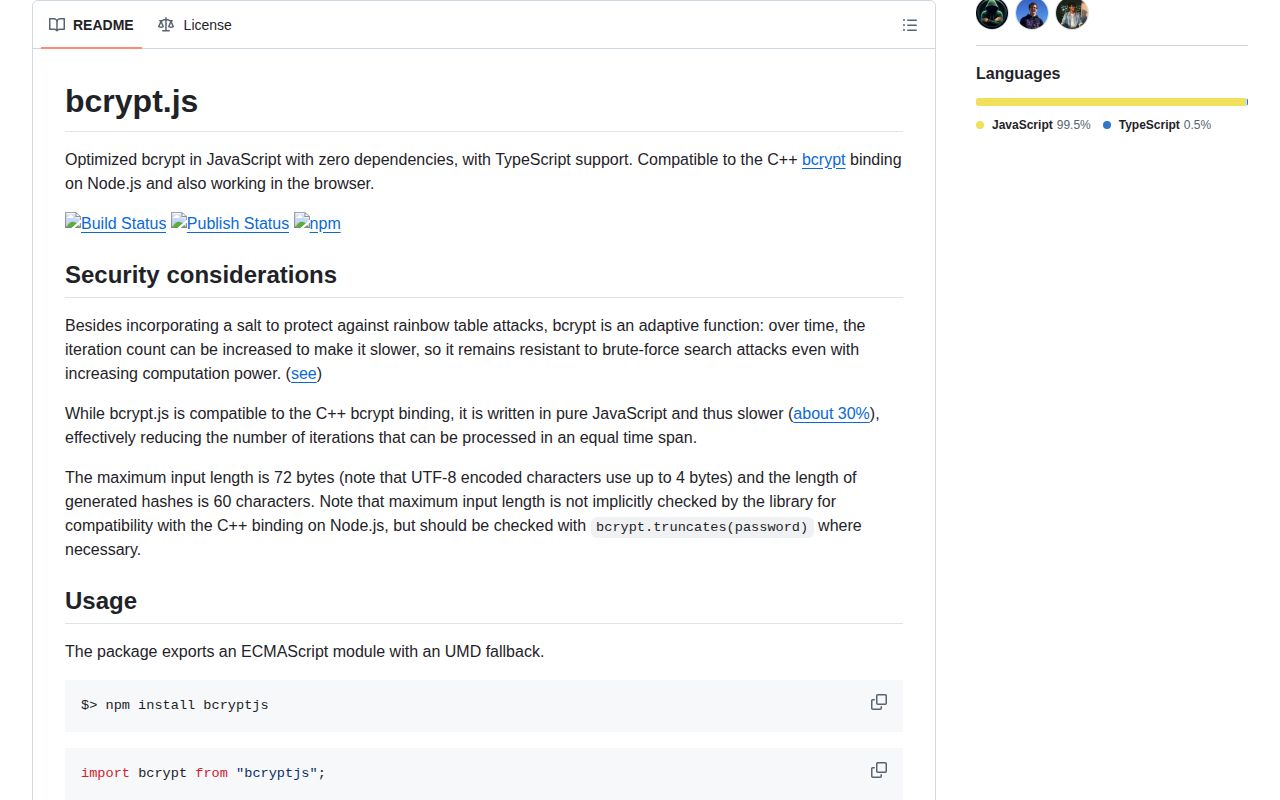
- Login volume leaves little CPU headroom. The project benchmark says its JavaScript implementation runs about 30 percent slower than the C++ bcrypt binding.
- Your password policy accepts more than 72 UTF-8 bytes and silent truncation is unacceptable. bcryptjs exposes truncates(), but enforcement remains your job.
- The only convenient integration point is a synchronous web request handler. hashSync() and compareSync() block that JavaScript thread for the full calculation.
- You expect browser-side hashing to remove the need for TLS or server verification. A captured client-produced value can still act as a reusable credential.
Setup reality
We installed bcryptjs 3.0.3 in a fresh Node 22 Bookworm container, and npm finished in 0.6 seconds. The environment held 2 packages and 1 MB afterward. bcryptjs itself was 152 KB unpacked, declared 0 direct and 0 peer dependencies, and supplied its own TypeScript declarations. npm audit reported 0 known vulnerabilities across all four severity levels.
The package declares ESM and publishes an exports map, but require() and import both succeeded on our box. Import the package root because version 3 removed the old dist layout. Our esbuild browser check produced 20.3 KB minified and 9.3 KB gzipped. Direct ESM use in a browser needs a stub for the Node crypto import; the README says bundlers generally remove it.
There are no credentials or config files. A bcrypt hash already carries its prefix, cost, and salt, so store the full returned string. Check bcrypt.truncates(password) before hashing because the format uses at most 72 UTF-8 bytes. A password containing multibyte characters can hit that boundary before its JavaScript string length suggests it will.
Use hash() and compare() on request paths. Their work remains CPU-bound, though the async forms divide it into event-loop chunks. Version 3.0.3 yields before scheduling the next chunk, which fixes the ordering bug behind issue 164. Time several candidate costs on the same class of machine that handles authentication, then rehash after a successful login when an older stored cost falls below policy.
Patterns
Hash a checked password hash-password
import bcrypt from 'bcryptjs';

const password = input.password;
if (bcrypt.truncates(password)) {
  throw new RangeError('Password exceeds bcrypt input limit');
}
const passwordHash = await bcrypt.hash(password, 12);
await users.create({ email: input.email, passwordHash });
bcrypt uses a 72-byte UTF-8 input ceiling. Measure cost 12 on your authentication hardware before making it policy.
Verify a stored bcrypt record verify-password
import bcrypt from 'bcryptjs';

const user = await users.byEmail(email);
if (!user) return null;

const valid = await bcrypt.compare(password, user.passwordHash);
return valid ? user : null;
compare() reads the salt and work factor from the encoded hash. Creating a fresh hash and comparing strings will fail because the salt changes.
Reject inputs bcrypt would truncate enforce-byte-limit
import bcrypt from 'bcryptjs';

export function checkPasswordLength(password: string) {
  if (bcrypt.truncates(password)) {
    throw new RangeError('Password is longer than 72 UTF-8 bytes');
  }
}
JavaScript string length counts UTF-16 code units, so it cannot enforce bcrypt's 72-byte UTF-8 boundary by itself.
Upgrade an older cost on login rehash-after-login
import bcrypt from 'bcryptjs';

const REQUIRED_COST = 12;

async function verifyAndUpgrade(user, password) {
  if (!(await bcrypt.compare(password, user.passwordHash))) return false;
  if (bcrypt.getRounds(user.passwordHash) < REQUIRED_COST) {
    await users.setHash(user.id, await bcrypt.hash(password, REQUIRED_COST));
  }
  return true;
}
A successful login exposes the plaintext needed for rehashing. getRounds() expects a syntactically valid bcrypt record.
Use the CommonJS entry point load-commonjs
const bcrypt = require('bcryptjs');

async function passwordsMatch(password, encoded) {
  return bcrypt.compare(password, encoded);
}
Version 3 declares ESM but maps require() to its UMD build. Deep imports into the removed dist directory are outside the exports map.
Read metadata from a hash inspect-hash-cost
import bcrypt from 'bcryptjs';

const cost = bcrypt.getRounds(encodedHash);
const salt = bcrypt.getSalt(encodedHash);
console.log({ cost, salt });
getRounds() and getSalt() parse existing records; neither turns an unknown string into a trustworthy bcrypt hash.
Hash through the callback overload use-callback
import bcrypt from 'bcryptjs';

bcrypt.hash(password, 12, (error, passwordHash) => {
  if (error) return next(error);
  users.create({ email, passwordHash }, next);
});
The callback API remains public in 3.0.3. Check the error before using the optional result supplied to the callback.
Observe a long callback hash report-progress
bcrypt.hash(
  password,
  14,
  (error, hash) => error ? showError(error) : submit(hash),
  (fraction) => updateMeter(fraction),
);
The progress callback reports a value between 0 and 1 at intervals no longer than 100 ms. It does not reduce the CPU work.
Compare a dummy hash for missing users hide-account-timing
const dummyHash = await bcrypt.hash(crypto.randomUUID(), 12);

async function authenticate(email, password) {
  const user = await users.byEmail(email);
  const valid = await bcrypt.compare(password, user?.passwordHash ?? dummyHash);
  return valid && user ? user : null;
}
Create one dummy hash during startup. Generating it inside each request would add a second expensive bcrypt operation for unknown accounts.
Generate and reuse an explicit salt generate-salt
const salt = await bcrypt.genSalt(12);
const firstHash = await bcrypt.hash(firstPassword, salt);
const secondHash = await bcrypt.hash(secondPassword, salt);
Reusing a salt across passwords is usually the wrong policy. This explicit form is mainly useful for tests or compatibility work.
Track an async comparison compare-with-progress
bcrypt.compare(
  password,
  encodedHash,
  (error, same) => error ? next(error) : finish(same),
  (fraction) => updateMeter(fraction),
);
Progress reporting is available on the callback comparison form. Version 3.0.3 changes its scheduling so yielding happens before the next chunk is queued.
Replace bcrypt records gradually migrate-to-argon2id
import bcrypt from 'bcryptjs';
import { hash, verify } from '@node-rs/argon2';

async function verifyCredential(user, password) {
  if (user.passwordHash.startsWith('$argon2')) {
    return verify(user.passwordHash, password);
  }
  if (!(await bcrypt.compare(password, user.passwordHash))) return false;
  await users.setHash(user.id, await hash(password));
  return true;
}
Branch on the encoded prefix and keep bcryptjs available until old accounts either sign in or complete a password reset.
Alternatives
| Package | Registry | Pick it when |
|---|---|---|
| @node-rs/argon2 | npm | Choose it for a new Argon2id password store when prebuilt native binaries suit the deployment. |
| @node-rs/bcrypt | npm | Choose it when the bcrypt format is fixed and a native implementation is acceptable for higher throughput. |
| bcrypt | npm | Choose the established C++ binding when your target systems can install its binary or compile the addon. |
More security guides
cryptography · jose · pyjwt · dompurify · jsonwebtoken · requests-oauthlib · the whole shelf →
How this guide is made: grounded in the library's documentation, release notes, changelog, and issue history, on a fixed rubric — not a hands-on install of every release. The 50 most-downloaded entries are additionally install-verified in clean containers. Corrections: contact the desk.