@auth/core review
@auth/core 0.41.3 is the low-level Auth.js package used by framework adapters. Its Auth function accepts a Web Request and returns a Web Response for provider redirects, OAuth callbacks, session reads, sign-out, CSRF checks, and the supplied auth pages. It can keep sessions in encrypted JWT cookies or persist them through an adapter. Email links, credentials, OAuth, OIDC, and experimental WebAuthn are available, but authorization rules, password storage, recovery flows, and account-management screens remain application work. Our install also shows that this server-side protocol engine is a substantial browser import at 45.8 KB gzipped.
@auth/core 0.41.3 installed in 3.5 seconds with 0 audit findings, but our browser build was 45.8 KB gzipped and direct use leaves routing, proxy trust, adapters, and failure handling to you. Install it for adapter work or encrypted stateless sessions; for an ordinary new app, the maintainers themselves point first to Better Auth.
We installed it
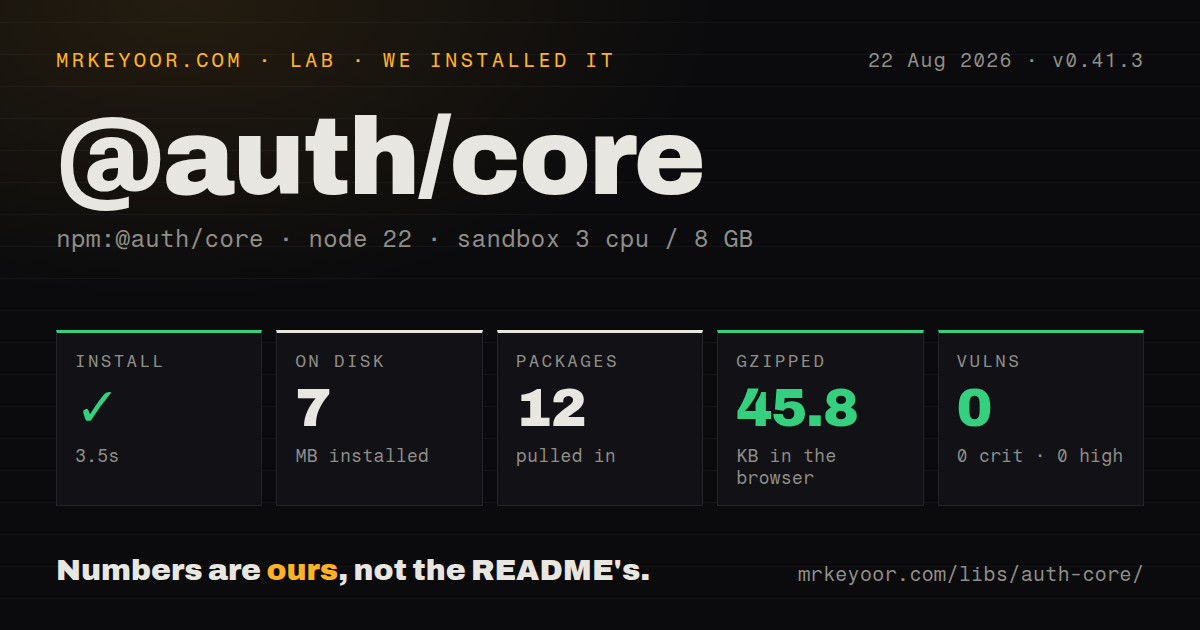
| Install | ✓ · 3.5s | 12 packages on disk · 7 MB |
| Import | ✓ | ESM import works · require() works · ESM package with exports map |
| Browser | 45.8 KB | gzipped (140.5 KB minified), bundled with esbuild |
| Types | ✓ | TypeScript types bundled |
| Known vulns | 0 | 0 critical · 0 high · 0 moderate · 0 low (npm audit) |
Answers from our run
Does @auth/core install cleanly?
Yes. In a fresh container with an empty cache, npm install @auth/core finished in 4 seconds, leaving 12 packages and 7 MB on disk. npm audit reported no known vulnerabilities.
How much does @auth/core add to a browser bundle?
45.8 KB gzipped (140.5 KB minified) when the whole package is bundled for the browser with esbuild. Importing only part of it is usually smaller.
Does @auth/core work with both ESM and CommonJS?
Yes. Both import '@auth/core' and require('@auth/core') worked in Node 22 in our run. The package is published as ESM with an exports map.
Does @auth/core include TypeScript types?
Yes, type declarations ship inside the package, so no @types install is needed.
@auth/core or better-auth: which should you use?
better-auth: Pick it for a new application when you do not depend on Auth.js's encrypted database-free session behavior. @auth/core 0.41.3 installed in 3.5 seconds with 0 audit findings, but our browser build was 45.8 KB gzipped and direct use leaves routing, proxy trust, adapters, and failure handling to you.
When should you not use @auth/core?
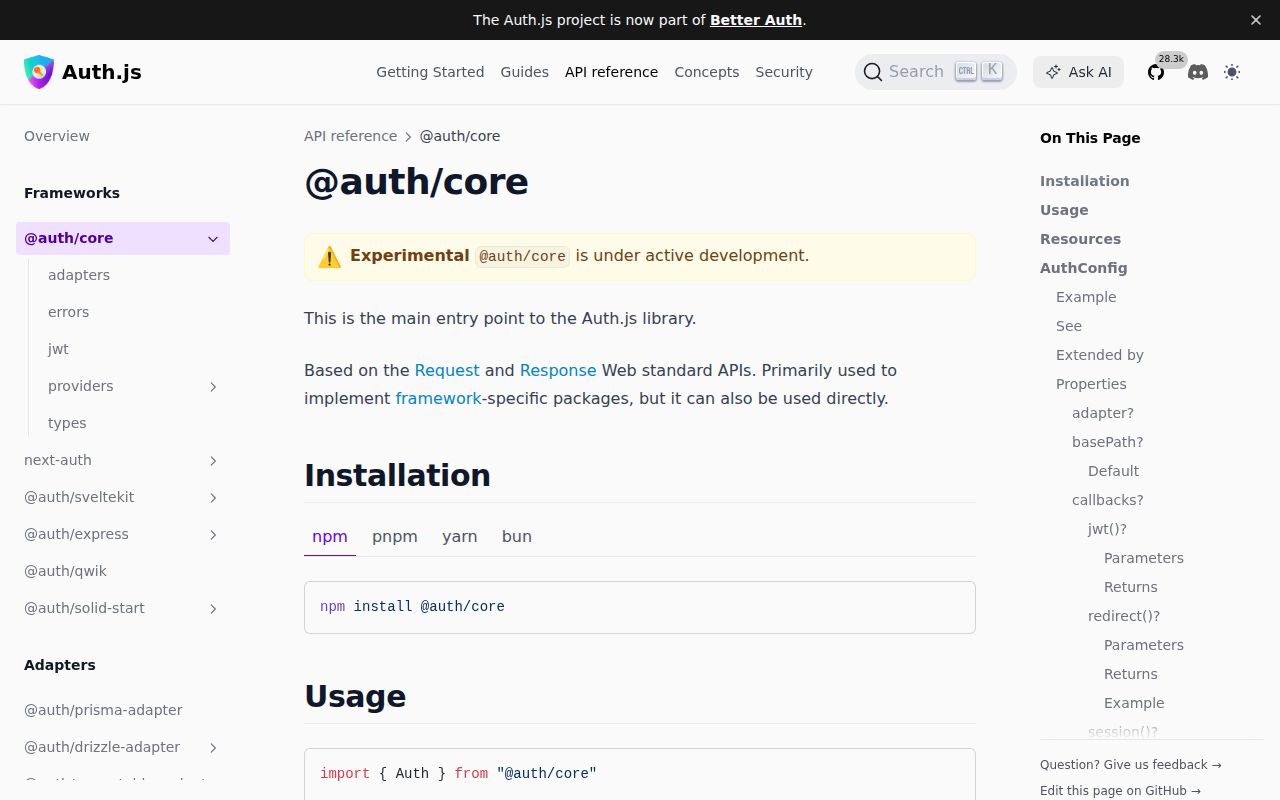
This is a new application with no Auth.js-specific requirement. The repository recommends Better Auth for new work after Auth.js joined that project.
Use it if
- You are building an Auth.js adapter around standard Request and Response objects for a framework that has no official integration.
- Encrypted cookie sessions without a database are a firm requirement, which the project calls out as the main gap that can still justify choosing Auth.js for a new build.
- You need the packaged OAuth and OIDC provider definitions while retaining control of user and session data.
- One authentication layer must support either JWT cookies or an application-owned database adapter.
- This is a new application with no Auth.js-specific requirement. The repository recommends Better Auth for new work after Auth.js joined that project.
- An official Auth.js package already covers your framework. The core reference marks direct use experimental, so choosing it makes you responsible for routing and response translation.
- You expect a complete username-and-password service. Credentials supplies an authorize callback, while validation, hashing, reset, throttling, and abuse controls stay with your code; it also requires JWT sessions.
- Email links or passkeys must work without persistence. Those providers require adapter methods, optional peer packages, and, for WebAuthn, an experimental configuration switch.
- The code belongs in a browser bundle. Our all-exports build measured 140.5 KB minified and 45.8 KB gzipped, and authentication handling must execute in a trusted runtime.
Setup reality
We installed @auth/core 0.41.3 in 3.5 seconds in a clean Node 22 Bookworm container. The install left 12 packages using 7 MB. npm audit reported 0 known vulnerabilities. The package itself has 5 direct dependencies, 3 peer dependencies, 3260 KB unpacked, an ISC license, and bundled TypeScript declarations. It is ESM with an exports map; both require() and ESM import succeeded in our checks. An all-exports browser build reached 140.5 KB minified and 45.8 KB gzipped.
Direct use requires GET and POST handlers below the default /auth path, plus an exact callback URL registered at every identity provider. Auth() does not populate its own configuration from process.env. Pass the secret, provider credentials, basePath, and trustHost yourself, or call setEnvDefaults(process.env, config), which mutates the object and reads AUTH_SECRET, AUTH_URL, AUTH_TRUST_HOST, and provider-prefixed variables. A reverse proxy must sanitize forwarded host headers before trustHost can be enabled safely.
Without an adapter, encrypted JWT cookies are the session store. Adding an adapter switches the default to database sessions and brings schema, migration, and adapter-method obligations. Credentials data arrives as unknown input and needs validation, hashing checks, throttling, and safe error messages in application code. Email sign-in adds the Nodemailer peer plus SMTP and adapter setup. Experimental WebAuthn adds both SimpleWebAuthn peers and more adapter methods.
HTTPS affects secure-cookie defaults, while custom cookie options can undo them. The session callback decides which token values reach client code. For secret rotation, supply an array with the newest value first and retain old values only for decrypting existing sessions. Test proxy headers, redirects, CSRF failure, cookie scope, account linking, and rejected provider callbacks before shipping.
Patterns
Handle a request with the core function handle-auth-request
import { Auth, type AuthConfig } from '@auth/core';
import GitHub from '@auth/core/providers/github';

const config = {
  providers: [
    GitHub({
      clientId: process.env.GITHUB_CLIENT_ID!,
      clientSecret: process.env.GITHUB_CLIENT_SECRET!,
    }),
  ],
  secret: process.env.AUTH_SECRET!,
  trustHost: true,
} satisfies AuthConfig;

export function handleAuth(request: Request) {
  return Auth(request, config);
}
The default base path is /auth, and both GET and POST requests must reach this handler. Enable trustHost only behind a server or proxy that validates host headers.
Read Auth.js environment variables load-auth-environment
import { Auth, setEnvDefaults, type AuthConfig } from '@auth/core';
import GitHub from '@auth/core/providers/github';

const config: AuthConfig = { providers: [GitHub] };
setEnvDefaults(process.env, config);

export const handleAuth = (request: Request) => Auth(request, config);
Auth() never calls this helper for you. setEnvDefaults changes the config object and expects AUTH_SECRET plus provider variables such as AUTH_GITHUB_ID and AUTH_GITHUB_SECRET.
Register two OAuth providers configure-multiple-providers
import GitHub from '@auth/core/providers/github';
import Google from '@auth/core/providers/google';

const config = {
  providers: [
    GitHub({ clientId: githubId, clientSecret: githubSecret }),
    Google({ clientId: googleId, clientSecret: googleSecret }),
  ],
  secret,
  trustHost: true,
};
Register a distinct redirect URI for each provider. With the default path, these callbacks end in /auth/callback/github and /auth/callback/google.
Use GitHub Enterprise use-github-enterprise
GitHub({
  clientId: process.env.GHE_CLIENT_ID!,
  clientSecret: process.env.GHE_CLIENT_SECRET!,
  enterprise: {
    baseUrl: 'https://github.company.example',
  },
})
baseUrl determines the OAuth host and the /api/v3 endpoint. The callback URL belongs in the OAuth application on that Enterprise installation.
Limit sign-in by email domain restrict-sign-in
const config = {
  // providers, secret, trustHost...
  callbacks: {
    async signIn({ profile }) {
      const email = profile?.email;
      return typeof email === 'string' && email.endsWith('@company.example');
    },
  },
};
A matching suffix alone does not prove ownership. Check the provider's verified-email property as well when the profile includes one.
Expose one JWT claim to the client expose-jwt-claim
const config = {
  session: { strategy: 'jwt' as const },
  callbacks: {
    async jwt({ token, user }) {
      if (user) token.userId = user.id;
      return token;
    },
    async session({ session, token }) {
      session.user.id = token.userId as string;
      return session;
    },
  },
};
Anything returned from session can reach browser code. Keep provider tokens and other secrets out unless a client feature has a documented need for them.
Store sessions through Prisma use-database-sessions
import { PrismaAdapter } from '@auth/prisma-adapter';
import { prisma } from './db.js';

const config = {
  providers,
  adapter: PrismaAdapter(prisma),
  session: { strategy: 'database' as const },
  secret,
  trustHost: true,
};
@auth/prisma-adapter is a separate install, and its models must be migrated first. Once an adapter is present, database sessions become the default strategy.
Check password credentials authorize-credentials
import Credentials from '@auth/core/providers/credentials';

Credentials({
  credentials: {
    email: { label: 'Email', type: 'email' },
    password: { label: 'Password', type: 'password' },
  },
  async authorize(credentials) {
    if (typeof credentials.email !== 'string') return null;
    if (typeof credentials.password !== 'string') return null;
    return verifyPassword(credentials.email, credentials.password);
  },
})
Credentials accepts untrusted input and works only with JWT sessions. Your application still needs validation, password hashing, throttling, and failure messages that do not reveal account existence.
Send a sign-in link by email send-email-link
import Nodemailer from '@auth/core/providers/nodemailer';

const config = {
  adapter,
  providers: [
    Nodemailer({
      server: process.env.EMAIL_SERVER!,
      from: 'Sign in <login@example.com>',
    }),
  ],
  secret,
  trustHost: true,
};
Email login needs a compatible Nodemailer peer and an adapter. Verification tokens use database methods even when normal sessions remain JWT based.
Keep old sessions through secret rotation rotate-auth-secret
const config = {
  providers,
  secret: [
    process.env.AUTH_SECRET_NEW!,
    process.env.AUTH_SECRET_OLD!,
  ],
  trustHost: true,
};
The first array entry encrypts new sessions. Retain previous values only for the lifetime needed to decrypt cookies issued before the rotation.
Route to application-owned auth pages set-custom-pages
const config = {
  providers,
  secret,
  trustHost: true,
  basePath: '/auth',
  pages: {
    signIn: '/login',
    error: '/auth-error',
    verifyRequest: '/check-your-email',
  },
};
These paths must exist in your application. Keep the error route outside auth protection or a failed sign-in can loop back into the same guard.
Connect authentication logs capture-auth-logs
const config = {
  providers,
  secret,
  trustHost: true,
  logger: {
    error(error: Error) { appLogger.error({ error }, 'auth error'); },
    warn(code) { appLogger.warn({ code }, 'auth warning'); },
    debug(message, metadata) { appLogger.debug({ metadata }, message); },
  },
};
A custom logger overrides the debug option. Strip cookies, credentials, provider tokens, and sensitive response fields before metadata leaves the process.
Alternatives
| Package | Registry | Pick it when |
|---|---|---|
| better-auth | npm | Pick it for a new application when you do not depend on Auth.js's encrypted database-free session behavior. |
| passport | npm | Pick it for an Express or Connect codebase that already models authentication as strategies and owns its session middleware. |
| supertokens-node | npm | Pick it when password login, social providers, recovery, and session recipes should come as one maintained system with an optional hosted service. |
More security guides
cryptography · jose · pyjwt · dompurify · jsonwebtoken · oauthlib · the whole shelf →
How this guide is made: grounded in the library's documentation, release notes, changelog, and issue history, on a fixed rubric — not a hands-on install of every release. The 50 most-downloaded entries are additionally install-verified in clean containers. Corrections: contact the desk.