ajv-formats review
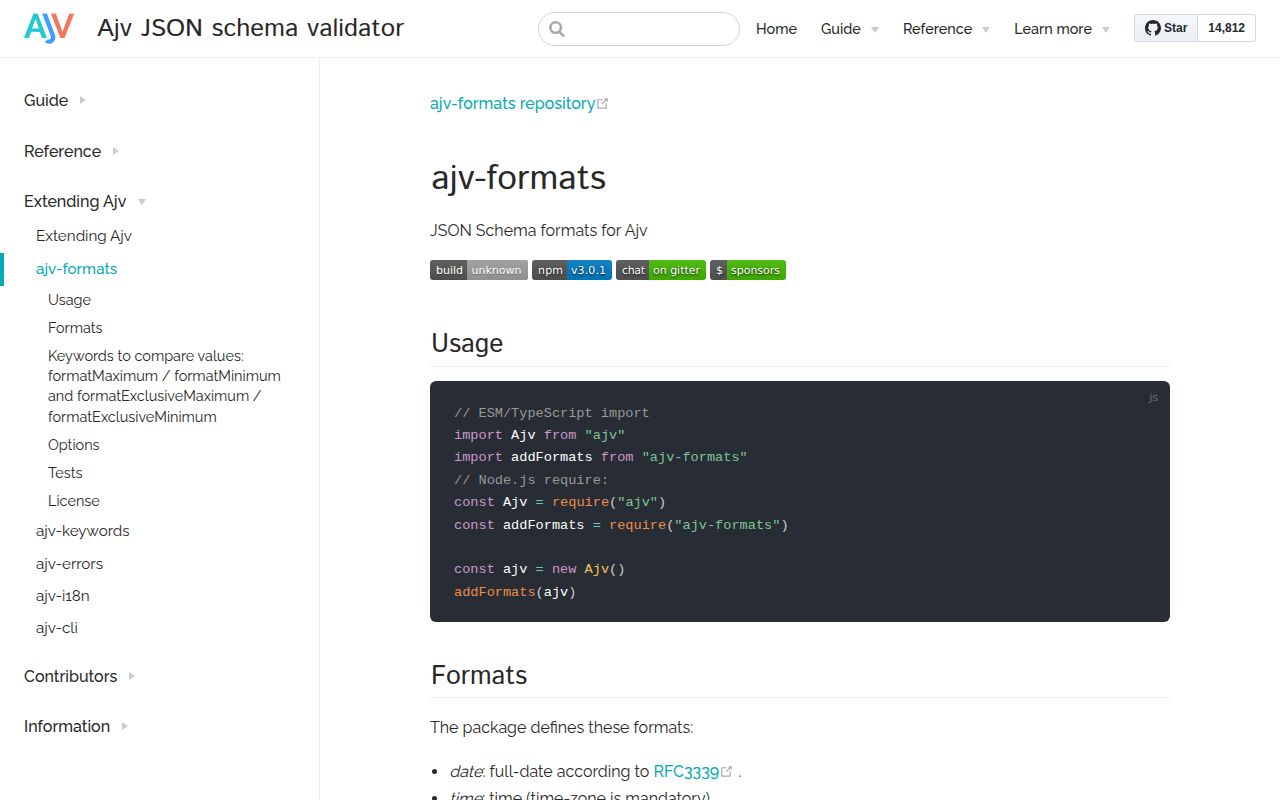
ajv-formats 3.0.1 plugs the format vocabulary that Ajv 8 leaves outside its core validator back into an Ajv instance. After one registration call, schemas can check RFC 3339 dates and times, URI forms, email and host names, IPv4 and IPv6 addresses, UUIDs, JSON Pointers, regex syntax, and OpenAPI number or byte labels. It can also compare formatted date and time strings with formatMinimum and formatMaximum. Our install showed a small 100 KB package, although importing its complete format table produced a 125.2 KB minified browser bundle.
ajv-formats 3.0.1 installed in 0.8 seconds with 0 audit findings, but its full browser import measured 125.2 KB minified; it fits Ajv 8 services better than a page needing one email check. Install it for named JSON Schema formats and date comparisons, not as proof that an address or regex is safe.
We installed it
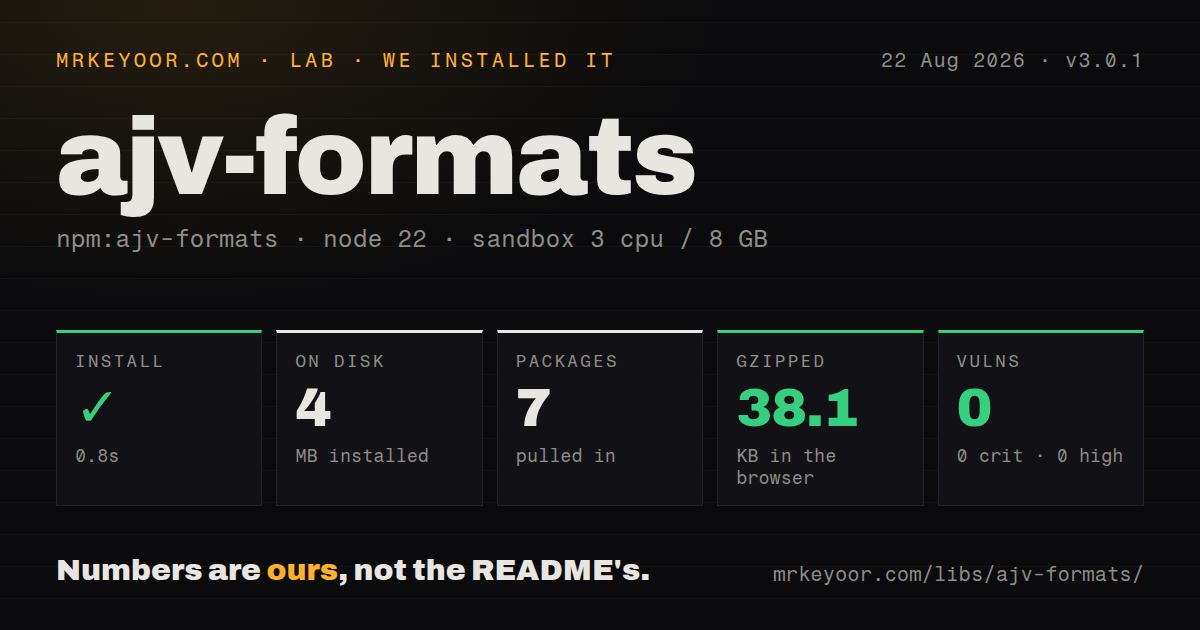
| Install | ✓ · 0.8s | 7 packages on disk · 4 MB |
| Import | ✓ | ESM import works · require() works · CommonJS package |
| Browser | 38.1 KB | gzipped (125.2 KB minified), bundled with esbuild |
| Types | ✓ | TypeScript types bundled |
| Known vulns | 0 | 0 critical · 0 high · 0 moderate · 0 low (npm audit) |
Answers from our run
Does ajv-formats install cleanly?
Yes. In a fresh container with an empty cache, npm install ajv-formats finished in 0.8s, leaving 7 packages and 4 MB on disk. npm audit reported no known vulnerabilities.
How much does ajv-formats add to a browser bundle?
38.1 KB gzipped (125.2 KB minified) when the whole package is bundled for the browser with esbuild. Importing only part of it is usually smaller.
Does ajv-formats work with both ESM and CommonJS?
Yes. Both import 'ajv-formats' and require('ajv-formats') worked in Node 22 in our run. The package is published as CommonJS.
Does ajv-formats include TypeScript types?
Yes, type declarations ship inside the package, so no @types install is needed.
ajv-formats or ajv-formats-draft2019: which should you use?
ajv-formats-draft2019: Use it when schemas require IRI or internationalized email and hostname formats. ajv-formats 3.0.1 installed in 0.8 seconds with 0 audit findings, but its full browser import measured 125.2 KB minified; it fits Ajv 8 services better than a page needing one email check.
When should you not use ajv-formats?
The contract uses iri, iri-reference, idn-email, or idn-hostname. The README assigns those internationalized formats to ajv-formats-draft2019.
Use it if
- Ajv 8 compiles schemas that use email, uuid, date-time, hostname, uri, IP address, or JSON Pointer formats.
- OpenAPI 3.0 documents bring int32, int64, float, double, byte, binary, or password format labels into your validation path.
- A schema needs date or time bounds expressed with formatMinimum, formatMaximum, or their exclusive variants.
- You want to load only named formats or trade full calendar checks for the simpler fast mode.
- The contract uses iri, iri-reference, idn-email, or idn-hostname. The README assigns those internationalized formats to ajv-formats-draft2019.
- You need proof that an email address accepts mail. The email format checks text shape; it cannot test ownership or delivery.
- User-provided regular expressions will be executed later. The regex format only asks whether RegExp accepts the source, so a costly pattern can still pass.
- Your application does not otherwise use Ajv or JSON Schema. Zod or Joi can avoid carrying a second validation engine and plugin.
- A format bug needs prompt upstream attention. GitHub shows 63 open issues and pull requests, and the repository has not been pushed since August 18, 2024.
Setup reality
We installed ajv-formats 3.0.1 in a clean Node 22 Bookworm container. npm finished in 0.8 seconds, and the resulting 7 packages occupied 4 MB. The package lists 1 direct dependency and 1 peer dependency, is 100 KB unpacked, and includes its TypeScript declarations. npm audit found 0 known vulnerabilities. Both require() and ESM import worked even though this is CommonJS without an exports map.
Install Ajv in the same project, construct the Ajv 8 instance, and run addFormats before compiling a schema that names one of these formats. There are no accounts, environment variables, or config files. The dependency and peer ranges both point at Ajv 8, so a monorepo with several Ajv versions should check which instance receives the plugin.
The default full mode validates date and time ranges. Fast mode uses simpler expressions and, for dates and times, checks structure without checking calendar ranges. Registering a short name list leaves every other format unknown. Ajv strict mode then rejects schema compilation unless you explicitly map an ignored vendor format to true. When you pass an options object, set keywords: true if the schema uses the 4 comparison keywords.
Our whole-package esbuild check measured 125.2 KB minified and 38.1 KB gzipped. That is worth noticing in browser code that only needs one check. The date-time format demands a timezone, while iso-date-time permits one to be absent. IDN and IRI names live in another plugin, and regex validation says only that JavaScript can compile the pattern.
Patterns
Register the complete format set register-standard-formats
import Ajv from 'ajv';
import addFormats from 'ajv-formats';

const ajv = new Ajv();
addFormats(ajv);
const valid = ajv.compile({ type: 'string', format: 'email' });
Call addFormats before schema compilation; Ajv strict mode throws when a schema names an unknown format.
Register formats from CommonJS load-with-commonjs
const Ajv = require('ajv');
const addFormats = require('ajv-formats');
const ajv = new Ajv();
addFormats(ajv);
Version 3.0.1 is CommonJS without an exports map, and require() succeeded in our Node 22 sandbox.
Load only the formats a schema uses choose-formats
addFormats(ajv, ['uuid', 'date-time', 'ipv4']);
const validate = ajv.compile({ type: 'string', format: 'uuid' });
Any omitted format remains unknown and can stop compilation on a strict Ajv instance.
Use cheaper format checks select-fast-mode
addFormats(ajv, { mode: 'fast', formats: ['date', 'date-time', 'email'], keywords: true });Fast mode does not check calendar ranges for date and time strings; it also simplifies URI and email expressions.
Validate an RFC 3339 date range bound-a-date
addFormats(ajv);
const validate = ajv.compile({
  type: 'string', format: 'date',
  formatMinimum: '2026-01-01',
  formatExclusiveMaximum: '2027-01-01'
});
Comparison keywords apply to strings and require a format with a comparison function.
Distinguish local and zoned timestamps allow-local-timestamp
addFormats(ajv, ['date-time', 'iso-date-time']);
const local = ajv.compile({ type: 'string', format: 'iso-date-time' });
const zoned = ajv.compile({ type: 'string', format: 'date-time' });
iso-date-time accepts a timestamp without a zone; date-time requires Z or a numeric offset.
Treat a vendor format as an annotation permit-vendor-format
const ajv = new Ajv({ formats: { 'account-code': true } });
addFormats(ajv);
const validate = ajv.compile({ type: 'string', format: 'account-code' });
Mapping a name to true prevents an unknown-format error and performs no value validation.
Override the email definition replace-email-check
addFormats(ajv);
ajv.addFormat('email', {
  type: 'string',
  validate: value => value.length <= 254 && /^[^@\s]+@[^@\s]+\.[^@\s]+$/.test(value)
});
Register the replacement after addFormats. A matching string still needs an ownership or delivery check.
Read OpenAPI integer labels validate-openapi-integers
addFormats(ajv, ['int32', 'int64']);
const validate = ajv.compile({ type: 'integer', format: 'int32' });
These names come from OpenAPI 3.0; JavaScript number values still have safe-integer limits.
Reject malformed regex text check-regex-source
addFormats(ajv, ['regex']);
const validate = ajv.compile({ type: 'string', format: 'regex' });
validate('[a-z]+');
validate('[');
validate('(a+)+$');
The final pattern compiles and therefore passes, even though running it against hostile input can be expensive.
Alternatives
| Package | Registry | Pick it when |
|---|---|---|
| ajv-formats-draft2019 | npm | Use it when schemas require IRI or internationalized email and hostname formats. |
| zod | npm | Use it for a TypeScript-first application that does not need portable JSON Schema documents. |
| joi | npm | Use it for a chainable Node validation API when standards-based schemas are not a requirement. |
More utils guides
lru-cache · type-fest · ajv · zod · p-limit · find-up · the whole shelf →
How this guide is made: grounded in the library's documentation, release notes, changelog, and issue history, on a fixed rubric — not a hands-on install of every release. The 50 most-downloaded entries are additionally install-verified in clean containers. Corrections: contact the desk.