aiosqlite review
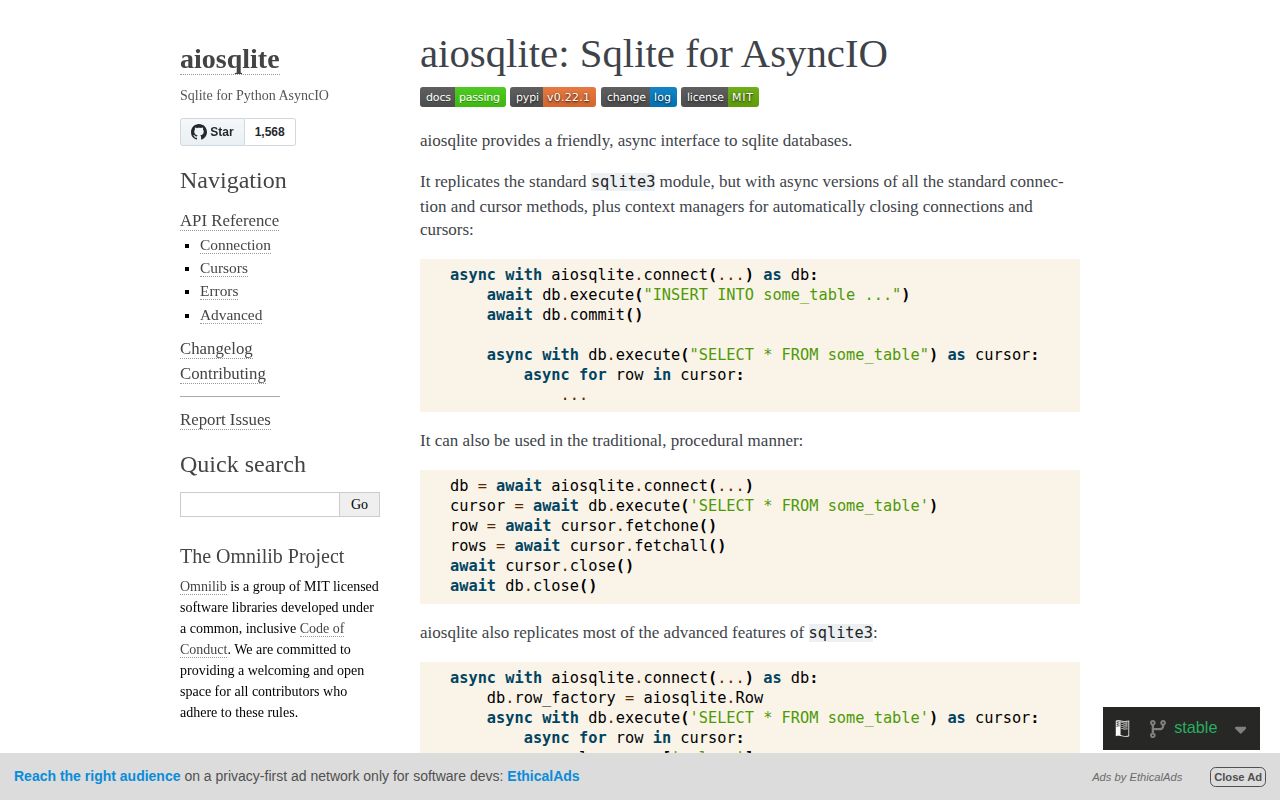
aiosqlite puts the standard sqlite3 connection behind an asyncio-friendly proxy. Each connection owns one helper thread and sends its operations through a shared queue, so a slow SQLite call does not freeze the event loop. Version 0.22.1 adds a synchronous stop() escape hatch for shutdown after the loop has gone away; the normal path is still await close() or an async context manager. It is a bridge to SQLite, not a connection pool, migration system, or ORM.
aiosqlite 0.22.1 installed in 0.3 seconds and occupied 1 MB in our sandbox, with typed Python APIs and 0 pip-audit findings. Install it when SQLite calls are blocking an asyncio application; walk away if you need parallel queries on one connection, migrations, or ORM models.
We installed it
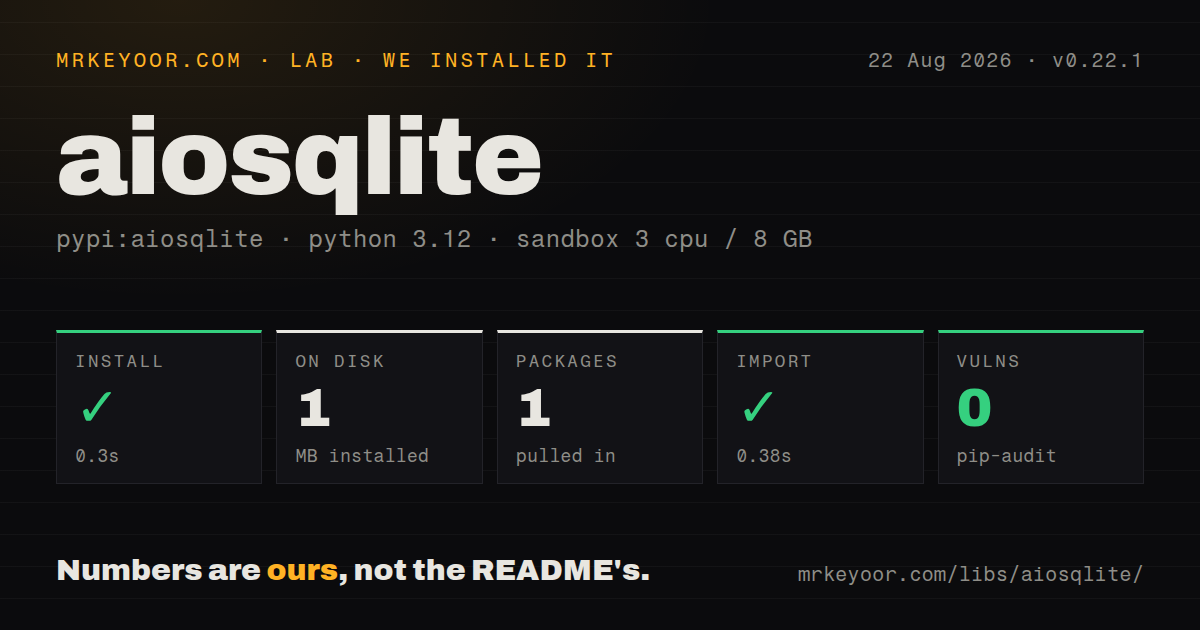
| Install | ✓ · 0.3s | 1 package on disk · 1 MB |
| Import | ✓ | import aiosqlite in 0.38s · pure Python · py.typed · requires Python >=3.9 |
| Known vulns | 0 | (pip-audit) |
Answers from our run
Does aiosqlite install cleanly?
Yes. In a fresh container with an empty cache, pip install aiosqlite finished in 0.3s, leaving 1 package and 1 MB on disk. pip-audit reported no known vulnerabilities.
What does aiosqlite need to run?
Python >=3.9, and nothing compiled: it is pure Python. In our run import aiosqlite succeeded in 0.38s, and the package ships py.typed for type checkers.
aiosqlite or sqlite-utils: which should you use?
sqlite-utils: Choose it for command-line and Python helpers that create, transform, and inspect SQLite databases. aiosqlite 0.22.1 installed in 0.3 seconds and occupied 1 MB in our sandbox, with typed Python APIs and 0 pip-audit findings.
When should you not use aiosqlite?
You expect statements on one connection to run in parallel; the README says one shared thread drains one request queue per connection.
Use it if
- Your asyncio service already uses SQLite and database calls must yield to other coroutines.
- You want sqlite3-style SQL, row factories, backups, and user-defined functions without learning an ORM.
- A single-process worker or API needs a local transactional database with explicit async cleanup.
- You need async cursor iteration while keeping SQLite's familiar exception and transaction model.
- You expect statements on one connection to run in parallel; the README says one shared thread drains one request queue per connection.
- You need migrations, models, relationship loading, or query generation; aiosqlite supplies none of those layers.
- Your workload has many concurrent writers; SQLite locking remains the limiting factor even though calls no longer block the event loop.
- Synchronous code already works with sqlite3; the proxy, awaits, and helper thread add machinery without changing the database.
- You cannot guarantee connection cleanup; 0.22 emits ResourceWarning when a connection is collected without close() or stop().
Setup reality
Our fresh Python 3.12 install of aiosqlite 0.22.1 finished in 0.3 seconds and left 1 package using 1 MB on disk. import aiosqlite completed in 0.38 seconds. The package is pure Python, requires Python 3.9 or newer, ships py.typed, and our pip-audit run found 0 known vulnerabilities.
Opening a database needs no service or credentials, but you still own the file path and schema. Enable PRAGMA foreign_keys on every connection if you depend on foreign-key checks. Settings such as busy_timeout also belong to each connection, while WAL mode changes the database file. aiosqlite does not create or run migrations.
Every connection serializes calls through one background thread. asyncio.gather does not make two statements on that connection execute together. Separate connections can overlap work, but each adds a thread and SQLite still permits only limited write concurrency. Keep transactions short and commit writes explicitly.
Version 0.22 changed shutdown behavior: Connection no longer inherits threading.Thread. An async context manager closes it cleanly, and await connection.close() is the regular manual path. Version 0.22.1 added connection.stop() for synchronous teardown when no event loop remains. Letting a live connection fall out of scope now produces ResourceWarning.
Patterns
Read rows with automatic cleanup open-and-query
import aiosqlite

async def list_users():
    async with aiosqlite.connect('app.db') as db:
        async with db.execute('SELECT id, email FROM users ORDER BY id') as cursor:
            return await cursor.fetchall()
Both async context managers close their resource. fetchall() holds the full result in memory, so iterate the cursor for a large result.
Create a table and commit it create-schema
async with aiosqlite.connect('app.db') as db:
    await db.execute('CREATE TABLE IF NOT EXISTS jobs (id INTEGER PRIMARY KEY, state TEXT NOT NULL)')
    await db.commit()
DDL versioning is your job. Track schema changes with a migration tool or a deliberate PRAGMA user_version sequence.
Pass values through placeholders bind-parameters
async with db.execute(
    'SELECT id FROM users WHERE email = ?',
    (email,),
) as cursor:
    row = await cursor.fetchone()
The trailing comma makes a one-value tuple. SQLite placeholders cannot substitute identifiers or SQL syntax.
Return rows addressable by column name read-named-columns
db.row_factory = aiosqlite.Row
async with db.execute('SELECT id, email FROM users LIMIT 1') as cur:
    row = await cur.fetchone()
    if row is not None:
        print(row['email'])
Assign row_factory before creating the cursor. Repeat the setting on each new connection that needs named access.
Write several rows in one transaction write-transaction
await db.executemany(
    'INSERT INTO jobs (state) VALUES (?)',
    [('queued',), ('queued',)],
)
await db.commit()
A close without commit discards pending writes. executemany() also avoids an awaited execute call for every row.
Undo both writes when either fails rollback-on-error
try:
    await db.execute('UPDATE accounts SET balance = balance - ? WHERE id = ?', (amount, source))
    await db.execute('UPDATE accounts SET balance = balance + ? WHERE id = ?', (amount, target))
    await db.commit()
except aiosqlite.Error:
    await db.rollback()
    raise
All statements in the unit of work must share this connection. The package re-exports sqlite3 error classes under aiosqlite.Error.
Consume a result without fetchall() stream-results
async with db.execute('SELECT id, payload FROM events') as cursor:
    async for event_id, payload in cursor:
        await consume(event_id, payload)
Waiting on remote work inside this loop keeps the cursor and read transaction open. Hand off bounded batches when consumers are slow.
Configure locking and foreign keys configure-concurrency
db = await aiosqlite.connect(path)
await db.execute('PRAGMA journal_mode=WAL')
await db.execute('PRAGMA busy_timeout=5000')
await db.execute('PRAGMA foreign_keys=ON')
busy_timeout and foreign_keys apply per connection. WAL mode persists in the database file after it is set.
Overlap reads using separate connections run-parallel-reads
async def count(sql):
    async with aiosqlite.connect('app.db') as db:
        async with db.execute(sql) as cur:
            return (await cur.fetchone())[0]

users, jobs = await asyncio.gather(count(SQL_USERS), count(SQL_JOBS))
One connection queues its statements. Put a sensible bound on extra connections because every connection starts a helper thread.
Call a Python function from SQL register-function
await db.create_function(
    'normalize', 1, lambda value: value.strip().lower(), deterministic=True
)
rows = await db.execute_fetchall(
    'SELECT id FROM users WHERE normalize(email) = ?', (wanted,)
)
The callback is synchronous on the connection's worker thread. A slow callback blocks every later operation in that queue.
Copy an active database safely backup-live-database
async with aiosqlite.connect('app.db') as source:
    async with aiosqlite.connect('backup.db') as target:
        await source.backup(target, pages=100, sleep=0.05)
This calls SQLite's online backup API, which is safer than copying database files while another connection may be writing.
Close during normal and late teardown close-without-loop
db = await aiosqlite.connect('app.db')
try:
    await run_service(db)
finally:
    await db.close()

# If teardown runs after the event loop is gone:
# db.stop()
Version 0.22.1 added stop() for teardown without a running event loop. Prefer await close() or async with while the loop is alive.
Alternatives
| Package | Registry | Pick it when |
|---|---|---|
| sqlite-utils | PyPI | Choose it for command-line and Python helpers that create, transform, and inspect SQLite databases. |
| SQLAlchemy | PyPI | Choose it when models, migrations through Alembic, pooling, and several database backends matter more than a thin sqlite3 proxy. |
| databases | PyPI | Choose it when one async query API must work across SQLite and server database drivers. |
More data guides
numpy · pandas · fsspec · pyarrow · lxml · sqlalchemy · the whole shelf →
How this guide is made: grounded in the library's documentation, release notes, changelog, and issue history, on a fixed rubric — not a hands-on install of every release. The 50 most-downloaded entries are additionally install-verified in clean containers. Corrections: contact the desk.