More than 70 tools let an agent change a Unity project
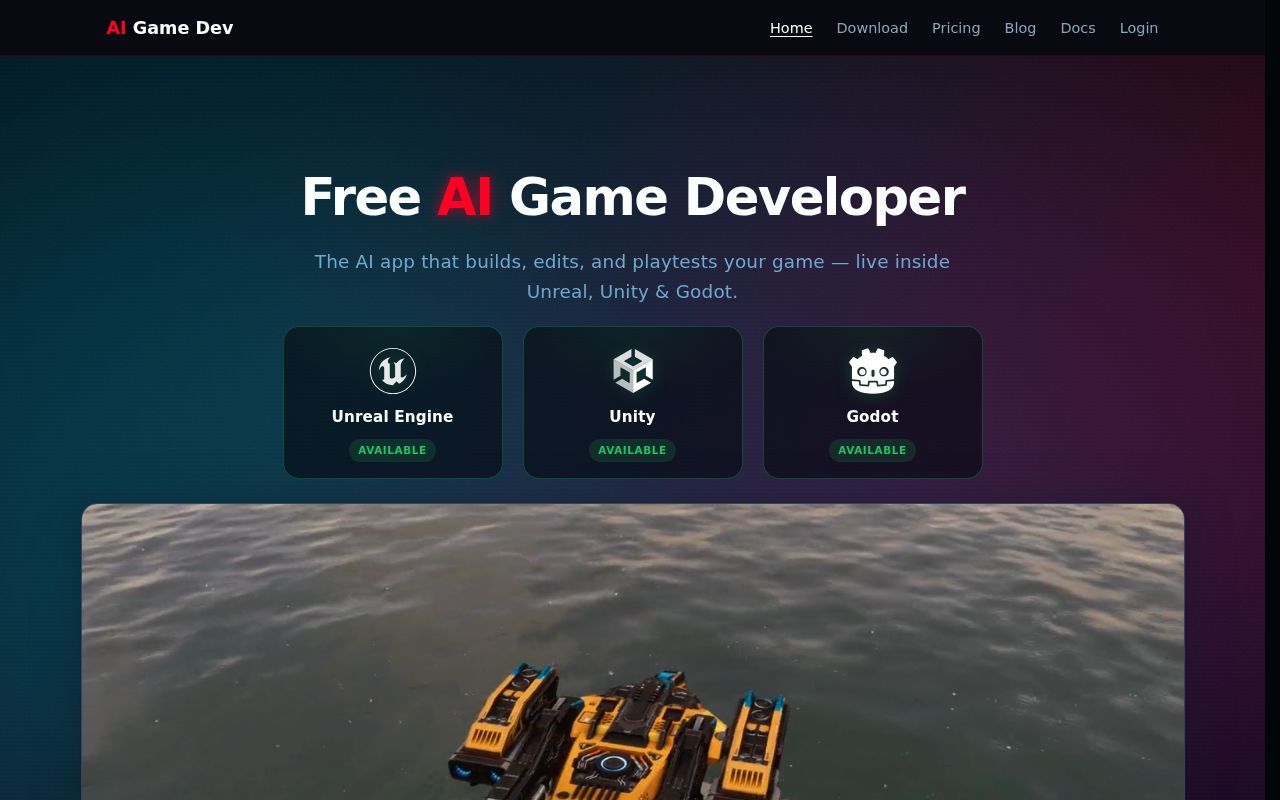
Unity-MCP exposes more than 70 built-in tools for scenes, GameObjects, components, assets, packages, scripts, tests, screenshots, editor state, and profiler readings. An MCP client can create an object, alter a material, compile code, run a Unity test, and inspect the console without a developer ferrying results between chat and the editor. The project supports Claude Code, Codex, Cursor, Copilot, Gemini, and other clients that can handle Skills or changing tool definitions.
The runtime support is the unusual part. A project can register its own C# methods with an AiTool attribute, expose read-only resources, or supply reusable prompts. The bundled runtime starts with 0 custom tools, so a compiled game does not become remotely controllable by installation alone. Developers choose what to expose and can send Unity API work onto the main thread. That makes the package useful for project-specific automation and experimental in-game agents, while keeping the permission design in the developer's hands.
Five setup steps still depend on Unity, an agent, and a valid path
The recommended CLI path has 5 steps: install unity-mcp-cli, add the plugin to a Unity project, sign in to ai-game.dev, open the project, and wait until the editor is ready. The CLI requires Node.js ^20.19.0 or at least 22.12.0. It can install Unity Hub, create a project, modify Packages/manifest.json, download the matching server binary, generate agent skills, and write the MCP configuration. That is a useful front door for a tool spanning several processes.
One restriction can stop setup before any tool call: the README says the Unity project path cannot contain spaces. A project under C:/My Projects/ has to move. The chosen agent must also support Skills or dynamic MCP tool updates. Automatic setup covers a long client list, while manual configuration provides platform-specific commands for Windows x86, x64, and arm64, macOS Intel and Apple Silicon, plus Linux x64 and arm64. The breadth is good, but each extra client and platform is another combination to verify.
What happened when we ran it
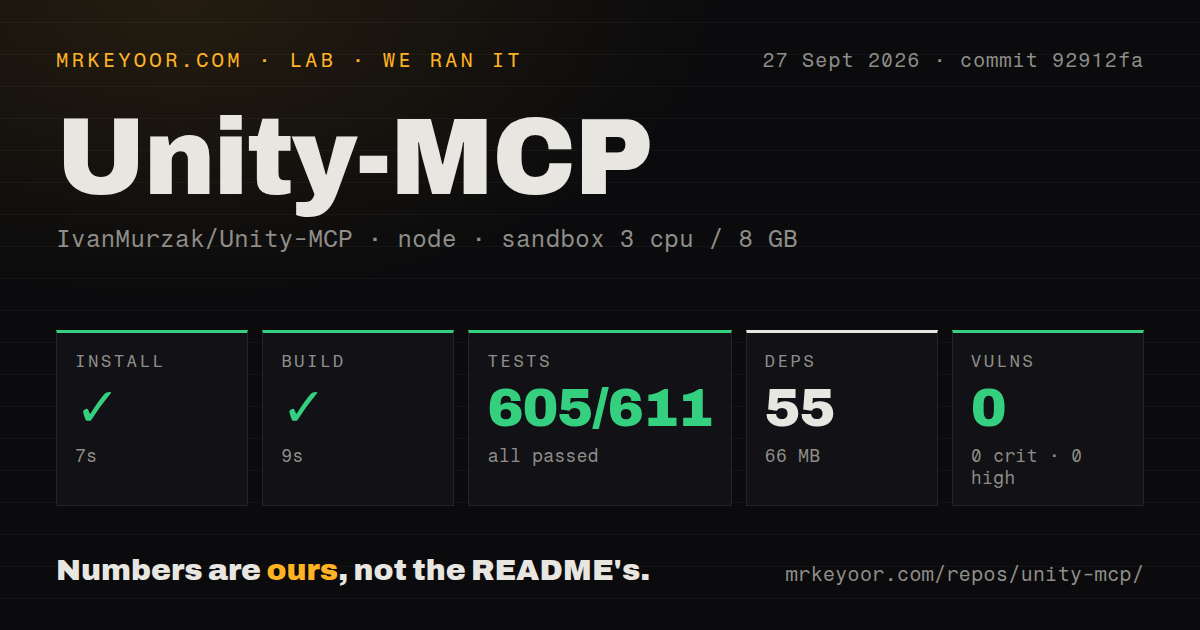
Our sandbox installed 55 npm packages in 7 seconds and left 66 MB on disk. The build passed in 9 seconds. Vitest completed in 33 seconds with 605 passed, 0 failed, and 6 skipped out of 611 tests. Npm audit found 0 known critical, high, moderate, or low vulnerabilities. Those are strong results for the Node CLI at commit 92912fa, especially because the checkout used a fresh unprivileged Debian container with 3 CPUs and 8 GB of RAM.
The boundary matters more than the green result. Our run covered ./cli/; it did not launch Unity, connect an MCP client, create a scene, compile a C# script, or judge an agent's work. The full checkout occupied 243 MB before the CLI install and contained 2,685 files with about 107,391 source lines. We found 9 CI workflow files and a tests directory, but no Dockerfile. The README documents a published server image, so users consume that image without a repository Dockerfile to inspect here.
Local stdio avoids the cloud account used by the recommended flow
The CLI's recommended login uses an OAuth 2.1 device flow and stores credentials in ~/.ai-game-dev/credentials.json. Generated agent configuration points to a project-pinned https://ai-game.dev/mcp/p/<pin> endpoint by default. Teams can use enrollment codes, and CI runners can request tools-only credentials. A studio should treat that shared machine store and endpoint choice as part of its security review, particularly on shared workstations or build agents.
Local operation is available. The README calls stdio the common choice when the MCP client starts the server directly, while streamable HTTP suits a standalone or hosted server. Incoming HTTP clients can use no authorization, OAuth, or a bearer token. That flexibility also creates choices around ports, token storage, idle shutdown, and matching settings between plugin and server. The CLI build's 0 audit findings say nothing about whether a deployed server has been exposed safely.
Editor-only builds still carry runtime pieces
Open issue 467 says users who only want Editor features still receive the runtime module, its dependencies, and an AI-Game-Developer-Config.json file under Resources. The proposed split into editor and runtime packages remains unchecked, and the issue was updated on September 10, 2026. Studios policing player-build contents should inspect the produced build rather than assume editor use disappears during packaging. This is a concrete reason to wait if runtime code is forbidden in the shipping title.
Offline recovery needs a separate test. Issue 809 reports a restore attempt in Unity 6000.5.0b10 where all 14 NuGet downloads failed, after which the resolver deleted 14 committed DLLs and still printed that packages were current. That report concerns an older plugin build, yet the issue remains open. An air-gapped studio or flaky CI network should reproduce the restore path on a disposable branch before adopting the package across active projects.
Release 0.93.2 shows active maintenance, with 43 issues open
GitHub recorded a push on September 27, 2026, and release 0.93.2 landed the same day. Its notes include the measured commit 92912fa, a Vitest upgrade, and Unity 6000.6.3f1 test fixtures. The repository had 4,346 stars and 52 combined open issues and pull requests when fetched: search separated that into 43 issues and 9 pull requests. Recent merged work around releases and Unity test coverage supports a high community score.
Activity does not settle fit. Unity-MCP gives an agent broad write access to a project, and the clean 7-second install only proves the CLI is easy to build. For supervised editor chores, custom tools, and teams already comfortable reviewing AI-written diffs, the package is worth a trial. If the project must build offline, exclude all runtime pieces, or accept unattended mutations, resolve those specific conditions first. The fastest setup is still expensive if an agent changes the wrong asset twice.