mrkeyoor.com_
Mon 05 Oct 06:28 UTC
Dev Toolsevaluationupdated 05 Oct 2026

uniterm review

uniTerm is a cross-platform desktop terminal that combines SSH, file transfer, remote desktops, databases, containers, and local shells in one app. Its built-in agent can run multi-step shell work, while an MCP server lets Claude Code and other external agents use saved SSH connections without receiving the stored credentials. The README and full user guide are available in English, with Chinese editions alongside them.

Verdict

Our uniTerm run built in 2 seconds, but 5 of 29 tested Go packages failed, including a WebDAV password round-trip test named in the log tail. Try it if one desktop needs to cover SSH, transfers, databases, containers, and carefully approved MCP access. Keep production hosts out until you have tested the protocols you use, reviewed its credential storage, and decided which commands an agent may run.

We ran it

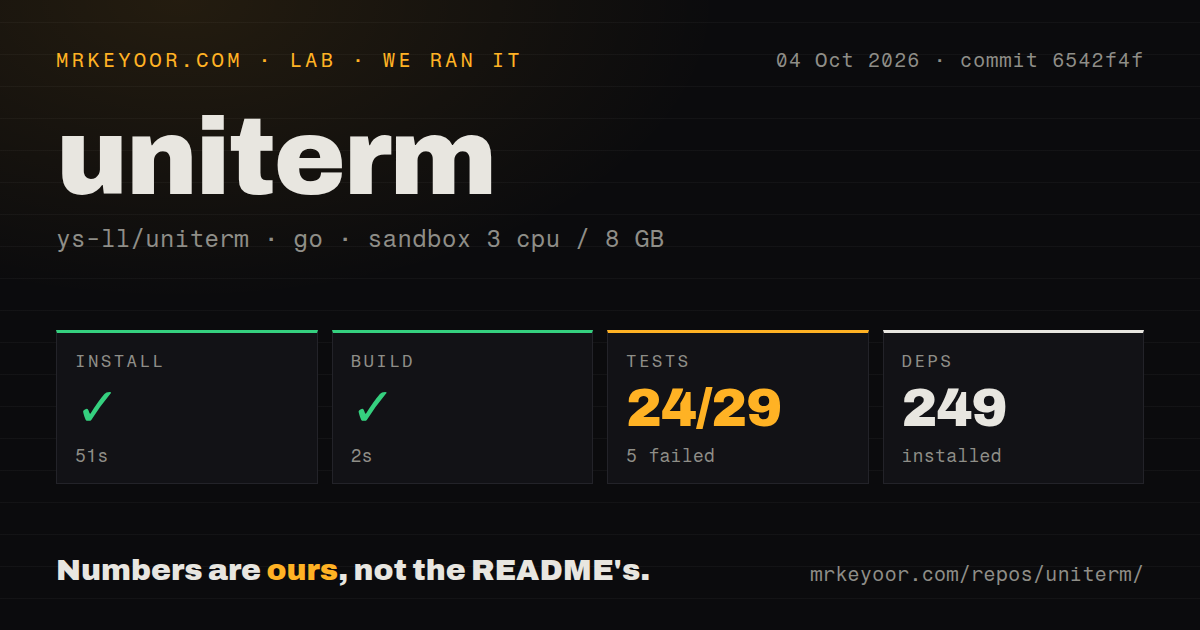
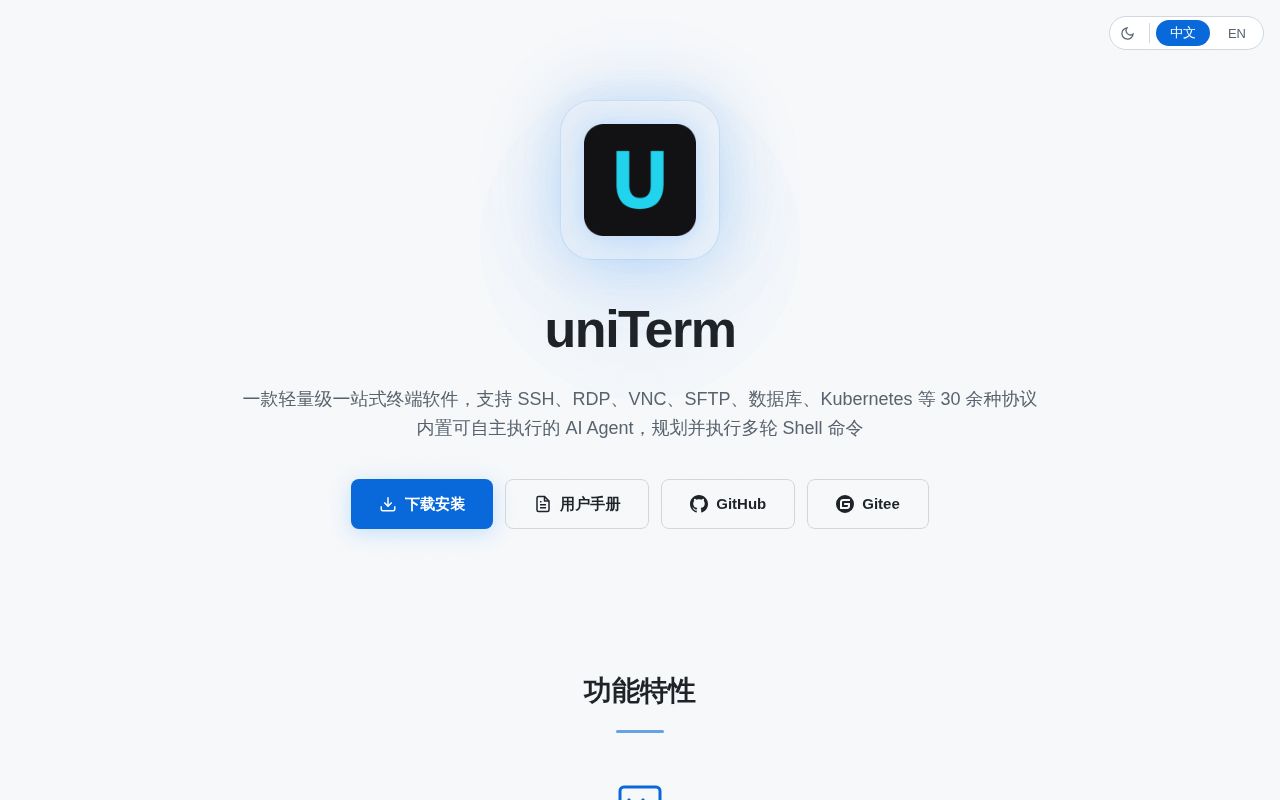
Lab card: what happened when we ran unitermScreenshot of uniterm (uniterm.net)
Install✓ · 51s249 packages
Build✓ · 2s
Tests✗ · 86s24 passed · 5 failed of 29 (go test)
Repo803 files~169,022 lines of source · 10 MB · 5 CI workflows

Answers from our run

Does uniterm build from source?

Dependencies installed in 51 seconds (249 packages), and the build succeeded in 2 seconds. We cloned commit 6542f4f into a clean Debian container with 3 CPUs and no project-specific setup.

Do uniterm's tests pass?

Not all of them: 24 of 29 passed and 5 failed when we ran the project's own test command (go test). Some failures need services or credentials a bare container does not have.

Who should not use uniterm?

Security teams that prohibit autonomous agents from reaching production shells: uniTerm can execute multi-round commands, and its built-in agent has a bypass mode.

What are the alternatives to uniterm?

Electerm, Tabby, Wave Terminal. Our uniTerm run built in 2 seconds, but 5 of 29 tested Go packages failed, including a WebDAV password round-trip test named in the log tail.

Setup3/52-second build, but 5 of 29 tested packages failed
Docs5/5Detailed English and Chinese guides for protocols, AI, and MCP
Community3/5679 stars with same-day release, push, issues, and pull requests
Maturity3/5Wide v1.10.0 feature set, unsigned builds, and a failed suite

Who it’s for

Developers managing SSH hosts, file transfers, databases, and containers from one desktop app.
Windows, macOS, Linux, or Android users who want shared connection records and workspaces.
Claude Code and MCP users who want agent access to saved SSH sessions with tokens, approvals, and an audit log.
Operators willing to test each protocol they depend on and keep the default confirmation controls.

Who it’s NOT for

Security teams that prohibit autonomous agents from reaching production shells: uniTerm can execute multi-round commands, and its built-in agent has a bypass mode.
Windows organizations that require vendor-signed executables: the README says official builds are unsigned and may trigger antivirus warnings.
Buyers who need commercial support or an enterprise maintenance contract: the README calls uniTerm a spare-time hobby project with no commercialization or sponsorship plans.
Teams requiring a green source suite in a fresh container: our run finished with 24 passing and 5 failing packages.
Operators expecting every remote-desktop path on every OS: the roadmap marks RDP clients for macOS and Linux as planned, not shipped.

Setup reality

Our sandbox installed commit 6542f4f in 51 seconds, adding 249 packages. The build passed in 2 seconds. Tests failed after 86 seconds: Go reported 24 passing and 5 failing packages out of 29, and the log tail identified TestWebDAVPasswordRoundTrip in backend/sync as one failure.

Using the basic terminal needs no vendor account. SSH, databases, sync, and AI features need the relevant host credentials, Git or WebDAV secrets, or an Anthropic/OpenAI-compatible endpoint and key. MCP clients receive separate bearer tokens.

Source builds document Go 1.26+, Node.js 20+, and Wails 3 beta 27. Linux also needs GTK 3 and WebKitGTK 4.1 development libraries; Android adds JDK 21 plus an SDK and NDK. There is no Dockerfile, which is reasonable for a desktop app but leaves the development image to you.

More than 30 protocols turn one app into an operations console

uniTerm puts SSH, Telnet, Mosh, serial, raw TCP, file transfer, remote desktop, databases, and container tools behind one Wails desktop interface. The point is consolidation. A developer can open an SSH shell, browse SFTP files, inspect PostgreSQL, and view Kubernetes resources without keeping separate connection lists in four clients. The README documents Windows, macOS, Linux, and Android builds, plus a nine-language interface.

Breadth also creates a large trust surface. Saved identities can hold passwords, private-key paths, or pasted private-key text. Cloud sync can move encrypted connection records, AI settings, tunnels, identities, and proxies through a private Git repository or WebDAV. The guide says sync uses AES-256-GCM, derives a key with PBKDF2-SHA256, and stores that derived key in the operating-system keychain. You still control the repository token, master password, and remote accounts.

The 2-second build was cleaner than the 29-package test run

commit 6542f4f contained 803 files, about 169,022 lines of source, and occupied 10 MB before installation. Our scan found 5 CI workflow files, no Dockerfile, and no top-level tests directory. Go tests live beside the packages they cover, so the missing directory does not mean there are no tests. The codebase spans a Go backend and a Vue 3 frontend inside a Wails 3 desktop app.

The source instructions ask for Go 1.26 or newer, Node.js 20+, and Wails 3.0.0 beta 27. Linux builds need GTK 3 and WebKitGTK 4.1 development packages. Android work adds JDK 21, platform 35, build tools 35.0.0, and NDK 26.3.11579264. Our supplied sandbox image used Go 1.24 and still completed its measured install and build, but the documented version remains the safer baseline for contributors.

What happened when we ran it

Our sandbox installed commit 6542f4f in 51 seconds and added 249 packages. The build succeeded in 2 seconds. The container had 3 CPUs, 8 GB of RAM, no secrets, and no elevated privileges. Those results cover repository setup in the stated Go 1.24 Debian image. They do not test a signed installer, desktop rendering, remote servers, or an Android package.

The test command ran for 86 seconds and exited 1. Go reported 24 passing and 5 failing packages out of 29. The supplied tail shows successful packages such as backend/k8s, backend/mcp, backend/session, and backend/store. It names TestWebDAVPasswordRoundTrip under backend/sync as a failure. The other four failing package details are absent from the tail, so assigning them a cause would be guesswork.

That WebDAV name matters because release 1.10.0 added WebDAV as a cloud-sync source. It does not prove that every WebDAV account loses passwords, nor does it tell us why the round trip failed in the container. It does mean the exact checkout did not clear its available Go suite in our environment. Test Git and WebDAV recovery with disposable credentials before trusting sync with the only copy of a connection set.

MCP keeps credentials local but gives agents real shell reach

Version 1.10.0 added a loopback MCP server at 127.0.0.1, using one bearer token per client. The guide says plaintext tokens appear once, only a SHA-256 hash is stored, and every call goes to a JSONL audit log. Claude Code, Codex, Gemini CLI, and other clients can list saved SSH connections, open sessions, execute commands, poll output, interrupt work, and transfer files. Credentials stay inside uniTerm.

The default MCP policy confirms every command, connection, and transfer. Other modes confirm writes or dangerous commands, while bypass still prompts for commands classified as dangerous. A request times out as denied after 110 seconds. Local transfers are restricted to bookmarked directories, symlinks are resolved before the check, commands have a 5-minute limit, and execution concurrency is capped at 8. These are meaningful controls, but risk classification is still code that your production policy must verify.

The built-in AI assistant has a different mode table, including Bypass All, and can run up to 20 autonomous rounds by default or unlimited rounds when set to 0. It needs an Anthropic or OpenAI-compatible endpoint, model, and API key. Use confirmation on systems that matter. A polished chat sidebar does not change what a remote shell command can delete.

Unsigned binaries and hobby maintenance set the support ceiling

The v1.10.0 release shipped on October 4, 2026, the same day as the repository's last push. GitHub showed 679 stars and 46 open issues and pull requests combined, with an active pull request updated that day. The release added Android, MCP, WebDAV sync, and more container work while fixing SSH, SMB, FTP, S3, MongoDB, terminal, and Linux desktop problems. That pace shows active maintenance.

The README also calls uniTerm a personal hobby project maintained in spare time, with no commercialization or sponsorship plans. Official Windows executables are unsigned and may trigger antivirus warnings. Those facts do not make the app unsafe. They do rule out assumptions about paid support, code-signing guarantees, or a staffed response path. For personal infrastructure and a testable set of protocols, uniTerm is unusually capable. For a controlled enterprise workstation, those gaps need an explicit exception.

Alternatives

ProjectWhat it isPick it when
ElectermA cross-platform terminal with SSH, file transfer, remote desktop, and mobile builds.pick this instead when you want similar protocol breadth without making an autonomous shell agent the center of the workflow.
Tabby gh↗A cross-platform terminal focused on local shells, SSH, serial connections, and plugins.pick this instead when terminal sessions and customization matter more than database and container management.
Wave Terminal gh↗A cross-platform terminal with graphical blocks, persistent workspaces, and AI integration.pick this instead when workspace presentation and mixed terminal-web content are more important than uniTerm's protocol catalog.

What people are saying

  1. [github-trending] ys-ll/uniterm

Sources

  1. uniTerm README
  2. uniTerm v1.10.0 release notes
  3. uniTerm MCP server guide
  4. uniTerm AI assistant guide
  5. uniTerm cloud sync guide
  6. uniTerm roadmap

More dev tools reviews

learning-python · github-launch-checklist · blitzstrike · AirCard · github-ranking-audit · gpt_sub_analysis · the whole board →