
Umami's source build reached a missing database setting before it reached an analytics dashboard. That is a useful warning for anyone choosing it because they want to own their traffic data: the database is part of the product you must operate. Umami offers website analytics on your own infrastructure or through its cloud service. I'd shortlist the self-hosted option for a team comfortable running PostgreSQL, with an evaluation that follows an event all the way into a report.
What happened when we ran it
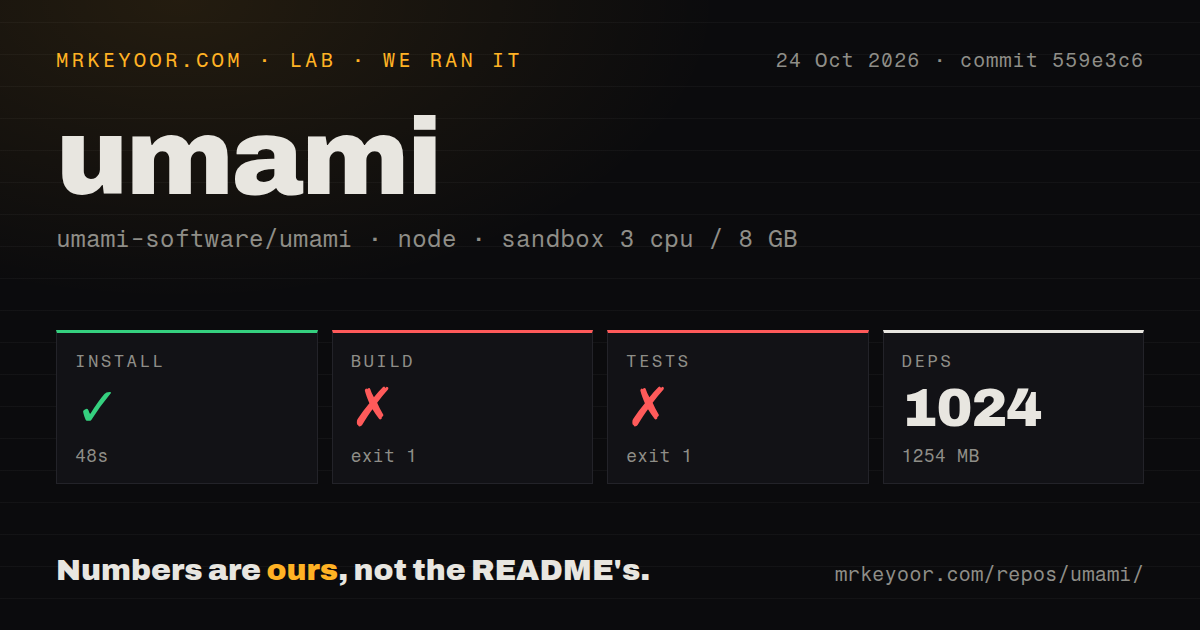
Our sandbox installed Umami commit 559e3c6 in 48 seconds, recording 1,024 dependencies and 1,254 MB on disk. The build failed with exit 1 after 4 seconds. Tests failed with exit 1 after 5 seconds. We ran it on October 24, 2026, with 3 CPUs and 8 GB of RAM. The recorded image label was lab-node:22, which establishes neither the actual Node.js version nor the operating system.
The build stopped at check:env because DATABASE_URL was not defined. Its log lists that missing variable and says the environment check exited with 1. The test command tried to generate the database client through Prisma and also stopped because it could not resolve DATABASE_URL. These excerpts identify the configuration boundary. They do not show a compiler defect, failing analytics assertions, or a database connection attempt with valid credentials.
The checkout occupied 9.1 MB and contained 2,026 files with roughly 163,947 source lines. Our scan found monorepo workspaces, a Dockerfile, a compose file, a tests directory, and 5 CI workflow files. Those signals tell a contributor where to look for deployment and verification machinery. They do not turn our failed commands into a passing suite. We have no passing-test count or working analytics session from this run.
PostgreSQL is required before the source build can proceed
The README requires PostgreSQL v12.14 or newer and a server with Node.js 18.18 or newer. It tells you to provide the database connection through DATABASE_URL. Our missing-variable result matches that documented requirement. A team already running PostgreSQL can evaluate Umami within a familiar operating setup. Someone expecting a static dashboard they can upload to web hosting has picked the wrong deployment shape.
The README says the build creates database tables on first use and creates an initial admin login. That makes database access a concern before the application starts serving requests. For a trial, give Umami a disposable database of its own. Agree on who can run the command against a persistent database before putting it in deployment automation. This is advice based on the documented behavior, not a database mutation we observed.
Docker includes a database, while backups remain your job
Umami provides Docker images and a compose file that runs the application with PostgreSQL. That is a documented alternative to the source route that stopped in our sandbox. We did not run the container deployment, so it has no measured setup result here. If containers are your team's standard, evaluate that route directly instead of assuming our source-command outcome predicts it.
For a source deployment, the README describes an application listening locally and a web server proxy in front of it. Decide where the database persists and how you would restore it before adding a live site's traffic. Change the documented initial login before exposing the dashboard. Having a compose file answers how to start the services; your retention and recovery requirements still need an owner.
Two-factor authentication needs its own encryption key
Two-factor authentication is unavailable until TWO_FACTOR_ENCRYPTION_KEY is set. The README specifies a 64-character hexadecimal value and says two-factor authentication cannot be required without it. For a shared analytics service, this belongs in the deployment requirements alongside the database connection. An administrator who expects to enforce two-factor authentication after login needs that configuration in place first.
Umami's MCP endpoint is disabled by default and requires an API key when enabled. The README documents MCP_ENABLED=1 and a key generated in Settings. That may interest teams connecting analytics to a Model Context Protocol client, but our commands exercised neither the endpoint nor its permissions. Leave it disabled during a basic dashboard evaluation unless that integration is part of the job you are selecting Umami to do.
Current maintenance does not establish analytics accuracy
The last push was October 23, 2026, and GitHub's recent activity feed included issues and pull requests updated on October 24 and 25. Release v3.4.1 was published on October 23. Those dates show current maintenance. They don't tell us how quickly support questions receive answers, and the API's combined open count includes pull requests.
The README presents traffic, campaigns, behavior, conversions, and revenue as Umami's scope. It also describes collection without cookies. These are upstream product claims, not results from our sandbox. During a trial, send a known page visit and a named event, then check where each appears. If campaign attribution or revenue is the reason you're switching, make that the acceptance case before moving the rest of your reporting.
Plausible and Matomo offer different operating choices
Plausible Analytics offers a managed cloud service and a self-hosted Community Edition. Compare its managed service if the missing database step reminds you that you don't want to operate analytics infrastructure. Its README separates the commercial and Community Edition feature sets, so check the edition against the report you need. We measured neither alternative in this review.
Matomo uses PHP and MySQL or MariaDB. I'd compare it when those are already the services your team knows how to maintain. Umami is the more natural candidate for an operator committed to Node.js and PostgreSQL. Before adopting it, complete the step our run could not reach: connect a dedicated database, generate known events, and verify the resulting reports.