One SRS process can receive RTMP and serve several playback formats
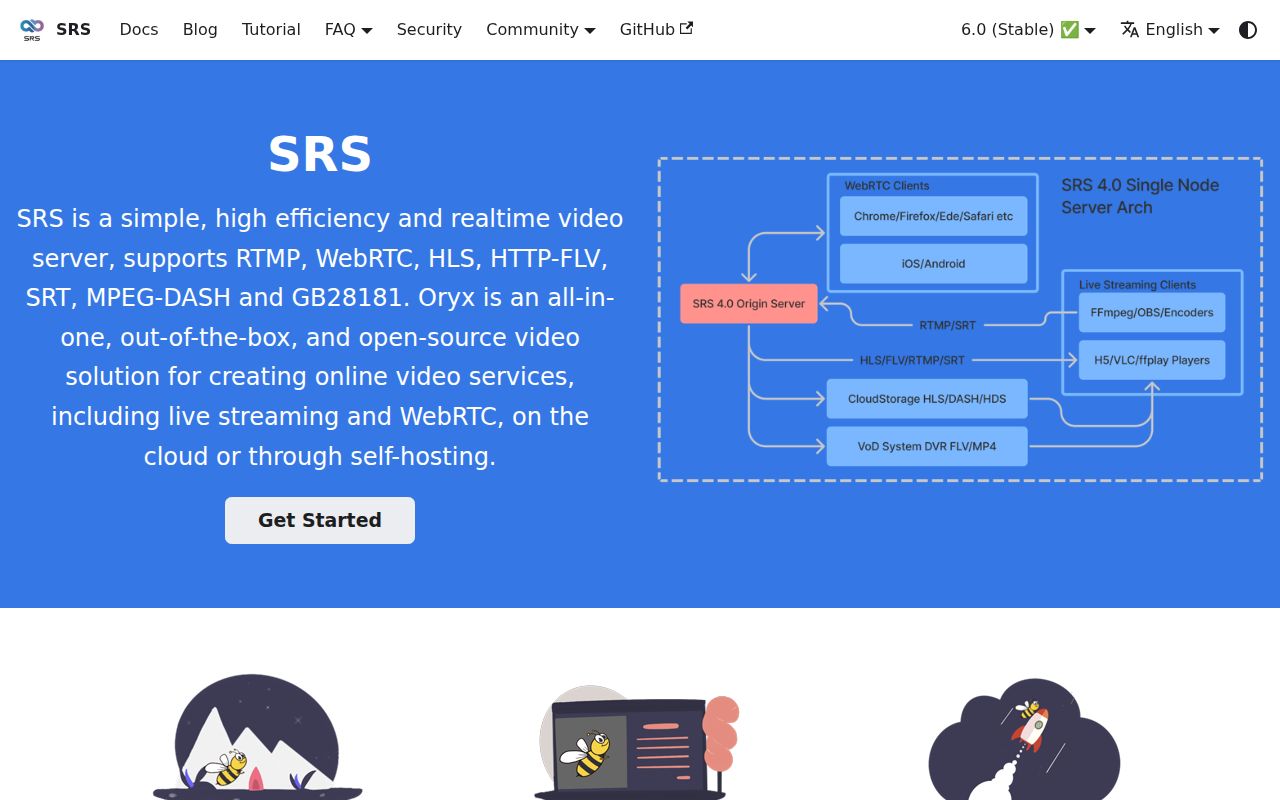
SRS takes a live stream from FFmpeg, OBS, or another publisher and makes it available through protocols suited to different clients. The README covers RTMP, WebRTC, HLS, HTTP-FLV, SRT, MPEG-DASH, and GB28181. Codec support includes H.264, H.265, AV1, VP9, AAC, Opus, and G.711. That range is the reason to choose it over stitching together separate ingest and delivery daemons.
The basic demonstration is concrete. Start the Docker image with TCP ports 1935, 1985, and 8080 exposed, publish an FLV source to rtmp://localhost/live/livestream, then play the same stream through RTMP, HTTP-FLV, or HLS. This gets a local picture on screen quickly. It does not settle who may publish, how viewers authenticate, or how many simultaneous streams the host can carry.
What happened when we ran it
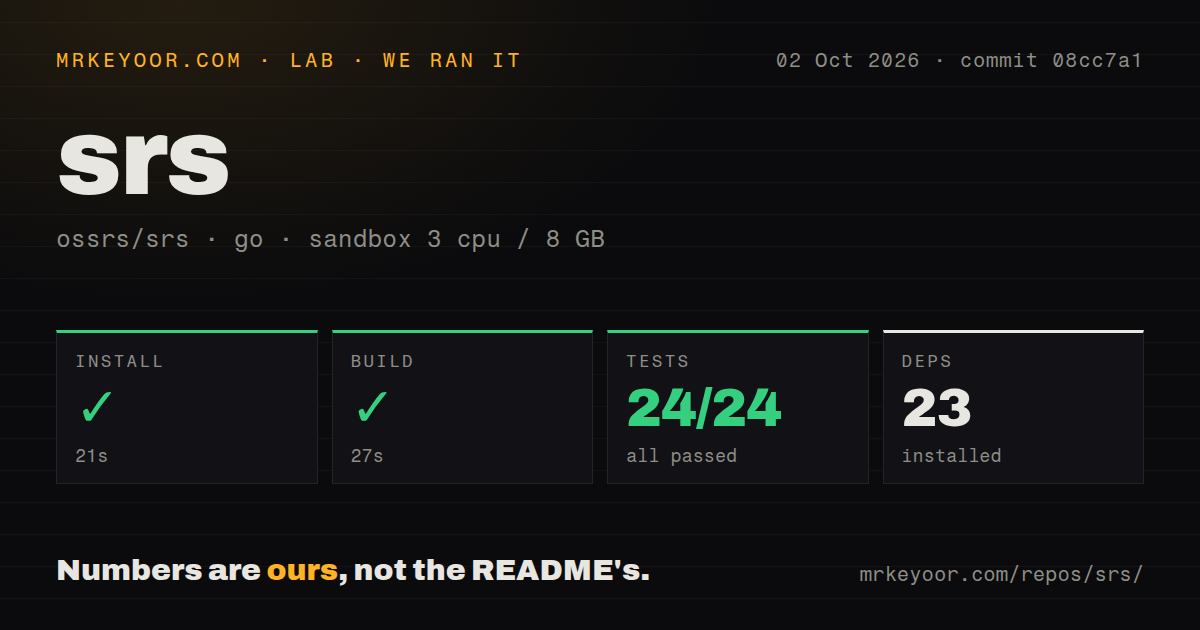
Our run at commit 08cc7a1 installed 23 packages in 21 seconds in an unprivileged Debian container with 3 CPUs and 8 GB of RAM. The build completed in 27 seconds. Tests finished in 9 seconds with 24 passed and 0 failed. Unlike a smoke check that only starts a binary, every reported test in the supplied run reached a passing result.
The checkout itself was substantial: 4,302 files, about 1,249,542 lines of source, and 81.6 MB. SRS is primarily C++, while the measured setup used the repository's Go ecosystem path. We found 3 GitHub Actions workflow files and a Dockerfile. There was no directory literally named tests, but the successful command demonstrates that automated tests are present elsewhere in the tree.
Those results support confidence in the source path, within clear limits. We did not measure stream latency, viewer capacity, transcoding speed, packet loss behavior, or codec quality. Claiming any of those would require media workloads, network conditions, and hardware that the lab record does not contain. The 27-second build tells you the code compiles on our box. It does not size a production broadcaster.
Remote WebRTC needs UDP reachability and HTTPS
Local RTMP is the easy case. WebRTC needs SRS to advertise an address that the browser can reach, supplied through the CANDIDATE setting in the official example. The Docker command opens UDP port 8000 in addition to its TCP ports. NAT, cloud security groups, host firewalls, and container port mappings all have to agree with that address. A wrong candidate can leave signaling alive while media never arrives.
Browser security adds another boundary. The v6 guide says remote WebRTC publishing requires HTTPS, although localhost can be used without it. SRS can use configured key and certificate files, or an HTTPS reverse proxy such as Nginx can sit in front. SRT follows a separate example with UDP port 10080 and its own stream ID syntax. Each protocol that makes SRS useful also adds a route to configure and monitor.
The server configuration is organized at virtual-host level, so applications and streams under the same vhost share settings. That is convenient for a service with one policy. It requires care when customers need different latency, transcoding, recording, or access rules. Decide the tenancy boundary before stream URLs become an accidental authorization scheme.
The stable release is v6.0-r2 despite 8.0 on develop
Version selection needs more attention than the first Docker command suggests. The develop README introduces SRS 8.0, labels its Docker example ossrs/srs:6, and links some usage text to v5 documentation. The official documentation selector marks 6.0 stable and 7.0 and 8.0 unstable. GitHub's latest non-prerelease is v6.0-r2, published September 24, 2026.
That does not make the project stale. The repository was pushed on October 2, 2026, and GitHub showed 29,311 stars. It had 3 open issues and 0 open pull requests when checked, with issue activity as recent as October 1. Work was visible around Media over QUIC and deployment APIs. The current activity and short queue are healthy signals, while the mixed version links remain a documentation trap.
For production, pin the complete image tag rather than a moving major tag, keep the matching documentation open, and rehearse rollback with a real sample stream. v6.0-r2 itself exists partly to repair release automation after retired deployment hosts stopped resolving. That incident concerned the release job, according to its notes, not a demonstrated media failure. It is still a useful reminder that delivery artifacts deserve verification.
MIT licensing is friendly, but security response is volunteer based
SRS uses the MIT license, with bundled third-party components retaining their own licenses. That is an easy starting point for commercial deployment compared with alternatives under stronger reciprocal terms. The project also names maintainers by subsystem and requires contributor approvals, which gives patches an explicit review route.
The security policy is unusually candid: SRS is volunteer driven and may not respond to a vulnerability report in time. It directs reports to GitHub security advisories, but promises no response window. If your live service has contractual patch deadlines, you need your own image scanning, exposure controls, upgrade process, and perhaps paid engineering support.
SRS earns a trial when multi-protocol delivery is the requirement and self-hosting is intentional. Its 24 passing tests and fast build lower the source risk. The deciding work happens after compilation: make candidate addresses reachable, terminate HTTPS correctly, restrict publishers, and prove your chosen v6 configuration with the same clients and networks viewers will use.