Forty-seven adapters replace scattered skill folders
Skills Hub has 47 adapters built in for tools including Claude Code, Codex, Cursor, OpenCode, and Gemini CLI. A user installs a skill into a central library, chooses global or project scope, then selects targets. The app can import existing SKILL.md directories, preview their files, apply tags, and edit targets in bulk. Custom directories cover internal tools that follow a different layout.
One central record reduces duplicated edits, but synchronization still touches every selected tool's filesystem. Skills Hub prefers symbolic links on Unix and directory junctions on Windows, then falls back to copying when the preferred method fails. Cursor always receives a copy. Disabling a skill removes the tool-side sync while retaining the central copy and metadata. A collision rule avoids overwriting an existing target and leaves stale-folder resolution to the user.
What happened when we ran it
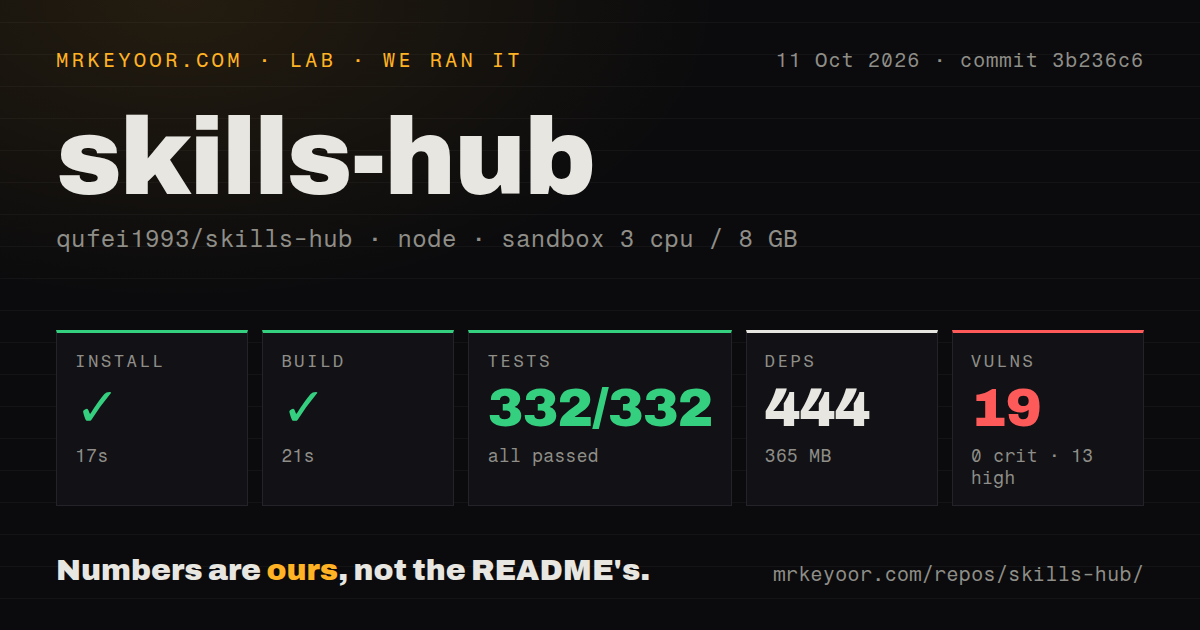
Our sandbox installed 364 npm packages in 23 seconds, leaving 261 MB on disk. The standard build succeeded in 14 seconds. We cloned commit 2227bd0 into an unprivileged Debian container with 3 CPUs, 8 GB of RAM, and no secrets. The repository was much smaller than its dependencies: 6 MB, 208 files, and about 27,208 source lines. It contained 3 CI workflow files, with no Dockerfile and no tests directory.
Vitest completed in 8 seconds with 48 passed and 0 failed out of 48. Npm audit told a different security story: 15 known vulnerabilities, split into 0 critical, 12 high, 2 moderate, and 1 low. The measurement block does not name the affected packages or advisories, so it cannot tell us whether an issue reaches the desktop runtime. Anyone distributing the app should inspect the full dependency paths rather than treating a green test suite as a security result.
The 48 tests belong to Vitest. The README separately directs Rust contributors to cargo test, and the package scripts define Rust formatting, Clippy, tests, and Tauri packaging outside the ordinary npm run build. Our supplied run has no Rust-test or native-installer result. The measurement setup proves the Node install, web build, and Vitest step worked in the stated container, not that every macOS, Windows, or Linux artifact compiled and launched.
The 14-second web build leaves native packaging to Tauri
The 14-second build runs TypeScript and Vite according to package.json. Producing the desktop app adds stable Rust, Tauri system dependencies, and platform-specific packaging. Scripts cover macOS DMG, Windows MSI and NSIS, Linux deb, and AppImage outputs. Node.js 18 or newer is the stated minimum, with 20 or newer recommended. Contributors therefore face more setup than the npm result alone suggests.
Only macOS is marked verified in the supported-platform list. Windows and Linux are described as expected by design and not locally validated. Release v0.9.1 warns that Windows SmartScreen may object to the unsigned executable and that some macOS versions may need xattr to clear Gatekeeper restrictions. Those warnings are manageable for a personal utility. They are a hard stop in organizations that require signed, notarized, centrally deployed desktop software.
Scheduled updates can change skills across 47 targets
Across 47 adapters, automatic updates cover Git-backed and local-source skills, can run through an operating-system schedule while the app is closed, and then synchronize results to configured targets. The updates screen reports checked, updated, and failed counts. This saves work for a large personal collection. In a team environment it also means upstream instruction changes may reach Claude Code or Codex without passing through the application's normal code-review path. Use manual updates or pin reviewed sources when skill text can influence sensitive repositories.
GitHub API calls, curated lists, Contents downloads, and Git clone or fetch operations can use the configured network proxy. Settings also include a GitHub token. Local folders avoid a hosted credential, while private repositories need suitable access. The central library defaults to ~/.skillshub, and scheduled operation needs permission to alter both that store and target directories. A backup should include the central data and app metadata, especially when copies have drifted from their source.
Version v0.9.1 fixes several file and WebView failures
Version v0.9.1 was released on August 29, 2026. It fixed a blank skill-detail view on older macOS WebViews, replaced unsupported browser prompts with in-app dialogs, clarified partial sync states, corrected Windows junction cleanup, and changed whole-day Windows schedules to avoid invalid hourly values. The release also improved responsive skill details and bilingual update notes. These fixes address the file and desktop behaviors that decide whether a manager can be trusted with many agent folders.
An open pull request filed after v0.9.1 separates managed central-folder collisions from orphan folders because both currently produce the same generic error. Open issue 58 reports an access-denied error when syncing to a chosen project directory. Issue 56 asks for multi-device synchronization and is labeled backlog. These reports relate directly to the product's promise: file ownership, permissions, and movement across machines remain the places where users can expect friction.
Four open issues and one pull request keep the queue small
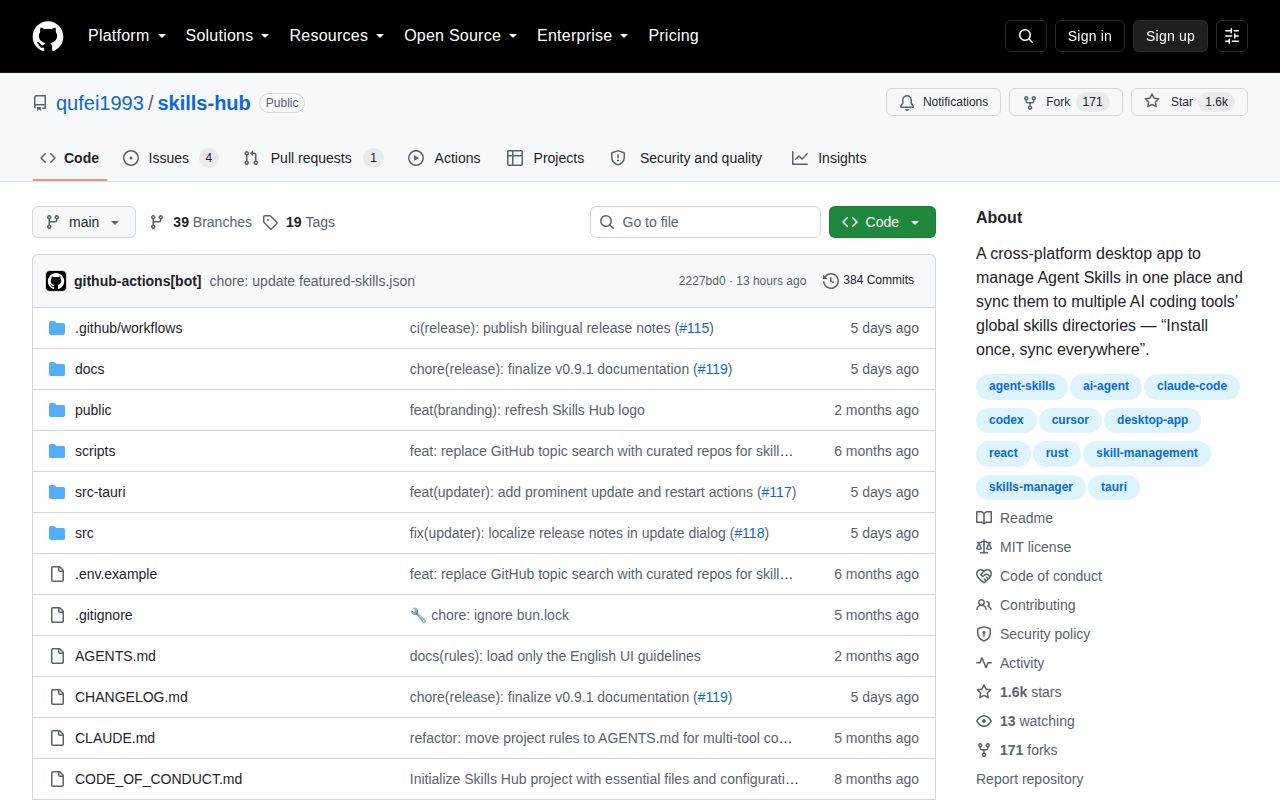
GitHub showed 4 issues and 1 pull request open, while the last push landed on September 3, 2026. The latest commits refreshed the featured-skills data, and v0.9.1 had shipped 5 days earlier. The repository had 1,554 stars when fetched. That combination indicates current maintenance and a manageable public queue, although the security policy supports only the latest code on main, not a stable series of patched release branches.
Skills Hub is most convincing as a personal control panel for many local agents. Our 48 passing tests reduce the risk of trying it, while 12 high-severity audit findings and unsigned platform packages argue against casual company-wide deployment. Vercel's skills CLI is better for automation and CI; OpenSkills suits project-owned instructions; Awesome Agent Skills is a catalog rather than a manager. Choose the desktop app when visual inventory and multi-tool targeting save more time than its native and supply-chain checks consume.