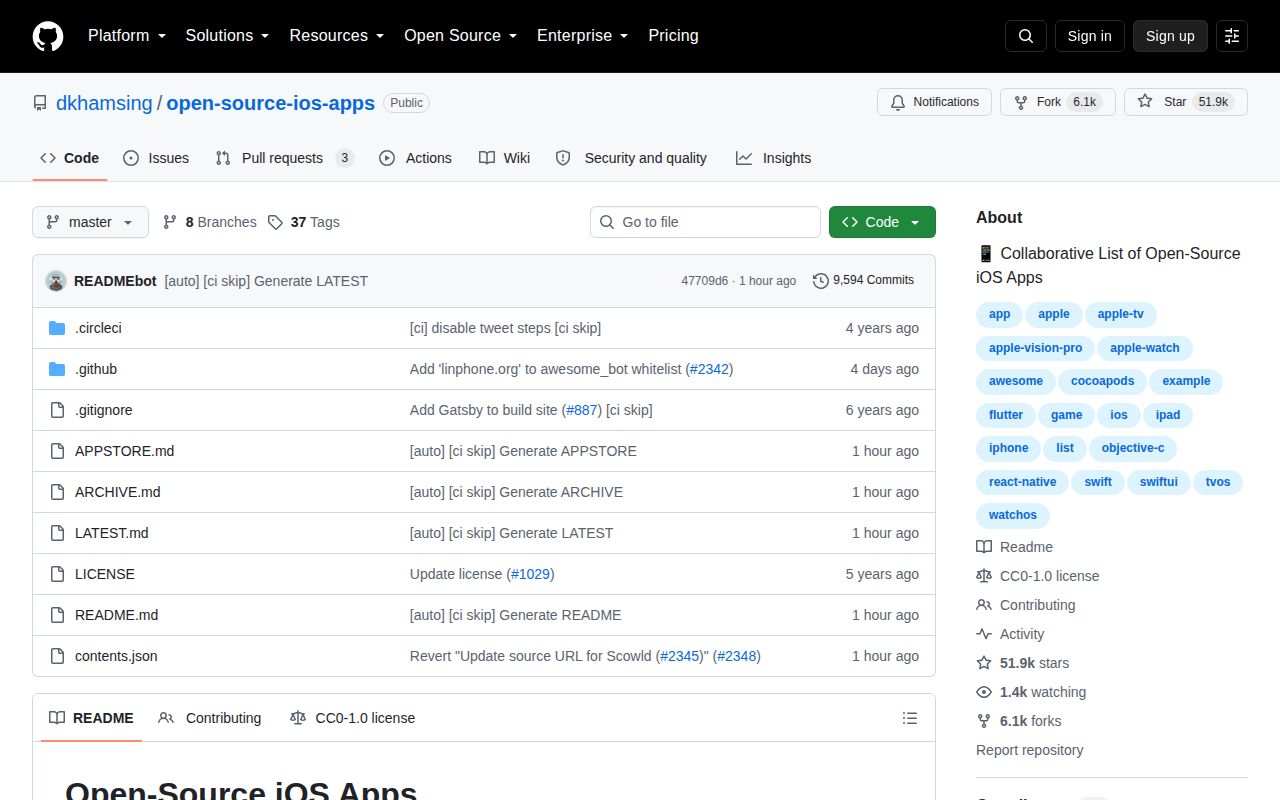
The catalog covers 1,672 apps across five Apple platforms
Open Source iOS Apps is closer to a reference shelf than a software package. Its generated README groups linked applications under familiar product categories such as browsers, calendars, media, security, tasks, and weather. Separate sections cover Apple TV, Apple Watch, and Apple Vision. Each entry can include a source link, short description, screenshots, App Store listing, technology tags, a recent year, and a GitHub star count.
That format solves a real research problem. Searching GitHub for Swift often returns libraries, coding exercises, abandoned prototypes, and files that happen to mention the language. This list starts with whole applications and lets a reader narrow by device or subject. The August 26, 2026 README advertised 1,672 projects, so it has enough breadth to compare several implementations of common products rather than stopping at the first popular result.
Complete applications teach decisions that snippets omit
A full app shows navigation, persistence, error handling, assets, dependency choices, and platform integration in one place. The browser section, for example, links large production clients alongside smaller experimental work. Apple Watch entries include health displays, media controls, calendars, and utilities. Reading those repositories can answer questions that a framework tutorial usually avoids, such as how a feature is split between phone and watch targets or where an extension shares state.
The list spans Swift, Objective-C, React Native, Flutter, Ionic, Xamarin, and other stacks. It also includes tags for SwiftUI, Core Data, Firebase, GraphQL, Realm, and RxSwift. Those labels are useful for finding examples, though they are not a compatibility guarantee. A repository marked 2026 may still require a specific Xcode release, paid service, signing entitlement, or old dependency. Open the destination's build notes before deciding that its architecture transfers to your app.
What happened when we ran it
We did not run Open Source iOS Apps in our sandbox. GitHub reports its primary language as null, our harness found no supported ecosystem, and the repository has no Dockerfile. There was therefore no honest install, build, or test command to report. Treating the 395 KB generated README as an iOS executable would measure the harness's assumptions rather than the project's quality.
This is still a useful lab finding because it defines the product correctly. The repository is structured data and generated Markdown, not one of the 1,672 applications it points to. A reader uses it by following links. A contributor changes contents.json; the contribution guide says that file then generates the README. We made no claim that any listed destination compiled in the 3-CPU, 8 GB environment used for runnable projects.
Inclusion is a lead, not a quality certificate
The catalog mixes projects of very different sizes and ages. Some entries link an App Store build and screenshots, while others have only source and a few tags. Star counts help identify attention, but popularity cannot tell you whether an app still builds, handles current privacy rules, or has a license suitable for your product. Even an App Store link can outlive the source version a reader sees.
Archive maintenance is visible in the current pull-request queue. On August 26, 2026, GitHub showed 3 combined open issues and pull requests; all 3 visible items were pull requests, including proposals to add archive tags to Cuisiner and DesignerNewsApp. That is good catalog hygiene, but it also confirms that status changes need human follow-up. Check the destination's last push, issue activity, release history, license, and default branch before borrowing design or code.
The generated README makes contribution rules unusually clear
The first comment warns contributors not to edit the README. New entries go into contents.json with fields for title, category IDs, description, source, App Store URL, screenshots, date added, and the person who suggested it. This keeps 1,672 records consistent enough to regenerate category views, an App Store list, an archive, and a latest-project page. The CC0-1.0 license also makes the catalog data easy to reuse.
There is a downside to the generated approach: a correction belongs in the source data, and reviewers need to understand how the generator interprets tags and dates. The top-level repository contains APPSTORE.md, ARCHIVE.md, LATEST.md, the generated README, and a 1.1 MB contents.json. It does not present itself as an API or package. Teams wanting automated analysis may need to consume that JSON directly and define their own freshness checks.
Daily activity matters more than the 2022 release tag
The latest formal release is version 3.3.0 from March 22, 2022. That date could look alarming in isolation, but the repository was pushed on August 26, 2026, and the README carries the same update date. GitHub showed 51,853 stars and active cleanup pull requests. For a generated list, fresh data commits are a better health signal than packaging a new release.
Use Open Source iOS Apps when you need examples of complete Apple-platform products and have time to inspect the candidates. Use Awesome iOS for libraries and wider ecosystem resources, or Awesome Swift when language coverage is the priority. This catalog earns its bookmark through range and organization. It does not remove the work of checking whether a linked app is legal to reuse, current enough to study, or buildable on today's toolchain.