One archive can hold mail, chats, calendars, and meetings
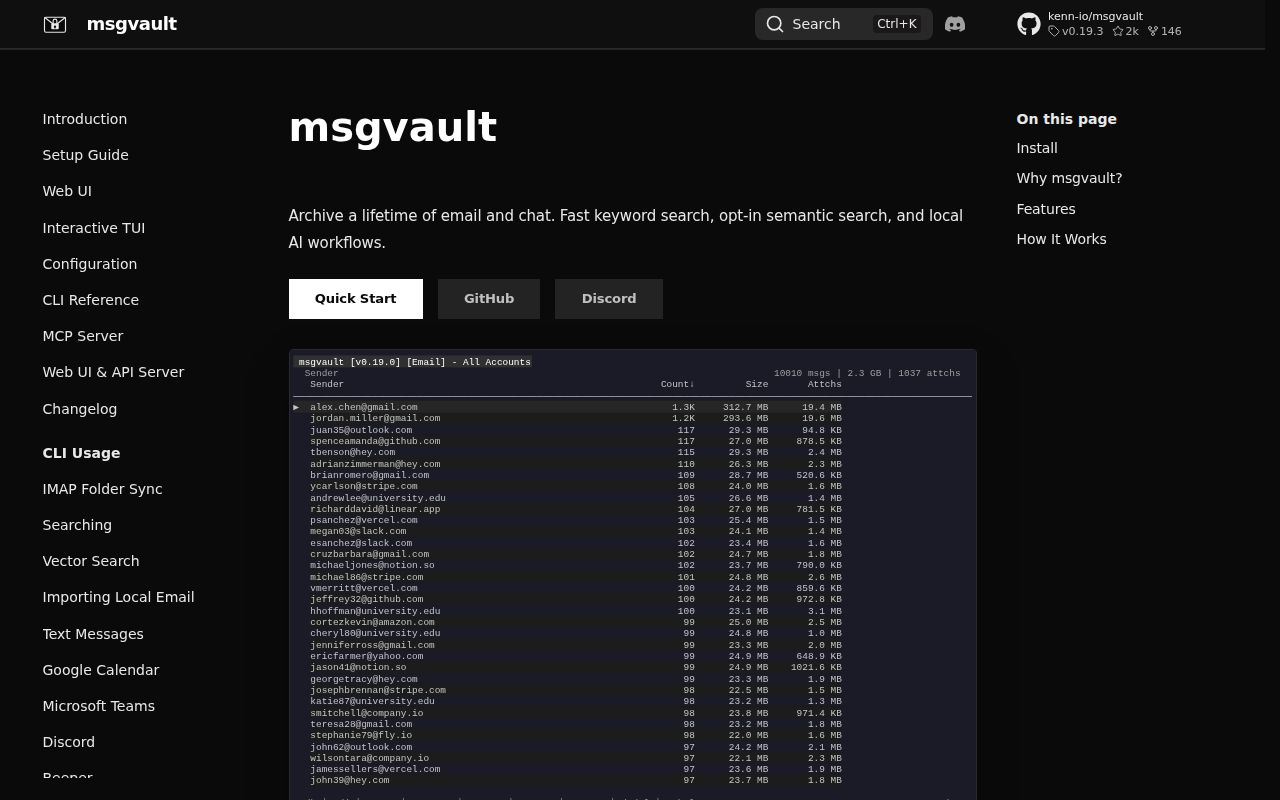
msgvault supports live sync from Gmail, IMAP, Google Calendar, Teams, Discord, Slack, CardDAV, Granola, Circleback, and Beeper Desktop. Offline import paths cover MBOX, Apple Mail EMLX trees, PST files, SMS Backup & Restore XML, and common chat exports.
The storage model keeps message metadata and search indexes in SQLite, uses DuckDB and Parquet for analytics, and deduplicates attachments by SHA-256. Sealed packs reduce filesystem overhead for large attachment collections. The daemon owns archive writes so CLI commands do not open competing SQLite writers. That is thoughtful engineering for long-running sync, but it also means the daemon, database, token directory, and attachment tree must be backed up as one system.
Offline is the default, with explicit paths back to networks
After data is downloaded, keyword search, analytics, the TUI, Web UI, and MCP server work against the local archive without mailbox access. Remote deployment is self-hosted rather than a msgvault cloud service. All data lives under ~/.msgvault by default, with owner-only token files for OAuth and CardDAV credentials. These defaults make local control believable instead of a label applied to a hosted account.
Network boundaries return when you sync or enable optional intelligence. Gmail and Calendar require a Google Cloud OAuth credential; the README estimates about 5 minutes for that setup. Slack, Discord, Teams, meeting tools, CardDAV, and Beeper have separate authorization paths. Semantic or hybrid search sends query text to the configured embedding provider, while lexical search remains local. Treat each connection as a separate consent and retention decision.
What happened when we ran it
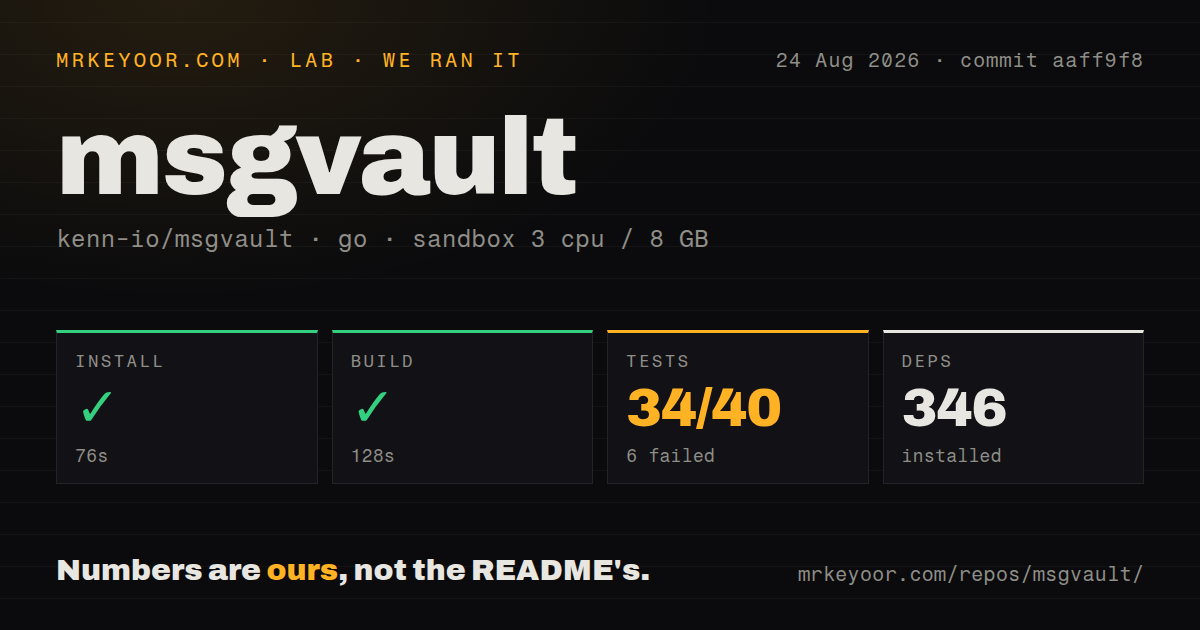
Our sandbox installed 346 packages in 76 seconds and used the Go 1.24 image specified in the measurement. The build completed in 128 seconds. The checkout contained 2,080 files, about 779,715 source lines, and 32.2 MB, with 8 CI workflow files and a Dockerfile. It did not have a top-level tests directory, which is normal for Go packages that keep tests beside implementation files.
The Go test command did not finish within the 900-second cap. Before timeout, the harness reported 34 passed packages and 6 failed out of 40. The final lines show internal/granola failing after slow SQL logs, while gvoice, HTTP retry, identity index, identity operations, IMAP, and iMessage packages passed in that portion. The supplied tail does not contain the Granola assertion or justify a cause.
Our 3-CPU, 8 GB unprivileged container had no secrets and did not sync a live account. We did not measure search latency, import throughput, storage savings, or archive correctness. The project README now requires Go 1.27 or newer plus Bun 1.3.14 and a C/C++ compiler for source builds. Release binaries are the lower-effort evaluation path, while contributors inherit CGO and DuckDB compilation.
Search is broad, but import fidelity decides whether it can be trusted
FTS5 supports Gmail-like fields such as sender, attachments, and dates. Vector search adds pure semantic or hybrid retrieval through an OpenAI-compatible embedding endpoint, with Reciprocal Rank Fusion combining lexical and vector results. Scoped embeddings require a matching message-type filter, preventing a partial vector index from being presented as complete archive coverage. That safeguard is important for mixed archives.
Input quality remains the harder problem. Issue #690 reports a 46 GB PST import where message and reply identifiers were empty across 75,188 messages, splitting an estimated 7% to 12% of conversations. Issue #692 reports malformed attachment content types causing the whole parsed message to become an unsearchable placeholder, although raw MIME is retained. Pull request #695 proposes continuing with a generic binary type for recoverable parts.
MCP access makes private history available to agents
The MCP server can expose archive search, analytics, attachments, and semantic retrieval to Claude Desktop and other clients. Bundled skills target Claude Code and Codex. This can answer questions across years of correspondence without pasting mailbox exports into a chat session. It also turns a private archive into a high-value tool endpoint whose client permissions and logs deserve the same attention as the underlying token files.
Run MCP locally where possible, restrict tool access to the people and applications that need it, and test deletion and source filters. A prompt can request more history than a user intended even when the server is functioning correctly. Semantic search may also contact an embedding service. Keep lexical mode as the default for sensitive work unless the selected endpoint and consent settings are acceptable.
Backups are part of normal operation, not disaster cleanup
msgvault has append-only backup repositories with create, list, verify, and restore commands. Packed attachments are supported directly, while an unpack command provides a downgrade path and requires exclusive local access with the daemon stopped. Those details are good signs for an archive product, because storage maintenance and recovery are first-class commands rather than manual SQLite copying.
The README's alpha warning still governs adoption. Back up before upgrades, verify snapshots, and restore one into a separate home directory before trusting the only copy. After each source import, compare counts and spot-check threads, attachments, dates, and deleted records. A successful sync is not enough when current reports show that raw bytes can survive while searchable structure or conversation grouping is wrong.
v0.19.3 is active and still changing core behavior
GitHub recorded 2,039 stars, 96 combined issues and pull requests, and a last push on August 26, 2026. Release v0.19.3 was published August 9 with background analytics-cache building, Circleback rate-limit handling, daemon scheduling work, and repair for dangling recipients. Current development includes people profiles, document vectors, Web UI changes, deletion scopes, and parser fixes.
That pace is impressive for a repository created in January 2026, and it confirms the alpha label. Choose msgvault for a personal or research archive where you can inspect results and keep independent source exports. Compliance retention or the only copy of irreplaceable history calls for a more settled system, external backups, or both. The 900-second test timeout should be resolved in your target build before unattended upgrades.