mrkeyoor.com_
Mon 21 Sept 03:57 UTC
Dev Toolsevaluationupdated 21 Sept 2026

ish review

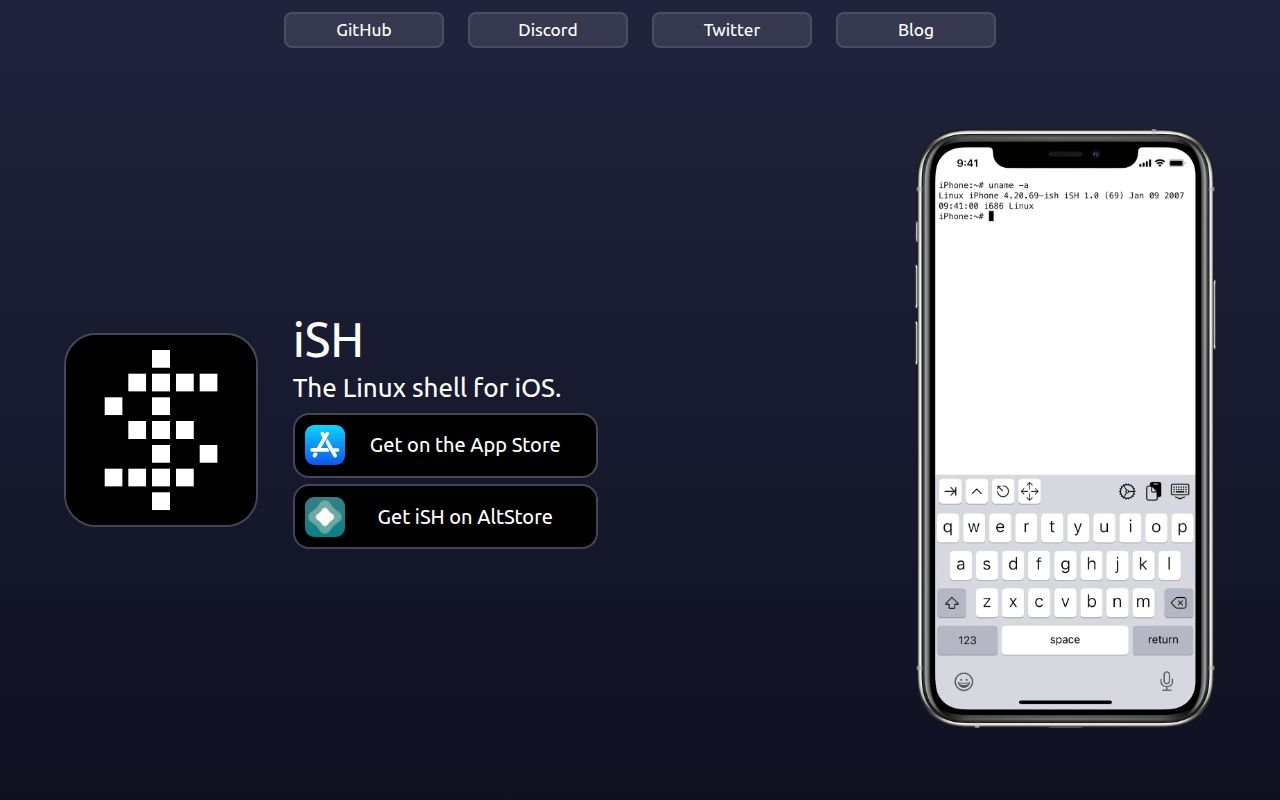
iSH puts an Alpine Linux shell inside an iPhone or iPad app by emulating 32-bit x86 code and translating Linux system calls. It gives you local command-line tools and packages, but it does not promise that every Linux program or kernel feature will work.

Verdict

Our iSH submodule run installed 938 JavaScript packages in 75 seconds and reported 26 known vulnerabilities, while exposing no build or test target. That does not test the iOS app, but it does reveal maintenance debt in the terminal code it carries. Use iSH for a local Alpine shell and small tools you have tested yourself; use a remote shell or fuller virtual machine when Linux compatibility and background uptime matter.

We ran it

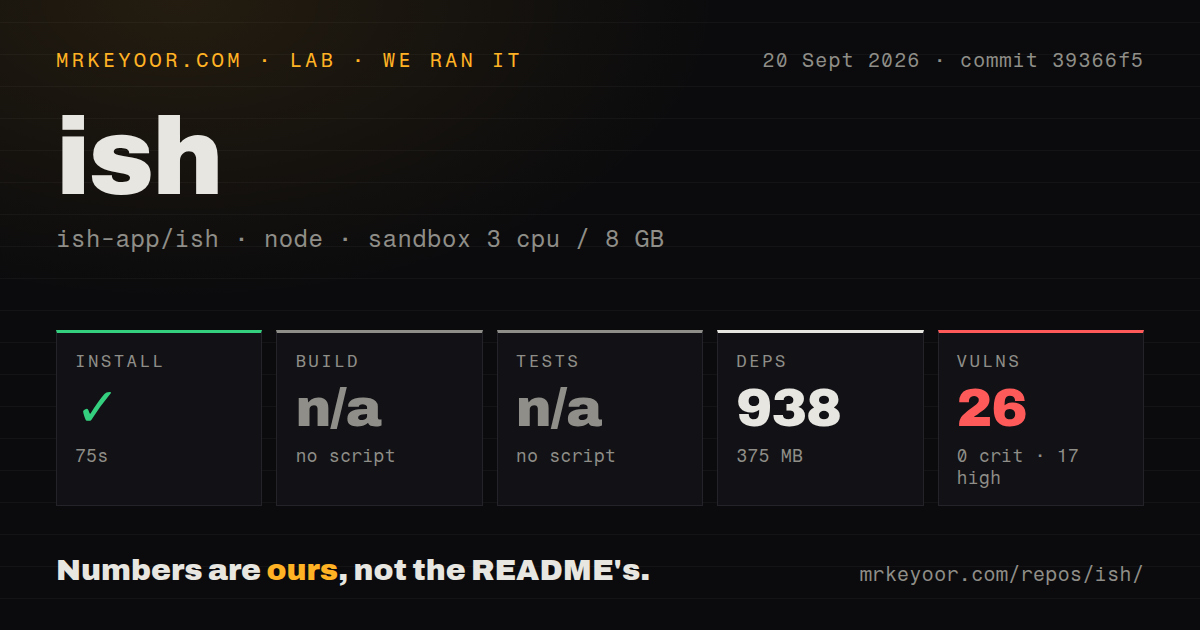
Lab card: what happened when we ran ishScreenshot of ish (ish.app)
Install✓ · 75s938 packages · 375 MB
Buildn/ano build script
Testsn/ano test script
Known vulns260 critical · 17 high · 8 moderate · 1 low (npm audit)
Repo2258 files~335,689 lines of source · 26 MB · 5 CI workflows · Dockerfile · tests dir

Answers from our run

Does ish build from source?

Dependencies installed in 75 seconds (938 packages), and the project has no separate build step. We cloned commit 39366f5 into a clean Debian container with 3 CPUs and no project-specific setup.

Does ish have tests you can run?

Not through a standard command: the project exposes no test script or target that our harness could run.

Does ish have known vulnerabilities in its dependencies?

npm audit flagged 26 known advisories in the dependency tree at the time of our run.

Who should not use ish?

Anyone expecting full Linux or container compatibility: open issue 63 still lists cgroups and namespaces as missing for Docker, and the syscall tracker has unimplemented calls.

What are the alternatives to ish?

a-Shell, Blink Shell, UTM. Our iSH submodule run installed 938 JavaScript packages in 75 seconds and reported 26 known vulnerabilities, while exposing no build or test target.

Setup3/5App Store use is easy; source builds need Xcode and native tooling
Docs3/5Build steps and a wiki exist, but status is pushed to 603 issues
Community4/520,493 stars and current pull requests, with a very large backlog
Maturity3/5Long-running App Store project with documented syscall gaps

Discussed on

  1. hnISH: Linux on jailbreak-free iPhones via userspace emulation22 points
  2. hnISH: Linux shell running on iOS, using usermode x86 emulation6 points
  3. hniSH's Built in APK5 points
  4. hnLinux Shell for iOS3 points
  5. hnThis code is known to the State of California to cause cancer, birth defects...3 points

Who it’s for

iPhone and iPad users who want a local Alpine shell for scripts, file work, and command-line utilities.
Developers who need a pocket terminal and can test each required package against iSH's syscall coverage.
Linux learners who want apk, a filesystem, and familiar shell commands without maintaining a remote host.
Emulator contributors interested in x86 instruction handling, Linux syscalls, terminals, and iOS integration.

Who it’s NOT for

Anyone expecting full Linux or container compatibility: open issue 63 still lists cgroups and namespaces as missing for Docker, and the syscall tracker has unimplemented calls.
Go server workloads that need accept4: open pull request 2779 says the current stub returns ENOSYS, causing a Go server to fail on its first accepted connection.
Jobs that must keep running after you leave the app: open issue 2619 reports an SSH connection breaking within seconds of iSH entering the background.
Users who need a current package base without manual changes: open issue 2733 reports that the default Alpine environment is pinned to v3.14 and lacks newer tools.
Security-sensitive teams that cannot carry an old JavaScript tree: our audit of deps/libapps found 26 known vulnerabilities, including 17 high-severity findings.

Setup reality

Our sandbox installed the deps/libapps JavaScript submodule in 75 seconds, pulling 938 packages and using 375 MB. That package had no build or test script, so both steps were skipped. Npm audit reported 26 known vulnerabilities: 17 high, 8 moderate, 1 low, and 0 critical.

That run did not build the iOS app. A source build needs recursive submodules, Python 3, Meson, Ninja, Clang and LLD, sqlite3, libarchive, Xcode, a unique bundle identifier, and an Apple development team setting. The App Store route is far simpler for users.

The 26 MB checkout contained 2,258 files and about 335,689 source lines, plus 5 CI workflows, a Dockerfile, and a tests directory. Runtime compatibility is the larger catch: iSH translates Linux calls instead of running a complete Linux kernel, and open issues document missing syscalls, background suspension, and Files app failures.

iSH 1.3.2 translates 32-bit x86 Linux calls on iOS

iSH 1.3.2 gives an iPhone or iPad a local Alpine shell without running a full Linux kernel. Its emulator executes 32-bit x86 instructions, and a compatibility layer translates Linux system calls into operations iOS can perform. Shell basics can feel convincingly Linux-like, while a program that reaches an untranslated syscall can stop with Bad system call or function not implemented.

The app works best as a compact command-line environment. You can manage Alpine packages, edit files, run scripts, and use network clients inside its compatibility limits. Installing a package with apk does not prove it will work. The package manager checks architecture and dependencies; it cannot prove that every instruction, signal, socket operation, or kernel interface used later has an iSH implementation.

The 2,258-file source tree is harder than the App Store install

The repository had 2,258 files, about 335,689 source lines, and a 26 MB checkout in our measurement. Its README tells contributors to clone recursively because iSH has a Git submodule. A command-line build also needs Python 3, Meson, Ninja, Clang and LLD, sqlite3, and libarchive. Building the iOS app adds Xcode, a unique root bundle identifier, and an Apple development team setting.

Most users should begin with the App Store or TestFlight links in the README. Source builders have a reasonable map, but several native tools must line up before Xcode can run its scripts. Licensing is GPLv3 with additional iOS terms, and contributions after a named 2018 commit are also available under GPLv2. The copyright holders allow otherwise compliant App Store distribution despite conflicts between GPL rights and store terms.

What happened when we ran it

Our sandbox entered deps/libapps, the JavaScript submodule used for libdot, hterm, and related web applications. Npm installation succeeded in 75 seconds, pulling 938 packages and consuming 375 MB. The measured package exposed no build script and no test script, so our harness skipped both steps. This was not an Xcode compile, an emulator run, or an App Store binary test.

Npm audit found 26 known vulnerabilities in that installed tree: 0 critical, 17 high, 8 moderate, and 1 low. The repository scan also found 5 CI workflow files, a Dockerfile, and a tests directory. Those signals describe the wider checkout, while the audit belongs to deps/libapps. A maintainer should separate terminal web dependencies from the C emulator before deciding exposure or upgrade work.

The 26 vulnerabilities sit beside Linux compatibility gaps

Npm audit found 26 known vulnerabilities in the submodule, while Linux compatibility is the more immediate user test. Open pull request 2779 says accept4 currently reaches a stub and returns ENOSYS. Go's networking package does not fall back to plain accept, so the reporter reproduced a Go server failing on its first incoming connection. Python reaches the same path but falls back, which shows why two installed packages can behave differently.

Open issue 2710 reports glib 2.86.3 hitting a bad system call on the stable iSH 1.3.2 App Store build with Alpine v3.23. Issue 58 is the longer syscall tracker, and many entries remain unchecked. Treat that tracker and a real run of your workload as the compatibility list. An installed compiler, editor, server, or runtime is not enough evidence by itself.

iSH 1.3.2 is unreliable as a background server

iSH 1.3.2 still runs under iOS application rules. Open issue 2619 reports an SSH connection closing with a broken pipe within seconds after the app enters the background, despite a location-based keepalive attempt. Issue 1516 describes sessions stalling when the app leaves the foreground or the iPad locks. These are user reports rather than a controlled benchmark, but they identify the wrong use case: an unattended service expected to stay alive.

A 2023 release tag coexists with 2026 code activity

The latest GitHub release is iSH 1.3.2 build 494 from May 20, 2023, while GitHub recorded a repository push on September 20, 2026. That old release tag is not evidence that development stopped. A new keyboard pull request arrived on September 21, and other current pull requests address terminal defaults, missing instructions, crashes, and syscall behavior. Work continues even though App Store release history moves more slowly.

GitHub listed 645 open issues and pull requests, split into 603 issues and 42 pull requests, alongside 20,493 stars. The large counts show attention and a heavy triage burden at the same time; they are not 645 confirmed bugs. iSH is established enough to have years of hardware, package, and iOS reports, yet its compatibility surface keeps moving as Linux software and Apple's platform change.

Our 75-second submodule install supports a narrow recommendation

Our 75-second run says nothing about iSH's emulation speed, but its 938 packages and 26 audit findings make the bundled terminal tree worth maintenance attention. iSH remains useful when the goal is a shell, a script, or an SSH client you can verify on the device. The moment your requirement says Docker, complete syscall coverage, or dependable background service, the fit breaks down.

a-Shell is the closer choice for bundled local commands. Blink Shell fits better when the workload can live on a real remote Linux host, and UTM is the option to investigate for a fuller guest operating system. Pick iSH when its Alpine package environment is itself useful, then test the exact commands you depend on before storing important work there.

Alternatives

ProjectWhat it isPick it when
a-ShellAn iOS terminal that bundles Unix-style commands and supports multiple windows.pick this instead when you want practical local commands on iOS without an emulated Alpine user space.
Blink ShellAn iOS terminal centered on SSH and Mosh connections to other machines.pick this instead when the real Linux environment already lives on a server and reliable remote access is the job.
UTM gh↗A virtual-machine app for running guest operating systems on iOS and macOS.pick this instead when you need a fuller guest OS and can accept its heavier setup and platform restrictions.

What people are saying

  1. [velocity-scout] ish-app/ish

Sources

  1. iSH repository and README
  2. iSH 1.3.2 release
  3. iSH licensing terms
  4. iSH libapps submodule
  5. accept4 implementation pull request 2779
  6. x86 syscall tracker issue 58
  7. glib bad system call issue 2710
  8. Background SSH issue 2619

More dev tools reviews

dex · deja-vu · neomacs · smolvm · pingora · wx-cli · the whole board →