mrkeyoor.com_
Tue 01 Sept 17:40 UTC
Dataevaluationupdated 25 Aug 2026

marimo review

marimo is a reactive Python notebook that stores notebooks as normal `.py` files and reruns dependent cells when an input changes. It tackles hidden state, awkward Git diffs, and the gap between exploratory notebooks, scripts, and small data apps.

+80stars / 7d
Verdict

Our build passed in 31 seconds and all 82 measured Vitest tests passed, but the 1,899-package, 1,505 MB install shows that marimo is a full development environment rather than a thin notebook widget. It is the best fit for Python teams that value reproducible execution and reviewable .py files enough to adopt reactive semantics. Keep Jupyter when format compatibility is fixed, and choose Streamlit when you mainly want to ship an app.

We ran it

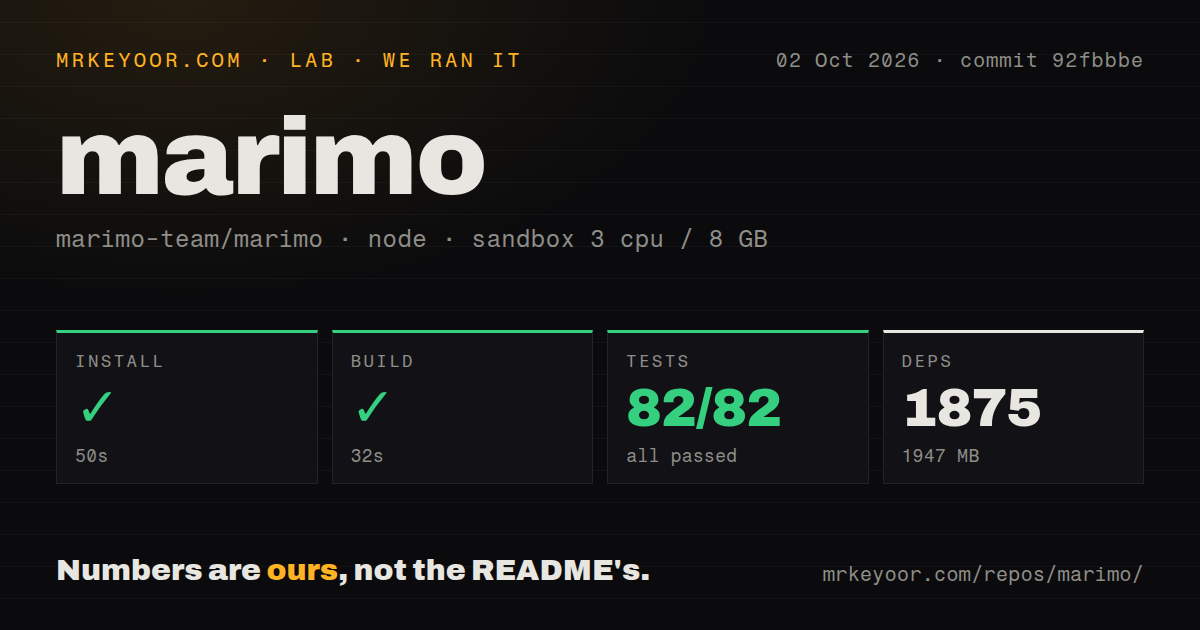
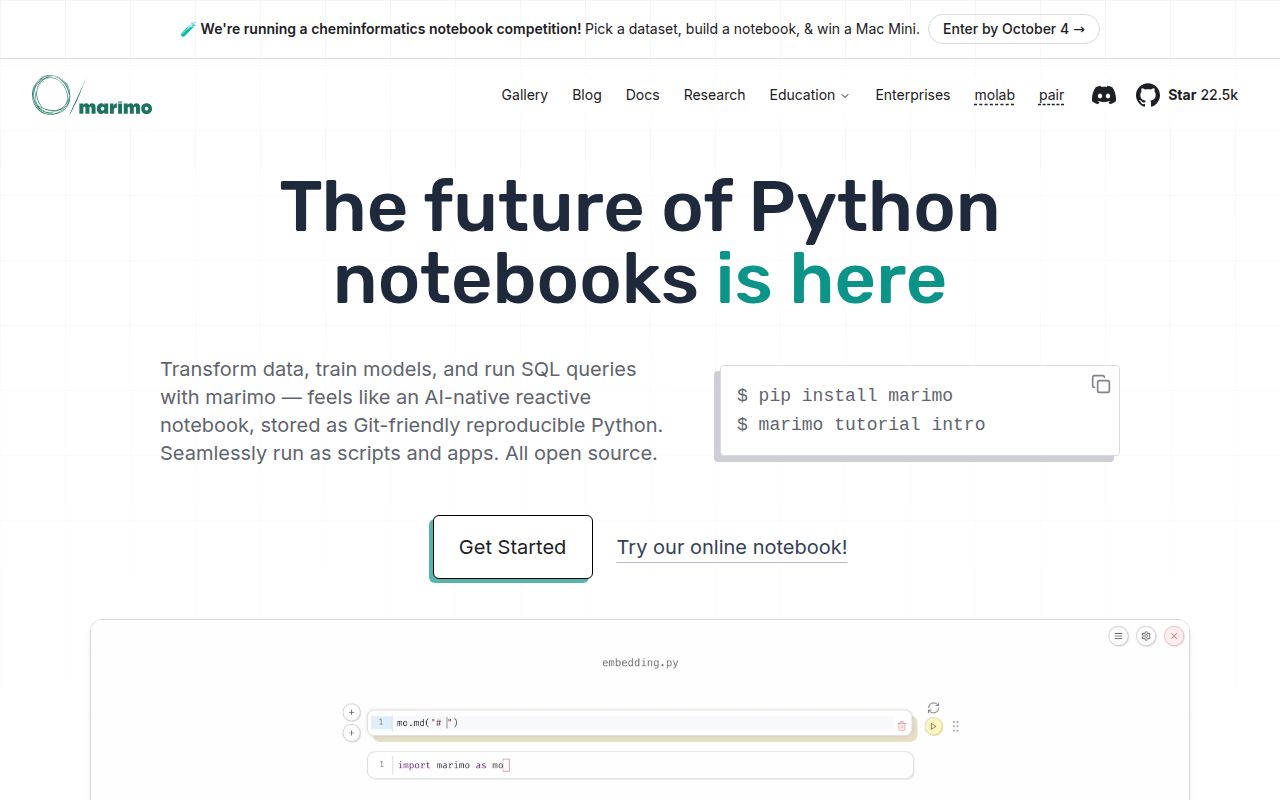
Lab card: what happened when we ran marimoScreenshot of marimo (marimo.io)
Install✓ · 35s1899 packages · 1505 MB
Build✓ · 31s
Tests✓ · 364s82 passed · 0 failed of 82 (vitest)
Repo4966 files~789,436 lines of source · 192.5 MB · 28 CI workflows · tests dir

Answers from our run

Does marimo build from source?

Dependencies installed in 35 seconds (1899 packages), and the build succeeded in 31 seconds. We cloned commit 257ea7a into a clean Debian container with 3 CPUs and no project-specific setup.

Do marimo's tests pass?

Yes: 82 of 82 passed when we ran the project's own test command (vitest). Some failures need services or credentials a bare container does not have.

Who should not use marimo?

Teams that need drop-in Jupyter behavior: marimo can convert .ipynb files, but its dependency graph and reactive execution change notebook semantics.

What are the alternatives to marimo?

JupyterLab, Jupyter Notebook, Streamlit. Our build passed in 31 seconds and all 82 measured Vitest tests passed, but the 1,899-package, 1,505 MB install shows that marimo is a full development environment rather than a thin notebook widget.

Setup3/5Simple user install; source workspace used 1,505 MB and 1,899 packages
Docs5/5Detailed guides for reactivity, data, apps, testing, and editors
Community5/522,494 stars with same-day pushes and busy issue activity
Maturity4/5Broad working product, though the 0.x line still makes breaking changes

Discussed on

  1. hnShow HN: Marimo – an open-source reactive notebook for Python448 points
  2. hnShow HN: WASM-powered codespaces for Python notebooks on GitHub204 points
  3. hnShow HN: Marimo pair – Reactive Python notebooks as environments for agents140 points
  4. hnShow HN: Molab, a cloud-hosted Marimo notebook workspace123 points
  5. hnShow HN: Marimo – open-source reactive Python notebook – running in WASM102 points

Who it’s for

Data scientists who want notebook cells to stay consistent after an upstream edit.
Python teams that review notebooks in Git and prefer text files over JSON documents.
Analysts combining Python, SQL, interactive tables, and UI controls in one workspace.
Developers who want the same notebook to run as a script or a read-only web app.
Claude Code users who want an agent to edit a notebook through marimo's pairing workflow.

Who it’s NOT for

Teams that need drop-in Jupyter behavior: marimo can convert .ipynb files, but its dependency graph and reactive execution change notebook semantics.
Users whose cells trigger expensive or irreversible work without safeguards: the README says reactive execution reruns dependents, and lazy mode must be configured to mark them stale instead.
Small projects that cannot absorb a large frontend toolchain: our pnpm install pulled 1,899 packages and occupied 1,505 MB.
Organizations that require AI keys to come only from environment variables: issue #10655 says provider keys currently live verbatim in marimo.toml.
Databricks users expecting built-in databricks-connect support: issue #10335 is still a request to add that path.

Setup reality

Our run at commit 257ea7a installed 1,899 pnpm packages in 35 seconds and used 1,505 MB. The build passed in 31 seconds; the test step took 364 seconds, with 82 Vitest tests passing and 0 failing.

End users have a much smaller Python entry point: install marimo, then launch a tutorial or editor. SQL, AI completion, and other extras need the recommended dependency set; AI providers require API keys, and data sources still need their own credentials and drivers.

The source tree is a 4,966-file monorepo with about 789,436 source lines and 28 CI workflows. Reactive execution can rerun downstream cells, so expensive notebooks should use lazy mode. PDF export needs Chromium, and browser, WASM, editor-extension, and app deployment paths add platform-specific work.

marimo 0.24.0 makes notebook state explicit

marimo 0.24.0 treats a notebook as a dependency graph. Change a variable and the cells that consume it rerun, or become stale when lazy execution is enabled. Delete a cell and its variables leave memory. That model addresses a familiar Jupyter failure: outputs can look current even though cells ran in an order the document does not show. The trade is behavioral. Existing notebook habits built around manual, out-of-order execution need to change, especially when a cell writes data or calls a paid service.

Each notebook is stored as a Python file, which gives Git a readable diff instead of a large JSON document. The same file can run through Python, accept command-line parameters, open in marimo's editor, or serve as an app with its code hidden. SQL cells can query dataframes, databases, files, and remote systems while returning Python dataframes. UI elements bind directly to variables, so a slider or table selection updates dependent cells without a separate callback layer.

Our 31-second build passed after a 1,505 MB install

Our sandbox cloned commit 257ea7a and pnpm installed 1,899 packages in 35 seconds, consuming 1,505 MB on disk. The build succeeded in 31 seconds. Vitest then ran for 364 seconds and reported 82 tests passed with 0 failures. The checkout held 4,966 files and about 789,436 lines of source. Those numbers describe a Python product with a substantial TypeScript editor, not a small package whose source build resembles pip install marimo.

The user path is lighter: a normal pip or conda install can launch the included tutorial and marimo edit. The recommended extra installs dependencies for SQL cells, AI completion, and other optional functions. Built-in package management can detect imports, install packages, and record requirements inside a notebook, including isolated virtual-environment execution. That convenience deserves policy in shared environments because a document capable of obtaining dependencies and reacting to edits has more operational power than a static report.

Reactive execution needs care around expensive cells

A 364-second test run is a reminder that automatic work can be costly even when correct. marimo statically follows variable references and runs only affected cells, but a downstream query, model call, or export can still carry a bill or side effect. The README documents lazy mode for these notebooks: affected cells are marked stale until the user chooses to execute them. Teams migrating analysis should classify side-effecting cells before trusting the default reactive path.

The dependency model brings useful guarantees, yet it also imposes rules. A notebook must avoid conflicting variable definitions and organize code around references the analyzer can understand. Conversion from .ipynb is available through the CLI and web interface, but conversion does not preserve the old hidden-state model, nor should it. Jupyter remains the safer collaboration choice when downstream tools, courses, or customers require its file format and execution behavior exactly. marimo is a workflow change, even when the converter handles the syntax.

Data and AI features add credentials and compatibility edges

Release 0.24.0 added Hugging Face Hub storage, a unified export dialog, and more AI chat capabilities. The editor can pair with Claude Code, Codex, or OpenCode, and its built-in assistant can use hosted API keys or local models. SQL support reaches dataframes, warehouses, lakehouses, CSV files, and Google Sheets through the appropriate engines. Each connection still brings a driver, credential, and access policy. marimo gathers those jobs into one interface; it cannot remove the systems behind them.

Current issues show where that breadth bites. Issue #10655 asks to read AI provider keys from environment variables because keys are presently stored in marimo.toml. Issue #10335 requests built-in databricks-connect support. A fresh 0.24.0 report says table export ignores a Portuguese locale's number separators, and another reports a notebook freezing after opening. These are specific integration problems in an active project, not proof that the core model fails, but data teams should test their databases, locale, exports, and secret handling before rollout.

August pushes and 28 CI workflows support the active 0.x pace

The repository was pushed on August 25, 2026, eight days after release 0.24.0. GitHub showed 580 open issues and pull requests, with bug reports and maintainer responses updated that same day. The source has 28 GitHub Actions workflows and a tests directory, matching the steady flow of frontend, Python, packaging, browser, and integration work. Apache 2.0 licensing also makes internal deployment straightforward from a code-license perspective. Activity is high, though 0.24.0 included a documented breaking default for file-browser navigation.

Our 82 passing tests and successful build make marimo worth a serious trial. Start with one analysis that suffers from stale outputs or painful notebook diffs, convert it, then inspect every cell that touches an external system. The payoff is concrete: deterministic ordering, plain-Python review, script execution, and an app mode in one artifact. The cost is also concrete: a 1,505 MB source dependency tree, a new execution model, and a fast-moving editor whose integrations need local verification.

Alternatives

ProjectWhat it isPick it when
JupyterLabThe established browser workspace for Jupyter notebooks, consoles, files, and extensions.pick this instead when `.ipynb` compatibility and the Jupyter kernel ecosystem outweigh reactive execution and clean Git diffs.
Jupyter NotebookThe classic notebook interface built around the standard Jupyter document format.pick this instead when collaborators and hosted services already exchange ordinary Jupyter notebooks.
Streamlit gh↗A Python framework for turning scripts into interactive data applications.pick this instead when the deployed app is the main product and notebook-style editing is secondary.

What people are saying

  1. [velocity-scout] marimo-team/marimo

Sources

  1. marimo repository and current metadata
  2. marimo README and quickstart
  3. marimo 0.24.0 release
  4. marimo issue tracker

More data reviews

turso · TrackersListCollection · dash · getcontact-cli · awesome-zhuiju-free · iggy · the whole board →