1080p at 60 fps reaches machines before their OS starts
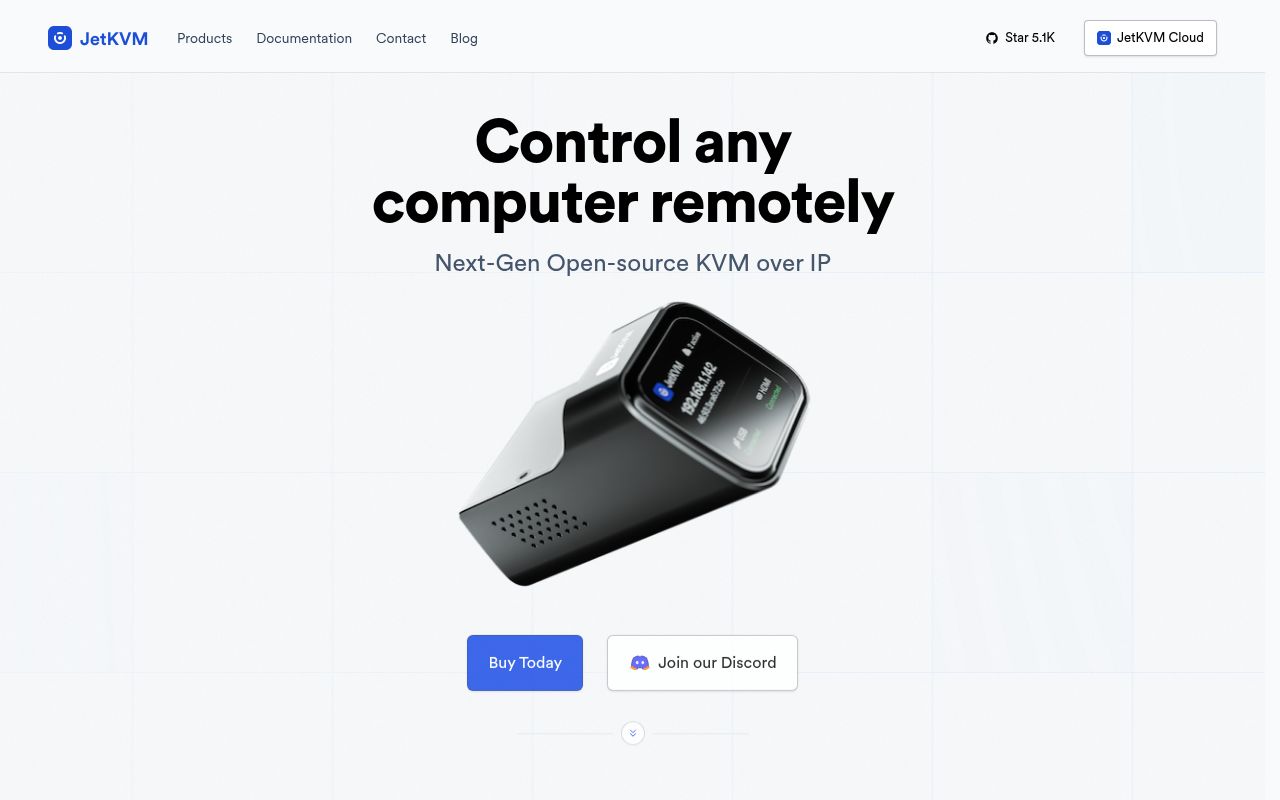
JetKVM sits outside the target computer. HDMI carries the picture into the appliance, USB emulates keyboard and mouse, and Ethernet connects its web interface to the network. The README advertises H.264 video at 1080p and 60 fps, with a claimed 30 to 60 ms latency. Because control does not depend on software running on the target, an administrator can enter firmware setup, reinstall an operating system, or inspect a failed boot from a browser.
The basic hardware setup uses 3 functional links to the target and network: USB-C, Mini HDMI, and Ethernet. The front screen shows the assigned IP address, cable status, and active connections. Entering that address opens the local UI without a JetKVM Cloud account. An optional ATX extension connects to a desktop motherboard's front-panel header, allowing remote power and reset while preserving the case buttons and LEDs. Serial and DC power extensions cover different equipment.
Release 0.5.9 adds 120 Hz and experimental audio
The current release expands the device beyond its original console loop. Version 0.5.9 adds 120 Hz capture, a phone-oriented trackpad mode, experimental HDMI audio, USB recovery changes, and a setting that hides JetKVM as a monitor when idle. The audio path is off by default and marked experimental. The release also includes WebRTC shutdown, USB, security, accessibility, and video fixes, which shows how many hardware and browser boundaries the firmware has to coordinate.
Remote access is optional and disabled by default. JetKVM Cloud uses WebRTC, with STUN and TURN available when direct peer connections fail. The official guide says traffic is encrypted in transit with DTLS and SRTP, and device authorization currently uses Google OIDC. Tailscale is another route and can point at a Headscale control server, although it is not preinstalled. Sites with their own identity provider should notice the Google-only cloud login before choosing that path.
What happened when we ran it
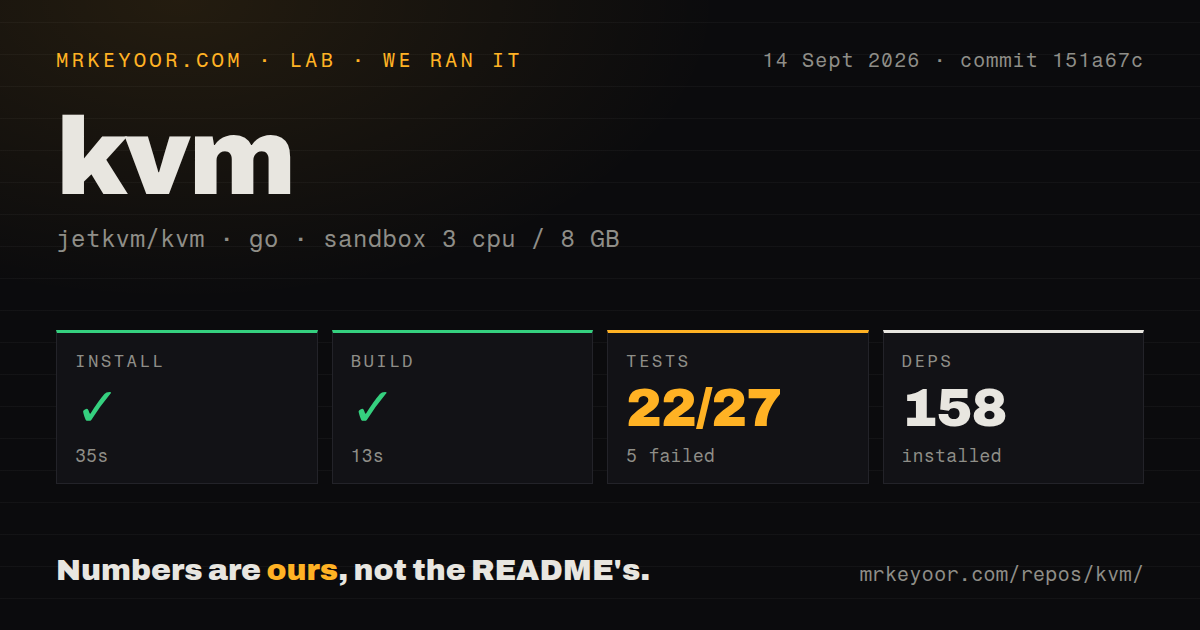
Our sandbox installed 158 Go packages in 35 seconds and built commit 151a67c in 13 seconds. The checkout was 11.2 MB, with 602 files and roughly 101,407 lines of source. The scan found 2 CI workflow files, no Dockerfile, and no directory named tests. That layout is normal enough for Go packages with colocated _test.go files, but the repository also contains UI and hardware test paths outside a single conventional test folder.
The test command failed after 66 seconds with exit code 1. Its result counted 22 passing and 5 failing outcomes out of 27. The supplied tail names successful packages such as audio, OTA, Tailscale, USB gadget, utilities, web security, and network management, then ends with FAIL. It does not include the errors or names for the 5 failures. The useful conclusion is limited: the full command did not pass in our unprivileged Go 1.24 container.
A passing compilation and 22 package results do not exercise the complete product. Our run had no JetKVM appliance, HDMI source, emulated USB host, front display, ATX board, browser WebRTC session, or cloud credentials. We therefore measured source setup rather than video quality or the README's latency claim. A buyer should judge those on the intended server, monitor mode, network, keyboard layout, and browser, especially if remote recovery has no nearby person.
Full development needs Go 1.24.4 and a real device
The development guide asks for Go 1.24.4+, Node 22.21.1, SSH access, and a JetKVM unit for full work. A deployment script builds the React and TypeScript UI plus the Go backend, copies them to the device, and opens the result at its IP address. Linux or macOS is recommended; Windows contributors are steered toward WSL because the workflow depends on shell scripts and Unix behavior.
End-to-end testing carries real consequences. The documented command needs a device wired to an active computer through HDMI and USB, GitHub CLI authentication, and access to a test host. The guide warns that the suite deploys changed firmware and may reset the device configuration. It also describes capability-based exclusions for hardware a test bench lacks.
Offline updates and long uptime still need scrutiny
JetKVM works locally, but issue 645 records gaps for a fully isolated network. The report says static public time servers can interfere with time sync and HTTPS, while offline application and firmware updates remain difficult. Issue 96 has 32 comments around offline updating. The normal updater checks JetKVM's release API, verifies the binary checksum, and rolls releases out in stages, beginning with 10% of devices according to the update guide.
Long-running remote sites need a recovery drill. Issue 1534 describes one version 0.5.8 unit becoming unreachable after roughly 1 to 2 weeks and returning after a power cycle. The reporter noticed the behavior after enabling MQTT and Home Assistant discovery but explicitly did not establish that as the cause. Issue 1483 describes a separate unit whose media pipeline became stuck shortly after boot. These are individual reports, yet both concern the moment a KVM is supposed to rescue another machine.
September 14 activity accompanies 307 open items
GitHub listed 5,102 stars, 307 combined open issues and pull requests, and a last push on September 14, 2026. Release 0.5.9 arrived September 9, and issue updates continued through September 11. The same-week code and issue activity shows active development, while the combined queue includes hardware reports, feature requests, and pull requests rather than 307 confirmed defects.
JetKVM has the right shape for remote recovery: a dedicated box, local access, GPL-2.0 software, and optional remote routes. Our 13-second build lowers the barrier to inspecting changes, while the 5 failed test results prevent a clean bill of health for commit 151a67c. Compare it with PiKVM and NanoKVM, then test cold boot, BIOS input, virtual media, network loss, firmware update, and a multi-week soak before placing it somewhere inconvenient.