Desktop sideloading still needs runtime validation
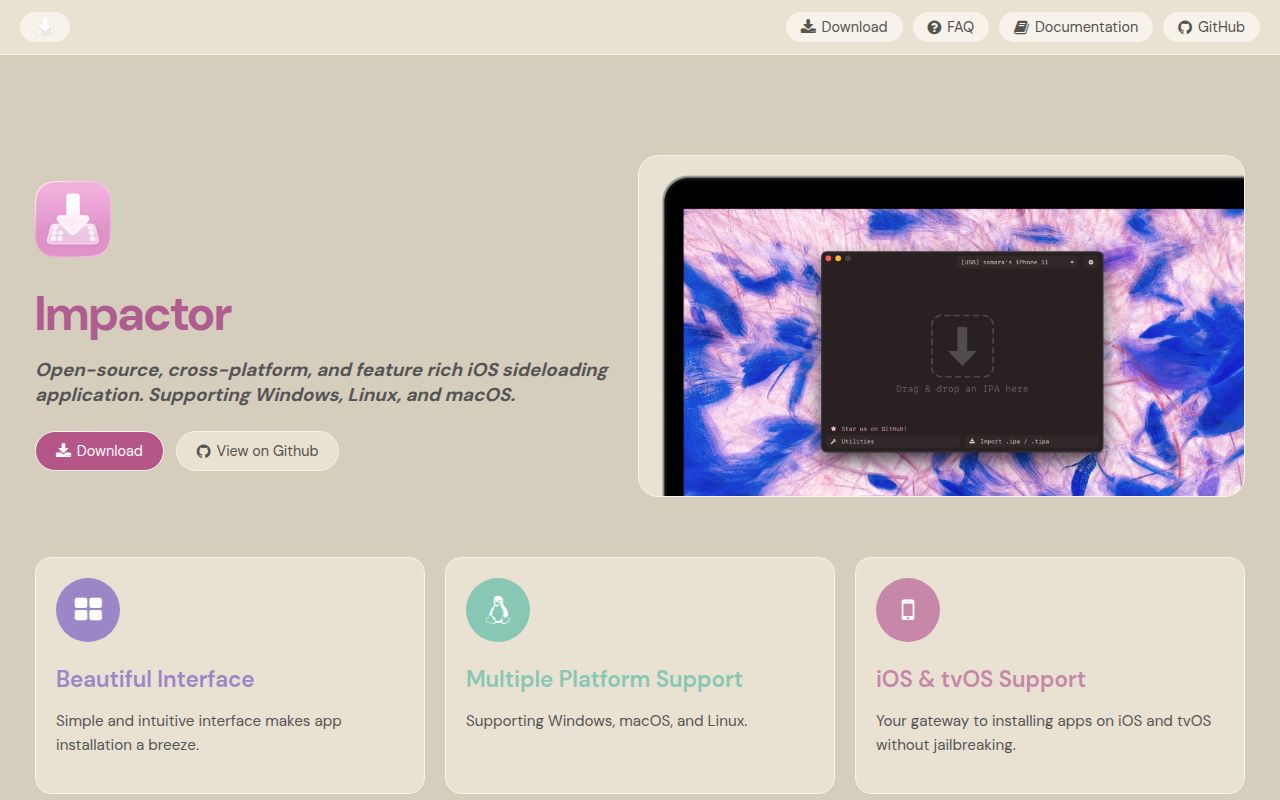
Impactor puts Apple Account provisioning, app signing and device installation into a desktop workflow for macOS, Windows and Linux. Its README also describes P12 exports, pairing-file support and advanced app modifications. Our recorded source build succeeded, but the run did not establish that those workflows work on a connected device.
That distinction matters when choosing between a desktop signing utility and an app that manages sideloading on the phone. Impactor is a candidate for users who need its documented desktop controls and can check the result before depending on it.
What our recorded run establishes
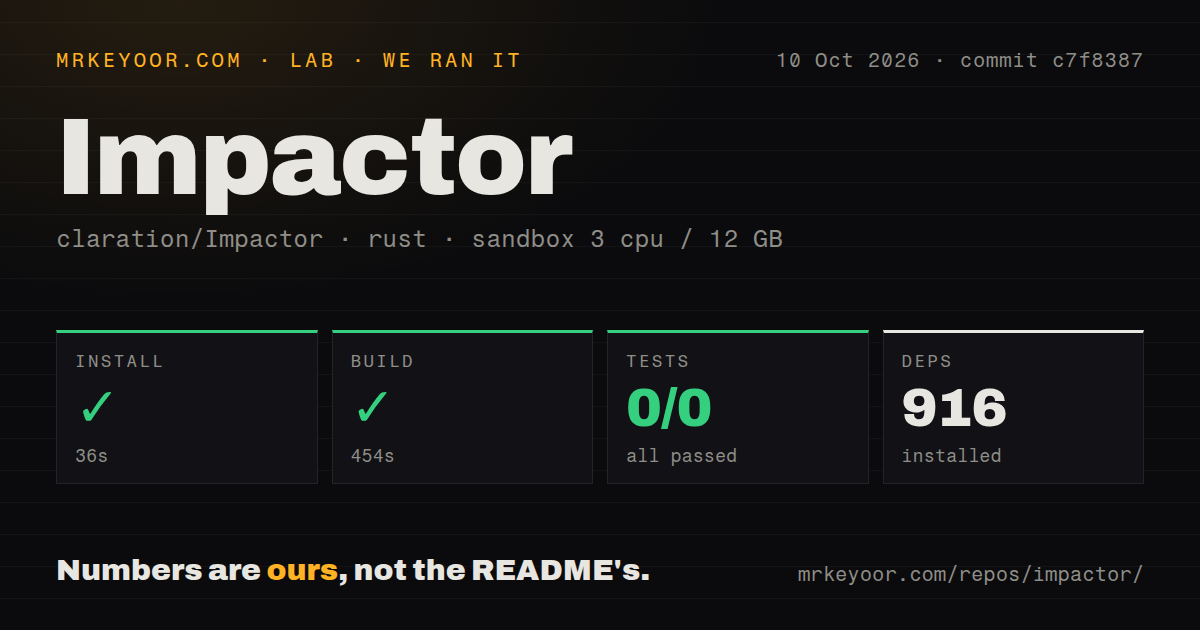
Our run is dated 10 October 2026 at 03:42:29.653 UTC, using commit c7f8387121b37a896abb0fef34fd8a97b0c2b8a0, abbreviated c7f8387. The recorded configuration was 3 CPUs, 12 GB of memory and image lab-rust:1. That image label does not establish the actual Rust runtime version.
The dependency-download step exited 0 in 36 seconds, with 916 dependencies recorded. This was dependency preparation, not installation of the Impactor application or CLI. The build step exited 0 in 454 seconds. Its log shows a development-profile build of plumeimpactor v2.6.5; it was not a benchmark of a packaged v2.6.0 release.
The cargo test step exited 0 in 13 seconds. Its visible plumeimpactor unit-test invocation says running 0 tests. The stored parser reports 0 passed, 0 failed and 0 total, but the log repeats a summary after a replay marker. Unique and exhaustive counts have not been verified, so neither the stored suite count nor the zero totals should be presented as a repository-wide test inventory. A successful command exit here supplies no behavioral evidence for signing or device communication.
The scan recorded 348 files, approximately 45,453 source lines, 6.9 MB and 2 CI workflows, with no Dockerfile or tests directory detected. Directory detection is not proof that no tests exist elsewhere. There is no recorded installed-binary check, Apple Account authentication, device pairing, IPA signing, provisioning or device installation. No sideloading workload or security audit was measured.
What setup requires beyond compilation
The README directs users to packaged releases and lists Flathub and Homebrew availability. The v2.6.0 release lists macOS DMG, Windows executable and Linux AppImage GUI downloads, plus plumesign CLI binaries. These distribution options do not establish that we installed or launched any of them.
For device access, the README requires iTunes on Windows and usbmuxd on Linux. It warns that some Linux udev rules can stop usbmuxd after devices disconnect, and suggests connecting the phone before restarting Impactor. Some distributions may require additional crypto-policy configuration.
The README also says Linux automatic refresh is attempted only while a device is plugged in because of the described usbmuxd Wi-Fi limitation. The v2.6.0 release separately states that pairing-file installation is USB-only. Our dependency and build timings do not measure either runtime path.
Apple Account and pairing limits
According to the README, Impactor requests certificates and provisioning profiles from Apple and registers the device and app. It describes unpaid accounts as limited to 7 days and a limited number of registered apps or components. Impactor therefore does not remove those provisioning constraints.
The documented pairing file belongs to a particular device and becomes invalid after a re-trust, update or reset. The README describes support for SideStore and LiveContainer, P12 exports, injection of .deb and .dylib files, and adding .framework, .bundle and .appex directories. It also describes replacing Cydia Substrate with ElleKit for 26.0 compatibility. These are upstream capability claims, not compatibility results from our run.
The plumesign 2.6.0 report has a recorded resolution
Issue #229 reports that Windows plumesign 2.6.0 returned exit code 0 while producing an output IPA identical to the unsigned input. The reporter found neither _CodeSignature nor embedded.mobileprovision. A later commenter reported the same problem on macOS.
GitHub records the issue closed as completed through #230 on 16 September 2026. It is therefore inaccurate to describe that fix as still awaiting resolution. The issue page does not establish which downloadable releases contain it, and our later source build did not exercise the signing path. Keep the reported release, the source revision and the binary you intend to use distinct.
For automation, retain the original IPA and validate the produced archive and signature before attempting installation. The presence of signature-related files alone is not a complete signature check. A command's success message should not replace validation on the intended device.
Choose by where you want to manage apps
SideStore's README describes an iOS app that resigns apps with a personal development certificate and uses a specially designed VPN for installation. It describes periodic background refresh and an untethered experience as its goal. Consider it when managing sideloaded apps on the device is the main requirement.
AltStore's README describes signing with an Apple ID and sending resigned apps to AltServer for installation through iTunes WiFi sync. Its background refresh requires the device to share Wi-Fi with AltServer. Consider it when that desktop-server arrangement fits your setup. Neither alternative was tested in our run.
How to read the scores
These are editorial ratings, not benchmark results. The scale is 1 for substantial obstacles or very limited supporting evidence, 2 for partial support with major unknowns, 3 for a usable documented route with qualifications, 4 for detailed supporting documentation or validation, and 5 for broad, independently demonstrated support in the rated area. Unknown adoption and compatibility do not earn higher scores.
Setup receives 3/5 because packaged routes are documented but host drivers and device access add requirements. Documentation receives 4/5 for its concrete account, pairing and platform explanations, without assuming those instructions were verified. Community receives 2/5 because the release documents outside contributions, while adoption and support responsiveness remain unmeasured. Maturity receives 2/5 because compilation succeeded but runtime validation remains absent, and the v2.6.0 release explicitly warns users to expect bugs.
Start with the documented package for your host, check its version and device requirements, then validate a signing and installation workflow before making it part of unattended automation.