HOP v0.4.1 opens two Hangul formats but saves only HWP
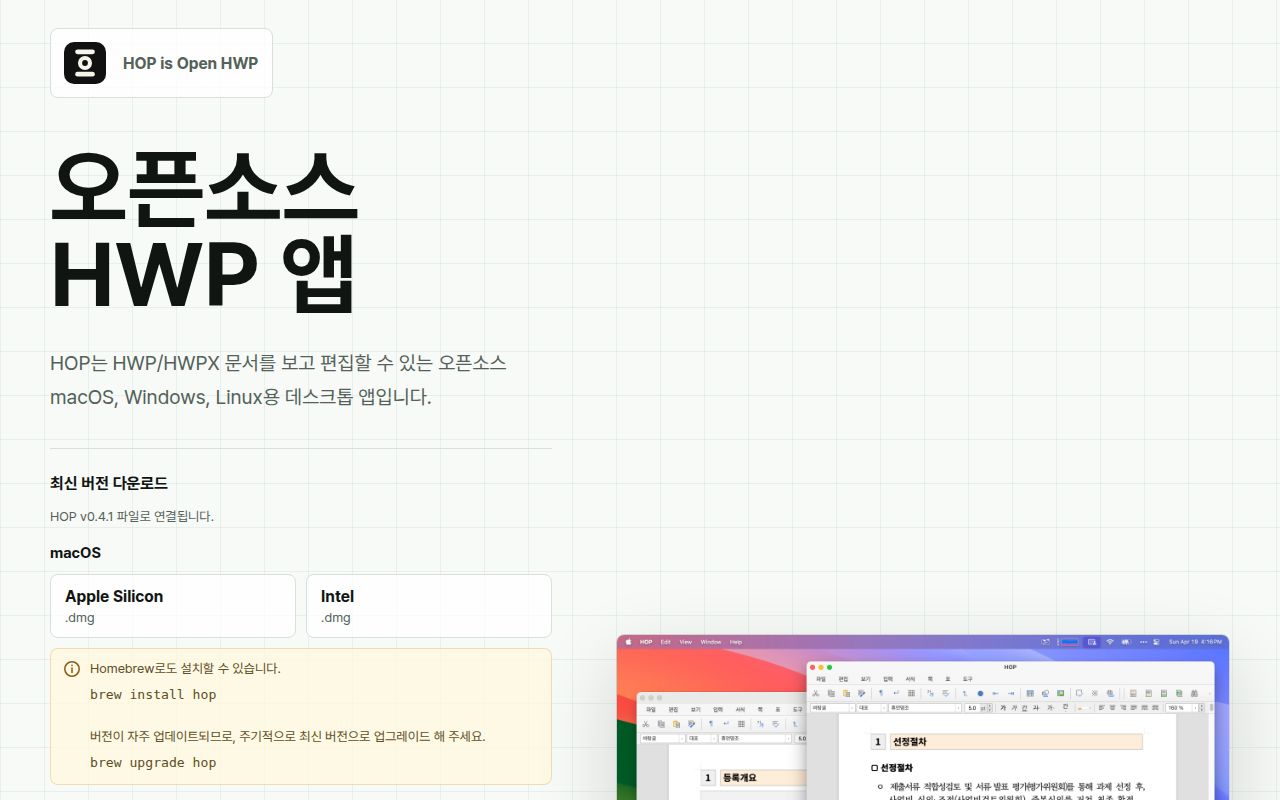
HOP v0.4.1 is a desktop application for HWP, the binary Hangul Word Processor format, and HWPX, its XML-based relative. It runs on macOS, Windows, and Linux. The interface can open both formats, open files by drag and drop, associate itself with their extensions, create multiple document windows, print, and export to PDF. Saving is narrower: the README lists HWP save and Save As, while the development guide says HWPX saving remains disabled until a safe serializer is ready.
The project is written for a Korean audience. Its README, development guide, installation warnings, and most current issue titles are Korean, with no linked English documentation set. That is sensible for an application centered on a Korean document format, but it raises the cost for an international contributor debugging the Tauri shell or document engine. End users can still recognize the download links. Source contributors need enough Korean context to understand the stated boundaries and issue reports accurately.
The 894.6 MB checkout contains an upstream document engine
HOP calls itself a thin product layer over Edward Kim's rhwp project. The checkout we measured was 894.6 MB across 10,365 files and roughly 541,307 source lines because it carries that upstream engine as a Git submodule. HOP owns the Tauri 2 desktop shell, native menus, document sessions, atomic save behavior, SVG-to-PDF export, printing, single-instance routing, file-open events, and per-window drag and drop. The project policy keeps product-specific changes outside the read-only upstream directory.
That split is useful when assigning bugs. Rendering and parsing behavior may belong in rhwp, while file associations, packaging, native menus, and desktop events belong in HOP. It also means a source checkout must initialize submodules recursively before building the studio host. Developers then run the desktop filter through pnpm, which hands the native portion to Cargo. There is no one-runtime development story here: TypeScript covers the web layer, Rust covers Tauri code, and each operating system brings packaging requirements.
What happened when we ran it
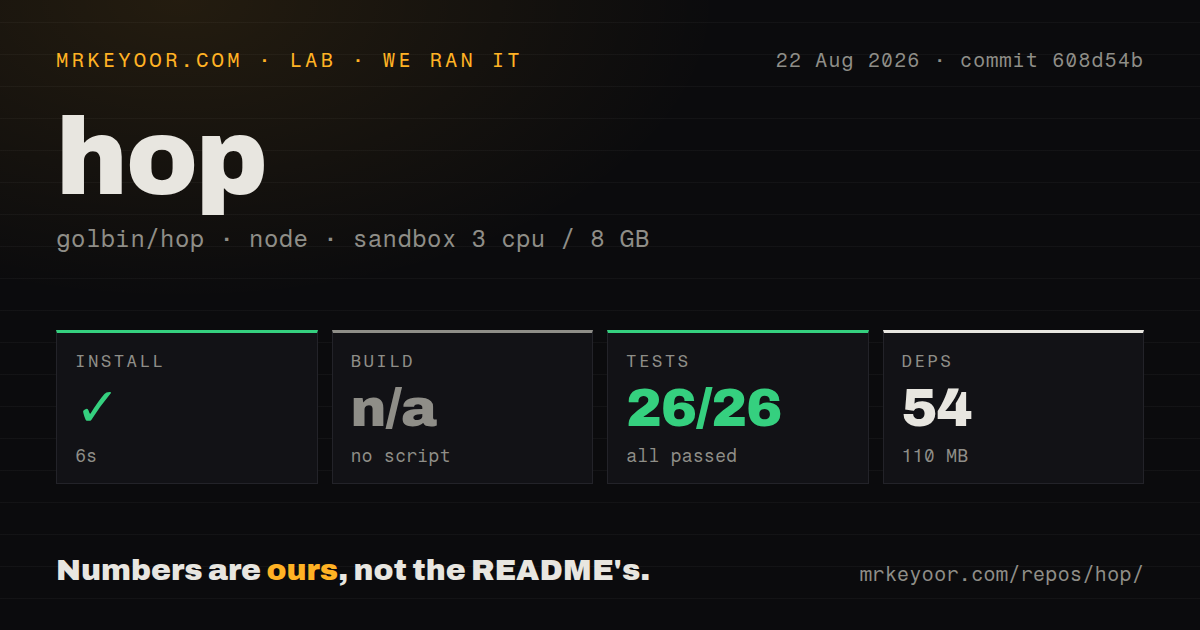
Our sandbox installed 54 pnpm packages in 6 seconds and used 110 MB on disk. The harness found no generic build script or target, so it skipped a build rather than inventing a substitute. The repository exposes named build commands for its studio host, desktop application, and macOS Quick Look extension, but those were not the generic build target in our standardized run.
The overall test command failed after 11 seconds. Before that failure, the JavaScript side reported 26 passing test files and 164 passing tests. The next script changed into the Tauri source directory and ran cargo test; the shell answered cargo: not found, and pnpm returned exit code 1. That log identifies one missing tool and does not show a Rust test failure. On a fresh Debian box, the documented source setup therefore needs Rust and Cargo in addition to Node and pnpm.
Our scan found 3 CI workflow files, a tests directory, and pnpm workspaces, with no Dockerfile. A container would be a poor substitute for exercising native windows, file associations, IME input, printing, or signed installers anyway. The useful follow-up is a platform matrix using real HWP documents: open, edit, save, reopen in Hancom Office, export to PDF, search the exported text, and print tables containing the layouts the organization actually receives.
Platform packages do not behave the same way
The release page supplies 7 direct package choices: DMGs for Apple Silicon and Intel, an x64 Windows MSI, Linux x64 DEB, RPM, and AppImage packages, plus an arm64 DEB. The README also points Arch-family users to an AUR binary package. macOS builds are described as signed and notarized, although issue 89 reports a code-signature verification failure on Apple Silicon v0.4.1. That issue should be checked on the exact download before a managed rollout.
Windows has a more explicit warning. The README says its build is unsigned, so Edge or SmartScreen may flag the download and execution. On Linux, native packages are preferred because HOP depends on WebKitGTK behavior and Korean input methods. The project warns that the AppImage can have unstable Hangul input switching or window display under some Wayland and IME combinations. Issue 77 separately reports slow input in an x86 RPM installation. These are user-facing deployment constraints, not minor contributor inconveniences.
Open fidelity reports make sample documents mandatory
GitHub listed 17 open issues and pull requests, 1,766 stars, and a last source push on July 21, 2026. The v0.4.1 installer release appeared the same day, while issue discussion continued through August 26. That combination indicates current user attention even though the source push is over a month old. The combined open count should not be read as 17 confirmed defects.
Several reports still describe outcomes that matter to document owners. Issue 73 says a saved HWP could not be read by the original Hangul client. Issue 78 reports missing table text and numbers when printing. Issue 92 describes unsearchable text and larger files after HWPX PDF export on macOS. Issue 76 concerns images placed over tables. Each report needs reproduction before assigning scope, yet together they rule out assuming format fidelity from a successful launch. HOP is a practical viewer and light editor candidate. A controlled round-trip test remains the price of trusting it with the only copy of a document.