Disable write tools before a reporting pilot
Google Ads MCP Server enables its asset and label tools by default. If you want an assistant to explain campaign performance, first disable those categories in tools_config.yaml. Otherwise, a reporting evaluation also exposes tools that can change the account. The documented confirmation workflow adds a check before writes, but choosing the available tools is still your responsibility.
The server connects an AI client to the Google Ads API through Model Context Protocol, or MCP. Its search tool accepts GAQL, Google's advertising query language. Metadata and discovery resources help an agent find the fields it needs, while customer discovery identifies accounts the authenticated user can access. This is useful for an analyst who already understands Google Ads and wants a conversational route into account data. It doesn't remove the need to check the query behind an answer.
What happened when we ran it
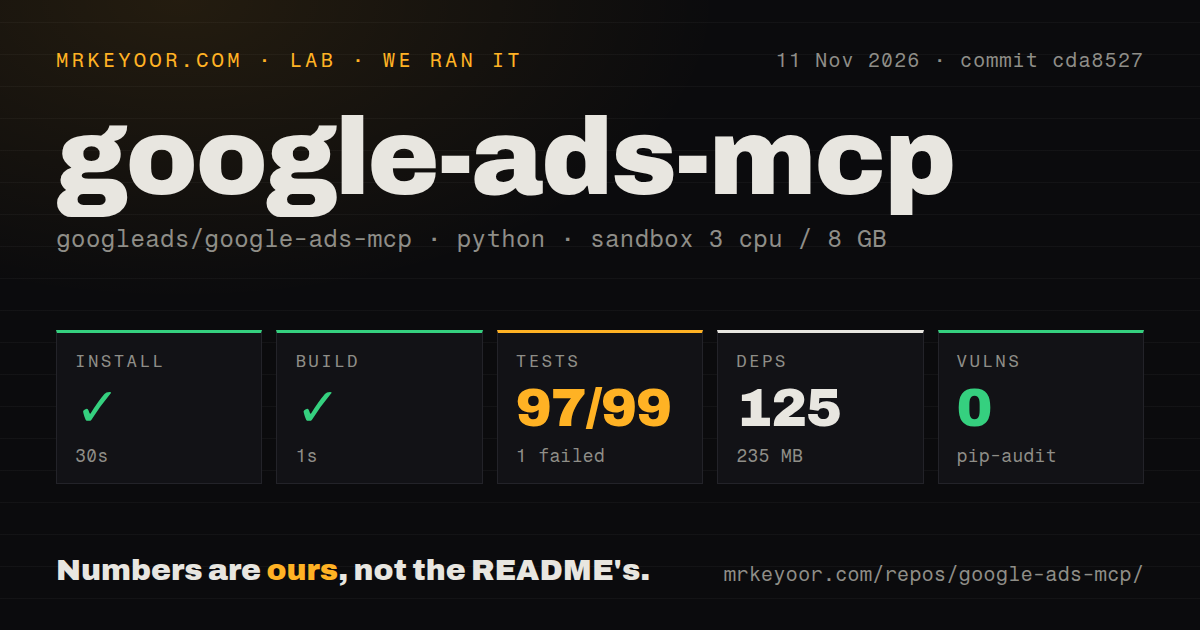
Our sandbox installed commit cda8527 in 30 seconds on November 11, 2026, recording 125 dependencies and 235 MB on disk. The build succeeded in 1 second. The checkout contained 65 files, approximately 7,389 source lines and 0.4 MB. Pip-audit reported 0 known vulnerabilities in that run, which does not establish the server's security or the safety of its account permissions.
The test command exited 1 after 34 seconds. The supplied pytest summary reports 97 passed, 1 failed, 3 skipped and 1 collection/setup error, with a separately recorded total of 99. Those categories don't reconcile into a unique total, so we won't present a passing percentage. Pytest's own tail says 27.52 seconds, measuring a different scope from the recorded step duration.
The named failure is test_tools_list_matches_golden: the returned tools did not match the expected fixture. The visible diff removes the description for the resource parameter. The tail also names tests/smoke/test_token_usage.py as an error, without showing its underlying exception. That supports a finding of an unsuccessful test run. It does not establish a broken Google Ads connection or identify a package or environment cause.
Our scan found two CI workflow files, a Dockerfile and a tests directory. The recorded sandbox configuration lists 3 CPUs, 8 GB RAM and image ghcr.io/astral-sh/uv:python3.12-bookworm. The image label alone doesn't establish the runtime versions. These repository checks provide no authenticated campaign-query result, mutation result or account-level accuracy measurement.
Account access takes more work than package installation
The README requires an enabled Google Ads API and credentials belonging to a user with account access. Its Application Default Credentials route needs the advertising scope. Access through a manager account also needs the manager customer ID, supplied through configuration or a tool parameter. A successful package install settles none of those permissions.
For a shared HTTP service, the documented OAuth proxy needs a Google Cloud client ID and secret. Cloud Run guidance adds persistent signing keys and token storage across instances. Firestore storage requires its extra package, a database and service-account permissions. The README also warns that expired entries need periodic cleanup. That's ongoing service work, even if the initial dependency step is short.
Transport affects capabilities too. Local video upload is supported only in standard-input/output mode, and remote image creation uses base64 data rather than a local image path. An agency expecting one remote endpoint to accept every workstation's local files should check that boundary before choosing this deployment.
Confirmation protects a proposed write, not the reporting boundary
The README documents a two-step workflow for asset and label changes. A proposal validates the operation and returns a checksum tied to its account and parameters. Confirmation requires matching inputs and that checksum after user approval. We did not verify this workflow against a live account, so treat it as documented behavior rather than a safety guarantee established by our run.
For strictly read-only deployments, the README says to set labels: false and assets: false. That is the sensible starting configuration for performance questions. Teams needing campaign, bidding or budget management should compare their required actions with the actual tool list instead of assuming that access to the Ads API exposes every operation.
Data access deserves its own decision. The README explicitly says the connected agent or language model receives your data. Running the MCP process on your own machine therefore does not establish that advertising data stays local. Choose the connected model and its data policy before letting an assistant retrieve customer account information.
Recent maintenance doesn't resolve the failed check
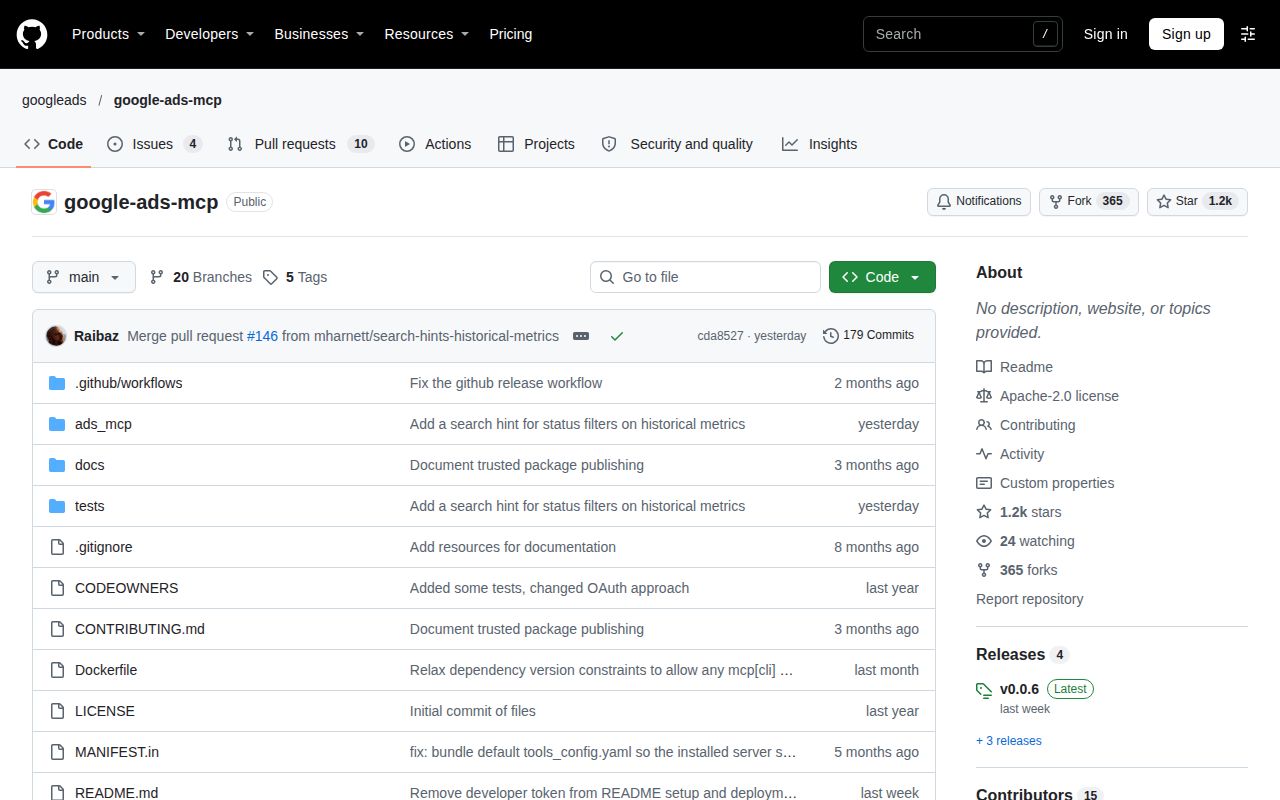
GitHub records the latest push on November 10, 2026. Release v0.0.6, published November 2, describes asset and label management with the proposal-and-confirmation flow. The recent activity feed includes a merged metadata-error change and an open tool-auditability proposal. Together these show ongoing maintenance, while neither establishes that our recorded test failure has been fixed.
The API reports 14 open issues and PRs combined. That queue is not a count of unresolved defects or evidence of support speed. Community capacity remains unassessed here.
Use a direct client when the question is already fixed
The Google Ads API Client Library for Python provides direct API integration. Prefer it for a recurring report whose query and output are already specified: writing that application avoids making an agent choose the reporting logic. The Google Ads API Client Library for PHP is the corresponding candidate for a PHP application. Neither is a drop-in conversational server, and we made no comparative performance measurement.
The documentation rating uses 1 for missing operational guidance, 3 for a usable path with unresolved gaps and 5 for independently verified coverage. It earns 4 for detailed credential, transport and storage instructions, with those paths still unverified. Other dimensions remain unassessed where repository checks cannot answer the deployment question.
Before connecting a production account, disable asset and label tools, pin the chosen revision and compare one familiar report with a trusted account view. Keep the exact query and customer ID beside the answer. Expand access only after that comparison gives you a reason to trust the workflow.