The 385 rules work best as a scoped release checklist
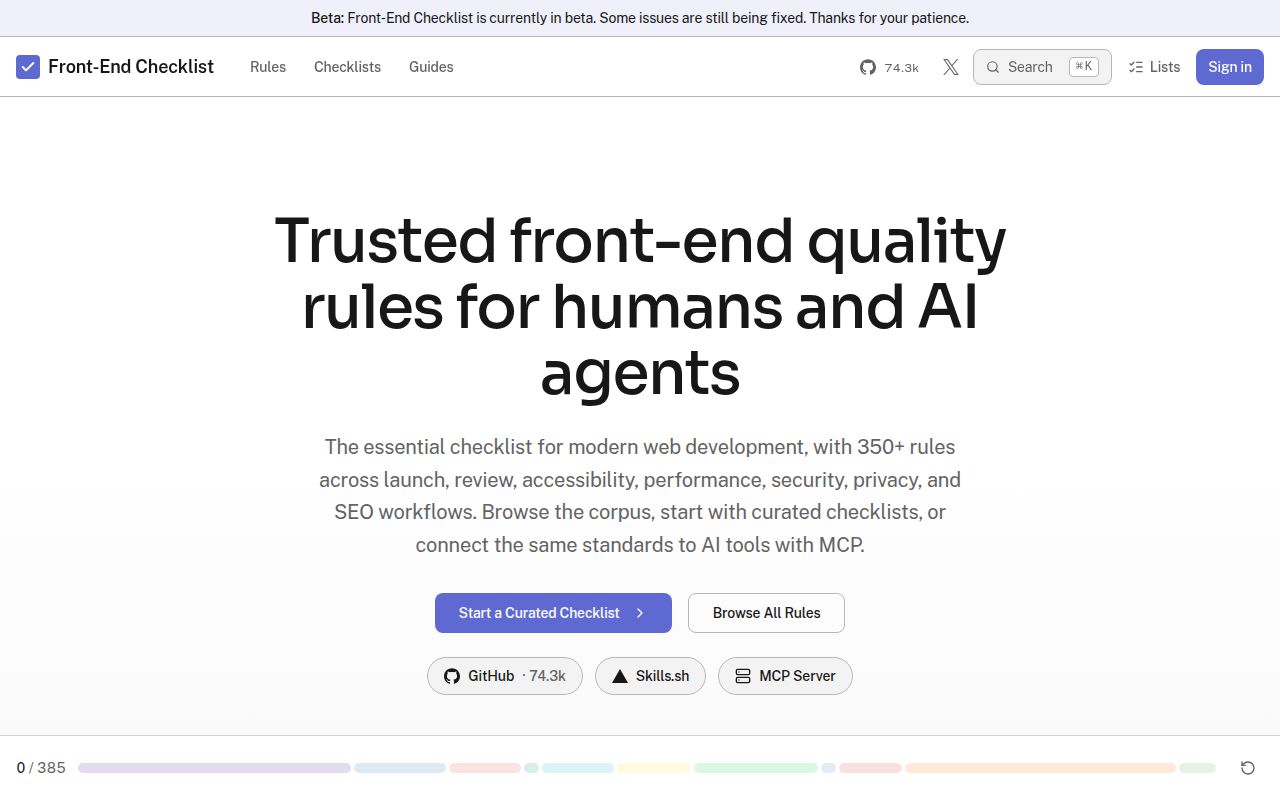
Front-End Checklist puts 385 English rules into 11 active categories and exposes the same catalog through a website, a generated README, installable skills, and 11 hosted MCP tools. Each rule can carry a priority, explanation, remediation guidance, and verification steps. That common source is the useful part: a developer and an agent can discuss the same named check instead of trading vague advice about making a page better.
The catalog covers 95 accessibility rules and 94 SEO rules, alongside HTML, CSS, JavaScript, performance, security, images, testing, privacy, and internationalization. Those counts also explain why checking everything on every pull request would fail. A marketing page, account dashboard, and video player have different risks. Pick the relevant slice, assign an owner, and record why a rule does or does not apply.
The 95 accessibility rules cannot certify accessibility
The accessibility section explicitly calls for tests with NVDA, JAWS, VoiceOver, or TalkBack. That instruction matters because an automated scan can find missing labels or invalid ARIA without proving that focus order, announcements, and keyboard behavior make sense to a person. Front-End Checklist gives a reviewer better questions. It does not turn an agent response into accessibility evidence.
The same limit applies to 43 performance rules and 22 security rules. A rule can tell you to audit dependencies or virtualize a long list, yet it cannot decide whether an advisory is reachable or whether virtualization costs more than it saves on your page. Findings need a URL, a reproduction, the user task at risk, and a verification method before they become release blockers.
What happened when we ran it
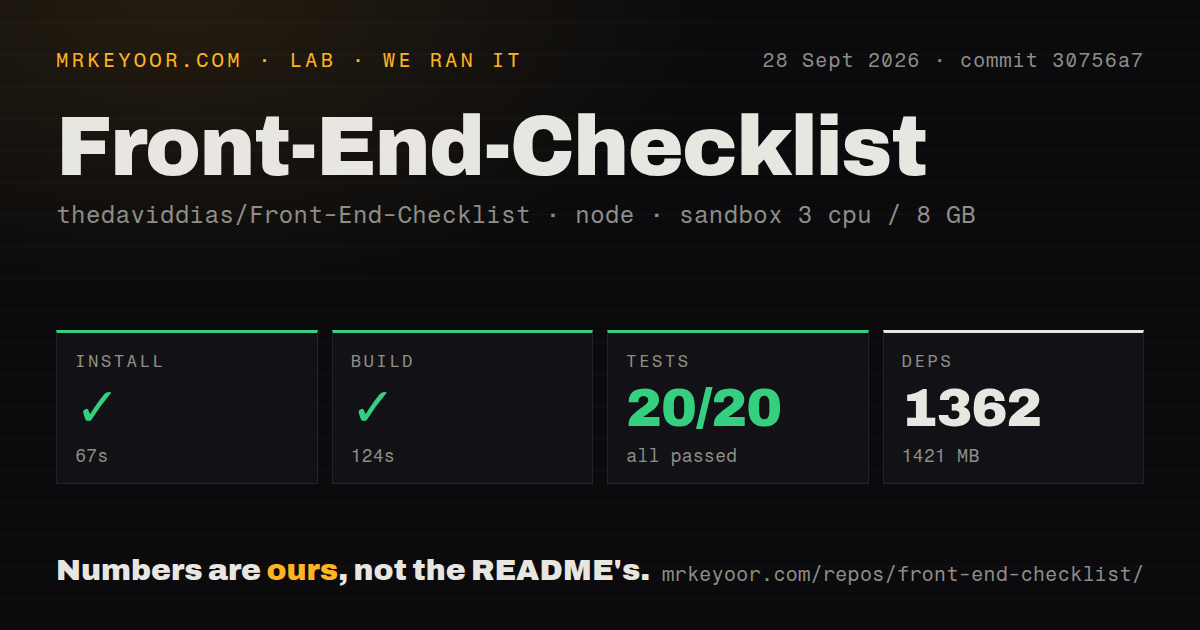
Our sandbox cloned commit 30756a7 and installed 1,362 pnpm packages in 67 seconds. The dependency tree occupied 1,421 MB, compared with an 11.5 MB checkout. We ran it in a fresh Debian container with 3 CPUs, 8 GB of RAM, Node 22, no secrets, and no elevated privileges. Installation completed without an error.
The build passed in 124 seconds. Jest then finished in 39 seconds with 20 passed and 0 failed out of 20 tests. The repository contained 1,875 files and about 70,284 source lines. Our scan also found 4 CI workflow files and monorepo workspaces, but no Dockerfile and no tests directory. A missing root tests folder does not conflict with the passing command because tests can live inside workspaces.
Those 20 passing tests support the contributor software path we exercised. They do not grade all 385 rules, call the hosted MCP, compare its findings with Lighthouse or axe-core, or complete a screen-reader session. Our run measured installation, build, and tests only. Treat the rule corpus as editorial and technical guidance whose individual claims still need the verification method named on the rule.
The 11 MCP tools introduce a service boundary
The hosted MCP can review pasted code, audit a public HTTPS URL, fetch one rule, search by keyword, and return a focused workflow. The README suggests naming the server in the prompt because some clients discover MCP tools lazily. A local stdio implementation also lives under packages/mcp, so a team can inspect that path before giving an agent access.
Sending component code to review_code or a URL to audit_url crosses the hosted service boundary. Public pages are an easier case than private repository contents. Teams handling unreleased code should decide what may leave their network, inspect the local server, and set logging and access rules before connecting an agent that can read the whole repository.
The current package manifest requires Node 24.15.0 or newer within the Node 24 line and pnpm 10.33.0. That differs from our measured commit, which completed on the lab's Node 22 image. The monorepo has apps for the public site plus packages for content, MCP, rules, design components, authentication, and shared data. With no Dockerfile at the root, self-hosters must define their own container path.
The README says MIT, but the license file is absent
On September 30, 2026, the README footer linked a file named LICENSE and labeled the project MIT. GitHub's repository API returned no detected license, and the root listing contained no LICENSE file. That is more than housekeeping for a company that wants to copy code, redistribute generated skills, or make the corpus part of an internal product. Ask the maintainer to correct or clarify it before reuse.
Release v2.0 was published on May 30, 2026, and the last repository push was August 14. GitHub listed 11 open issues and pull requests: 4 issues and 7 pull requests. The pull-request queue had activity through September 24, so the project still had contributor movement after the last main-branch push. Issue 722, covering a sign-in redirect to a GitHub 404, and proposed fix 723 were still open.
One risky feature is the right adoption unit
Start with 1 feature whose failure would hurt a user. For a modal, that might mean its accessible name, initial focus, keyboard dismissal, background behavior, reduced motion, and narrow-screen layout. Add automated checks where they produce repeatable evidence, then write a short manual script for the behaviors a browser or assistive technology must confirm. A named reviewer should own exceptions.
Our 124-second build and 20 passing tests show that commit 30756a7 was workable, while the 1,421 MB install argues against cloning the monorepo merely to read a checklist. Browse the catalog first. Connect the MCP when rule lookup inside an agent saves enough review time to justify the boundary. The release decision should end with evidence beside each checked item, not a page full of ticks.