Multiple sources let you separate shared and restricted files
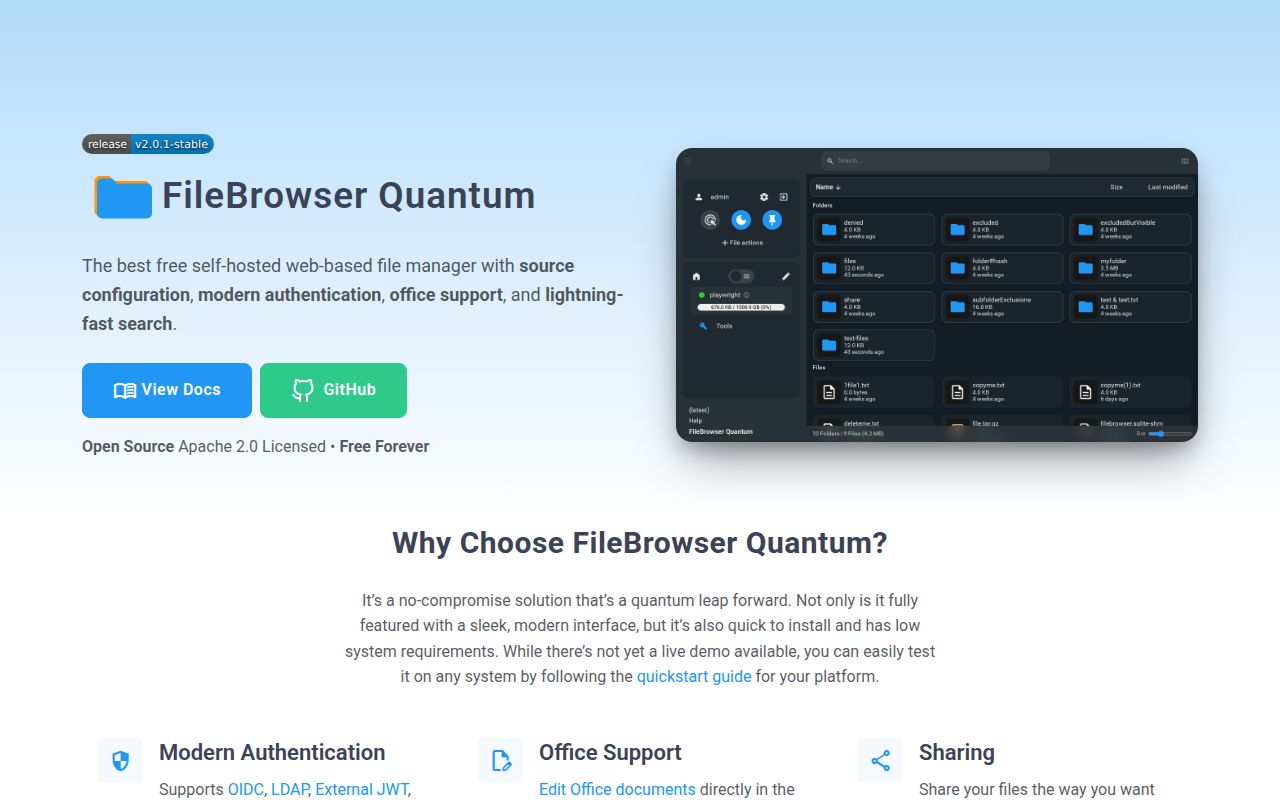
Give a colleague access to the shared folder without handing over every directory the server can read. That is the useful job behind FileBrowser Quantum's source configuration. A source is a filesystem location, and the application can present several of them through one web interface. User and group access can be scoped to source paths. For an operator with existing folders and several people to serve, that is a concrete reason to consider this fork.
The README also lists previews and editing, configurable share links, and WebDAV. Password login with two-factor authentication is available alongside OIDC, LDAP, JWT, and proxy authentication. These are documented capabilities, not workflows verified by our sandbox. Choose the login method your organization can operate, then judge whether the access rules match your actual folders. More sign-in choices do not settle who should see a sensitive source.
What happened when we ran it
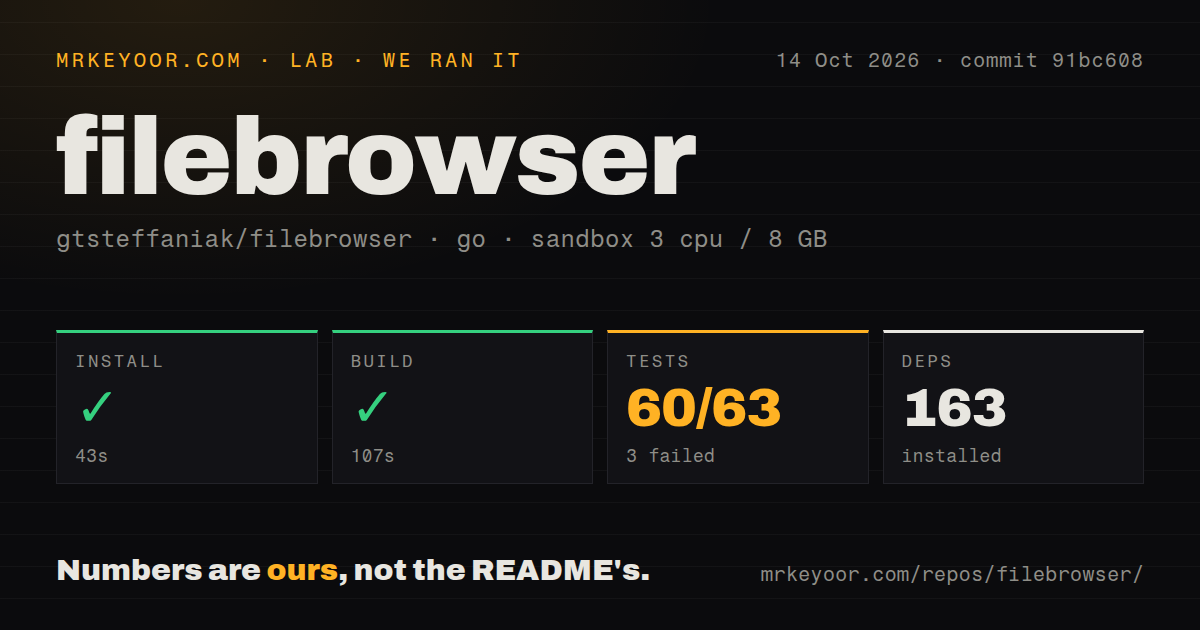
Our sandbox installed FileBrowser Quantum commit 91bc608 in 43 seconds, built it in 107 seconds, and ended its test step with exit code 1 after 76 seconds. The recorded Go test summary reports 60 passed and 3 failed out of 63. The Go project lives under backend/. This October 14, 2026 run gives us a successful build and an incomplete basis for trusting the whole suite.
The supplied log tail lists successful packages including quota, share defaults, indexing, and web, then finishes with FAIL. It does not show the failed cases or their assertions. We cannot identify which feature failed, blame a missing service, or infer that file sharing is broken. Anyone evaluating a source contribution should inspect the complete failure log before deciding whether that failure affects the change they need.
The sandbox had 3 CPUs and 8 GB of RAM, with the recorded image label golang:1.24-bookworm. Actual toolchain and operating-system versions require raw logs. Installation recorded 163 dependencies. The checkout occupied 18.4 MB across 1,136 files and about 208,436 source lines. Those figures describe repository work, not the startup time or memory use of a packaged deployment. The lab supplied no vulnerability-audit result for this project.
Default source grants can reach every account
The source guide says defaultEnabled: true grants a source to all users when accounts are created. It also says that, from v2.0.1, startup merges missing default-enabled sources into existing users' scopes. Existing scope paths are preserved. This deserves a deliberate configuration decision: an additional source intended for everyone and a source assigned only to selected users need different defaults.
Leave defaultEnabled false for sources you want to assign manually, as the guide recommends. The same page documents denyByDefault for requiring an explicit allow rule. Its private option has a narrower meaning: it currently prevents sharing. That distinction matters if you read the word "private" as a promise of complete user isolation. The source path, user scope, and permission rules still need to express who can reach the files.
Setup therefore includes readable filesystem paths, a config.yaml, and an administrator's access policy. External identity providers need their corresponding configuration; password authentication is also documented, so an external identity service is not compulsory. The source guide warns against exposing a root directory or a source containing Linux's /var. Its current text also discusses some v2.1.0 quota behavior, which should not be assumed available in the v2.0.1-stable release.
Shell commands are deliberately absent
The README says shell commands were completely removed and will not return. Walk away if your existing File Browser workflow depends on triggering server-side commands from the interface. Quantum's previews and sharing controls do not replace that feature. Its comparison chart also marks direct S3 and FTP support as absent. A filesystem-focused interface is the wrong starting point when your central requirement is connecting directly to those storage services.
Filestash lists SFTP, S3, SMB, WebDAV, and FTP among its storage protocols. Consider it when the browser must reach several kinds of existing storage. SFTPGo lists SFTP, HTTP/S, FTP/S, and WebDAV server protocols, with local and cloud storage backends. Choose it when serving transfer clients is the main job. These are differences in documented scope, without a comparative speed or reliability result from our lab.
The latest stable release includes security corrections
The October 13, 2026 v2.0.1-stable release lists a high-severity scoped-folder escape involving newly created accounts named with two dots, and a medium-severity session-token collision fix involving simultaneous logins. Those are directly relevant to a service managing users and restricted folders. Read the release's linked advisories when selecting a deployment version. Our successful build is no substitute for understanding those access boundaries.
GitHub records a push on October 23, and the activity feed shows issues and pull requests updated that day, including work on WebDAV and an OnlyOffice-related PDF report. That combination shows ongoing maintenance. It does not prove the reported problems are fixed in a release, and the failed sandbox tests cannot be assigned to any of them from the supplied tail.
Documentation earns 4/5 here for explaining source defaults, access options, and version-specific behavior. This is a coverage judgment, with 5 reserved for coverage verified through the relevant workflows. We leave setup ease, runtime maturity, and support quality unassessed within the stated evidence limits. Before giving Quantum shared folders, use a disposable source and separate ordinary accounts to check which paths each can see, including after a restart. That exercise tests the access decision this application asks you to make.