The replay makes FastF1 data easier to inspect
F1 Race Replay turns a past session into moving cars on a rendered circuit. You can pause, rewind, change playback speed, hide interface layers, select drivers, and inspect speed, gear, DRS, lap, and tyre information. Safety Car periods appear too, although that car's position is simulated because the source data does not include its GPS path. The result is closer to a personal pit-wall screen than a notebook chart.
The basic workflow is approachable. Run python main.py, pick a year and round in the graphical menu, then wait while FastF1 downloads and processes the session. Direct commands can open a race, sprint, or qualifying session and refresh cached data. Playback offers 0.5x, 1x, 2x, and 4x controls. The README warns that a first load takes longer, but our lab did not measure session download or rendering speed.
A localhost feed turns the replay into a development surface
An optional telemetry mode publishes newline-delimited JSON over a TCP socket on localhost port 9999. Frames carry driver positions, throttle, brake, gear, DRS, tyres, weather, replay state, and session timing. The repository also provides a PitWallWindow base class that handles the connection and window cleanup, so a developer can concentrate on a custom analysis panel rather than the transport code.
That feed is the most interesting reason to choose this project over a fixed viewer. It can drive side windows for sector times, race control messages, strategy, or selected-driver telemetry while the main replay runs. Sector fields may be null when timing is unavailable, and the documentation tells consumers to treat null as unknown rather than zero. This is practical guidance for anyone calculating an ideal lap from 3 sectors.
What happened when we ran it
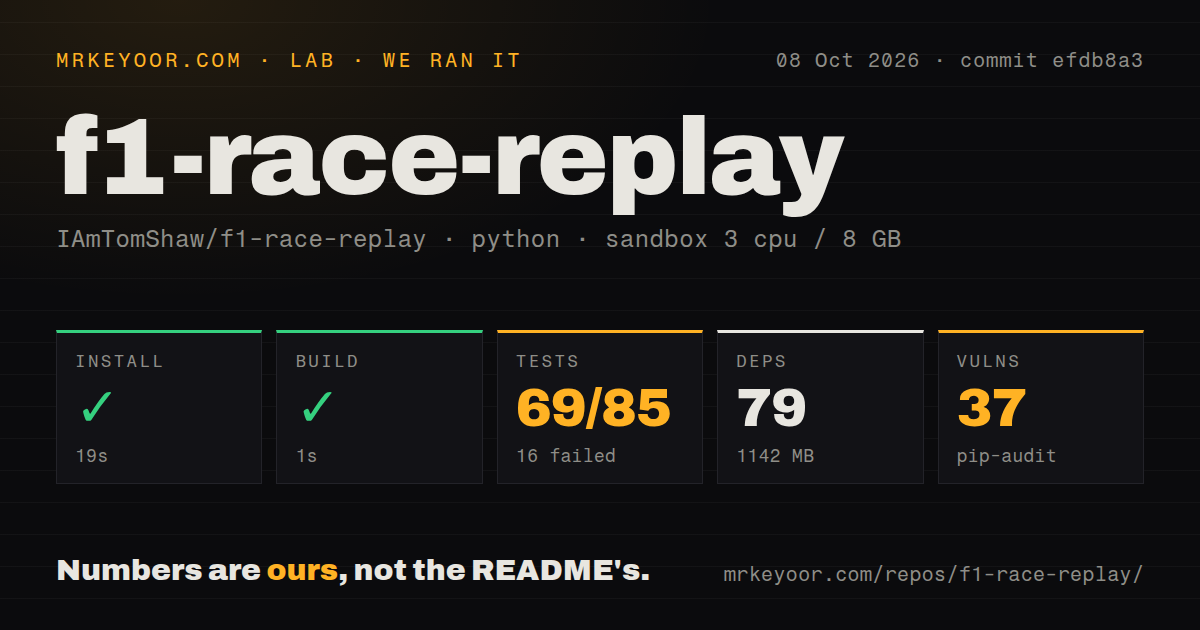
Our sandbox installed commit efdb8a3 in 19 seconds, adding 79 packages and using 1,142 MB on disk. The checkout itself contained 79 files, about 17,061 lines of source, and occupied 18 MB. A build check succeeded in 1 second. The environment was an unprivileged Debian container with 3 CPUs, 8 GB of RAM, Python 3.12, and no secrets.
Pytest completed in 9 seconds with 69 passes and 16 failures out of 85 tests. The failed cases all came from the import sweep. Modules for driver telemetry, the pit wall, race control, sector times, track position, tyre strategy, qualifying, the main replay, and session startup could not load because libGL.so.1 or library GL was absent. The log supports that narrow finding and no broader cause.
Pip-audit reported 37 known vulnerabilities in the installed environment. The repository had 1 CI workflow file, a tests directory, and no Dockerfile. This is a better test outcome than a suite that never starts: 69 cases did run. It still means the documented pip installation was insufficient for importing the complete application on fresh Debian, and the dependency audit needs review before use inside a controlled environment.
Running order can be visually wrong at lap boundaries
The README already says its leaderboard can be inaccurate in the opening corners, around pit stops, and at the finish. Open issue 331 goes further: it reports that per-lap distance resets to zero at each lap boundary while the application ranks drivers by that value. A leader crossing the line can therefore appear behind cars still finishing the previous lap. That affects the central replay, not a decorative side panel.
Issue 327 describes a different cost on Windows with Python 3.12.7. A full-grid session can raise MemoryError when the complete FastF1 session object is passed to each worker task. Another current report covers a 2026 Bahrain replay crashing when circuit marker information is missing. These are user reports rather than failures from our 85-test run, but each names a reproducible session or workload that a buyer can check.
The desktop requirements are missing from the pip command
The README asks for Python 3.11 or newer and installs nine top-level requirements, including FastF1, Arcade, pyglet, and PySide6. It also states that OpenGL 3.3 or newer is required and gives conda users a libstdcxx-ng workaround for context errors. Our Debian result adds a specific boundary: the 1,142 MB Python environment still lacked the system GL library needed to import 16 modules.
There is no Dockerfile, which is reasonable for an interactive desktop app but removes a reference Linux image. The requirements file also has no version pins. A new issue reports that Python 3.14 installation can fall into a local Pymunk build through Arcade, while our Python 3.12 install succeeded in 19 seconds. Use the interpreter version from a known working setup, then test graphics and one complete session before blaming FastF1 or the replay code.
The README's MIT claim lacks a license file
The README labels the project MIT, but GitHub's repository API reports no detected license and the root has no LICENSE file. Open issue 316 has tracked that exact mismatch since July 23, 2026. A sentence in a README shows intent, yet contributors and redistributors should not have to infer the operative license text. Ask the maintainer to add it before shipping a modified version.
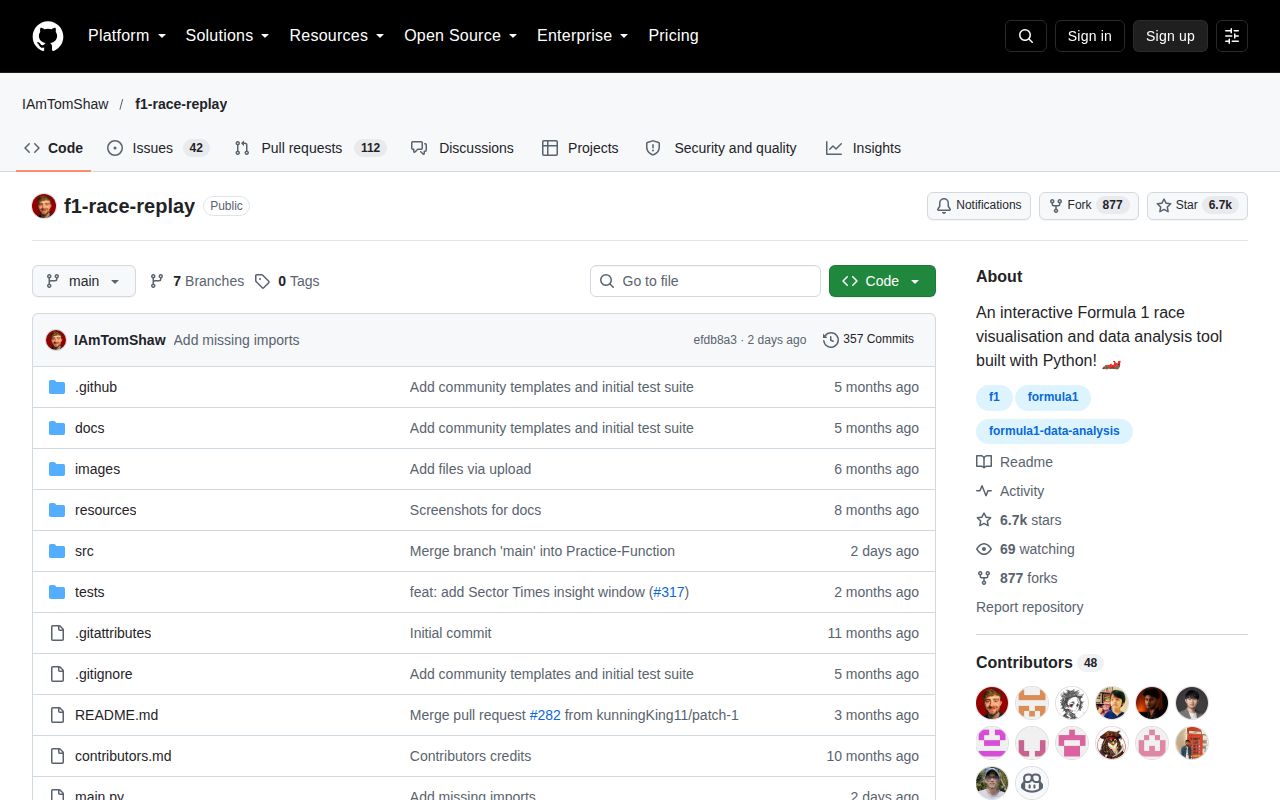
Development is plainly active. GitHub recorded the last push on October 6, 2026, and 154 open issues and pull requests combined. The API returned no latest release, so users currently track commits instead of a tagged package line. That activity makes the project worth trying for an F1 data hobbyist, but the unpinned environment, 37 audit findings, order bug, and missing license file keep it out of serious analytical workflows.