One desktop controls agents, files, a browser, and a terminal
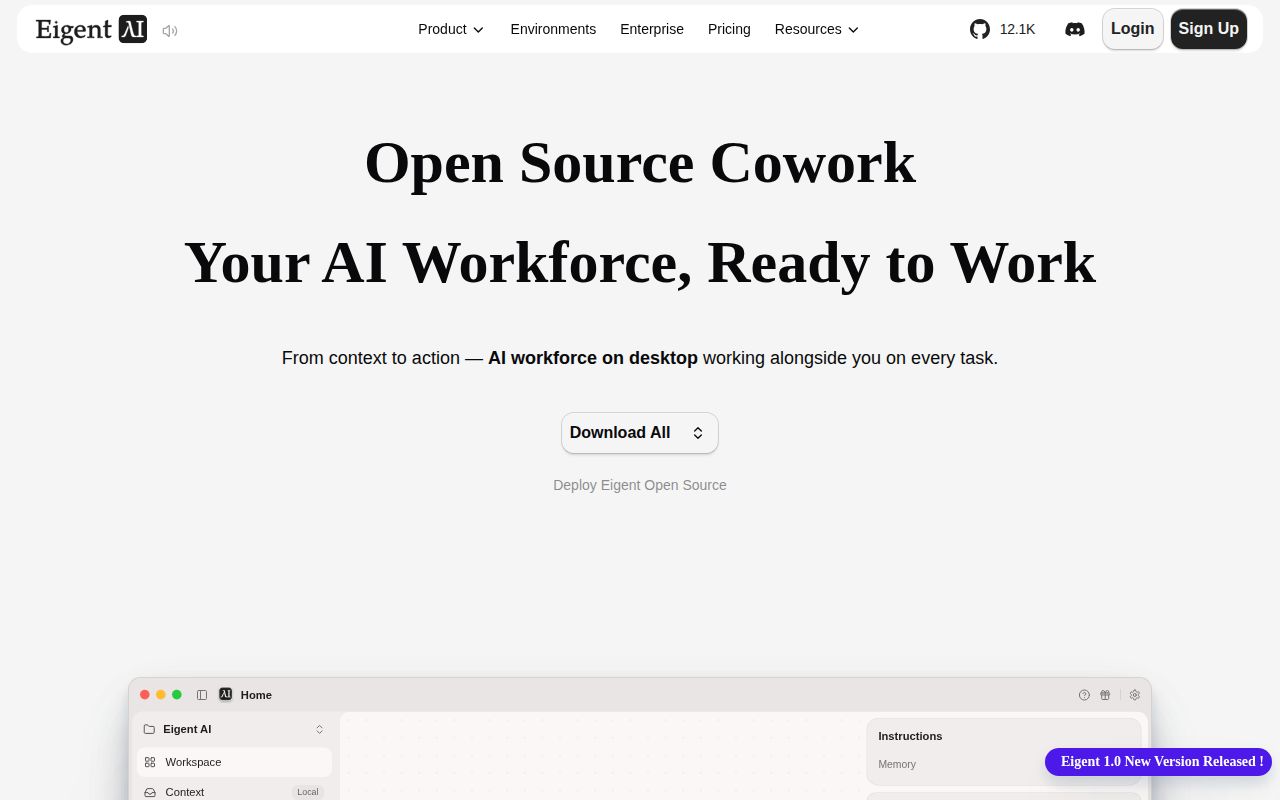
Eigent wraps CAMEL's agent framework in an Electron application. A user can start with one agent or assign a larger task to a workforce of specialized agents. The app presents task progress, generated files, browser activity, and terminal work in one place. Scheduled workflows, skills, and MCP connectors extend that surface beyond a chat window.
Its breadth warrants caution. A model that browses, runs commands, and reorganizes files has more reach than a chat answer. Apache-2.0 licensing permits inspection and modification, while permissions and workspace isolation remain operator work.
The 1,634 MB install is larger than the quick start suggests
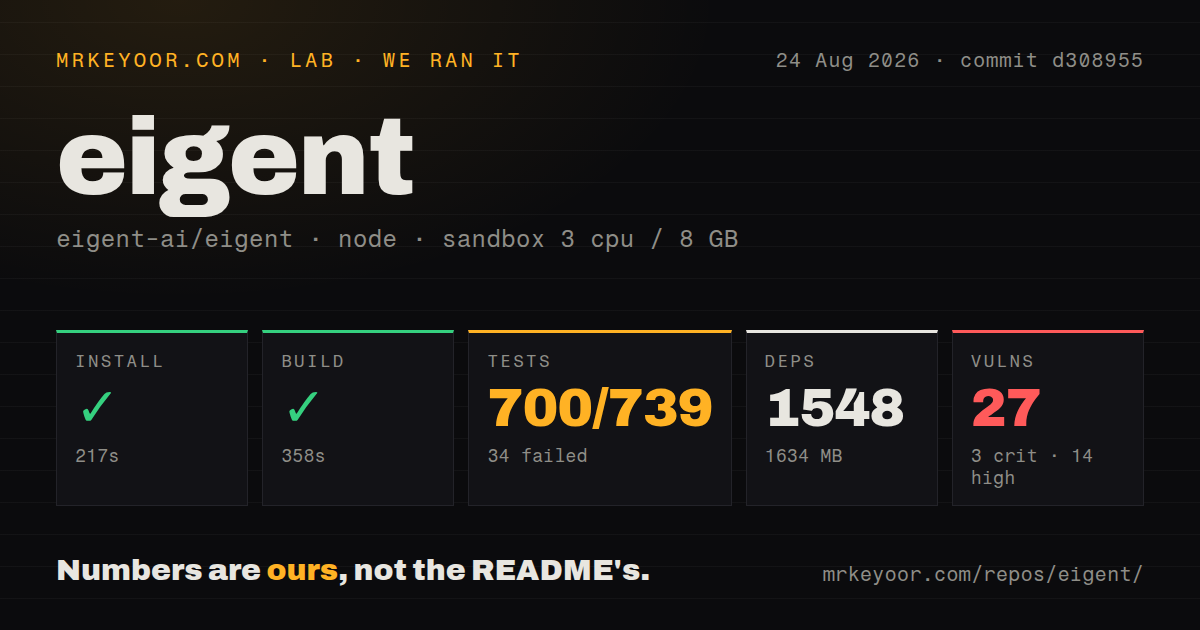
We cloned commit d308955 into an unprivileged Debian container with 3 CPUs and 8 GB of RAM. The checkout had 1,492 files, about 238,581 source lines, and occupied 15.4 MB. Npm installed 1,548 packages in 217 seconds and used 1,634 MB on disk. The build then passed in 358 seconds.
The README labels the cloud-connected route a quick start: Node.js 18 through 22, npm install, then npm run dev. It also says that route requires account registration and talks to Eigent cloud services. The fully local route is a different deployment. It includes a Python 3.12 backend managed with uv, plus local or remote model infrastructure such as Ollama, LM Studio, or vLLM.
What happened when we ran it
Our sandbox tests failed after 221 seconds. Vitest reported 700 passed, 34 failed, and 5 skipped out of 739 tests, spread across 15 failed test files. It also recorded 7 errors. The tail identifies test/unit/electron/install-deps.test.ts as the file around one error and says should handle null window gracefully was the latest test that might have caused it.
The same tail warns that 11 unhandledRejection listeners were attached to process, exceeding Node's default limit of 10. It does not prove a memory leak, and Vitest explicitly says the named test may only be the last documented one before the error. The honest result is that the build compiled but the checked-out test suite was not clean in our stated Node 22 environment.
Npm audit found 27 known vulnerabilities in the installed tree: 3 critical, 14 high, 7 moderate, and 3 low. We did not determine exploitability, and an advisory in a development-only path has a different risk than one reachable from Electron or the backend. Before deployment, map each finding to the packaged desktop application and upgrade or document every accepted exception.
Local deployment still depends on several moving parts
The README describes local deployment as isolated from cloud services, but isolation requires choosing and operating each component. The desktop frontend talks to a FastAPI backend. Model calls go to a local server or an enterprise gateway. Connectors bring their own tokens, OAuth flows, and network destinations. Browser and terminal toolkits then act on the machine where Eigent runs.
Start a trial in a disposable account or virtual machine with a copied workspace. Provide one connector credential, confirm where sensitive state is stored, and test stopping a live workflow. Version 1.0.2 fixes project switching, stale replies, task completion, sandbox paths, backend startup, and OAuth URL handling.
MCP connectors widen the task range and the trust boundary
Version 1.0.2 added a Connector Gateway interface and MCP wiring. That can bring business services into the same workflow as local files and browser automation. It also means a single task may cross several permission systems. An MCP server can expose narrow read tools or consequential write tools; Eigent's interface cannot make an overbroad connector safe by itself.
Treat each connector as an application integration. Review its tool list, restrict its account, and keep human approval around sends, deletions, purchases, and deployments. Issue 1800 asks for a package that combines prompts, evaluations, datasets, connectors, and business logic, suggesting that a one-click extension model is not yet documented as an existing capability. Do not read a feature request as shipped packaging support.
Search and startup prerequisites can fail without a clear recovery path
Issue 1796 says the research agent's response degraded or stalled without a Google search API key and asks for Exa support or a way to disable search. The report says the interface can appear stuck when search is broken. That is a concrete setup dependency for a basic research workflow, despite the README's broader model-agnostic message. Testing with the exact search provider and region is necessary.
Issue 1768 reports a silent initialization hang when Node.js or npm is unavailable from the desktop client's path. That clashes with the README's Zero Setup label, even though the source quick start does list Node prerequisites. A technical evaluator can diagnose environment paths. A general employee receiving a desktop installer may simply see an app that never becomes ready. Enterprise rollout needs a preflight check outside the app until the product supplies one.
Active development has not yet produced a calm release surface
GitHub showed 15,126 stars, 213 combined issues and pull requests, and a last push on August 26, 2026. The latest release was v1.0.2 on July 21, 2026. Its notes concentrate on workflow reliability, connector setup, desktop behavior, local backend startup, and state handling rather than declaring the architecture finished. Ten CI workflow files and a tests directory show active engineering around the 238,581-line checkout.
Issue 1866 raises a separate process concern: a reporter says a private security advisory submitted July 16 had not been acknowledged by August 24, despite SECURITY.md stating a normal 48-hour response target. That public report does not reveal the vulnerability or prove it is valid. It does mean a security-conscious adopter should ask who monitors disclosures before giving Eigent sensitive files or credentials. Our failed tests and 27 audit findings make that conversation more urgent.