mrkeyoor.com_
Tue 01 Sept 17:43 UTC
Dataevaluationupdated 25 Aug 2026

desktop-fly review

DesktopFly is a macOS desktop pet whose movement is driven partly by a spiking simulation built from FlyWire fruit-fly connectome data. It turns a neuroscience dataset into a visible toy: the fly walks on window edges, reacts to cursor movement, and exposes an interactive view of its modeled neural circuit.

+17stars / 7d
Verdict

Our 4-second Python-side build succeeded, but no test target ran and the macOS Swift application was outside that sandbox result. DesktopFly is worth trying as a compact, inspectable science toy on macOS, especially because the README clearly separates real connectivity from modeled behavior. Do not treat it as a biological result, a cross-platform product, or a commercially simple asset bundle.

We ran it

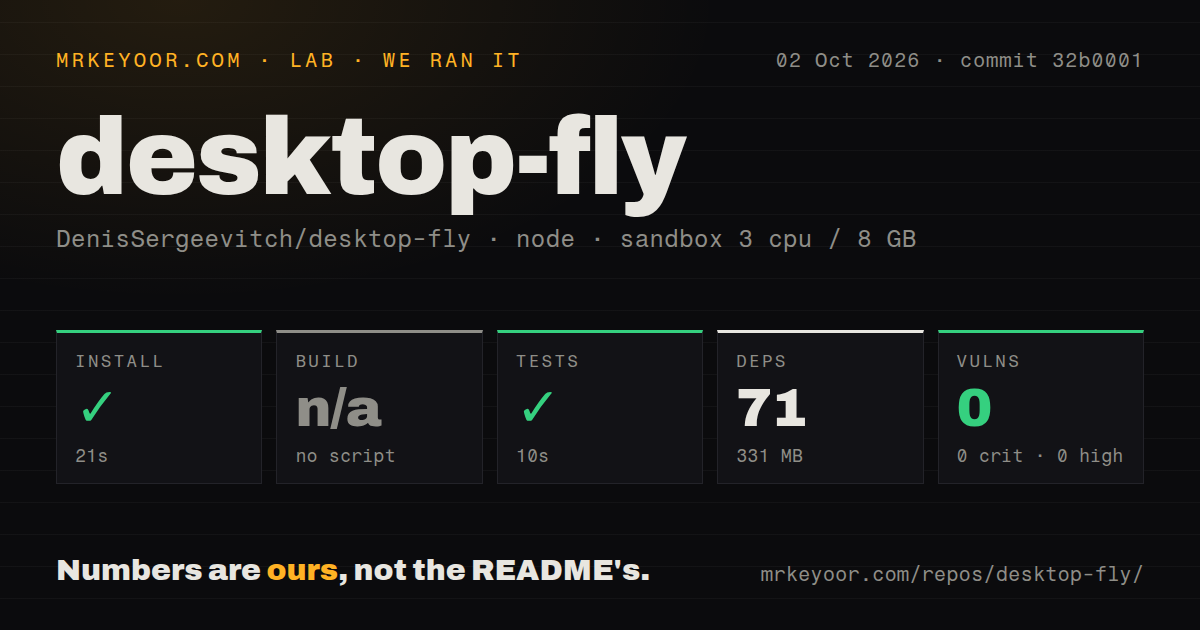
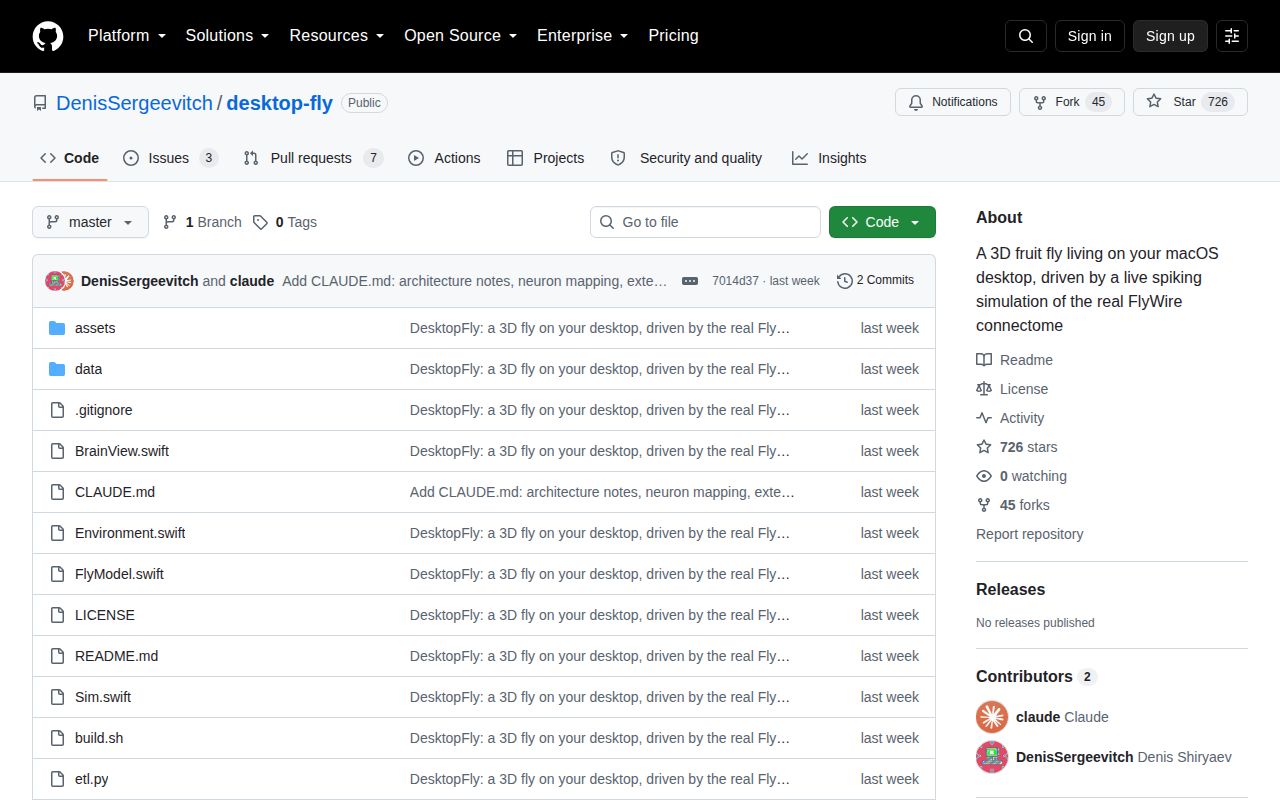
Lab card: what happened when we ran desktop-flyScreenshot of desktop-fly (github.com/DenisSergeevitch/desktop-fly)
Install✓ · 14s35 packages · 37 MB
Build✓ · 4s
Testsn/ano test script
Known vulns0(pip-audit)
Repo16 files~2,564 lines of source · 1.4 MB · 0 CI workflows

Answers from our run

Does desktop-fly build from source?

Dependencies installed in 14 seconds (35 packages), and the build succeeded in 4 seconds. We cloned commit 7014d37 into a clean Debian container with 3 CPUs and no project-specific setup.

Does desktop-fly have tests you can run?

Not through a standard command: the project exposes no test script or target that our harness could run.

Does desktop-fly have known vulnerabilities in its dependencies?

pip-audit found none in the dependency tree at the time of our run.

Who should not use desktop-fly?

Windows or Linux users expecting official support: the README requires macOS 13 or newer, while issues #7 and #8 point to separate community ports.

What are the alternatives to desktop-fly?

Desktop Goose, eSheep, FlyWire Codex. Our 4-second Python-side build succeeded, but no test target ran and the macOS Swift application was outside that sandbox result.

Setup3/5Small source tree, but real app build requires macOS and Swift tools
Docs4/5Clear controls, model boundary, diagnostics, and data regeneration
Community2/5726 stars and fresh port discussion, with only a small issue history
Maturity2/5No tagged release, CI workflow, automated test target, or installer

Discussed on

  1. hnA 3D fruit fly on macOS desktop powered by the real FlyWire connectome383 points

Who it’s for

macOS users who want an unusual desktop pet with a neuroscience basis.
Educators looking for a visual conversation piece about connectomes and neural simulation.
Swift developers interested in Cocoa, SceneKit, transparent overlays, and procedural animation.
Researchers or artists who understand the difference between measured wiring and modeled physiology.

Who it’s NOT for

Windows or Linux users expecting official support: the README requires macOS 13 or newer, while issues #7 and #8 point to separate community ports.
Anyone who needs a validated biological simulator: the README says the dynamics, neurotransmitter signs, delays, electrical-coupling boost, and cursor-to-stimulus conversion are modeling choices.
Commercial users who need one permissive license for everything: the code is MIT, but derived files under data/ are CC BY-NC 4.0.
Users who want a signed installer or managed release channel: GitHub returned no latest release, and setup is a source build with Xcode Command Line Tools.
Developers requiring automated test integration: our sandbox found no test script or target, even though the app exposes manual diagnostic commands.

Setup reality

Our run at commit 7014d37 treated the repository as Python because it includes the data-generation script. It installed 35 packages in 14 seconds, using 37 MB, and its build step succeeded in 4 seconds. No test target existed, so tests were skipped; pip-audit found 0 known vulnerabilities.

That run did not produce or launch the macOS app. The actual desktop program requires macOS 13 or newer plus Xcode Command Line Tools with Swift 5.9 or newer, then build.sh invokes Swift against Cocoa and SceneKit.

The checkout had 16 files, about 2,564 source lines, and occupied 1.4 MB. Regenerating connectome data needs Python and a roughly 60 MB FlyWire download. The app needs no special macOS permissions, but it has no Dockerfile, CI workflow, packaged installer, or GitHub release.

DesktopFly simulates 668 neurons behind one desktop pet

DesktopFly puts a procedural fruit fly on a transparent macOS overlay and lets a neural simulation influence what it does. The modeled circuit contains 668 neurons and roughly 19,000 connections derived from FlyWire data. Cursor approaches feed looming-detector cells, while named descending neurons affect escape, steering, walking, grooming, and backward movement. A separate brain window plots 23,210 neuron positions and flashes active circuit locations. The result is part toy, part data visualization, and part argument for making scientific datasets tangible.

The strongest design choice is also the easiest to miss: the README labels what came from measurement and what the author supplied. FlyWire contributes the connection graph and strengths downstream of the sensory cells. Leaky integrate-and-fire dynamics, neurotransmitter signs, synaptic delays, electrical-coupling boosts, and conversion of cursor motion into a looming value are model choices. The 3D body is procedural because the connectome has no body geometry. DesktopFly therefore demonstrates behavior generated through a biologically grounded graph; it does not reproduce a whole animal.

Our 4-second build covered Python data tooling, not the Swift app

Our sandbox cloned commit 7014d37, identified the Python data-generation path, and installed 35 packages in 14 seconds. Those dependencies occupied 37 MB. The configured build step succeeded in 4 seconds, while pip-audit reported 0 known vulnerabilities. No test script or target was available, so the lab skipped tests. That is a clean result for the detected Python side, but it does not establish that the Cocoa application compiles or renders correctly.

The actual app has a different boundary. Its shell script calls Swift with Cocoa and SceneKit, and the README requires macOS 13 or newer plus Xcode Command Line Tools with Swift 5.9 or newer. After compilation, the user launches DesktopFly directly and quits through a menu-bar item. There is no latest GitHub release, signed application bundle, or installer described. For a personal experiment this is manageable. For distribution inside a company, packaging and provenance work remains with the adopter.

The 1.4 MB checkout uses macOS surfaces without extra permissions

The repository contains only 16 files, about 2,564 source lines, and occupied 1.4 MB in our checkout. Within that small codebase, the fly can walk along window edges, ride a dragged window, react when its ledge disappears, and move between displays. Cursor position, window frames, clicks, idle time, and thermal state provide environmental signals. The README says those inputs are available without macOS permissions and that the overlay is click-through, so the pet does not intercept ordinary mouse or keyboard input.

That permission-free approach has clear limits. Typing is inferred from idle-time changes rather than captured characters, which is privacy-friendly but coarse. Window enumeration and overlays are operating-system features, so portability is not a recompile. Issue #8 describes a community X11 and GNOME port whose author says native Wayland windows are invisible to the pet because normal clients cannot enumerate them or watch their input. Issue #7 points to another independent Wayland effort. Neither issue turns those ports into official support.

The interactive brain is informative if you keep the model boundary visible

The brain view makes the project more useful than a decorative animation. Hovering stops rotation, and clicking a region stimulates nearby circuit neurons for 400 ms. Selecting the Giant Fiber can provoke escape, while other named groups affect grooming or turning. The body also feeds gait rhythm back into ascending neurons, and fast cursor movement stimulates wind-related partners. These couplings give a viewer something to inspect rather than a canned list of animation states.

DesktopFly also ships diagnostic commands for circuit invariants, behavior reactions, and offscreen snapshots. Our lab did not run them because no automated test target was exposed, so their presence should not be confused with a measured pass. A useful next step for the project would be wiring those diagnostics into CI on a macOS runner. The repository currently showed 0 CI workflow files and no tests directory, leaving changes to simulation or rendering without visible automated enforcement on GitHub.

No release and mixed licenses keep this in experiment territory

GitHub showed 726 stars, 10 open issues and pull requests, and a last source push on August 18, 2026. Issue discussion continued on August 21 through community Linux-port reports, so the project drew attention after the last commit. GitHub had no latest release to return. That activity fits a new, compact experiment better than an established desktop utility with packaged updates and a long maintenance record.

Licensing needs equal care. Source code is MIT, while the derived connectome files in data/ use CC BY-NC 4.0 and require the cited FlyWire papers. Regenerating those files needs Python and roughly 60 MB of raw downloads. For personal use, education, or an art-and-science demo, the boundary is clear enough. A commercial fork should review the data terms before assuming the code license covers the shipped experience. DesktopFly is memorable because its constraints are visible, not because it erases them.

Alternatives

ProjectWhat it isPick it when
Desktop GooseA mischievous desktop pet focused on playful interruptions rather than scientific modeling.pick this instead when you want a finished desktop character and do not care about connectome data.
eSheepA lightweight desktop pet that lets animated animals roam across windows.pick this instead when broad desktop-pet familiarity matters more than an interactive brain view.
FlyWire CodexA web interface for exploring the underlying fruit-fly connectome and its annotations.pick this instead when inspecting neurons and connections matters more than having a desktop toy.

What people are saying

  1. [velocity-scout] DenisSergeevitch/desktop-fly
  2. [hackernews] A 3D fruit fly on macOS desktop powered by the real FlyWire connectome

Sources

  1. DesktopFly repository and current metadata
  2. DesktopFly model and installation README
  3. DesktopFly Linux port discussion
  4. FlyWire Codex

More data reviews

turso · TrackersListCollection · dash · getcontact-cli · awesome-zhuiju-free · iggy · the whole board →