Cal.diy is a personal scheduler, not Cal.com's free enterprise edition
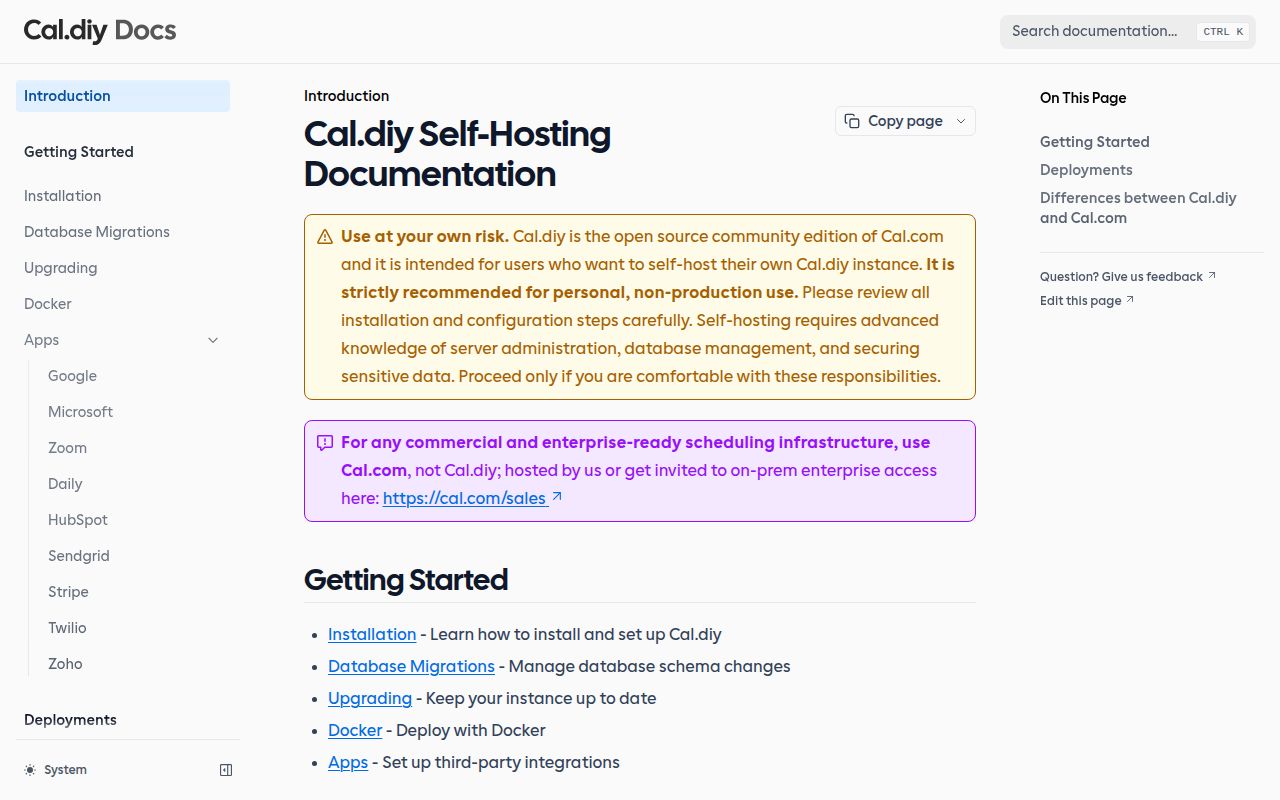
The repository formerly known as calcom/cal.com now redirects to Cal.diy. Its README describes a community fork of Cal.com with the commercial and enterprise code removed. That distinction changes the buying decision. Cal.diy gives an individual a booking page, availability rules, and calendar connections under the MIT license, but it does not include teams, organizations, insights, workflows, or SSO/SAML. The maintainers also recommend it strictly for personal, non-production use and direct commercial users to hosted Cal.com or its on-premises enterprise offering.
The smaller product promise does not mean a small codebase. Our clone contained 7,695 files, about 555,499 lines of source, and occupied 205.8 MB before dependencies. This is a Yarn workspace monorepo built around Next.js, React, tRPC, Prisma, and PostgreSQL. The repository includes a Dockerfile, a Compose setup, and 50 CI workflow files. A capable operator will recognize the shape: several packages, generated database clients, build-time configuration, and enough moving parts that upgrades deserve a maintenance window.
What happened when we ran it
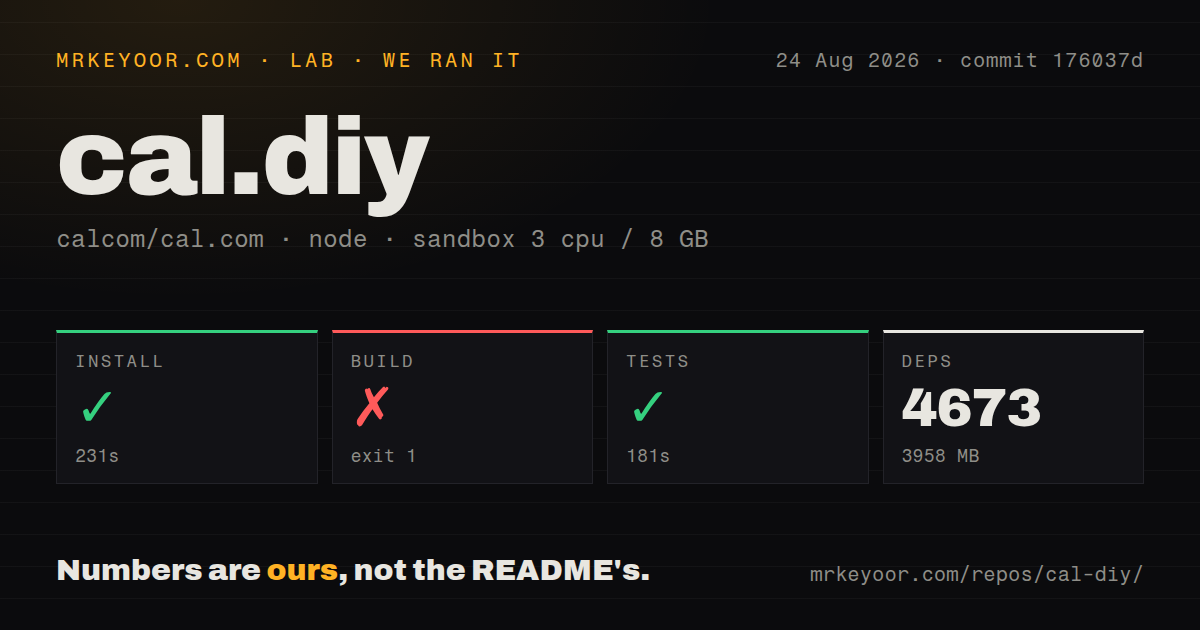
Our sandbox installed Cal.diy successfully in 231 seconds. That one install pulled 4,673 packages and left 3,958 MB on disk, a heavy dependency tree for a personal scheduling service. We ran the project at commit 176037d in an unprivileged container with 3 CPUs and 8 GB of RAM, using the project's Yarn workflow. Installation success matters here because the repo performs generation and post-install work across its packages rather than stopping after dependency resolution.
The build failed after 81 seconds. Twelve of 13 tasks completed, then @calcom/web stopped with Error: Please set NEXTAUTH_SECRET; the log did not identify another cause, so the fair finding is that a clean build requires that secret to be configured. The tests succeeded in 181 seconds. The run therefore shows two things at once: the checked-out code could install and complete its test command, while the documented secret is also enforced during the production build.
Docker Compose still leaves you owning PostgreSQL and secrets
The README requires Node.js 18 or newer and PostgreSQL 13 or newer for development. Its Compose path is more convenient: copy .env.example, generate NEXTAUTH_SECRET and the 32-byte CALENDSO_ENCRYPTION_KEY, then start the app, database, and Prisma Studio. Push notifications need a VAPID key pair. A source build currently needs an available database, and build-time values must match runtime values. That is clear documentation, but it is infrastructure work rather than a one-click appliance.
Resource needs also deserve attention before choosing a small VPS. Our dependency install consumed 3,958 MB on disk, and the README's development tip suggests raising Node's old-space limit as high as 16,384 MB when needed. The suggested limit signals the scale of the development workflow rather than a requirement we measured for every deployment. Operators must also handle backups, TLS, database migrations, secret rotation, and updates that may introduce new environment variables. Compose packages the services; it does not operate them for you.
Calendar integrations make credentials part of the product
A scheduler becomes useful when it can read busy time and create meetings. Cal.diy documents separate setup for Google Calendar, Microsoft Graph, Zoom, Daily, Basecamp, HubSpot, Webex, Zoho products, Pipedrive, and optional Unkey rate limiting. Google alone requires an OAuth consent screen, calendar scopes, redirect URIs, and downloaded credentials stored in the environment. Each provider adds another external console, secret, callback URL, and failure mode that the operator must understand.
That burden is visible in current issue activity. An open CalDAV report says a conflict check failed silently and allowed a booking over a blocking event. One report cannot establish that every CalDAV connection is unreliable. The consequence is serious enough to test against your own calendars. The repository's 50 CI workflow files and successful 181-second test command show substantial engineering effort; neither can validate credentials, provider outages, or calendar data specific to your live instance.
The project is active, but support expectations must stay modest
GitHub reported 47,923 stars and 1,426 open issues and pull requests, with the last push on August 8, 2026. Issues were still receiving updates later in August, so the repository does not look abandoned. The latest tagged release was v6.2.0 on March 1, 2026, and its notes include fixes for booking details, app-store state, test flakiness, and onboarding behavior. A release gap alone is not a health verdict when commits and issue discussions remain current.
Maturity is uneven in the way that matters to a buyer. The 7,695-file project has a long history, a detailed deployment guide, a Compose route, and tests that passed in our sandbox. The community fork simultaneously warns against production use and removes the business features many organizations associate with Cal.com. Take that warning literally. Cal.diy is worth considering for one technically confident owner who wants a personal booking service. A company that needs support, team controls, or a smaller operational footprint should choose something else.