The catalog contains working parts, not a list of links
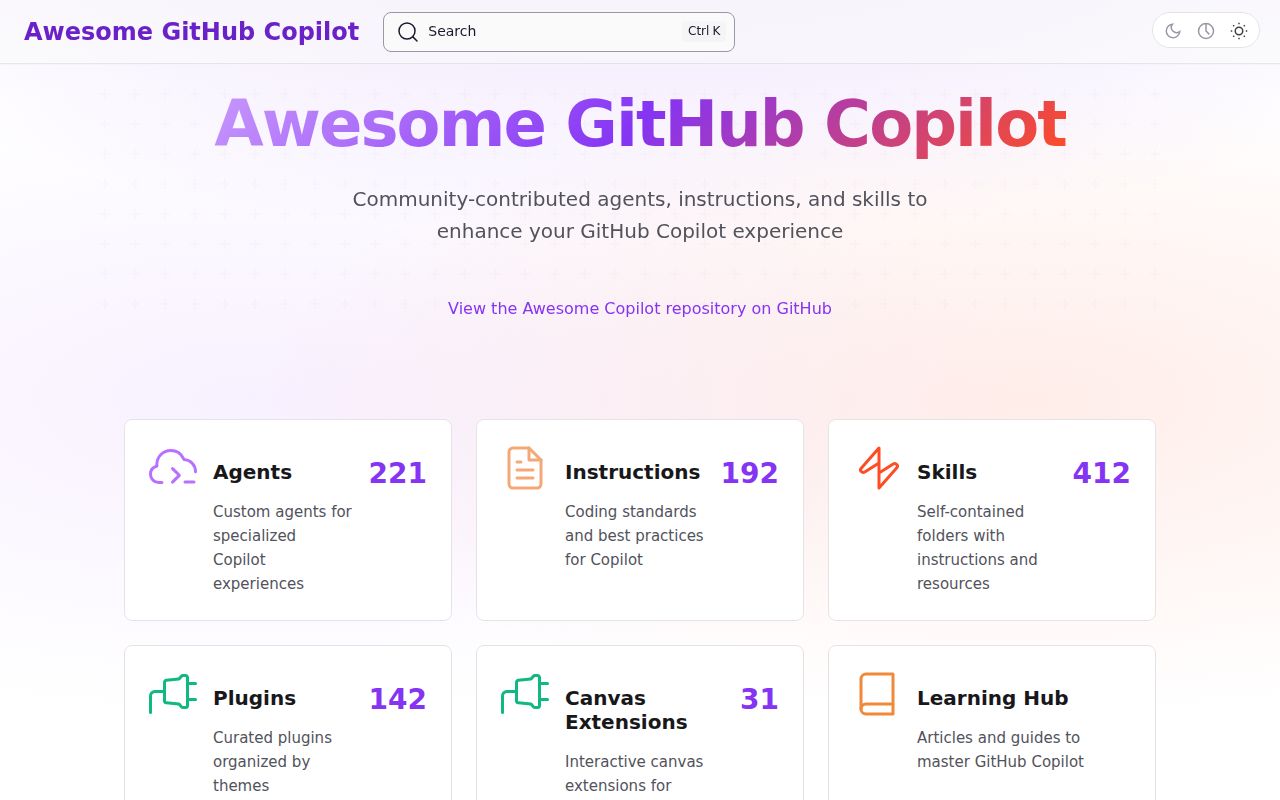
Awesome Copilot stores actual customization files for GitHub Copilot. Agents define specialized roles and tools. Instructions apply repository or file-specific guidance. Skills package instructions with supporting assets. Hooks react around agent activity, while plugins bundle several pieces behind a marketplace install. The cookbook covers Copilot API use. The accompanying website adds full-text search, filters, and a Learning Hub.
That makes the repository more useful than a conventional awesome list and more dangerous to adopt casually. A prompt file can change how an agent edits code. A hook can run a command. An agent can depend on an MCP server with its own credentials and network access. A plugin can install several of those resources together. The README explicitly says contributions come from third parties and must be inspected before installation.
A machine-readable llms.txt lets an agent search the collection, while generated pages separate agents, instructions, skills, and plugins. This is helpful when the user knows the job but not the correct Copilot format. Search for one pain point, compare the entries, and copy the smallest resource that addresses it.
What happened when we ran it
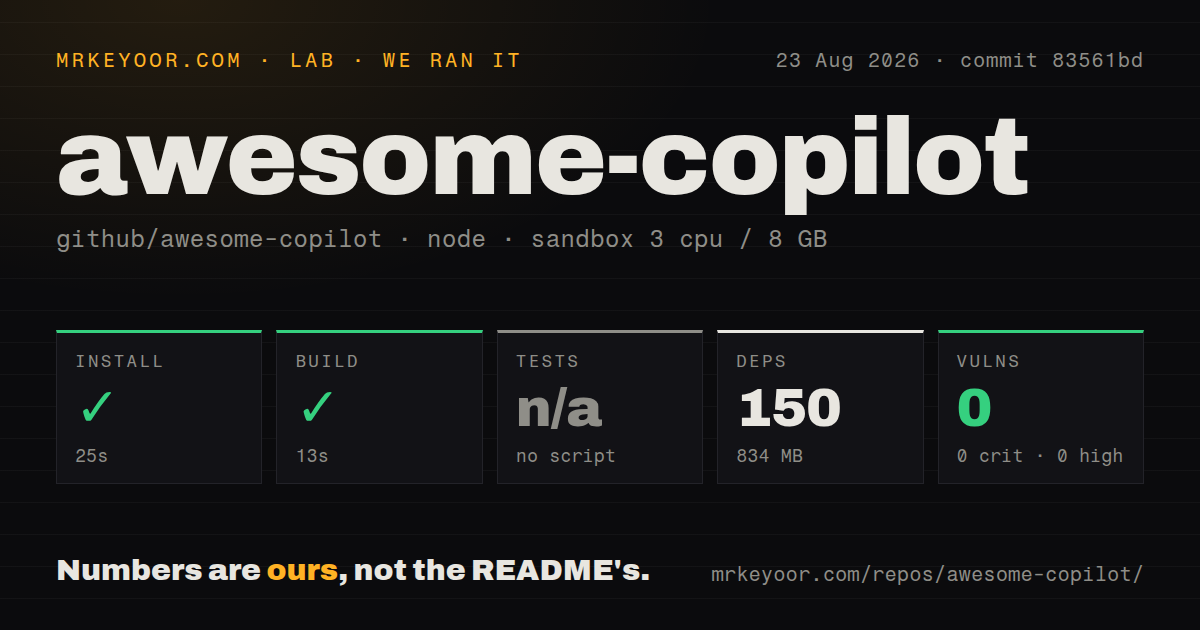
Our install at commit 83561bd completed in 25 seconds. Npm added 150 packages and occupied 834 MB on disk. The build succeeded in 13 seconds inside an unprivileged Node 22 Debian container with 3 CPUs and 8 GB of RAM. Npm audit reported 0 known vulnerabilities across critical, high, moderate, and low severities.
The repository did not expose a test script or target, so our harness skipped tests. It has 41 CI workflow files and no Dockerfile or tests directory. The checkout contained 2,727 files and about 115,537 lines of source. That combination fits a content catalog with heavy validation and generation automation rather than a service meant to run in a container.
The successful build confirms that the measured catalog and site tooling compiled. It does not test whether each agent follows its instructions, every external dependency still exists, or a skill improves Copilot's output. Behavioral evaluation belongs in the target repository, with the model, tools, and policies the team actually uses.
Plugin installation is easy; permission review is not
For most Copilot CLI and VS Code users, the Awesome Copilot marketplace is already registered. A plugin can therefore be installed with copilot plugin install <name>@awesome-copilot. An older or custom setup first adds github/awesome-copilot as a marketplace. Individual files may instead be downloaded or installed through editor links.
Before running a plugin, open its manifest and follow every referenced file. List agents, skills, hooks, scripts, tools, extensions, and MCP servers. Identify which commands can execute, which paths can be written, which external hosts receive data, and where credentials come from. A plugin that is sensible for a disposable demo repository may be unacceptable around production infrastructure.
Adopt one resource at a time. Repository instructions can conflict with existing AGENTS.md files or team conventions. Broad personas can add tokens while making decisions less predictable. A small trial makes it possible to compare completion quality, review time, tool calls, and failure modes against ordinary Copilot use.
Validation catches packaging errors, not bad judgment
The repository uses scripts and 41 workflow files to maintain generated indexes and check submissions. That machinery can catch malformed metadata, broken references, duplicate entries, or an installation that does not complete. Contributor guides define separate structures for agents, instructions, skills, hooks, workflows, and plugins, which is far better than accepting an unstructured prompt dump.
Structural checks cannot prove that an instruction is current, secure, or appropriate for your codebase. They also cannot guarantee the quality of a model response. A syntactically valid hook can still run the wrong command. A correctly declared MCP server can expose more data than a company permits. Human review remains part of installation even when every workflow is green.
Issue 2790 reported a failed Learning Hub updater on 2026-08-25. That is a narrow automation report, not evidence that the catalog is unusable. It does show why generated content and maintenance status should be checked rather than assumed from the GitHub organization name.
No releases means main is the update stream
GitHub's latest-release endpoint returned no release for Awesome Copilot. The repository was pushed on 2026-08-26, and GitHub listed 70 open issues and PRs. Recent work included a GitHub Projects skill, Learning Hub navigation, a Copilot CLI course, an instruction-audit skill, and external plugin submissions. Activity is current even without tags.
The absence of releases makes catalog-wide reproducibility less convenient. If a team copies a file, record the commit and review upstream changes manually. If it installs a plugin, review updates before broad rollout. External plugin sources should be pinned where the format permits, because a friendly name is not an immutable supply-chain reference.
Copilot users should search here before writing from zero
Awesome Copilot is strongest as a discovery and learning system. Its categories teach the difference between persistent instructions, task-specific skills, specialized agents, and installable bundles. The searchable site saves time, and the repository gives reviewers the source instead of hiding behavior behind a store listing.
Our 13-second build and clean npm audit support confidence in the catalog tooling, while the absent test target sets the limit of that evidence. Bookmark it, borrow narrowly, and keep copied customizations under the same review process as scripts and dependencies. The useful question is whether one inspected resource improves a known workflow, not how many plugins can be installed.