3 daily files keep apps, websites, and messages separate
Ambient Context creates 3 files per day: apps.md, websites.md, and messages.md. An agent CLI can turn that record into 6 cited knowledge pages plus a daily summary. The resulting folder is readable by Claude Code, Codex, Cursor, Zed, or another MCP client without an Ambient Context account. Ordinary file tools can search it when an agent is unnecessary.
At 4 p.m., your assistant otherwise knows nothing about the ticket, mail thread, browser tab, or decision that occupied the morning. Ambient Context polls the accessibility tree every few seconds, deduplicates repeated text, records available file paths or URLs, and routes mail and chat bodies into their own file. It gives the next session evidence in legible Markdown instead of asking you to reconstruct the day from memory.
The 11-second lab setup leaves the privacy decision to you
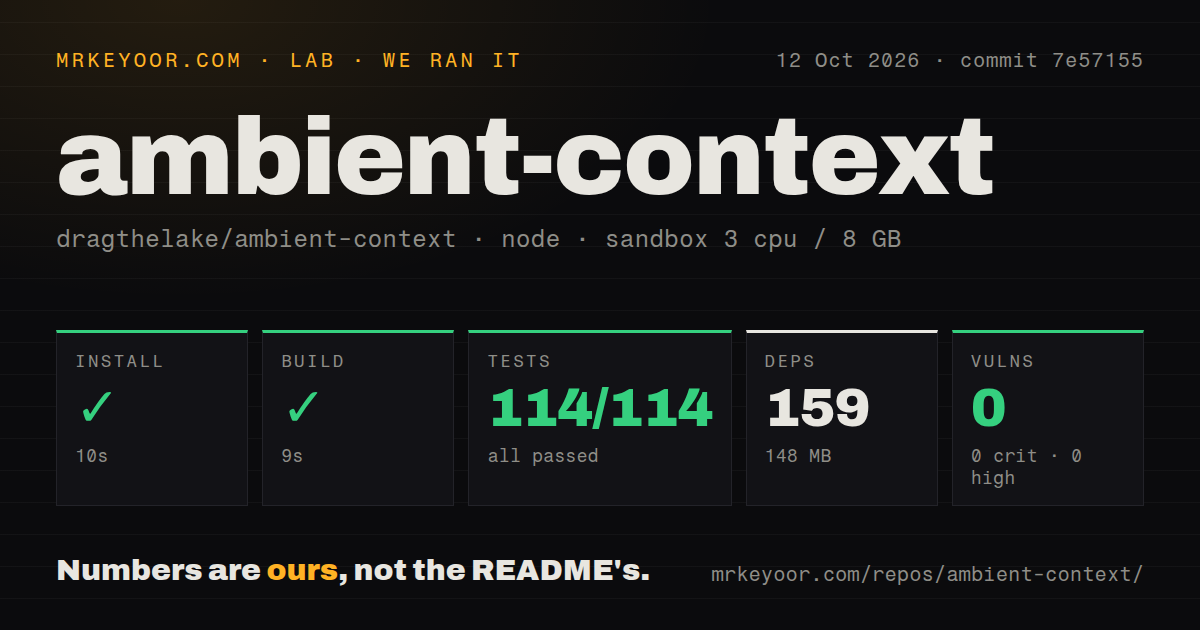
Our sandbox installed commit 6a353ab in 5 seconds, adding 79 npm packages and using 108 MB. The build succeeded in another 6 seconds. npm audit reported 0 known vulnerabilities: 0 critical, 0 high, 0 moderate, and 0 low. The source was cheap to inspect, but continuous workday capture still needs a personal or workplace policy decision.
The downloadable app requires macOS 14 or later on Apple Silicon. It also needs Accessibility permission so it can read focused-window text. Producing knowledge and notes requires Claude Code, Codex, opencode, or another configured agent command. Ambient Context makes no model call itself. The connected CLI's network and retention rules become a second trust boundary whenever it processes a day.
What happened when we ran it
Our measurement setup used a fresh unprivileged Debian container with 3 CPUs and 8 GB of RAM, where we measured commit 6a353ab. Installation finished in 5 seconds, and 79 packages occupied 108 MB. The build took 6 seconds. The repository itself measured 11.1 MB, with 77 files and roughly 2,832 source lines.
The checkout exposed no tests script or target, so our lab skipped tests. It also had no tests directory or Dockerfile, while one CI workflow was present. npm audit found 0 known vulnerabilities. The measured commit installed and built cleanly. It did not validate macOS capture, redaction, MCP tools, scheduling, or agent-generated notes.
1 focused window is recorded, with no screenshots or audio
Version 1.1.3 asks macOS for the focused window of 1 frontmost application; background windows and other displays are ignored. Capture also stops while the screen is locked. The current README says the app records no screenshots, video, audio, or OCR. Websites are stored as URL rows without page bodies, while native apps and message surfaces can contribute text. Images, charts, canvases, and other content absent from the accessibility tree will not appear later.
Coverage depends on the application. Chromium and Electron software may provide thin text for the first few seconds while their accessibility trees initialize. Kitty and Alacritty expose little or no text, according to the README; Terminal.app and iTerm2 work. If your day lives in a GPU-rendered terminal or a visual canvas, the record can miss the material you wanted an assistant to remember.
Day files have no encryption or retention sweep
The security guide for version 1.0.0 lists day files, knowledge, summaries, a ledger, settings, and rejected agent output as local plaintext. There is no built-in encryption, backup control, or retention sweep. Anyone who can read the folder can read the record. A synced folder can copy it elsewhere, and a connected agent may send excerpts to its provider when processing a day.
Several controls catch common leaks without covering every sensitive page. Secure accessibility fields are skipped, known password-manager apps and private-browser titles are excluded, and common credential shapes become [redacted]. Users can exclude an app, capture headings only for a site, or add patterns. The security guide names the remaining holes: ordinary banking, health, and mail pages can be recorded; novel secret formats can survive; sensitive paths or URL query strings are not scrubbed.
The app binary exposes 20 MCP tools
Version 1.1.3 documents 20 MCP tools for search, day reading, summaries, knowledge pages, ledgers, rules, prompts, and configuration. Read tools work while the menu app is closed. State changes use a Unix socket with mode 0600 and enter the day's ledger with the client name. There is no socket token because a local process able to reach it could also read the capture folder.
The 5 optional skills teach compatible agents how to catch up, prepare a standup, review a week, or tune capture rules. An assistant can retrieve cited evidence instead of relying on a vague summary. Every MCP client or skill-enabled agent pointed at the folder should therefore be treated as trusted software with permission to inspect the workday.
Version 1.1.3 fixed scheduling, but 2 defects remain open
Release v1.1.3 shipped on September 26, 2026, and fixed schedule controls that reverted before their asynchronous save completed. Issue 15 had reported schedule_hhmm repeatedly saving as null. The fix came through pull request 16, and the release notes credit that change directly. This is evidence of a user-reported defect reaching a release within 2 days.
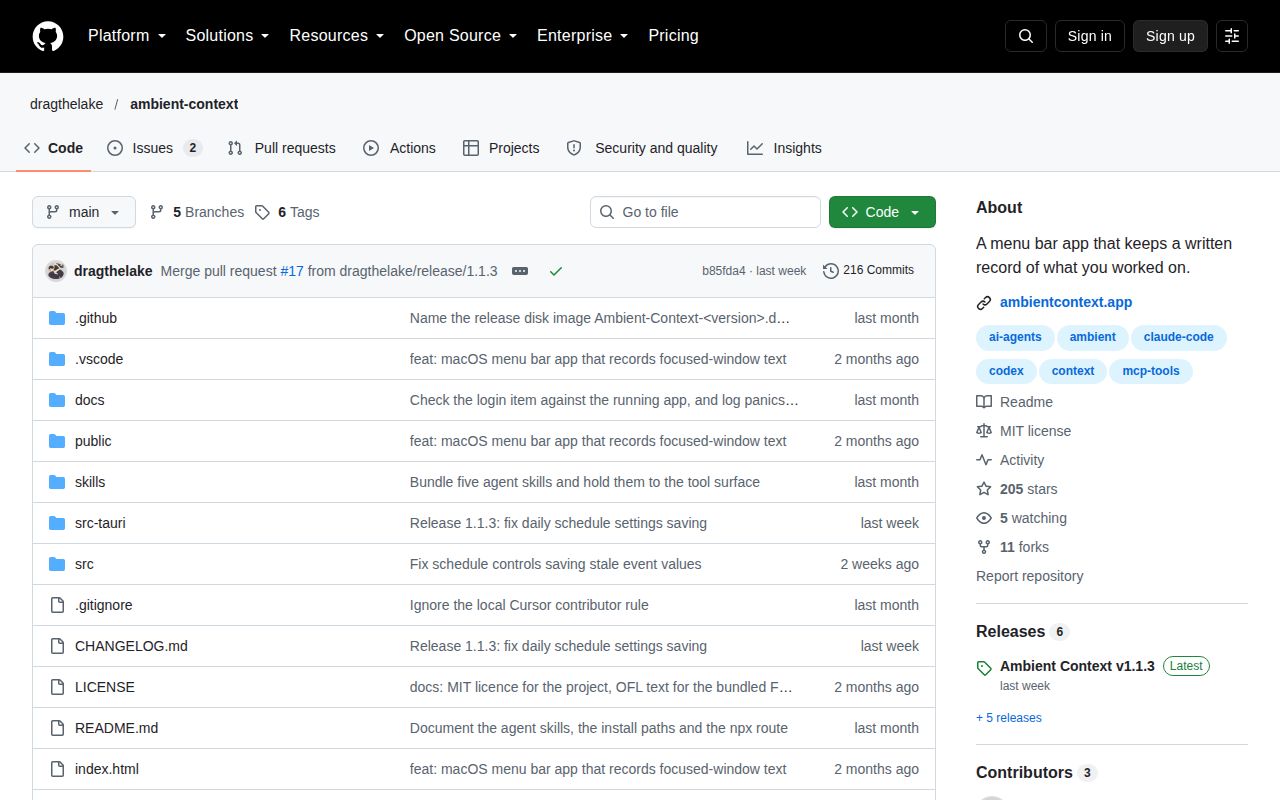
GitHub showed 205 stars and 2 open issues on October 6, 2026. Issue 18 reports that the menu-bar icon can disappear on macOS 26.7 even while capture and local MCP control keep working. Issue 19 documents generated summaries being rejected when an agent omits the closing frontmatter delimiter; the reporter reproduced it across 3 consecutive days. The project was last pushed on September 26, so recent issue reports have not yet appeared in a new commit.
The 11-second lab setup makes a personal trial cheap. Keep the eye closed if you will not review exclusions, inspect early captures, and delete old plaintext days yourself.