Ten local histories become one JSONL shape
AI Data Extractor searches the usual macOS, Linux, and Windows application folders for ten coding assistants. It reads Claude Code and Codex CLI JSONL, several JSON layouts, editor SQLite databases, Cline task folders, and Aider Markdown transcripts. Each conversation becomes one JSON object with messages, a source label, and a session identifier. Optional fields preserve whatever a source recorded, such as project paths, code selections, model names, timestamps, diffs, and tool calls.
This is a small toolkit, not a data platform. Our checkout at commit 6bcd87e was 0.1 MB, with 29 files and about 1,707 source lines. The size makes each extractor approachable for review. A new source implements two functions to find installations and return normalized conversations, then joins a registry in the main script. That is a practical design for developers who expect to repair a parser when an assistant changes its files.
Read-only input does not make the export safe to share
SQLite sources are opened in read-only mode, so a running editor should not be modified by the extraction. Corrupt or locked inputs are handled per reader, allowing a partial result instead of aborting the entire run. The --list command previews detected installations without exporting anything. These are sensible defaults for a utility pointed at years of work history. They protect the source data, which is only half of the privacy problem.
The output may contain API keys, proprietary snippets, personal paths, prompts, and exact tool inputs. A merged file can concentrate material from 10 assistants in one place. The README recommends secret scanning and manual review before sharing or training, and it already excludes the default output directory from Git. There is no built-in redaction policy. Store exports on encrypted, access-controlled storage and inspect them before any upload to a dataset service.
Undocumented editor databases make accuracy conditional
Claude Code, Codex CLI, Continue, Gemini CLI, OpenCode, Cline, and Aider have file structures the project parses directly. Cursor is more complicated: the extractor explicitly handles three known SQLite shapes. Windsurf and Trae are riskier because the README describes their schemas as undocumented and uses a generic search for chat-related keys plus objects resembling role-and-text pairs. A future update can evade that search without producing an obvious crash.
The repository had 0 CI workflow files, no tests directory, and no test command in our measured checkout. That leaves no automated fixture proving that each of the ten parsers recognizes representative source files or normalizes edge cases consistently. The README tells users how to inspect SQLite keys and adjust KEY_HINTS after a zero-result run. That is useful troubleshooting, though it puts validation on the person making the archive.
Aider adds a different discovery risk. Its transcript sits inside each project, so the default search walks the home folder and common project directories as deep as 5 levels while skipping folders such as .git and node_modules. Users with code under another mount or client directory must supply it through --search-path. A successful command can still miss projects, so compare the reported sources and conversation counts with the tools you know you used.
What happened when we ran it
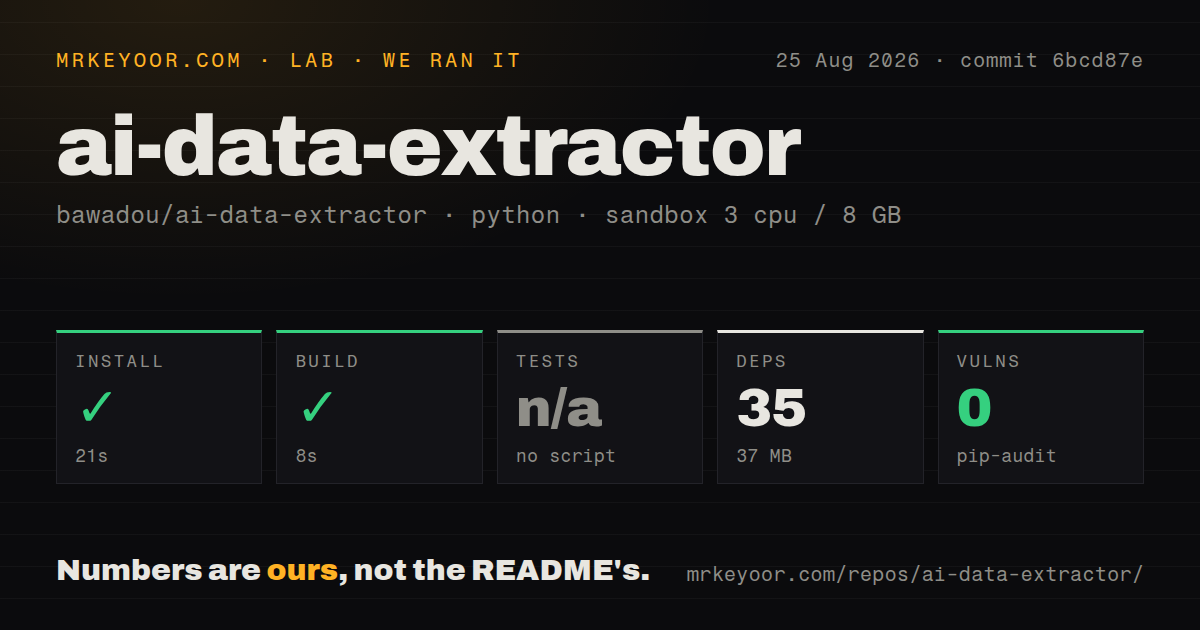
Our run at commit 6bcd87e installed 35 packages in 21 seconds, using 37 MB on disk. The build completed in 8 seconds, and pip-audit reported 0 known vulnerabilities. Tests were skipped because the repository exposes no test script or target. The fresh Python 3.12 Debian container had 3 CPUs, 8 GB of RAM, no secrets, and no privileged access. Nothing in the measured steps failed.
Those results establish that the package setup and build path worked on a clean box. They do not measure extraction correctness because our sandbox result contains no parser test count and no assistant archives. The README's standard-library-only claim refers to running the extractor itself; the lab installation still recorded 35 packages in its build environment. The distinction matters: easy installation lowers friction, while missing fixtures leave the main behavior unverified by the project.
JSONL is useful for analysis and awkward for reading
The normalized output is well chosen for scripts. Each line is independent, merged files work with common dataset tooling, and source-specific metadata can remain attached. Researchers can filter conversations containing assistant turns or convert message arrays through a tokenizer's chat template. Backup users can also keep separate timestamped files per source instead of merging everything. None of this requires a service account or network API.
A JSONL folder is a poor archive browser. There is no full-text interface, session preview, duplicate handling, incremental synchronization contract, or retention policy described in the README. Dedicated projects such as Cursor History or Claude Code History Viewer provide a friendlier route when one assistant is all you use. This extractor wins on breadth and on producing a format other software can consume, not on day-to-day retrieval.
A recent push cannot replace a parser test suite
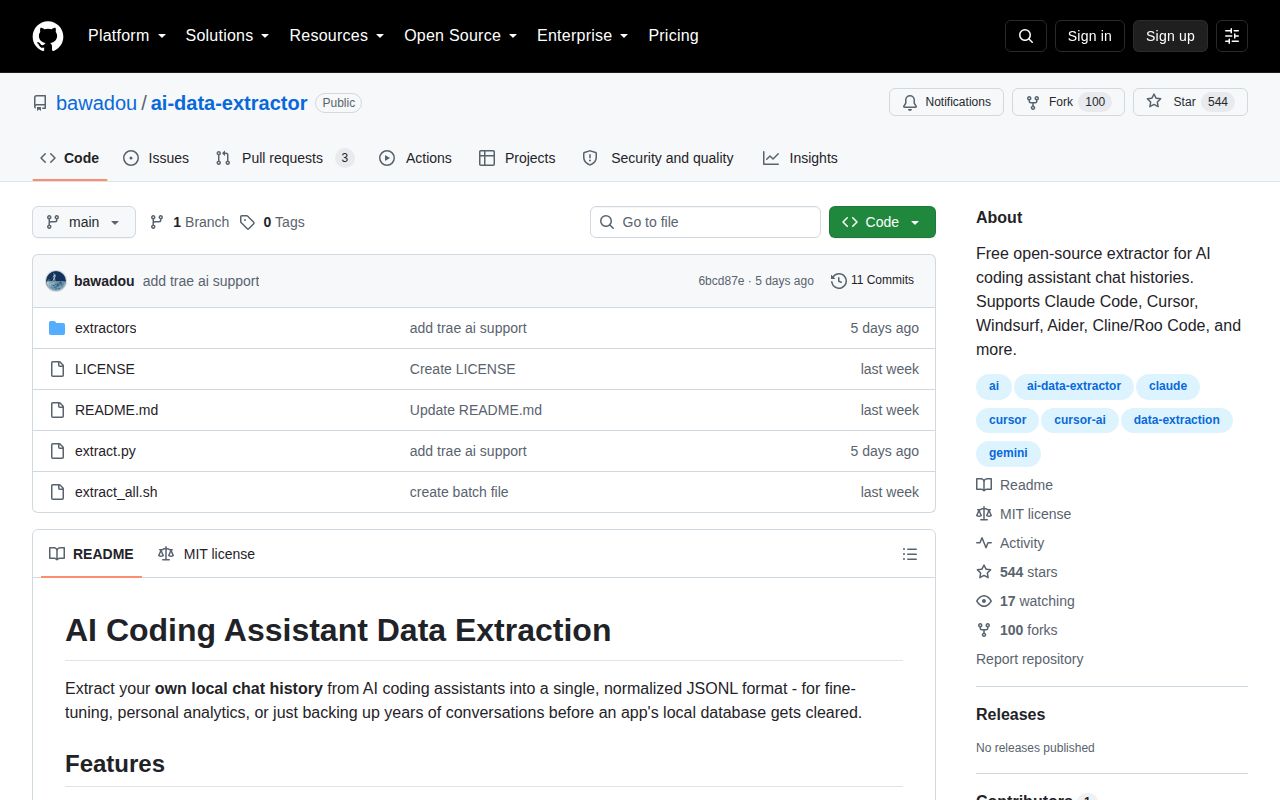
GitHub recorded 544 stars and a last push on August 20, 2026. The open count was 3, and all three visible items were documentation pull requests opened on August 24. No GitHub release exists. That is enough to show current interest around a young project, but there is little public maintenance history to judge. With 29 files, adding sanitized fixtures for each storage layout would materially improve confidence without requiring a large testing system.
Use AI Data Extractor for a controlled, local export where you can compare results against the original applications. Keep each source file until the normalized archive has been sampled, counted, scanned, and opened by its intended consumer. The 8-second successful build and clean vulnerability audit make the first trial cheap. The missing tests and heuristic parsers mean the export should remain a copy, never the only surviving record.