Version v0.9.2 controls macOS through accessibility data
Agent Desktop exposes 58 command names, 54 of which are operational in the stateless CLI. An agent can read an application's accessibility tree, select an element reference, act on it, and inspect the result as JSON. The remaining 4 held-input names are reserved and fail closed until a daemon can own their lifetime.
Our checkout had 1,237 files, about 135,393 lines of source, and occupied 48.6 MB before installation. The code is split across the core command contract, a macOS adapter, tracing, an FFI layer, tests, and skill documentation. This is a substantial codebase for a command-line desktop tool.
Skeleton snapshots cut tokens by a claimed 78% to 96%
Dense apps can produce large accessibility trees, so Agent Desktop starts with a shallow skeleton and lets the caller drill into one branch. The README reports a 78% to 96% token reduction for this progressive path. Each snapshot carries an ID, and qualified references include that ID. Reusing a reference from the wrong session or after the UI changes is supposed to return an explicit stale or ambiguous result instead of choosing a nearby control.
That contract matters more than the number of commands. Before an action, the tool checks visibility, stability, enabled state, supported action, policy, and editability. Its errors also describe whether delivery was safe to retry. Our 3-CPU, 12 GB sandbox could inspect only compilation behavior, not a live Mac accessibility tree, so we did not verify the claimed token savings or action semantics.
What happened when we ran it
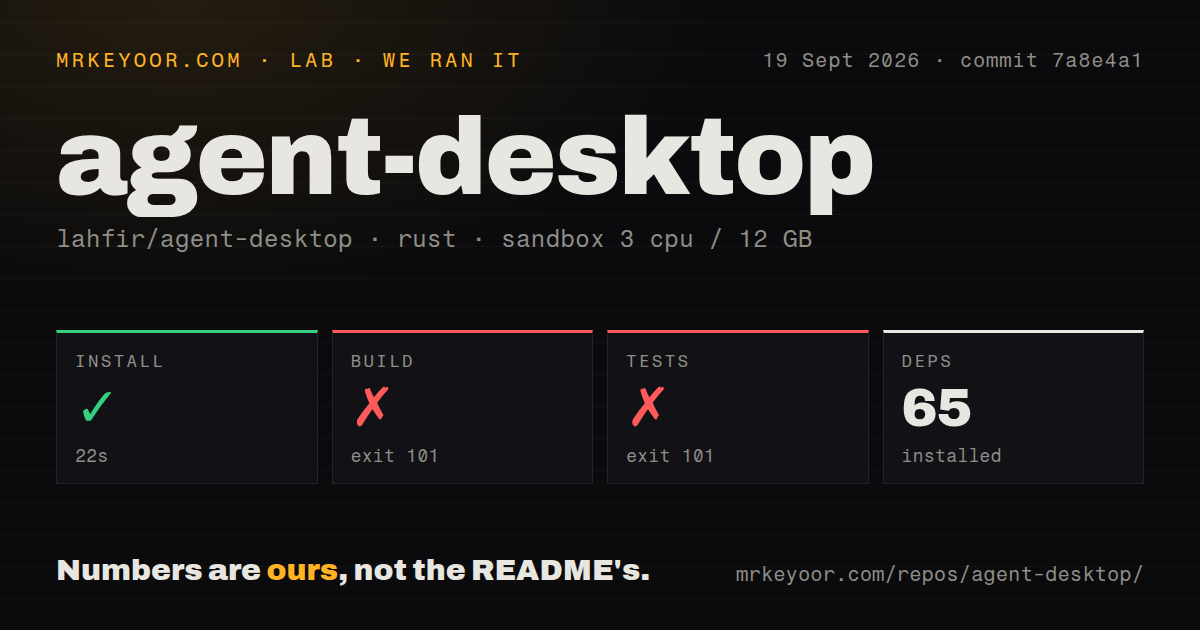
Our sandbox installed 65 packages in 22 seconds at commit 7a8e4a1. The build then failed with exit code 101 after 55 seconds. The final compiler output came from agent-desktop-macos: it reported 113 errors and 69 warnings, including unresolved references to accessibility_sys. We cannot turn that tail into a broader diagnosis, but the result is clear enough for buyers using Debian CI: this checkout did not complete the documented Cargo build there.
The test command also stopped during compilation, with exit code 101 after 23 seconds. Its tail reported 216 errors and 64 warnings in the macOS library tests. Named failures included missing retry_incomplete_until and stale_ref_error functions. No test-result count was produced, so it would be wrong to describe any tests as passing or failing individually. The measured outcome is a failed test compile, not a run of the test cases.
Our scan found 6 CI workflow files and a tests directory, with no Dockerfile. The checkout ran unprivileged, had 3 CPUs and 12 GB of RAM, and carried no secrets. The README says the main source path requires macOS 13.0+ and Rust 1.89+, while its platform table marks Windows and Linux desktop features as planned.
macOS 13 permissions are part of the deployment
The shortest documented route is npm install -g agent-desktop, which downloads a prebuilt binary. macOS users must then grant Accessibility permission for UI control. Screen Recording is needed for screenshots, and opening Notification Center needs Automation permission for System Events. Permission checks do not prompt by themselves; a separate bounded helper requests what is missing.
The 48.6 MB source checkout also builds a C-compatible library for in-process calls from several languages. Release v0.9.2 ships FFI archives for macOS, Linux, and Windows, while its CLI archives are macOS-only. That distinction is easy to miss. Linux and Windows can load parts of the common interface, but the README's platform table still says accessibility trees, clicks, screenshots, clipboard, windows, and notifications are planned there.
Chromium applications get a second route. launch --cdp starts a fresh app with a verified DevTools port on 127.0.0.1, so a browser automation client can handle web contents while Agent Desktop handles native menus and windows. Any local process running as the same user can reach that port until the app closes. The split is useful for Slack or VS Code, provided the operator treats the local endpoint and captured session artifacts as sensitive.
Twenty-one open items include pointer and snapshot defects
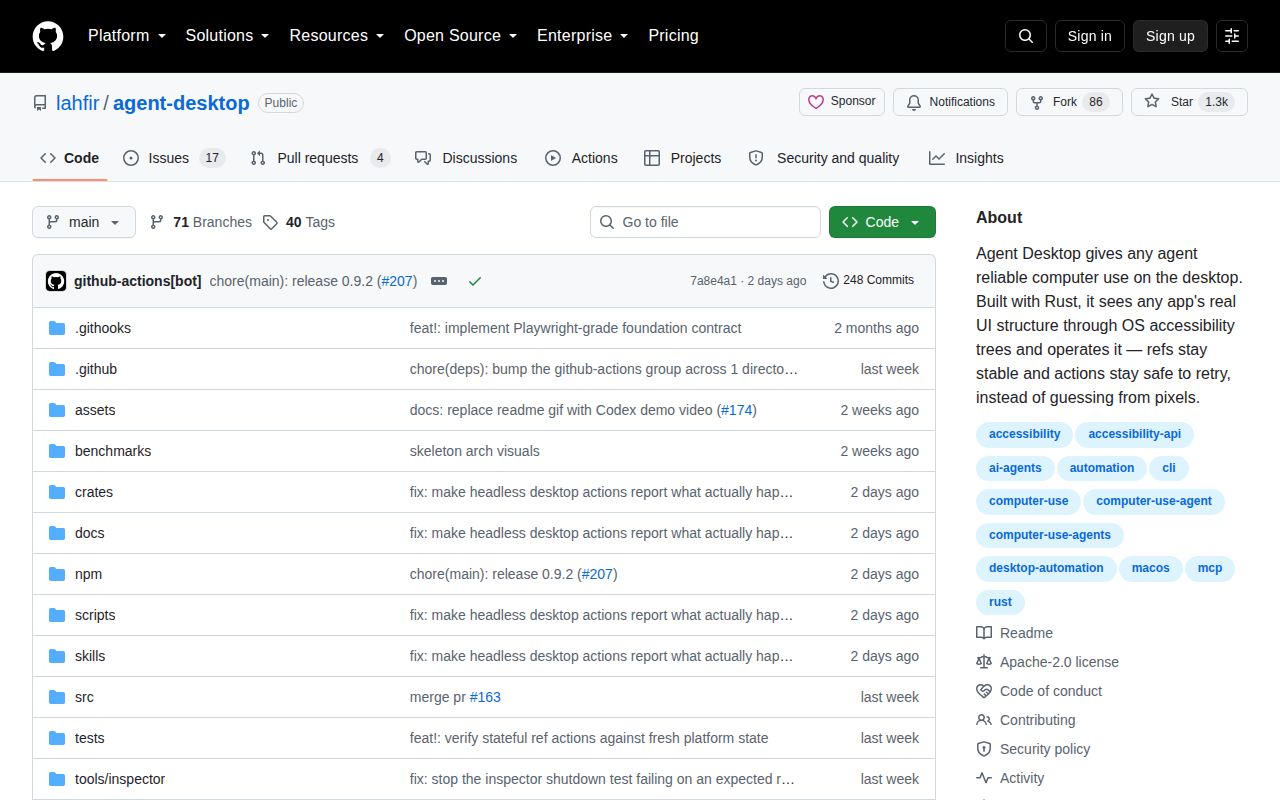
GitHub listed 21 open issues and pull requests combined, with several detailed bug reports from September 2026. Issue 155 says physical pointer actions can fail when a target moves after its snapshot, even after the auto-wait observes a stable new position. Issue 159 says a globally truncated macOS snapshot can lack the promised per-node marker that identifies where the tree was cut. Both concern the information an agent uses to decide whether an action is safe.
The 1,237-file repository also has a packaging concern. Issue 143 says the npm install fast path accepts an existing binary without checking it against a stored checksum, which can leave a stale or corrupt file in place. That does not mean every install is bad. It does mean managed deployments should verify the downloaded release and avoid assuming that a repeated install repaired an earlier binary.
The September release is active, with a narrow safe path
Release v0.9.2 and the last repository push both landed on September 17, 2026. GitHub showed 1,288 stars, and open pull requests were still being updated on September 19. The latest release note addresses headless action reporting, which is directly related to the tool's core promise. This is active maintenance rather than a dormant experiment, though the version number and open action bugs argue for staged adoption.
Our 65-package install was quick; the 55-second build and 23-second test compile were the stops. On a supported Mac, start with read-only snapshots, enable one mutation class at a time, and preserve traces without exposing screenshot data. On Debian, Windows, or Linux, choose a tool whose desktop adapter works today. Agent Desktop earns a Mac trial because its failure contract is unusually explicit, and that same contract tells you where trust still has limits.