Python 3.12 setup is easier than proving a purchase works
py12306 installed 35 packages on our Python 3.12 sandbox and occupied 37 MB. That is pleasantly small for an automation service with a web view, notifications, and optional clustering. The code handles several dates, accounts, ticket tasks, stations, seat preferences, and train filters. It can query without an account or log in and try to order for named passengers. The README is entirely Chinese, and the root contains no English translation.
The project asks for operational trust that a clean installation cannot establish. Buying a train ticket crosses login, captcha, passenger lookup, availability queries, order submission, confirmation, and notification services controlled by other parties. A change at any one boundary can leave the process running while the useful action fails. py12306 is best read as an integration that needs current live verification, rather than a utility whose behavior is fixed by the checked-out code.
A 1-second sample interval can drive several ticket tasks
The sample configuration sets a 1-second query interval and randomizes each request between half and all of that period. Every job names travel dates, departure and arrival stations, passengers, preferred seats, and optional train allow or deny lists. Multi-account and multi-thread modes broaden the search. The README also warns that query and login operations are separate and that certain Chinese cloud environments may have their IP addresses restricted. Users must choose a rate and host with that warning in mind.
Redis turns one process into a small cluster. A master distributes configuration, receives child-node messages, and can recover its role after a promoted child covered an outage. That can help several searches share state, but it also multiplies the number of clients touching a live ticket service. The cluster design does not prove that requests are accepted or that concurrent jobs respect current 12306 behavior. Start with one account and one query-only task before adding workers.
What happened when we ran it
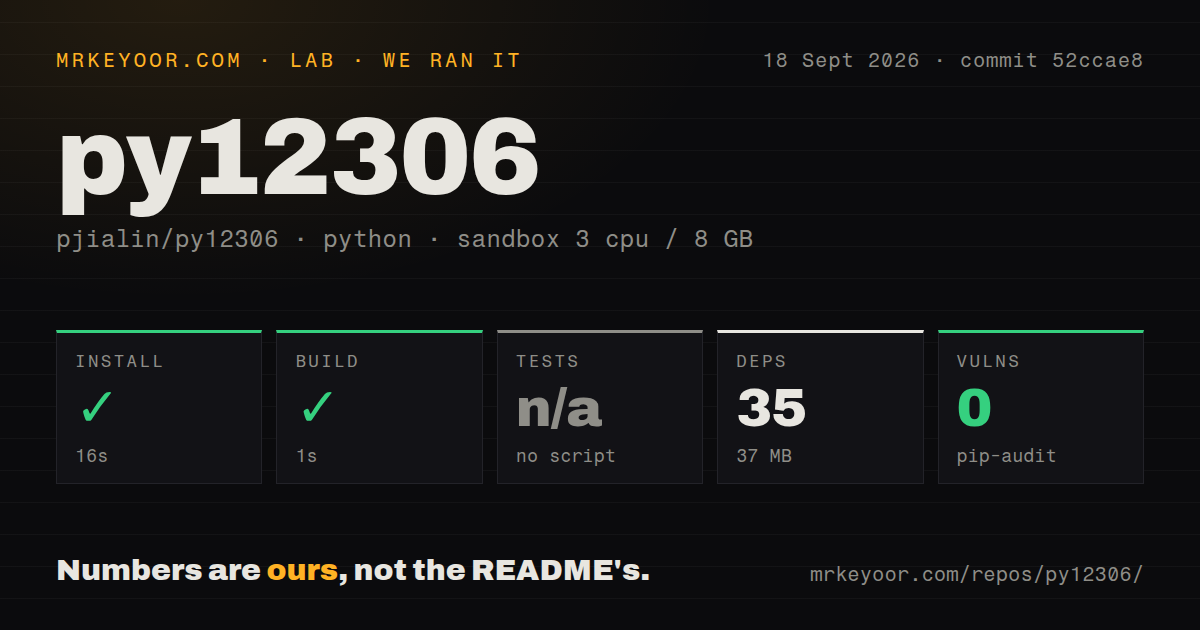
Our sandbox installed py12306 in 16 seconds, adding 35 packages and using 37 MB on disk. The build step passed in 1 second. commit 52ccae8 had 90 files, about 5,147 lines of source, and a 6.9 MB checkout. Pip-audit found 0 known vulnerabilities in the installed Python packages. The repository includes a Dockerfile, while our scan found 0 CI workflow files and no tests directory.
There was no test script or target, so we skipped tests rather than inventing a result from the README's python main.py -t command. That command checks configured accounts, passengers, and stations against live services; it is an environment check, not an automated regression suite. Our run did not log in to 12306, solve a captcha, search a route, or submit an order. The passing build therefore says the Python project can be prepared, not that ticket automation currently succeeds.
Issue 536 reaches the order page and then gets redirected
Open issue 536 gives the clearest current warning. Its March 2026 report says login worked, seat queries found results, and submitOrderRequest returned success. The next initDc request went to an error page, leaving the client without the fields needed to continue order confirmation. The reporter reproduced a difference with browser context and suspected that the older requests-only sequence no longer matched the live service. No reply or closing fix appears on the issue.
Captcha and management paths have separate reports. Issue 539 says the free captcha route was stuck before login in June 2026. Issue 537 reports that the web page on port 8008 refused a connection alongside a Unicode decoding error. Each report concerns a particular environment, so none proves failure for every user. Together with the missing test target, they make a supervised trial mandatory before anyone stores real passenger details or waits for a scarce ticket.
The configuration holds passenger data and notification secrets
The sample env.py keeps user names, login mode, passenger names, routes, and task rules in Python. It can also hold an Aliyun voice app code, email credentials, DingTalk webhooks, Telegram URLs, ServerChan or PushBear keys, and Bark endpoints. Redis adds a host and optional password. The file is flexible, but it is also a collection of secrets and personal travel data that should stay out of Git and backups shared with other people.
QR login is the current sample default, with the password marked as ignored for that mode. Notification systems can be disabled, and query-only operation works without a booking account. Those narrower modes are the sensible first run. The web interface defaults to an admin and password example and port 8008, so replace the credentials and avoid exposing it publicly. The README describes user, task, and live-log viewing; it does not document internet-facing hardening.
A 2019 release coexists with 2026 dependency updates
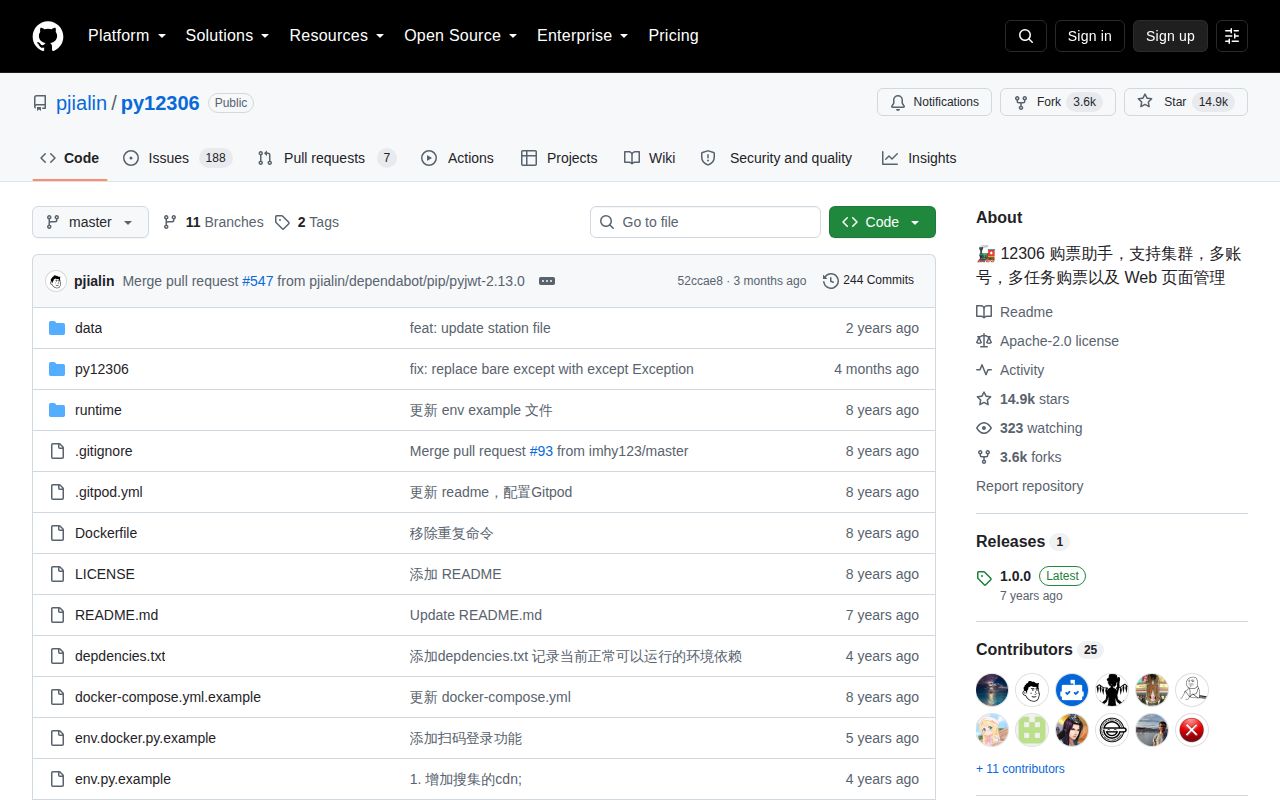
GitHub lists v1.0.0 from March 2019 as the latest release. The default branch's newest visible commit was 52ccae8 on June 16, 2026, merging a PyJWT update. Nearby commits updated Flask, Werkzeug, requests, and lxml, largely through Dependabot. GitHub's repository record showed a September 17, 2026 last-push date, plus 14,944 stars and 195 combined issues and pull requests. A separate issue search found 188 open issues.
That activity is maintenance evidence, but recent dependency pins do not repair a changed booking protocol by themselves. The 0-vulnerability audit is good news for the environment we installed, while issue 536 remains the deciding functional evidence. py12306 is worth reading if you can work in Chinese and want to understand the moving parts of ticket automation. For an actual journey, use the official 12306 service unless you are prepared to debug every live step yourself.