aiohttp review
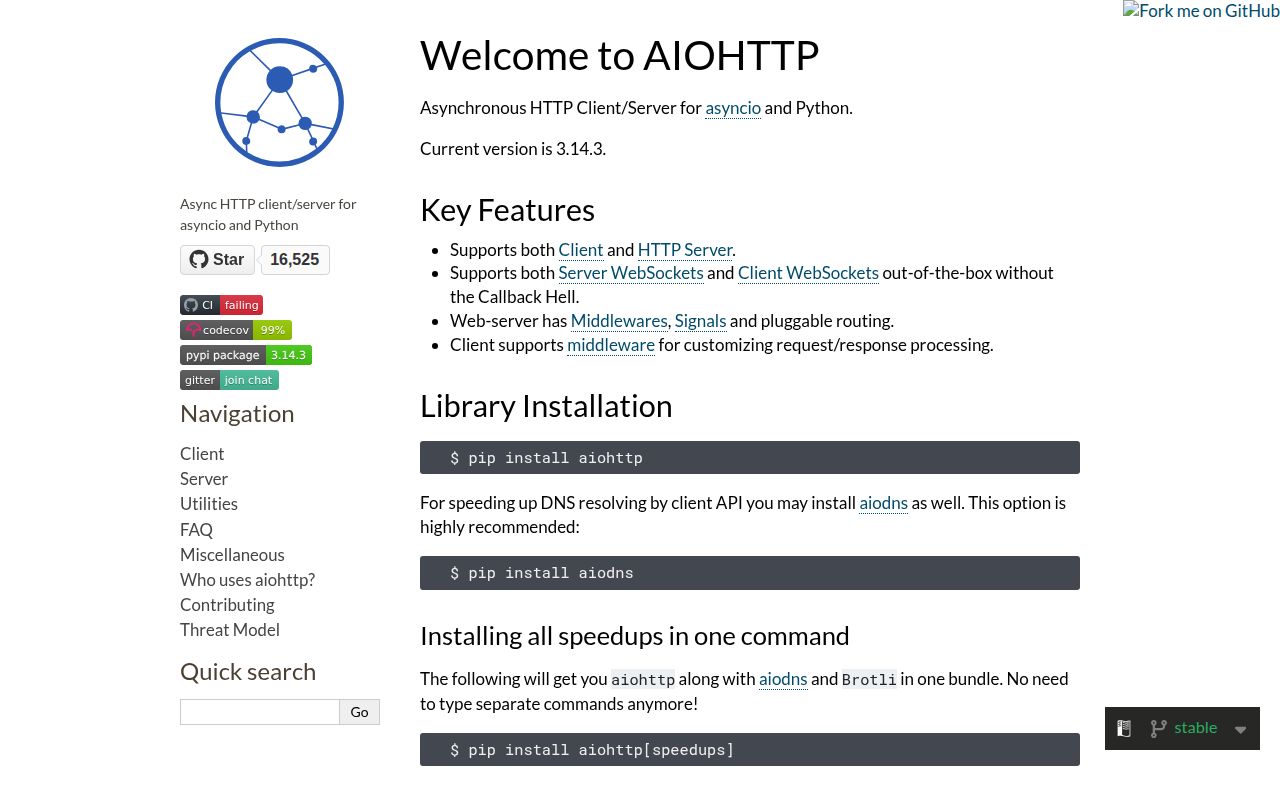
aiohttp 3.14.3 is an asyncio HTTP toolkit with a pooled client, an HTTP server, and WebSocket support on both sides. Our Python 3.12 inspection found typed interfaces and compiled extensions in the distribution. ClientSession handles connections, cookies, redirects, streaming bodies, and timeout phases; aiohttp.web provides routes, middleware, application startup, and cleanup. The 3.14.3 release fixes removal of duplicate authorization and cookie headers during cross-origin redirects, plus an error-message path in the C parser. It stays close to HTTP, so request validation and OpenAPI generation are outside its job.
Our aiohttp 3.14.3 install took 0.4 seconds, occupied 10 MB across 10 packages, and produced no pip-audit findings, making it a sound choice when one asyncio service needs pooled HTTP, a lean server, or WebSockets. Skip it when sync code, HTTP/2, or generated API contracts matter more than low-level control.
We installed it
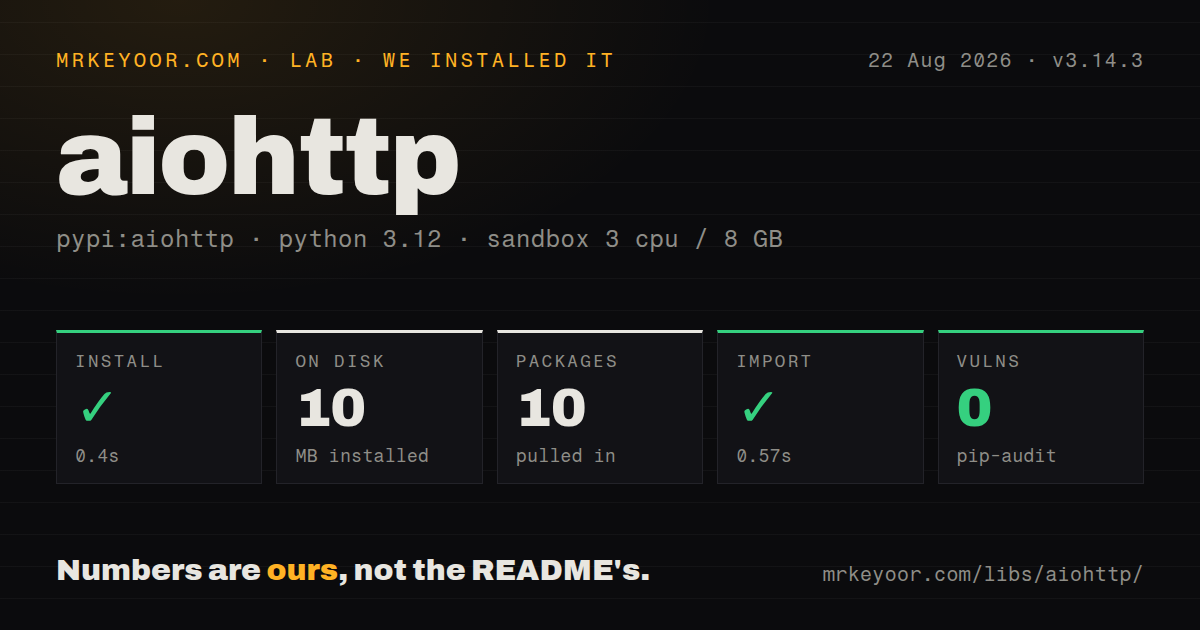
| Install | ✓ · 0.4s | 10 packages on disk · 10 MB |
| Import | ✓ | import aiohttp in 0.57s · compiled extensions · py.typed · requires Python >=3.10 |
| Known vulns | 0 | (pip-audit) |
Answers from our run
Does aiohttp install cleanly?
Yes. In a fresh container with an empty cache, pip install aiohttp finished in 0.4s, leaving 10 packages and 10 MB on disk. pip-audit reported no known vulnerabilities.
What does aiohttp need to run?
Python >=3.10, and a platform wheel with compiled extensions. In our run import aiohttp succeeded in 0.57s, and the package ships py.typed for type checkers.
aiohttp or httpx: which should you use?
httpx: Use it for parallel sync and async APIs or optional HTTP/2 support. Our aiohttp 3.14.3 install took 0.4 seconds, occupied 10 MB across 10 packages, and produced no pip-audit findings, making it a sound choice when one asyncio service needs pooled HTTP, a lean server, or WebSockets.
When should you not use aiohttp?
aiohttp 3.14.3 requires Python 3.10 or newer, so a Python 3.9 service cannot take this release
Discussed on
- hnMaking 1M requests with Python-aiohttp123 points
- hnHackers exploit Aiohttp bug to find vulnerable networks11 points
- hnAiohttp 0.13.0 release – asyncio web server and client4 points
- hnHow to Create REST API with AsyncIO in Python4 points
- hnPython HTTP Clients: Requests vs. Httpx vs. Aiohttp – Speakeasy3 points
Use it if
- ClientSession can pool connections for an asyncio crawler, gateway, or worker that calls the same upstreams repeatedly
- The same process needs an HTTP client plus aiohttp.web routes or WebSocket endpoints on one event loop
- response.content exposes chunked reads for downloads that should not be buffered in memory
- TCPConnector limits, DNS caching, cookie policy, and separate connect and read timeouts need to be set explicitly
- aiohttp 3.14.3 requires Python 3.10 or newer, so a Python 3.9 service cannot take this release
- A synchronous script gets a shorter call path from requests without owning an event loop or closing a session
- HTTPX is the better fit when one client API must work in both sync and async code or the project requires HTTP/2
- FastAPI supplies request models and generated OpenAPI for a JSON API; aiohttp.web leaves those pieces to you
- A team that creates ClientSession per request will throw away connection pooling and can leave unclosed-session warnings at shutdown
Setup reality
We installed aiohttp 3.14.3 in 0.4 seconds in a fresh, unprivileged Python 3.12 sandbox with 3 CPUs and 8 GB of RAM. The result was 10 packages occupying 10 MB. pip-audit found zero known vulnerabilities, and import aiohttp completed in 0.57 seconds. The package declares 13 direct dependencies, contains .so extensions, ships py.typed, and requires Python 3.10 or later. A platform without a matching wheel may therefore face native compilation even though our Bookworm run did not.
A basic request needs no credentials file. Pass tokens and TLS settings from your application's secret store, and create a trusted SSLContext for a private CA. ClientSession ignores environment proxy settings unless trust_env=True. Its normal CookieJar rejects cookies sent by IP-address hosts; local tests that depend on those cookies need CookieJar(unsafe=True), while production code should keep the default. Version 3.14.3 also corrects how duplicate sensitive headers are dropped on a cross-origin redirect.
One ClientSession should live for the service or client object, because it owns the pool and cookie jar. Close it with async with or an application cleanup context. The default total timeout can outlive a short job, so set ClientTimeout(total=..., connect=..., sock_read=...) from the service budget. Calling response.read() loads the full body; response.content.iter_chunked() keeps a 2 GB download from becoming a 2 GB allocation.
TCPConnector limits open connections, but it does not make an unbounded asyncio.gather harmless. Add an application semaphore or bounded queue when the input list can grow. web.run_app takes control of startup, signals, and the event loop; AppRunner fits a host that already owns that loop. WebSocket code must still decide heartbeat, reconnect, cancellation, and partial-message policy. Those runtime choices are the real setup cost after the 0.4-second install.
Patterns
Fetch and validate JSON fetch-json
import aiohttp

async def fetch_item(session: aiohttp.ClientSession, item_id: str):
    async with session.get(f'https://api.example.com/items/{item_id}') as response:
        response.raise_for_status()
        return await response.json()
response.json() checks the response Content-Type before decoding it.
Send a JSON document post-json
async with session.post(
    'https://api.example.com/items',
    json={'name': 'desk lamp'},
) as response:
    response.raise_for_status()
    created = await response.json()
The json parameter serializes the mapping and supplies the JSON content type.
Budget each timeout phase configure-timeouts
timeout = aiohttp.ClientTimeout(total=20, connect=3, sock_read=8)
async with aiohttp.ClientSession(timeout=timeout) as session:
    async with session.get(url) as response:
        response.raise_for_status()
        body = await response.text()
Version 3.14.3 separates the total, pool-connect, and socket-read budgets.
Cap connections per host bound-connections
connector = aiohttp.TCPConnector(limit=60, limit_per_host=12)
async with aiohttp.ClientSession(connector=connector) as session:
    pages = await asyncio.gather(*(fetch(session, url) for url in urls))
The connector caps open connections; use a semaphore as well if queued coroutine count must stay bounded.
Write a response in chunks stream-download
async with session.get(url) as response:
    response.raise_for_status()
    with open('model.bin', 'wb') as output:
        async for chunk in response.content.iter_chunked(128 * 1024):
            output.write(chunk)
iter_chunked avoids buffering the entire response as response.read() would.
Upload a file and form field upload-multipart
with open('report.pdf', 'rb') as report:
    form = aiohttp.FormData()
    form.add_field('report', report, filename='report.pdf')
    form.add_field('team', 'ops')
    async with session.post(url, data=form) as response:
        response.raise_for_status()
The file handle must remain open until the request context finishes.
Honor proxy environment variables use-environment-proxy
async with aiohttp.ClientSession(trust_env=True) as session:
    async with session.get('https://example.com') as response:
        response.raise_for_status()
ClientSession reads HTTP proxy configuration from the environment only when trust_env is true.
Consume a WebSocket feed connect-websocket
async with session.ws_connect(url, heartbeat=30) as socket:
    async for message in socket:
        if message.type is aiohttp.WSMsgType.TEXT:
            process(message.json())
        elif message.type is aiohttp.WSMsgType.ERROR:
            raise socket.exception()
A 30-second heartbeat detects an unresponsive peer; reconnect behavior is still application code.
Expose a JSON health route serve-json
from aiohttp import web

async def health(request: web.Request) -> web.Response:
    return web.json_response({'ok': True})

app = web.Application()
app.router.add_get('/health', health)
web.run_app(app)
web.run_app owns the loop and signal handling; AppRunner is the embedding API.
Read and validate a route value read-path-parameter
async def get_order(request: web.Request) -> web.Response:
    try:
        order_id = int(request.match_info['order_id'])
    except ValueError:
        raise web.HTTPBadRequest(text='order_id must be an integer')
    return web.json_response({'order_id': order_id})

app.router.add_get('/orders/{order_id}', get_order)
aiohttp returns path parameters as strings, so conversion and validation belong in the handler or another layer.
Attach a response header add-middleware
@web.middleware
async def request_id_header(request, handler):
    response = await handler(request)
    response.headers['X-Request-ID'] = request['request_id']
    return response

app = web.Application(middlewares=[request_id_header])
Middleware is nested in the order supplied to web.Application.
Tie a client session to app cleanup close-session-on-shutdown
session_key = web.AppKey('upstream', aiohttp.ClientSession)

async def upstream_client(app: web.Application):
    app[session_key] = aiohttp.ClientSession()
    yield
    await app[session_key].close()

app.cleanup_ctx.append(upstream_client)
A cleanup context pairs creation and closure even when another startup step fails.
Alternatives
More web backend guides
ws · urllib3 · requests · undici · anyio · express · the whole shelf →
How this guide is made: grounded in the library's documentation, release notes, changelog, and issue history, on a fixed rubric — not a hands-on install of every release. The 50 most-downloaded entries are additionally install-verified in clean containers. Corrections: contact the desk.