turndown review
Turndown 7.2.4 converts an HTML string or DOM node into Markdown by walking elements through ordered replacement rules. Constructor options select heading, bullet, code-fence, emphasis, and link styles. Custom rules can inspect tags and attributes; `keep()` emits chosen elements as HTML, and `remove()` deletes chosen subtrees. Core output follows a CommonMark-oriented set and leaves tables plus strikethrough to a GFM plugin. Version 7.2.4 reverses 7.2.3's line-break normalization inside `<pre>` after that change caused regressions. Conversion is intentionally lossy and does not sanitize hostile markup.
Turndown 7.2.4 installed in 1.7 seconds, used 9 MB across 2 packages, and built to 4.1 KB gzipped with 0 audit findings in our sandbox. Use it for owned HTML-to-Markdown imports with explicit rules; avoid it for lossless storage, sanitization, or deep syntax-tree processing.
We installed it
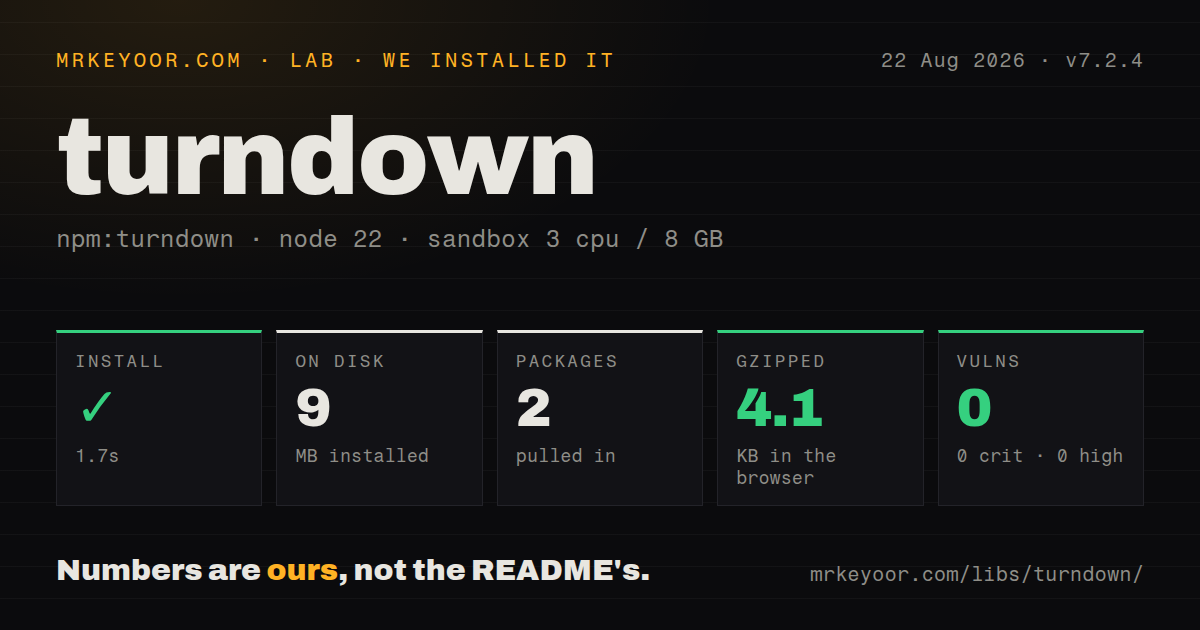
| Install | ✓ · 1.7s | 2 packages on disk · 9 MB |
| Import | ✓ | ESM import works · require() works · CommonJS package |
| Browser | 4.1 KB | gzipped (10.8 KB minified), bundled with esbuild |
| Types | — | no TypeScript types found |
| Known vulns | 0 | 0 critical · 0 high · 0 moderate · 0 low (npm audit) |
Answers from our run
Does turndown install cleanly?
Yes. In a fresh container with an empty cache, npm install turndown finished in 2 seconds, leaving 2 packages and 9 MB on disk. npm audit reported no known vulnerabilities.
How much does turndown add to a browser bundle?
4.1 KB gzipped (10.8 KB minified) when the whole package is bundled for the browser with esbuild. Importing only part of it is usually smaller.
Does turndown work with both ESM and CommonJS?
Yes. Both import 'turndown' and require('turndown') worked in Node 22 in our run. The package is published as CommonJS.
Does turndown include TypeScript types?
No type declarations were found in our install, so TypeScript users need their own declarations.
turndown or node-html-markdown: which should you use?
node-html-markdown: Choose it for a TypeScript-first converter aimed at fast Node and batch processing. Turndown 7.2.4 installed in 1.7 seconds, used 9 MB across 2 packages, and built to 4.1 KB gzipped with 0 audit findings in our sandbox.
When should you not use turndown?
Round-trip fidelity matters. Classes, IDs, CSS, layout containers, and most unsupported attributes do not survive as Markdown.
Use it if
- An editor export or content import needs consistent Markdown from ordinary HTML.
- Project-specific tags or attributes can be handled with a small replacement function.
- The same conversion should accept HTML strings in Node and live DOM subtrees in a browser.
- CommonMark-like text is the target, with a separate plugin acceptable for GitHub tables and strikethrough.
- Round-trip fidelity matters. Classes, IDs, CSS, layout containers, and most unsupported attributes do not survive as Markdown.
- Tables, task items, and strikethrough must work from core alone. Those conversions require `turndown-plugin-gfm` and its rule ordering.
- Untrusted HTML will be rendered after conversion without a sanitizer. Changing syntax formats does not create an input or output security policy.
- Bundled TypeScript declarations are required. Our 7.2.4 package inspection found none, so typed projects need community declarations or local types.
- Your preformatted HTML uses `<br>` as a line boundary and depends on 7.2.3 output. Version 7.2.4 specifically reverted that behavior.
Setup reality
We installed turndown 7.2.4 in a clean Node 22 Bookworm sandbox. npm completed in 1.7 seconds, created 2 packages, and used 9 MB. Turndown declares 1 direct dependency and no peers; the tarball unpacks to 220 KB. npm audit found 0 known vulnerabilities. The package requires Node 18 and npm 9 or newer and uses the MIT license. Our browser build was 10.8 KB minified and 4.1 KB gzipped.
The published entry is CommonJS and has no exports map. Both require and ESM import worked on our Node 22 box. No TypeScript declaration files were present. In Node, the single dependency supplies DOM parsing for string input; browsers use their DOM. Malformed markup can be repaired differently by those parsers, so run fixtures in the same environment that handles production conversions.
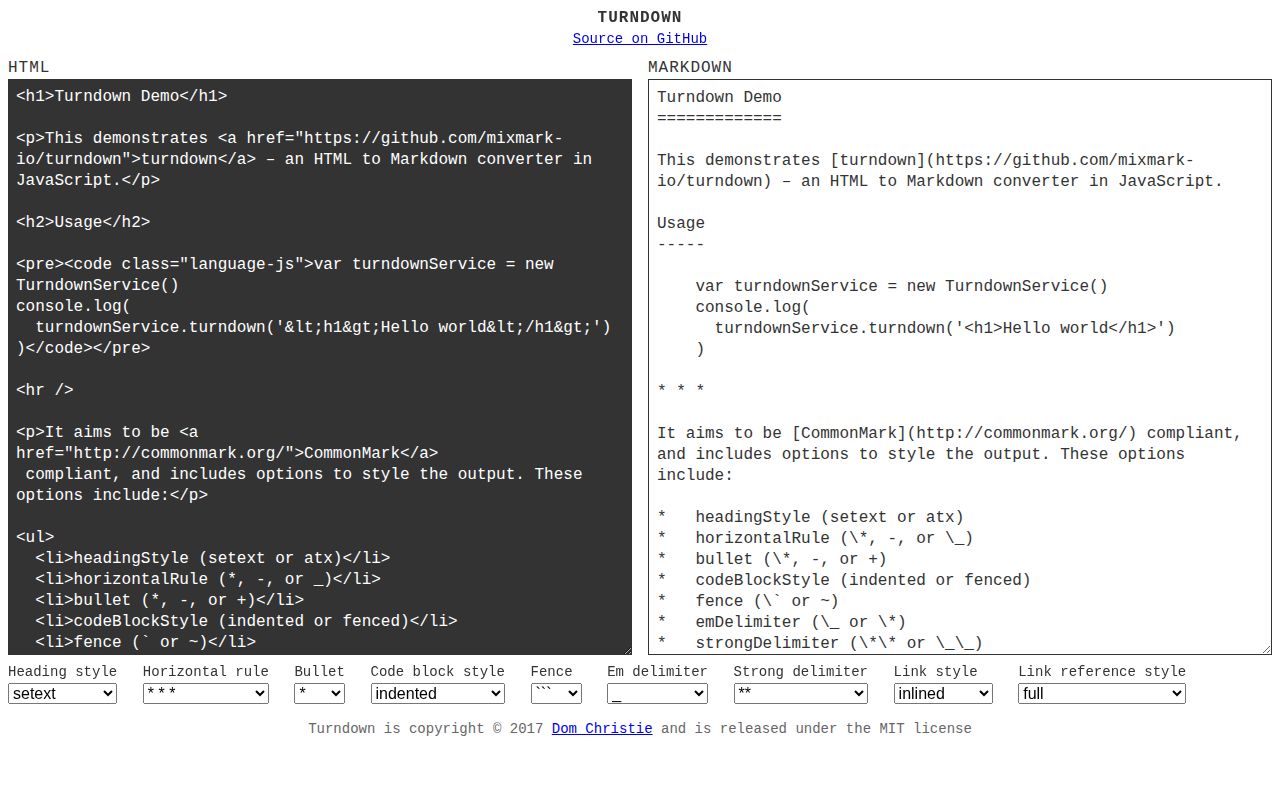
Defaults are visible in output: setext headings, * bullets, indented code blocks, _ emphasis, and inline links. Configure the service once to match repository conventions instead of post-processing Markdown with regexes. GitHub tables, task-style input, and strikethrough are outside the core rules. Add turndown-plugin-gfm and call use(gfm) before converting content that depends on them.
Precedence can surprise customizers. Blank handling runs first, followed by added rules, built-ins, keep filters, remove filters, and the fallback. Thus keep('a') cannot override the normal link conversion; an added rule must handle it. Version 7.2.4 also restores the pre-7.2.3 treatment of <br> inside <pre>. Snapshot nested lists, whitespace, links, code fences, broken markup, and custom elements before changing package versions or rule order.
Patterns
Convert a string of HTML convert-html-fragment
const TurndownService = require('turndown');

const service = new TurndownService();
const markdown = service.turndown(
  '<h1>Hello</h1><p>Welcome.</p>',
);
The result keeps textual structure, while layout wrappers and most attributes disappear.
Convert an existing DOM element convert-browser-subtree
import TurndownService from 'turndown';

const article = document.querySelector('article');
if (!article) throw new Error('article missing');
const markdown = new TurndownService().turndown(article);
Element, Document, and DocumentFragment inputs are accepted. Broken HTML may parse differently in a browser and Node.
Match repository conventions set-markdown-style
const service = new TurndownService({
  headingStyle: 'atx',
  bulletListMarker: '-',
  codeBlockStyle: 'fenced',
  fence: '```',
  emDelimiter: '*',
});
Without these options, headings are setext, bullets use `*`, code is indented, and emphasis uses `_`.
Convert GitHub-flavored constructs add-gfm-rules
const TurndownService = require('turndown');
const {gfm} = require('turndown-plugin-gfm');

const service = new TurndownService();
service.use(gfm);
const markdown = service.turndown(html);
turndown-plugin-gfm is a separate package that supplies table, task-list, and strikethrough rules.
Convert highlight tags replace-custom-element
service.addRule('highlight', {
  filter: 'mark',
  replacement(content) {
    return `==${content}==`;
  },
});
An added rule outranks built-ins, keep, remove, and fallback handling, but it does not outrank the blank-node rule.
Turn tagged links into mentions match-element-attribute
service.addRule('mention', {
  filter(node) {
    return node.nodeName === 'A' && node.hasAttribute('data-user');
  },
  replacement(_content, node) {
    return `@${node.getAttribute('data-user')}`;
  },
});
Validate attribute contents if another system gives the produced Markdown special meaning.
Keep subscript and superscript tags retain-inline-html
service.keep(['sub', 'sup']);
const markdown = service.turndown(
  '<p>H<sub>2</sub>O and x<sup>2</sup></p>',
);
keep only applies after built-in rules. Use addRule when a standard conversion already handles the element.
Remove navigation and styles delete-html-subtrees
service.remove(['nav', 'style']);
const markdown = service.turndown(html);
remove deletes the matching node and all of its contents; it is not a replacement for HTML sanitization.
Use collapsed link references emit-reference-links
const service = new TurndownService({
  linkStyle: 'referenced',
  linkReferenceStyle: 'collapsed',
});
const markdown = service.turndown(html);
Definitions appear later in the output. Snapshot repeated links because labels depend on conversion order.
Separate unknown block elements customize-unknown-blocks
const service = new TurndownService({
  defaultReplacement(content, node) {
    const block = /^(DIV|SECTION|ASIDE)$/.test(node.nodeName);
    return block ? `\n\n${content}\n\n` : content;
  },
});
The fallback runs only when no added, built-in, keep, or remove rule matches.
Compose a local plugin package-house-rules
function editorialRules(service) {
  service.remove(['nav', 'style']);
  service.addRule('hard-break', {
    filter: 'br',
    replacement: () => '  \n',
  });
}

service.use(editorialRules);
use accepts one plugin or an array. Ordering matters when two plugins match the same element.
Keep whitespace in code blocks preserve-preformatted-text
const service = new TurndownService({
  codeBlockStyle: 'fenced',
  preformattedCode: true,
});
const markdown = service.turndown(
  '<pre><code>line 1\n  line 2</code></pre>',
);
Version 7.2.4 does not normalize `<br>` inside `<pre>` into text newlines; provide literal newlines or a tested rule.
Alternatives
| Package | Registry | Pick it when |
|---|---|---|
| node-html-markdown | npm | Choose it for a TypeScript-first converter aimed at fast Node and batch processing. |
| html-to-md | npm | Choose it when its smaller direct tag conversion surface already matches the input set. |
| unified | npm | Choose the unified ecosystem when syntax trees need several inspection and transformation stages before Markdown output. |
More utils guides
lru-cache · type-fest · ajv · zod · p-limit · find-up · the whole shelf →
How this guide is made: grounded in the library's documentation, release notes, changelog, and issue history, on a fixed rubric — not a hands-on install of every release. The 50 most-downloaded entries are additionally install-verified in clean containers. Corrections: contact the desk.