pyperclip review
Pyperclip 1.11.0 gave our Python 3.12 sandbox a two-function bridge to the host's plain-text clipboard: `copy()` writes text and `paste()` reads it. Our install used 1 MB and brought in no dependencies, but that small wheel is only the dispatcher. Windows calls its clipboard API, macOS uses PyObjC or `pbcopy` and `pbpaste`, and Linux looks for a Wayland, X11, KDE, or Qt mechanism already present on the machine. The release commit for 1.11.0 replaced `setup.py` with `pyproject.toml`, refreshed classifiers through Python 3.14, and bumped the runtime version. Its clipboard code stayed unchanged in that commit.
In our sandbox, pyperclip 1.11.0 installed in 0.2 seconds, occupied 1 MB as one package, imported in 0.22 seconds, and produced 0 pip-audit findings. Install it for plain-text desktop utilities that can print a fallback, and use an environment-specific API when a missing display or richer clipboard format must never be a surprise.
We installed it
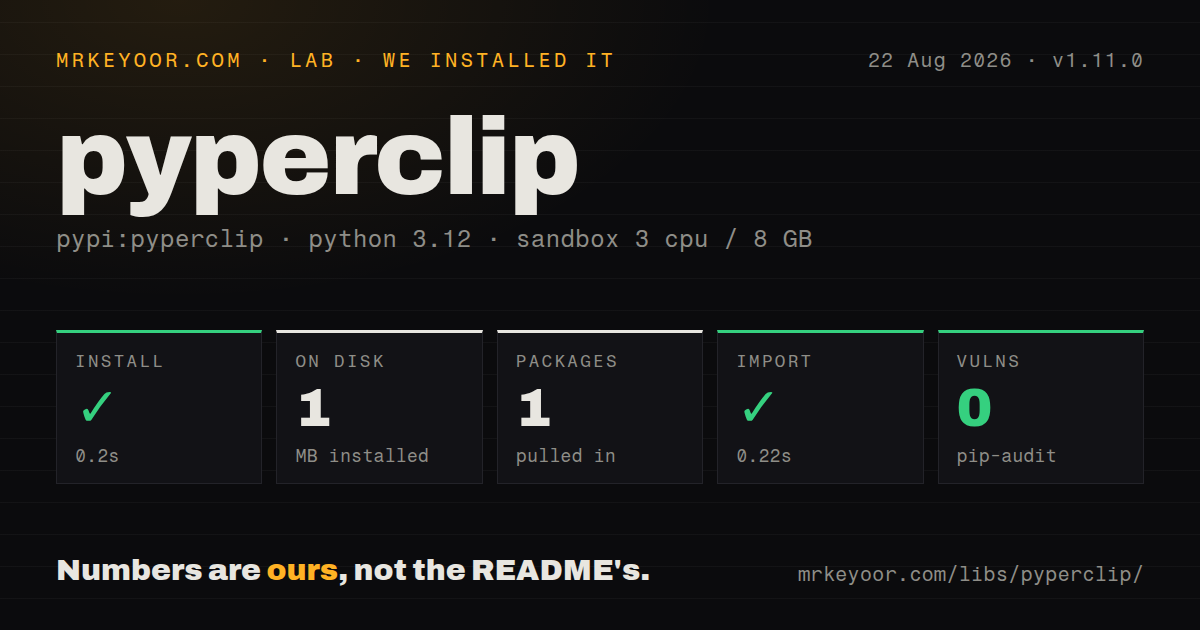
| Install | ✓ · 0.2s | 1 package on disk · 1 MB |
| Import | ✓ | import pyperclip in 0.22s · pure Python |
| Known vulns | 0 | (pip-audit) |
Answers from our run
Does pyperclip install cleanly?
Yes. In a fresh container with an empty cache, pip install pyperclip finished in 0.2s, leaving 1 package and 1 MB on disk. pip-audit reported no known vulnerabilities.
What does pyperclip need to run?
Python 3.x, and nothing compiled: it is pure Python. In our run import pyperclip succeeded in 0.22s.
pyperclip or pyclip: which should you use?
Pick pyclip when the same cross-platform wrapper must move binary clipboard data as well as text. In our sandbox, pyperclip 1.11.0 installed in 0.2 seconds, occupied 1 MB as one package, imported in 0.22 seconds, and produced 0 pip-audit findings.
When should you not use pyperclip?
The code runs mainly through SSH, CI, or a headless container. Pyperclip 1.11.0 has no OSC 52 path, and remote-terminal support remains an unmerged pull request.
Use it if
- A desktop command should copy a generated token, path, or URL after showing the same value in the terminal as a fallback.
- One Python utility must expose the same `copy()` and `paste()` calls on Windows, macOS, and Linux while accepting different native backends underneath.
- Your Linux workstation image already includes `wl-clipboard`, `xclip`, `xsel`, Klipper with `qdbus`, or a usable Qt binding.
- A 1 MB, dependency-free install matters more than support for formatted clipboard data, events, or clipboard history.
- The code runs mainly through SSH, CI, or a headless container. Pyperclip 1.11.0 has no OSC 52 path, and remote-terminal support remains an unmerged pull request.
- You need images, HTML, RTF, file lists, or custom MIME types. The package and its README promise plain text only.
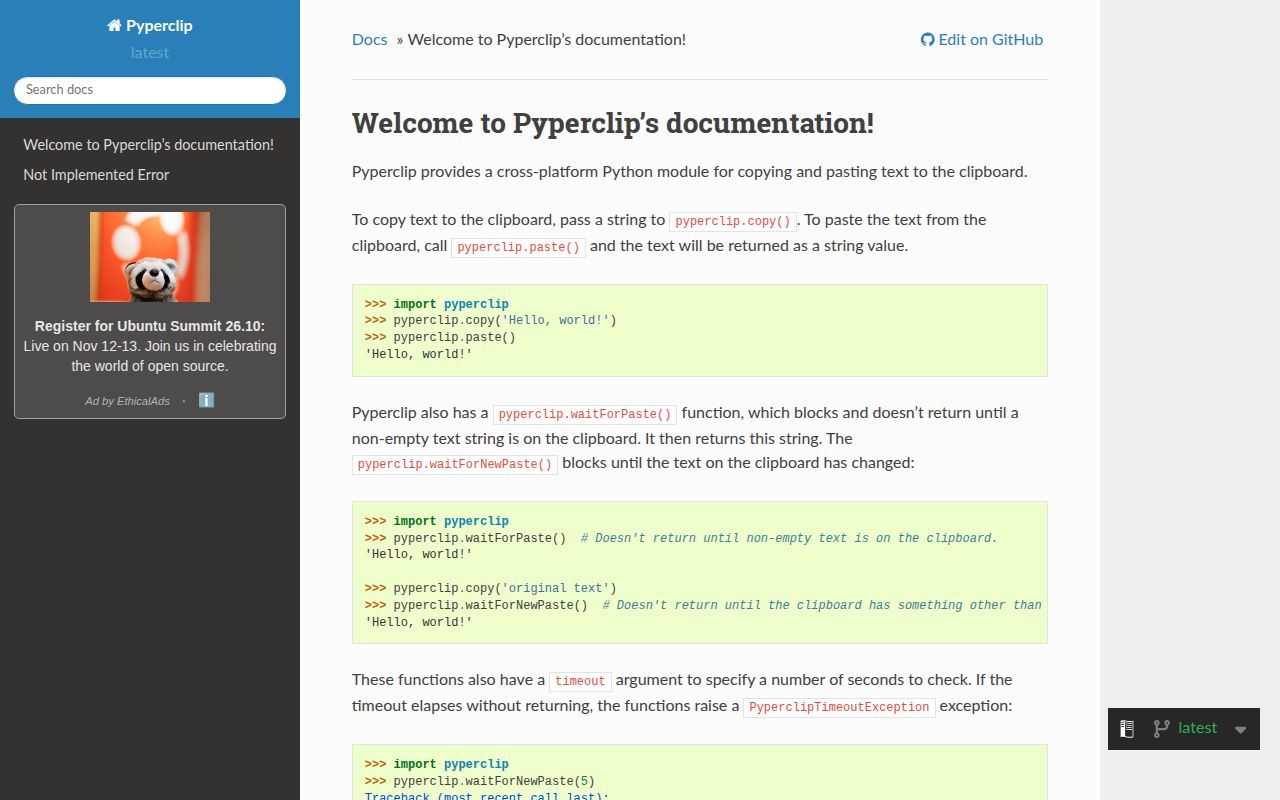
- The application needs a blocking wait or clipboard-change notification. Read the Docs still documents 2 wait functions that are absent from the 1.11.0 module.
- Strict type checking must work from the installed distribution without project stubs. Our 1.11.0 wheel contained no `py.typed` marker.
- The target is Android, iOS, or a browser-hosted Python shell. The official documentation says those environments are unsupported.
Setup reality
We installed pyperclip 1.11.0 without a cache in an unprivileged Python 3.12 Bookworm container on August 22, 2026. pip finished in 0.2 seconds. The environment held one installed package using 1 MB, and pyperclip declared 0 direct dependencies. pip-audit found 0 known vulnerabilities. The pure-Python distribution imported in 0.22 seconds, carries a BSD license, states no minimum Python version, and does not ship a py.typed marker.
There are no credentials or config files. Version 1.11.0 talks to Windows directly and can use PyObjC or the built-in pasteboard commands on macOS. WSL calls clip.exe for writes and PowerShell for reads. Linux is where setup moves outside pip: Wayland needs both wl-copy and wl-paste. X11 needs DISPLAY plus xclip, xsel, Klipper with qdbus, QtPy, or PyQt5. The wheel installs none of those helpers.
The 0.22-second import succeeded because backend detection is lazy. Pyperclip waits for the first copy() or paste() call, chooses a mechanism, then replaces its module-level wrapper functions. A headless import can therefore look healthy until that first operation raises PyperclipException. is_available() also returns false before selection, so it is a poor preflight check. Command backends are resolved through PATH. The source warns that a planted executable would run with the Python process's permissions.
Pyperclip 1.11.0 converts values passed to copy() with str() and returns text from paste(). It has no wait helper despite the examples on Read the Docs. Polling is application code, and a 0.1-second loop can launch a Unix process on every read. set_clipboard() swaps global module functions, so pick a backend during startup instead of changing it while worker threads are active. Clipboard ownership still belongs to the operating system, which means another application can replace the value immediately after a successful write.
Patterns
Write text, then read the current clipboard copy-and-read-text
import pyperclip

pyperclip.copy("build 184 is ready")
current = pyperclip.paste()
print(current)
The first call chooses a backend for this process. The value read later may come from another application that wrote to the clipboard in between.
Keep a command useful without a display print-fallback
import sys
import pyperclip

def publish(value: str) -> None:
    print(value)
    try:
        pyperclip.copy(value)
    except pyperclip.PyperclipException as exc:
        print("clipboard skipped: {}".format(exc), file=sys.stderr)
A successful import does not exercise the clipboard. In a headless session, the exception usually arrives on the first copy or paste operation.
Resolve a backend before accepting clipboard work probe-backend
import pyperclip

copy_text, paste_text = pyperclip.determine_clipboard()
if not copy_text:
    raise RuntimeError("no clipboard mechanism found")

copy_text("ready")
`determine_clipboard()` returns two callables and leaves the module's lazy wrappers alone. The unavailable placeholder evaluates to false.
Select wl-clipboard explicitly pin-wayland
from shutil import which
import pyperclip

required = ("wl-copy", "wl-paste")
if any(which(command) is None for command in required):
    raise RuntimeError("wl-clipboard is missing")

pyperclip.set_clipboard("wl-clipboard")
pyperclip.copy("ready")
Version 1.11.0 does not install `wl-copy` or `wl-paste`. Both commands must resolve through `PATH` before this backend can copy and read.
Write to the X11 primary selection use-x11-primary
import pyperclip

pyperclip.set_clipboard("xclip")
pyperclip.copy("selected text", primary=True)
selection = pyperclip.paste(primary=True)
The `primary` argument is available on the xclip and xsel backend functions. Call `set_clipboard()` first because the initial lazy wrapper accepts only the text argument.
Put valid JSON on the clipboard copy-json
import json
import pyperclip

payload = {"job": 184, "state": "ready"}
serialized = json.dumps(payload, indent=2, sort_keys=True)
pyperclip.copy(serialized)
`copy()` applies `str()` to non-string values. Serialize the object first or the clipboard will contain Python representation syntax instead of JSON.
Copy a command's standard output pipe-to-clipboard
generate-release-notes | python -m pyperclip --copyThe version 1.11.0 module command reads standard input through EOF when `--copy` has no following text argument.
Redirect clipboard text into a file paste-to-file
python -m pyperclip --paste > clipboard.txtThe paste command writes the clipboard value to standard output and does not append a newline. Redirection keeps the backend's text unchanged.
Test clipboard code without touching the desktop mock-clipboard
from unittest.mock import patch

with patch("pyperclip.copy") as copy_spy:
    export_code("row-184")

copy_spy.assert_called_once_with("row-184")
Patching `pyperclip.copy` before the application call prevents lazy detection from starting an X11, Wayland, Qt, or native clipboard path.
Poll for changed text with a deadline wait-for-change
from time import monotonic, sleep
import pyperclip

def wait_for_change(previous: str, seconds: float = 5.0) -> str:
    deadline = monotonic() + seconds
    while monotonic() < deadline:
        value = pyperclip.paste()
        if value != previous:
            return value
        sleep(0.2)
    raise TimeoutError("clipboard stayed unchanged")
Pyperclip 1.11.0 provides no wait function or change event. With a command backend, each 0.2-second check may start another process.
Move a clipboard read off an async loop avoid-blocking-loop
import asyncio
import pyperclip

async def read_clipboard() -> str:
    return await asyncio.to_thread(pyperclip.paste)
`asyncio.to_thread()` requires Python 3.9 or newer. Pyperclip 1.11.0 exposes synchronous backends, so this call keeps their subprocess or Windows retry work away from unrelated coroutines.
Clear only the value your code copied clear-if-unchanged
import pyperclip

pyperclip.copy(secret)
try:
    send_secret()
finally:
    if pyperclip.paste() == secret:
        pyperclip.copy("")
The equality check preserves a newer value copied by the user. Clipboard managers may still retain the original secret in their history.
Alternatives
| Package | Registry | Pick it when |
|---|---|---|
| pyclip | PyPI | Pick it when the same cross-platform wrapper must move binary clipboard data as well as text. |
| klembord | PyPI | Pick it for HTML or named formats on Windows and Linux X11 after confirming that its narrower platform list fits the deployment. |
| pywin32 | PyPI | Use the Windows extensions when native format IDs, ownership, and clipboard messages are part of the job. |
| PySide6 | PyPI | Use Qt's MIME-aware clipboard when the application already carries PySide6 for its interface. |
More utils guides
lru-cache · type-fest · ajv · zod · p-limit · find-up · the whole shelf →
How this guide is made: grounded in the library's documentation, release notes, changelog, and issue history, on a fixed rubric — not a hands-on install of every release. The 50 most-downloaded entries are additionally install-verified in clean containers. Corrections: contact the desk.