parse-statements review
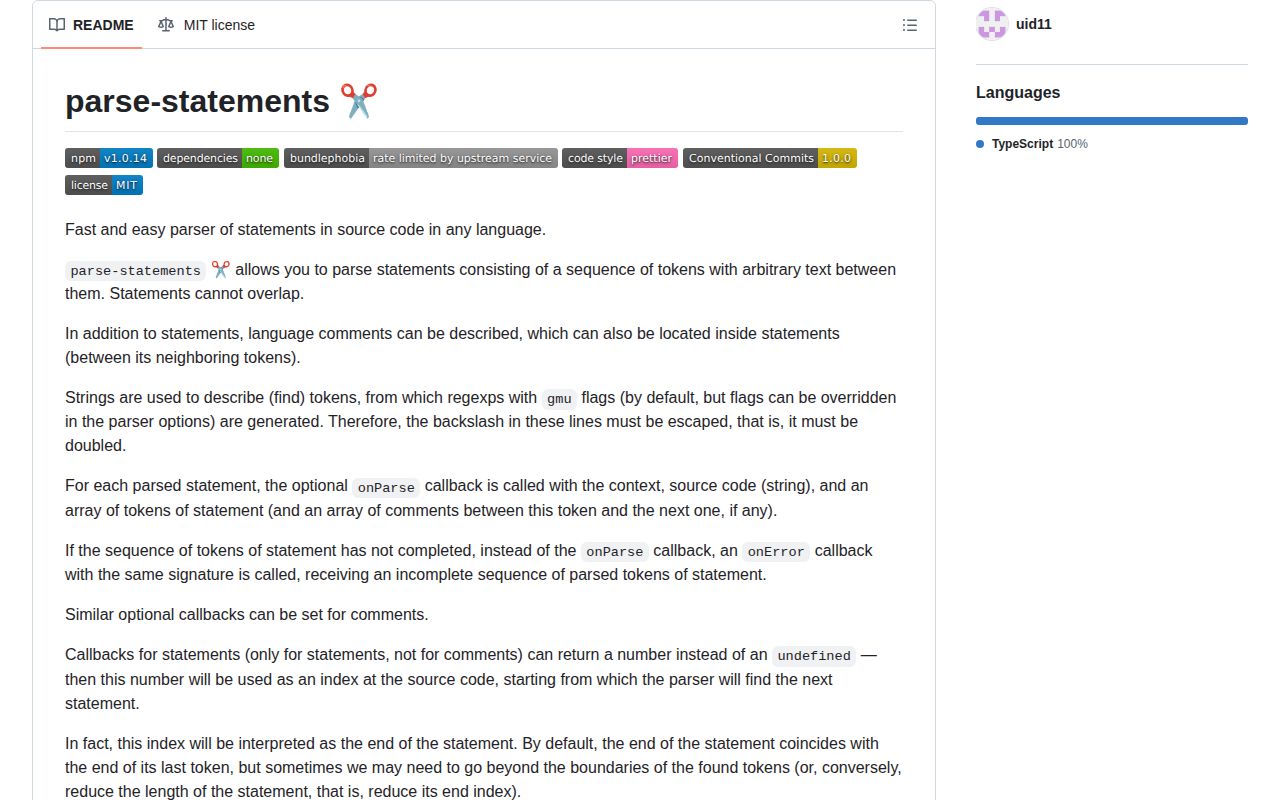
parse-statements 1.0.14 scans source text for non-overlapping sequences of regex tokens. You describe each statement and comment delimiter, then callbacks receive the matched offsets and mutate a context object supplied by the caller. It can pull imports, directives, or other predictable fragments from many text formats, but it has no grammar, AST, nesting model, or language validation. Our full browser import measured 3.4 KB minified and 1.4 KB gzipped. The current release repairs CommonJS output and Node 10 exports after 1.0.13 added a public `CreateParseFunction` type and CJS tests.
parse-statements 1.0.14 installed in 0.8 seconds with 0 dependencies and produced a 1.4 KB gzipped browser bundle in our sandbox, making it cheap for fixed token-sequence extraction. Use a language parser once nesting, overlap, backtracking, or syntax correctness enters the requirement.
We installed it
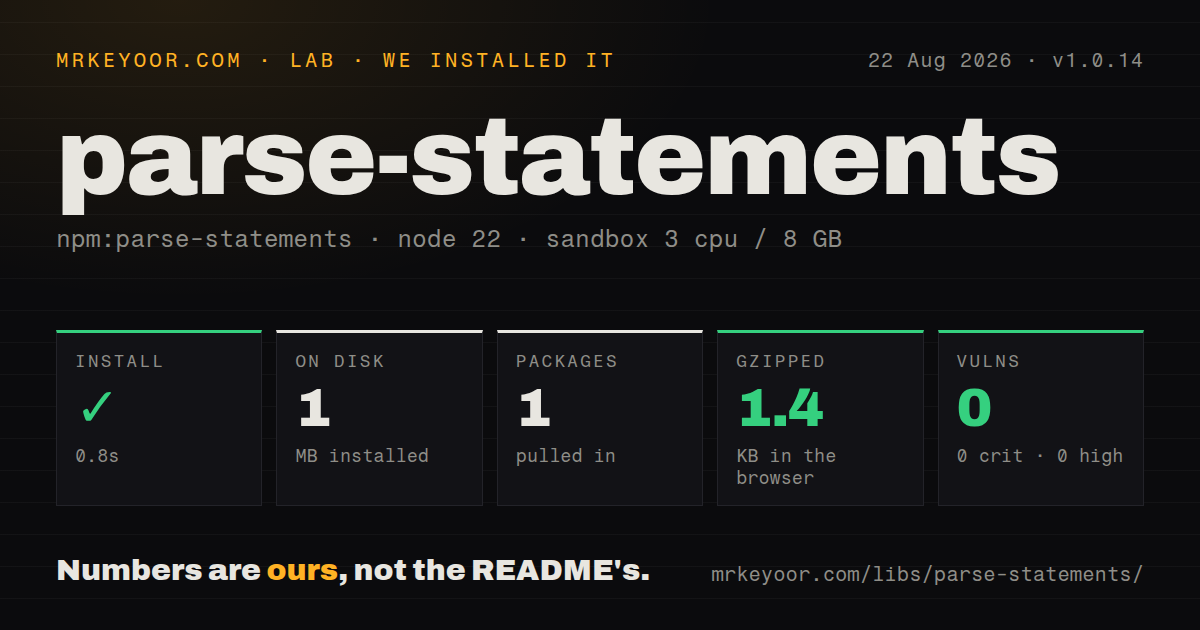
| Install | ✓ · 0.8s | 1 package on disk · 1 MB |
| Import | ✓ | ESM import works · require() works · ESM package with exports map |
| Browser | 1.4 KB | gzipped (3.4 KB minified), bundled with esbuild |
| Types | ✓ | TypeScript types bundled |
| Known vulns | 0 | 0 critical · 0 high · 0 moderate · 0 low (npm audit) |
Answers from our run
Does parse-statements install cleanly?
Yes. In a fresh container with an empty cache, npm install parse-statements finished in 0.8s, leaving 1 package and 1 MB on disk. npm audit reported no known vulnerabilities.
How much does parse-statements add to a browser bundle?
1.4 KB gzipped (3.4 KB minified) when the whole package is bundled for the browser with esbuild. Importing only part of it is usually smaller.
Does parse-statements work with both ESM and CommonJS?
Yes. Both import 'parse-statements' and require('parse-statements') worked in Node 22 in our run. The package is published as ESM with an exports map.
Does parse-statements include TypeScript types?
Yes, type declarations ship inside the package, so no @types install is needed.
parse-statements or esprima: which should you use?
esprima: Use it when JavaScript input needs an ESTree syntax tree. parse-statements 1.0.14 installed in 0.8 seconds with 0 dependencies and produced a 1.4 KB gzipped browser bundle in our sandbox, making it cheap for fixed token-sequence extraction.
When should you not use parse-statements?
Correct JavaScript, TypeScript, SQL, or CSS syntax matters. Regex token chains cannot replace that language's parser or produce an AST.
Use it if
- A tool needs offsets for a few predictable, non-overlapping token sequences without a full language grammar.
- Comments may sit between statement tokens and their opening and closing positions must be retained.
- One parser configuration will scan many strings into separate caller-owned context objects.
- The same package must support ESM, CommonJS, and TypeScript declarations.
- Correct JavaScript, TypeScript, SQL, or CSS syntax matters. Regex token chains cannot replace that language's parser or produce an AST.
- Two statements may overlap or compete for the same source span. The README states that matches cannot overlap.
- The parser must backtrack after an early token leads nowhere. This scanner calls the incomplete-statement handler with the partial sequence instead.
- The target lacks ES2018 named capture groups or runs Node older than 10, which falls outside the documented runtime floor.
- You need ready-made grammars or editor integrations. The project supplies the scanner only, and GitHub reports 12 stars.
Setup reality
We installed parse-statements 1.0.14 in 0.8 seconds in a clean Node 22 Bookworm sandbox. It left 1 package and 1 MB on disk. The package has 0 direct dependencies, 0 peer dependencies, 84 KB unpacked, and an MIT license. npm audit returned 0 known vulnerabilities. No credentials, native compiler, generated files, or separate configuration are involved.
The package is ESM with an exports map, plus a CommonJS build. Both require() and ESM import worked in our test, and TypeScript declarations are bundled. Version 1.0.14 specifically fixes the CJS build and Node 10 export path. A browser import bundled to 3.4 KB minified and 1.4 KB gzipped.
Every token is a string used to construct a RegExp; the default flags are gmu. Backslashes must survive JavaScript string parsing, so a regex word boundary is written as '\b'. Replacing regexpFlags replaces the defaults, and dropping g interferes with scanning. Comments are recognized only when you define their opening and closing token pairs.
Callback offsets use an exclusive end, ready for source.slice(start, end). An incomplete sequence calls the statement's onError with the tokens found so far. A callback may return a custom end position, but then it must account for comments inside the manually consumed span. Matches do not overlap, and the mutable context is supplied anew for each parse call.
Patterns
Capture text between two tokens find-token-sequence
import { createParseFunction } from 'parse-statements';

type Context = { values: string[] };

const parse = createParseFunction<Context>({
  statements: [{
    tokens: ['^BEGIN\b', '\bEND$'],
    onParse: ({ values }, source, first, last) => {
      values.push(source.slice(first.end, last.start).trim());
    },
  }],
});

const context: Context = { values: [] };
parse(context, 'BEGIN useful text END');
Each token becomes a `RegExp`; the JavaScript string must contain an escaped backslash for `\b`.
Keep the entire matched span capture-whole-statement
const parse = createParseFunction<{ statements: string[] }>({
  statements: [{
    tokens: ['^include\b', ';'],
    onParse: (context, source, first, last) => {
      context.statements.push(source.slice(first.start, last.end));
    },
  }],
});
Token `start` is inclusive and `end` is exclusive, so these offsets pass directly to `String.prototype.slice`.
Save a partial statement as an error report-incomplete-statement
const parse = createParseFunction<{ errors: string[] }>({
  statements: [{
    tokens: ['^import\b', '\bfrom\b', '$\n?'],
    onError: (context, source, ...tokens) => {
      const first = tokens[0]!;
      const last = tokens[tokens.length - 1]!;
      context.errors.push(source.slice(first.start, last.end));
    },
  }],
});
The local `onError` receives the tokens matched before the expected next token could not be found.
Read slash line comments parse-line-comments
const parse = createParseFunction<{ comments: string[] }>({
  comments: [{
    tokens: ['\/\/', '$\n?'],
    onParse: (context, source, open, close) => {
      context.comments.push(source.slice(open.end, close.start));
    },
  }],
});
The closing token is another regex string; `$\n?` consumes the optional newline at the end of the comment.
Reject an unclosed block comment parse-block-comments
const parse = createParseFunction<{ comments: string[] }>({
  comments: [{
    tokens: ['\/\*', '\*\/'],
    onParse: (context, source, open, close) => {
      context.comments.push(source.slice(open.end, close.start));
    },
    onError: (_context, source, open) => {
      throw new SyntaxError(`Unclosed comment at ${open.start}: ${source.slice(open.start)}`);
    },
  }],
});
When the closing `*/` is absent, this comment's error callback runs and parsing stops at that failure.
Match a statement around comments allow-comments-inside
const parse = createParseFunction<{ imports: string[] }>({
  comments: [{ tokens: ['\/\*', '\*\/'] }],
  statements: [{
    canIncludeComments: true,
    shouldSearchBeforeComments: true,
    tokens: ['^import\b', '\bfrom\b', '$\n?'],
    onParse: (context, source, first, _from, last) => {
      context.imports.push(source.slice(first.start, last.end));
    },
  }],
});
Attached comments live on the preceding token. `shouldSearchBeforeComments` decides which opener wins at one position.
Extract comments attached to a token read-attached-comments
const onParse: OnParse<Context, 3> = (context, source, first, middle, last) => {
  for (const [open, close] of first.comments ?? []) {
    context.comments.push(source.slice(open.end, close.start));
  }
  context.values.push(source.slice(first.end, last.start));
};
The final token has no `comments` property because attached pairs occupy the gap before the following token.
Collect global scanner errors handle-global-error
const parse = createParseFunction<{ errors: string[] }>({
  onError: (context, _source, message, index) => {
    context.errors.push(`${index}: ${message}`);
  },
  statements,
  comments,
});
This handler receives scanner-level failures; statement and comment descriptors have separate local error callbacks.
Resume after a manually found brace override-statement-end
const parse = createParseFunction<Context>({
  statements: [{
    tokens: ['^section\b', '\{'],
    onParse: (context, source, first, openBrace) => {
      const close = findMatchingBrace(source, openBrace.end);
      context.sections.push(source.slice(first.start, close + 1));
      return close + 1;
    },
  }],
});
Returning `close + 1` skips to that offset. The callback must process any comments inside the skipped range itself.
Parse two sources with isolated state reuse-configured-parser
const parseDirectives = createParseFunction<Context>(options);

const first: Context = { directives: [], errors: [] };
const second: Context = { directives: [], errors: [] };

parseDirectives(first, sourceA);
parseDirectives(second, sourceB);
Each call mutates its supplied context; `parseDirectives` does not allocate or return a result container.
Alternatives
| Package | Registry | Pick it when |
|---|---|---|
| esprima | npm | Use it when JavaScript input needs an ESTree syntax tree. |
| @babel/parser | npm | Use it for JavaScript, TypeScript, JSX, proposals, and recoverable parse errors. |
| meriyah | npm | Use it when fast ECMAScript parsing and a real AST matter more than format neutrality. |
More utils guides
lru-cache · type-fest · ajv · zod · p-limit · find-up · the whole shelf →
How this guide is made: grounded in the library's documentation, release notes, changelog, and issue history, on a fixed rubric — not a hands-on install of every release. The 50 most-downloaded entries are additionally install-verified in clean containers. Corrections: contact the desk.