p-throttle review
p-throttle 8.1.0 wraps a function and schedules every call under a count-per-interval limit. It queues excess work instead of dropping it, preserves arguments and this, and exposes queueSize plus an isEnabled switch. The current release adds argument-based weights for point budgets and fixes timer drift that could bunch strict-mode calls. It is a local, in-memory scheduler. It does not coordinate several processes, retry failed requests, or cap how many started promises run at once.
p-throttle 8.1.0 installed as 1 dependency-free package and bundled to 1.4 KB gzipped in our sandbox, with 0 npm audit findings. Use it for a quota owned by one modern JavaScript process; do not mistake its start-rate queue for concurrency control or distributed rate limiting.
We installed it
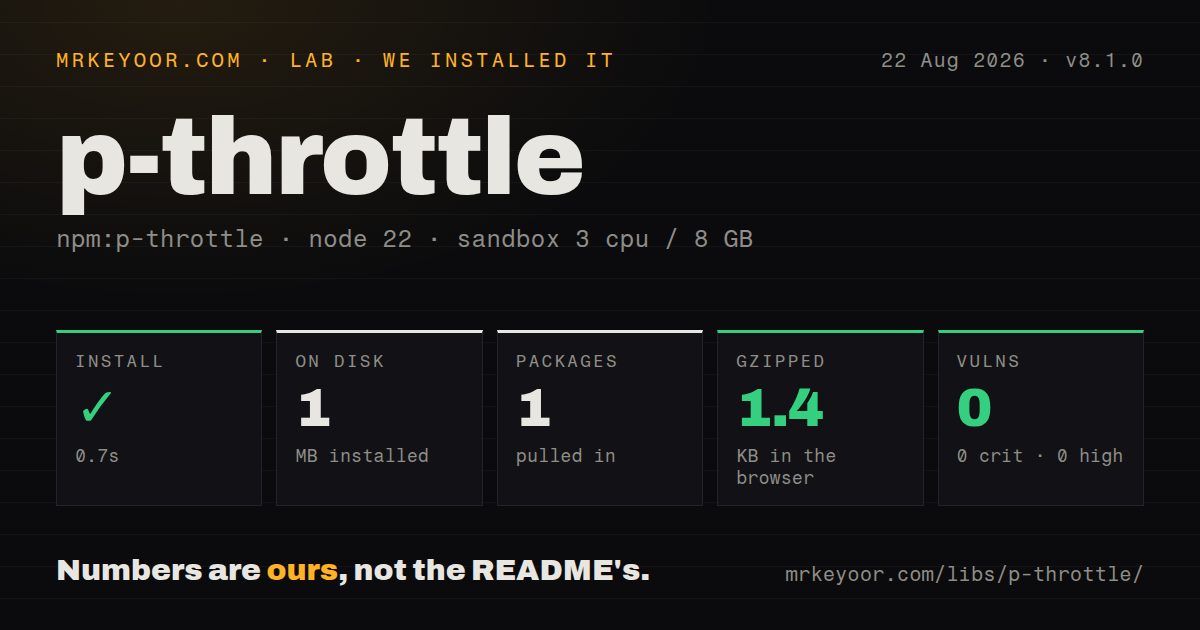
| Install | ✓ · 0.7s | 1 package on disk · 1 MB |
| Import | ✓ | ESM import works · require() works · ESM package with exports map |
| Browser | 1.4 KB | gzipped (3.4 KB minified), bundled with esbuild |
| Types | ✓ | TypeScript types bundled |
| Known vulns | 0 | 0 critical · 0 high · 0 moderate · 0 low (npm audit) |
Answers from our run
Does p-throttle install cleanly?
Yes. In a fresh container with an empty cache, npm install p-throttle finished in 0.7s, leaving 1 package and 1 MB on disk. npm audit reported no known vulnerabilities.
How much does p-throttle add to a browser bundle?
1.4 KB gzipped (3.4 KB minified) when the whole package is bundled for the browser with esbuild. Importing only part of it is usually smaller.
Does p-throttle work with both ESM and CommonJS?
Yes. Both import 'p-throttle' and require('p-throttle') worked in Node 22 in our run. The package is published as ESM with an exports map.
Does p-throttle include TypeScript types?
Yes, type declarations ship inside the package, so no @types install is needed.
p-throttle or bottleneck: which should you use?
bottleneck: Choose it for priorities, reservoirs, job expiration, Redis-backed coordination, or several schedulers sharing one quota. p-throttle 8.1.0 installed as 1 dependency-free package and bundled to 1.4 KB gzipped in our sandbox, with 0 npm audit findings.
When should you not use p-throttle?
Several workers share one provider quota; each p-throttle instance keeps its own memory and cannot enforce a fleet-wide limit
Use it if
- One Node process or browser tab must stay under an API's fixed calls-per-window or point budget
- Every queued call must eventually run with its original arguments rather than being discarded like a debounce
- You need strict spacing, AbortSignal cancellation for pending work, or queueSize for overload decisions
- A dependency-free ESM package targeting Node 20 and current browsers matches your runtime policy
- Several workers share one provider quota; each p-throttle instance keeps its own memory and cannot enforce a fleet-wide limit
- You need concurrency control rather than start-rate control; p-limit caps active promises, while p-throttle can have many slow calls in flight
- An unbounded queue is unsafe for your traffic; the package exposes queueSize but does not impose a maximum or discard policy
- You run Node 18 or CommonJS-only tooling; version 8 requires Node >=20 and the published package is ESM
- The provider uses dynamic reset headers, retries, priorities, reservoirs, or distributed state; Bottleneck covers more of those scheduling rules
Setup reality
Our p-throttle 8.1.0 install completed in 0.7 seconds and left 1 package using 1 MB on disk. The package has 0 direct and 0 peer dependencies, is 40 KB unpacked, and npm audit reported 0 known vulnerabilities. Its declared engine is Node >=20.
Configuration is an object with both limit and interval in milliseconds. strict: false uses windowed accounting, so starts can cluster at a window boundary. strict: true schedules each call against the rolling interval and costs more bookkeeping. Version 8.1.0 fixed timeout drift and bunching in that strict path. A weight function now lets one call consume several quota units.
The queue is held in memory and has no built-in maximum. queueSize lets callers reject, shed, or route work elsewhere before adding more. Aborting the supplied signal rejects pending promises with signal.reason; work that has already started must observe its own cancellation signal. There is no retry or timeout policy, and resolved or rejected results come directly from the wrapped function.
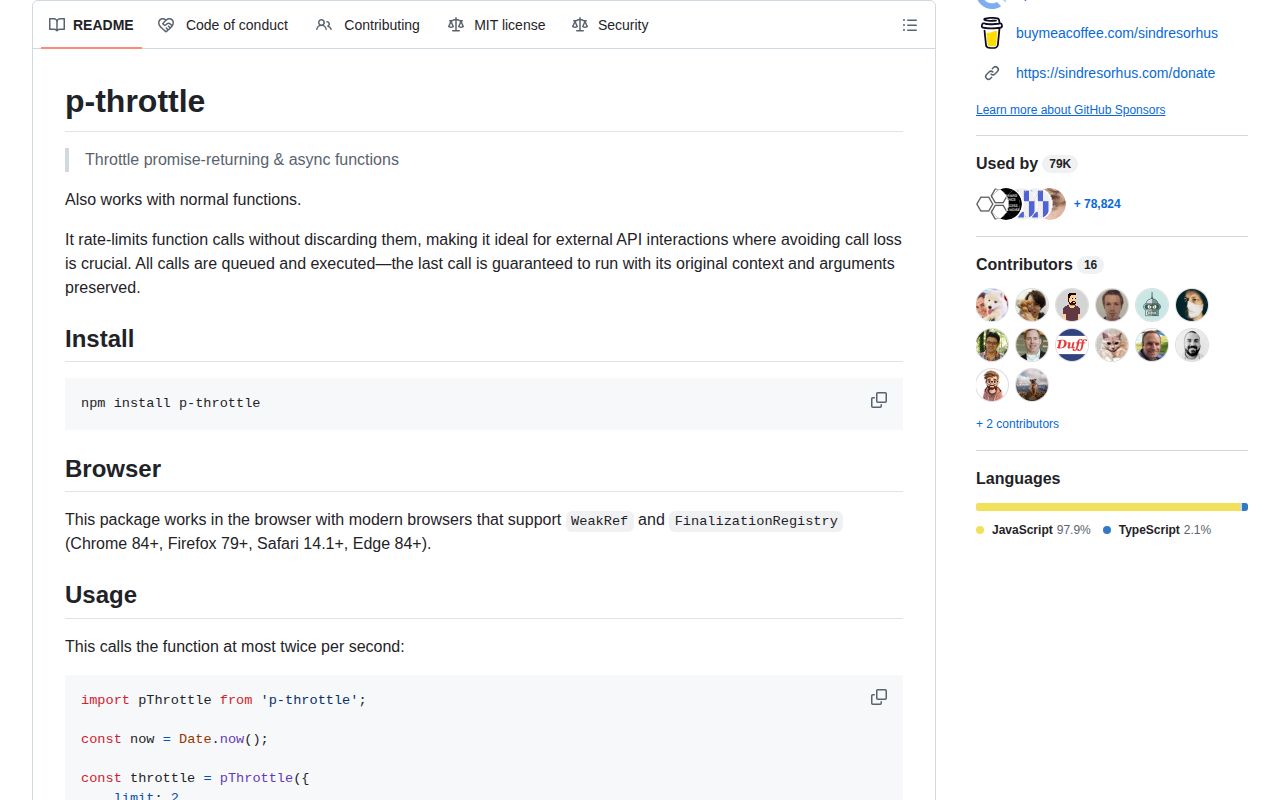
Version 8.1.0 is ESM with an exports map and bundled TypeScript declarations. ESM import and require() both worked in our Node 22 check, though Node 20 is the supported floor. Our browser bundle measured 3.4 KB minified and 1.4 KB gzipped. Browser support also requires WeakRef and FinalizationRegistry, which the README maps to Chrome 84+, Firefox 79+, Safari 14.1+, and Edge 84+.
Patterns
Allow 2 starts per second throttle-api-calls
import pThrottle from 'p-throttle';

const throttle = pThrottle({limit: 2, interval: 1000});
const getUser = throttle((id) => fetch(`/api/users/${id}`));
The 2-call limit controls start times; slow fetches can overlap and remain active beyond the 1-second window.
Enforce a rolling interval space-calls-strictly
const throttle = pThrottle({
  limit: 5,
  interval: 1000,
  strict: true
});
Strict mode prevents boundary bursts, and 8.1.0 fixed setTimeout drift that could bunch scheduled calls.
Charge variable quota points weight-expensive-calls
const throttle = pThrottle({
  limit: 100,
  interval: 1000,
  weight: (tables) => 1 + tables
});
const query = throttle((tables) => runQuery(tables));
Version 8.1.0 added weight; the returned number consumes part of the same 100-point interval budget.
Reject work still waiting in the queue cancel-pending-calls
const controller = new AbortController();
const throttle = pThrottle({limit: 1, interval: 1000, signal: controller.signal});
const send = throttle(sendRequest);

controller.abort(new Error('shutdown'));
AbortSignal rejects pending calls with signal.reason; it does not stop a request that the wrapper already started.
Count calls delayed by the quota observe-delays
let delayed = 0;
const throttle = pThrottle({
  limit: 10,
  interval: 1000,
  onDelay: (...args) => { delayed += 1; }
});
onDelay receives the queued call's arguments and runs when the limit delays that call, not after the wrapped work fails.
Use a fallback when the queue reaches 20 shed-queue-load
const accurate = throttle(fetchAccurate);

async function load(id) {
  if (accurate.queueSize >= 20) return fetchCached(id);
  return accurate(id);
}
queueSize is observational; p-throttle does not enforce the 20-item ceiling or remove old entries for you.
Temporarily bypass scheduling pause-throttling
const send = throttle(sendRequest);

send.isEnabled = false;
await send({type: 'healthcheck'});
send.isEnabled = true;
Calls made while isEnabled is false skip throttling and do not count toward its thresholds, so this can violate an external quota.
Throttle an object method with its receiver preserve-method-context
const client = {
  token: 'abc',
  async send(path) { return fetch(path, {headers: {authorization: this.token}}); }
};
client.send = throttle(client.send);
await client.send('/api');
The wrapper preserves this and the original arguments, which matters when throttling an assigned instance method.
Wait for every queued result collect-results
const limitedFetch = throttle(fetch);
const responses = await Promise.all(
  urls.map((url) => limitedFetch(url))
);
Promise.all waits for queued calls, but one rejection rejects the aggregate while other already queued calls continue unless you abort them.
Alternatives
| Package | Registry | Pick it when |
|---|---|---|
| bottleneck | npm | Choose it for priorities, reservoirs, job expiration, Redis-backed coordination, or several schedulers sharing one quota. |
| p-limit | npm | Choose it when the constraint is simultaneous promise count rather than starts per time interval. |
| promise-throttle | npm | Choose it only for an existing integration that depends on its older API; p-throttle is the more current small option. |
More utils guides
lru-cache · type-fest · ajv · zod · p-limit · find-up · the whole shelf →
How this guide is made: grounded in the library's documentation, release notes, changelog, and issue history, on a fixed rubric — not a hands-on install of every release. The 50 most-downloaded entries are additionally install-verified in clean containers. Corrections: contact the desk.