@openclaw/fs-safe review
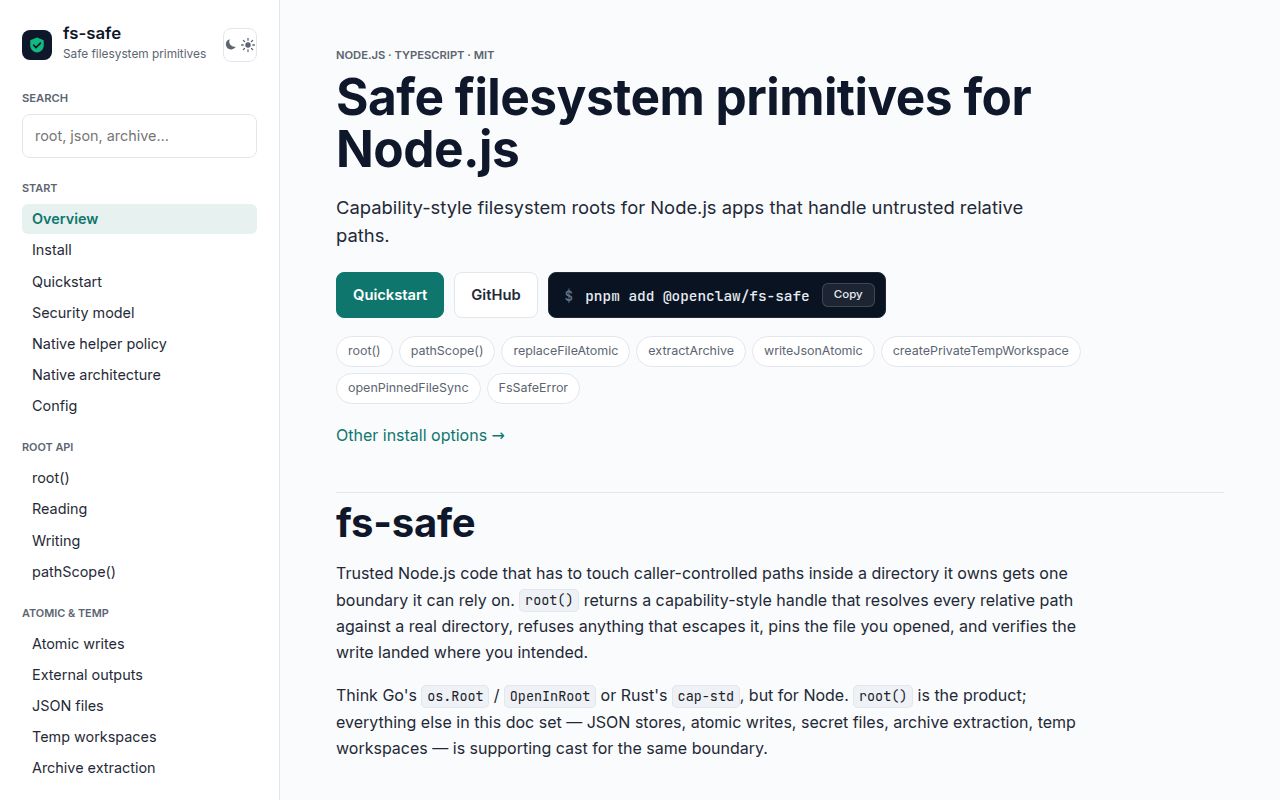
@openclaw/fs-safe 0.5.6 gives Node applications a root handle for filesystem work on untrusted relative paths. Its operations reject lexical escapes and add symlink, hardlink, and rename-race checks around reads, writes, moves, walking, stores, temporary workspaces, and archive extraction. Version 0.5 replaced a persistent Python helper with seven bundled native builds. Linux native opens can report kernel-atomic containment; macOS, Windows, and JavaScript paths report best-effort containment. It is a library guardrail, not process isolation.
Our @openclaw/fs-safe 0.5.6 install consumed 24 MB for 20 packages despite declaring 0 direct dependencies, with no audit findings. Use it when untrusted relative paths justify that cost, set native mode from the threat model, and keep OS isolation around hostile processes.
We installed it
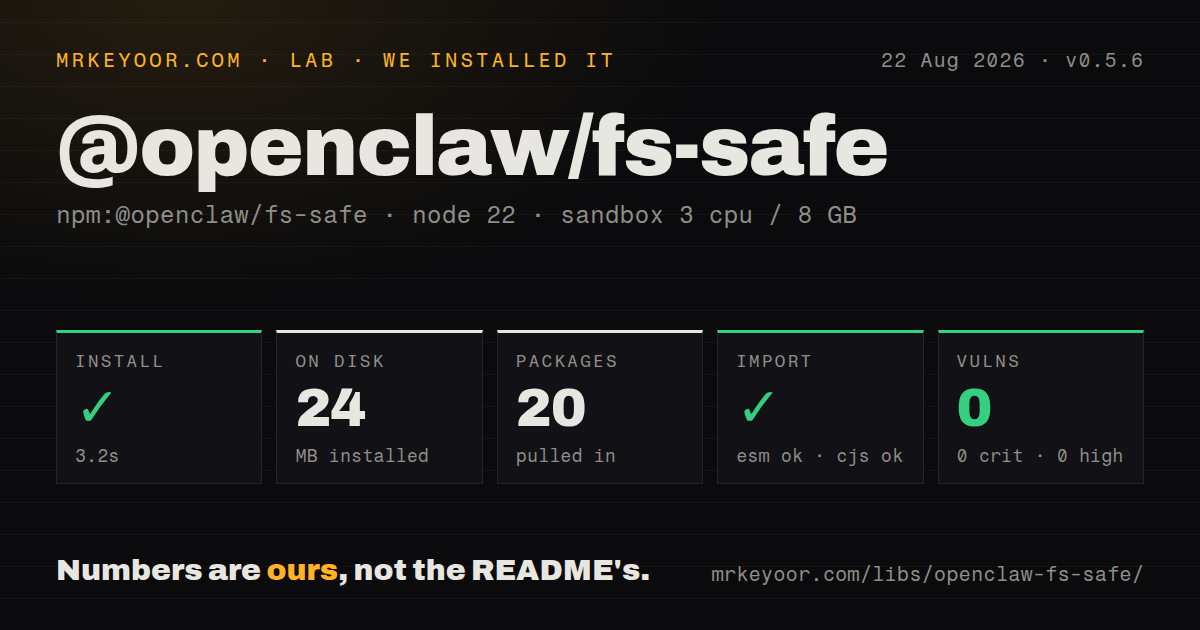
| Install | ✓ · 3.2s | 20 packages on disk · 24 MB |
| Import | ✓ | ESM import works · require() works · ESM package with exports map |
| Browser | n/a | could not be bundled for the browser (Node-only code, most likely) |
| Types | — | no TypeScript types found |
| Known vulns | 0 | 0 critical · 0 high · 0 moderate · 0 low (npm audit) |
Answers from our run
Does @openclaw/fs-safe install cleanly?
Yes. In a fresh container with an empty cache, npm install @openclaw/fs-safe finished in 3 seconds, leaving 20 packages and 24 MB on disk. npm audit reported no known vulnerabilities.
Can @openclaw/fs-safe run in a browser?
Not directly: esbuild could not bundle it for the browser in our run, which normally means it depends on Node built-ins. Use it on the server, or find a browser-targeted alternative.
Does @openclaw/fs-safe work with both ESM and CommonJS?
Yes. Both import '@openclaw/fs-safe' and require('@openclaw/fs-safe') worked in Node 22 in our run. The package is published as ESM with an exports map.
Does @openclaw/fs-safe include TypeScript types?
No type declarations were found in our install, so TypeScript users need their own declarations.
@openclaw/fs-safe or write-file-atomic: which should you use?
write-file-atomic: Use it when only atomic replacement matters and every path is already trusted. Our @openclaw/fs-safe 0.5.6 install consumed 24 MB for 20 packages despite declaring 0 direct dependencies, with no audit findings.
When should you not use @openclaw/fs-safe?
You need to contain hostile executable code: the README says to use containers, permissions, seccomp, or similar OS controls
Use it if
- An agent, plugin, upload endpoint, or CLI must read and mutate files beneath one trusted workspace root
- A string prefix check is too weak because symlink swaps or rename races are inside the threat model
- Archive extraction needs explicit entry, depth, compressed-size, expanded-size, and timeout budgets
- Your Node 22 deployment can require a native helper and branch on the reported containment class
- You need to contain hostile executable code: the README says to use containers, permissions, seccomp, or similar OS controls
- Your runtime is below Node 22, which 0.5.6 excludes through its engine requirement
- A 24 MB installed footprint is excessive for a simple trusted-path write; seven native targets ship in one package
- Your policy needs the same race guarantee on Linux, macOS, and Windows: only supported Linux native operations report kernel-atomic containment
- You require a settled 1.x API and a low migration rate: 0.5 replaced the Python helper, config function, and environment variable names
Setup reality
We installed @openclaw/fs-safe 0.5.6 in our sandbox in 3.2 seconds. It left 20 packages and 24 MB on disk, while npm audit found 0 known vulnerabilities. The package reports 0 direct dependencies and 0 peers, yet its unpacked size is 18,352 KB because prebuilt native bindings for seven targets are included. It uses MIT and requires Node 22 or newer.
The release is ESM with an exports map. Both require() and ESM import worked in Node 22, but our package inspection found no TypeScript types. The browser build failed, as expected for code built around filesystem descriptors and native helpers. There is no consumer Rust build, postinstall download, credential, or service to configure. Choose FS_SAFE_NATIVE_MODE=auto|off|require before the first operation.
auto uses a native binary when available and otherwise retains guarded JavaScript behavior. That fallback is best-effort against a same-privilege process racing a writable parent. require fails closed if the binary cannot load and is the appropriate mode when race resistance is an authorization requirement. Version 0.5 maps old Python settings with a warning; migrate to configureFsSafeNative and FS_SAFE_NATIVE_MODE instead of keeping the bridge.
root() expects a trusted existing directory. Reads default to 16 MiB, writes replace by default, create() refuses an existing target, and move() refuses clobbering unless explicitly allowed. Returned FileHandles need closing. Archive helpers require optional ZIP or TAR support and caller budgets; path containment does not validate file contents or signatures. Inspect FsSafeError.code, walking truncation markers, and each open result's containment class rather than treating every failure or partial walk alike.
Patterns
Create a guarded workspace handle bind-root
import { root } from '@openclaw/fs-safe';

const files = await root('/srv/workspace', {
  symlinks: 'reject',
  hardlinks: 'reject',
  mkdir: true
});
await files.write('notes/today.txt', 'hello\n');
The absolute root is trusted authority. A relative path that escapes it throws `outside-workspace`.
Fail when native containment is unavailable require-native
import { configureFsSafeNative, root } from '@openclaw/fs-safe';

configureFsSafeNative({ mode: 'require' });
const files = await root('/srv/workspace');
Configure native mode before first use. `require` refuses the JavaScript fallback; `auto` permits it.
Limit an uploaded-file read bound-read
const bytes = await files.readBytes('incoming/avatar.png', {
  maxBytes: 2 * 1024 * 1024,
  symlinks: 'reject',
  hardlinks: 'reject'
});
Root reads default to 16 MiB. A workload-specific limit rejects oversized input before it is fully accepted.
Stream from the checked file handle open-stream
await using opened = await files.open('logs/current.log');
console.log(opened.containment);
for await (const chunk of opened.handle.createReadStream()) {
  await consume(chunk);
}
Use and close the returned handle. A prior `exists()` or `stat()` call cannot pin a later open to the same inode.
Reject an existing destination create-no-clobber
await files.create('jobs/7.json', JSON.stringify({ state: 'queued' }), {
  mode: 0o600
});
`create()` throws `already-exists`; `write()` replaces by default. Select the method from the desired clobber policy.
Block writes to sensitive paths deny-mutations
const files = await root('/srv/workspace', {
  denyMutations: {
    paths: ['/srv/workspace/.env'],
    prefixes: ['/srv/workspace/.ssh']
  }
});
A denied mutation throws `denied-path`. This in-root rule supplements filesystem permissions and process isolation.
Bring a staged upload into the root copy-external-file
await files.copyIn('uploads/avatar.png', '/var/tmp/upload-8127', {
  maxBytes: 5 * 1024 * 1024,
  sourceHardlinks: 'reject',
  mode: 0o600
});
The source may be absolute, while the destination stays root-relative. The library does not inspect the payload format.
Move without replacing the destination move-no-clobber
await files.move('drafts/report.json', 'published/report.json');

// Replacement must be explicit
await files.move('drafts/latest.json', 'published/latest.json', { overwrite: true });
Move defaults to no clobber because replacement both removes the target and consumes the source.
Budget a recursive walk walk-with-limits
for await (const entry of files.walk('plugins', {
  maxDepth: 6,
  maxEntries: 10000,
  symlinkPolicy: 'skip',
  limitBehavior: 'throw'
})) {
  if (entry.kind === 'file') console.log(entry.relativePath);
}
If you choose truncation or skip markers instead of throwing, handle those records or an incomplete tree can appear complete.
Separate rejected paths from I/O failures handle-policy-error
import { FsSafeError } from '@openclaw/fs-safe';

try {
  await files.write(userPath, payload);
} catch (error) {
  if (error instanceof FsSafeError && error.code === 'outside-workspace') {
    return { ok: false, reason: 'path rejected' };
  }
  throw error;
}
FsSafeError covers several policy and operational categories. Branch on a documented code instead of mapping every failure to bad input.
Alternatives
| Package | Registry | Pick it when |
|---|---|---|
| write-file-atomic | npm | Use it when only atomic replacement matters and every path is already trusted. |
| tar | npm | Use it for TAR work when your application will own traversal, link, and resource policy. |
| fs-extra | npm | Use it for convenient operations on trusted paths with no hostile-path containment claim. |
| path-scurry | npm | Use it for cached path traversal and walking when capability-style security is outside scope. |
More security guides
cryptography · jose · pyjwt · dompurify · jsonwebtoken · oauthlib · the whole shelf →
How this guide is made: grounded in the library's documentation, release notes, changelog, and issue history, on a fixed rubric — not a hands-on install of every release. The 50 most-downloaded entries are additionally install-verified in clean containers. Corrections: contact the desk.