micro review
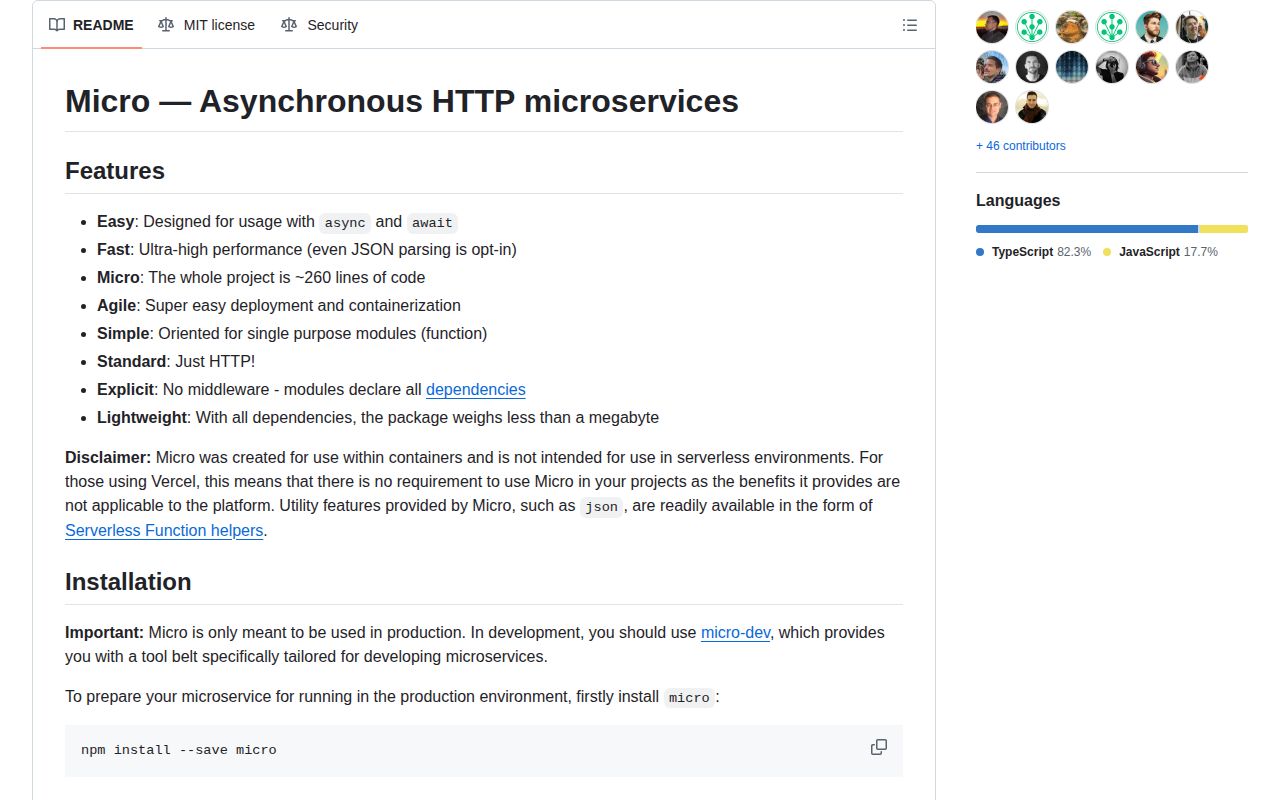
micro 10.0.1 runs one async function as a Node HTTP service. Its CLI listens on TCP, Unix sockets, or Windows named pipes, while helpers parse bounded bodies, send strings, buffers, objects, or streams, and map thrown errors to status codes. The design deliberately omits routing and middleware in favor of composing plain functions around standard Node request and response objects. Version 10.0.1 only fixes the published TypeScript types path. Vercel's own README says the package targets containers and is unnecessary for Vercel serverless functions.
micro 10.0.1 installed in 1.1 seconds, used 1 MB, and showed 0 audit findings in our sandbox, but its browser bundle failed and npm has not released it since November 2022. Keep it for established single-handler containers; Fastify, Hono, Koa, or plain Node HTTP give new services a clearer growth path.
We installed it
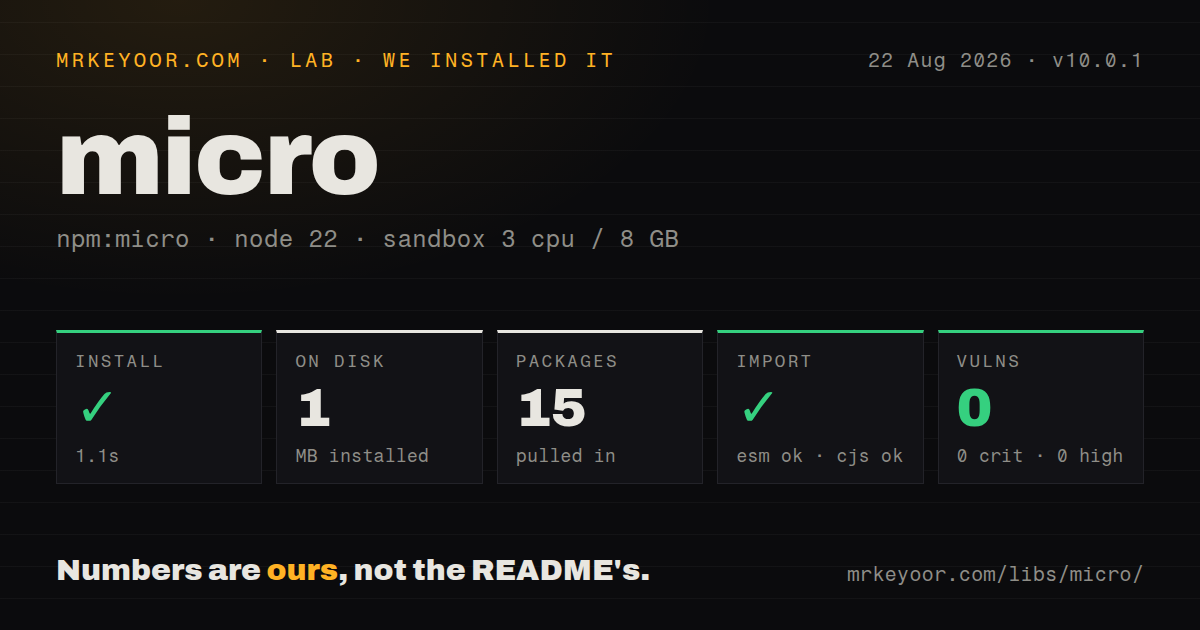
| Install | ✓ · 1.1s | 15 packages on disk · 1 MB |
| Import | ✓ | ESM import works · require() works · CommonJS package |
| Browser | n/a | could not be bundled for the browser (Node-only code, most likely) |
| Types | ✓ | TypeScript types bundled |
| Known vulns | 0 | 0 critical · 0 high · 0 moderate · 0 low (npm audit) |
Answers from our run
Does micro install cleanly?
Yes. In a fresh container with an empty cache, npm install micro finished in 1 seconds, leaving 15 packages and 1 MB on disk. npm audit reported no known vulnerabilities.
Can micro run in a browser?
Not directly: esbuild could not bundle it for the browser in our run, which normally means it depends on Node built-ins. Use it on the server, or find a browser-targeted alternative.
Does micro work with both ESM and CommonJS?
Yes. Both import 'micro' and require('micro') worked in Node 22 in our run. The package is published as CommonJS.
Does micro include TypeScript types?
Yes, type declarations ship inside the package, so no @types install is needed.
micro or fastify: which should you use?
fastify: Use it for routes, plugins, schemas, validation, and structured logging in a Node server. micro 10.0.1 installed in 1.1 seconds, used 1 MB, and showed 0 audit findings in our sandbox, but its browser bundle failed and npm has not released it since November 2022.
When should you not use micro?
The deployment target is Vercel serverless; the README explicitly says micro's container benefits do not apply there
Use it if
- An existing container exposes one handler and already follows micro's return-value contract
- You want standard Node HTTP objects plus opt-in JSON, text, and Buffer body helpers
- The process must listen on a TCP endpoint, Unix socket, or Windows named pipe from one CLI
- Routing and cross-cutting concerns will be composed as your own handler wrappers
- The deployment target is Vercel serverless; the README explicitly says micro's container benefits do not apply there
- Your service needs routes, middleware, request schemas, authentication hooks, or a plugin system out of the box
- A single supported dev and production workflow matters; the README calls micro production-only and redirects local work to `micro-dev`
- You require a recently released framework; npm published 10.0.1 in November 2022
- The code may run in a browser or edge runtime; our esbuild browser bundle failed on Node HTTP dependencies
Setup reality
Our micro 10.0.1 install completed in 1.1 seconds in a fresh Node 22 container. It left 15 packages occupying 1 MB, and npm audit reported 0 known vulnerabilities. The package was 168 KB unpacked with 3 direct dependencies and 0 peers. Bundled TypeScript declarations were present. Both require() and ESM import loaded its CommonJS entry, which has no exports map.
The CLI defaults to 0.0.0.0:3000 and resolves an explicit entry, then package.json main, then index.js. Repeated -l flags can open TCP, Unix socket, or Windows pipe listeners. The README's ${PORT-3000} fallback is Bash syntax rather than a micro feature, so package scripts used on Windows need another way to set defaults. Local development is documented through the separate micro-dev package.
Body parsing is opt-in. json, text, and buffer cache the first raw body per request and default to a 1 MB cap; oversized input becomes 413 and invalid JSON becomes 400. Parsing does not validate an object's fields, and the declarations type JSON as unknown. Returning null yields 204, another defined value is sent, and undefined means your handler must finish the response itself.
Streams are piped as octet-stream unless you set headers, and your code must handle their error events. micro provides no router, CORS policy, access log, TLS setup, graceful shutdown, or server timeout policy. Add those around serve() or at a gateway. Our browser bundle attempt failed, matching the Node-only HTTP design. Small README-to-source differences remain, so treat the 10.0.1 declarations and code as final when an example disagrees.
Patterns
Return JSON from the default entry commonjs-handler
// index.js
module.exports = async (req) => ({
  ok: true,
  method: req.method,
});
An object return becomes a 200 JSON response. The CLI looks at `package.json` main before falling back to `index.js`.
Start an ESM default handler esm-handler
// service.mjs
export default async function handler() {
  return 'ready';
}

// micro service.mjs
The version 10 CLI dynamically imports the file and uses its default export. A named export by itself is rejected.
Parse 64 KB of JSON and validate it json-limit
const { createError, json } = require('micro');

module.exports = async (req) => {
  const body = await json(req, { limit: '64kb' });
  if (!body || typeof body !== 'object' || !('email' in body)) {
    throw createError(422, 'email is required', new Error('invalid payload'));
  }
  return { accepted: body.email };
};
`json()` checks syntax and size, then returns unknown data. Field validation remains application code.
Read one body as bytes and text cached-body
const { buffer, text } = require('micro');

module.exports = async (req) => {
  const raw = await buffer(req, { limit: 1024 * 1024 });
  const value = await text(req);
  return { bytes: raw.length, preview: value.slice(0, 40) };
};
The first helper buffers and caches the request, so the second call does not consume an already-drained stream.
Send 405 or 202 yourself explicit-response
const { send } = require('micro');

module.exports = async (req, res) => {
  if (req.method !== 'POST') {
    res.setHeader('Allow', 'POST');
    send(res, 405, { error: 'method not allowed' });
    return;
  }
  send(res, 202, { queued: true });
};
Return `undefined` after `send`. Returning another body would make the wrapper try to answer twice.
Choose between 204 and manual completion no-content
module.exports = async (req, res) => {
  if (req.method === 'DELETE') return null;
  if (req.method === 'HEAD') {
    res.statusCode = 200;
    res.end();
    return undefined;
  }
  return 'ok';
};
`null` maps to 204. `undefined` signals that the handler owns the response and must eventually end it.
Throw a 401 with its original cause status-error
const { createError } = require('micro');

async function requireUser(req) {
  try {
    return await authenticate(req);
  } catch (cause) {
    throw createError(401, 'unauthorized', cause);
  }
}
The bundled 10.0.1 declaration requires the cause as argument 3, although older README snippets leave it out.
Compose a JSON error boundary error-wrapper
const { send } = require('micro');

const withErrors = (handler) => async (req, res) => {
  try {
    return await handler(req, res);
  } catch (error) {
    console.error(error);
    send(res, error.statusCode || 500, { error: 'request failed' });
  }
};
Composition replaces middleware here. Log the internal exception while sending a stable public message.
Handle a file-stream failure stream-file
const { createReadStream } = require('node:fs');
const { send } = require('micro');

module.exports = async (req, res) => {
  const stream = createReadStream('/srv/files/report.pdf');
  stream.on('error', (error) => res.destroy(error));
  res.setHeader('Content-Type', 'application/pdf');
  send(res, 200, stream);
};
micro pipes the readable value, but the README assigns its `error` event to your handler.
Own shutdown through `serve()` node-server
const http = require('node:http');
const { serve } = require('micro');

const server = http.createServer(serve(async (req) => ({ path: req.url })));
server.listen(3000);
process.once('SIGTERM', () => {
  server.close(() => process.exit(0));
});
Programmatic use exposes the Node server for timeout and shutdown policy. `serve()` only adapts the async handler.
Bind TCP or a Unix socket listen-uri
micro -l tcp://127.0.0.1:4000 service.js
micro -l unix:/tmp/orders.sock service.js
# Bash only:
micro -l tcp://0.0.0.0:${PORT-3000} service.js
The environment fallback on line 4 is Bash syntax. Other shells and Windows package scripts need their own defaulting logic.
Alternatives
| Package | Registry | Pick it when |
|---|---|---|
| fastify | npm | Use it for routes, plugins, schemas, validation, and structured logging in a Node server. |
| hono | npm | Use it for a small router that also targets edge and serverless runtimes. |
| koa | npm | Use it when a minimal Node core still needs an established async middleware chain. |
| express | npm | Use it when middleware availability and familiar routing outweigh a one-function service model. |
More web backend guides
ws · urllib3 · requests · undici · anyio · express · the whole shelf →
How this guide is made: grounded in the library's documentation, release notes, changelog, and issue history, on a fixed rubric — not a hands-on install of every release. The 50 most-downloaded entries are additionally install-verified in clean containers. Corrections: contact the desk.