markdown-it-anchor review
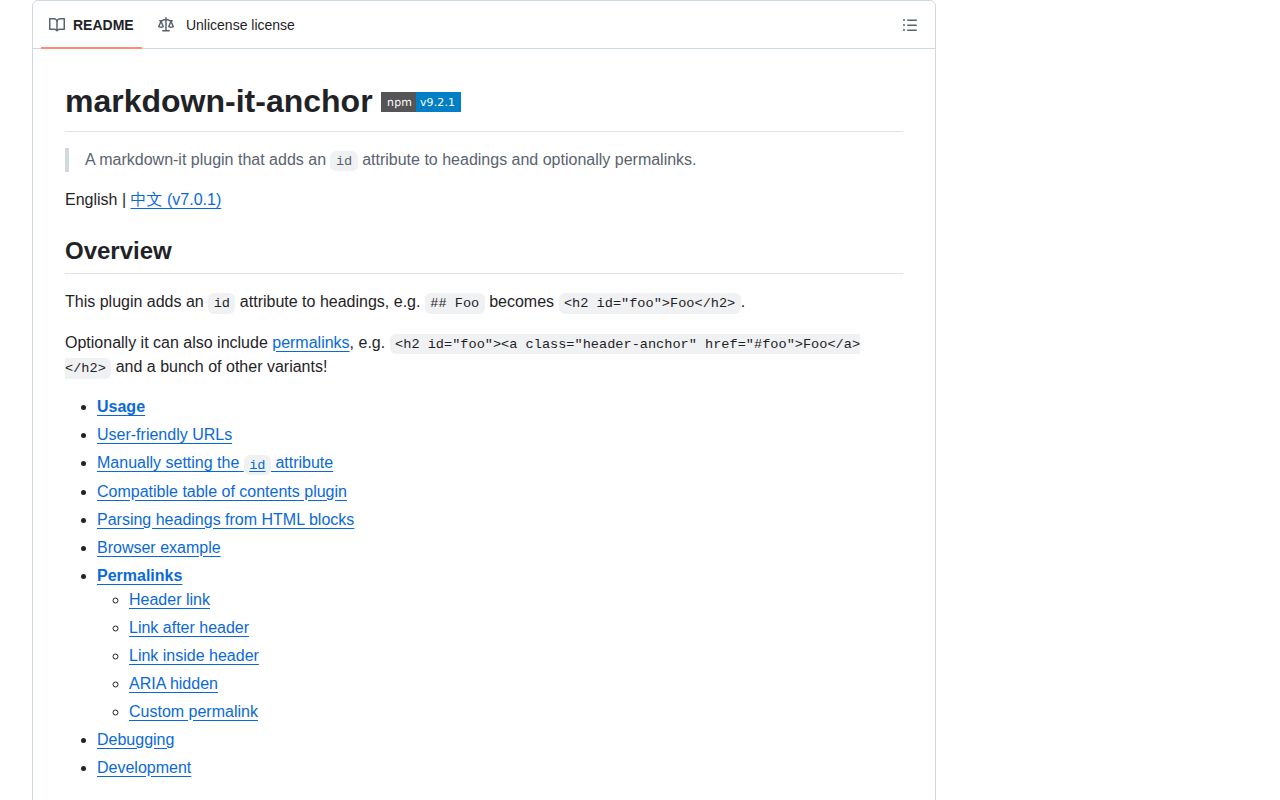
markdown-it-anchor 9.2.1 is a markdown-it plugin that gives rendered headings unique id attributes and can add permalink markup. Its default slugger lowercases heading text, collapses whitespace to hyphens, and URI-encodes the result; duplicate generated slugs receive numeric suffixes. Existing IDs from an earlier plugin are preserved, while duplicate explicit IDs stop rendering with an error. Version 9.2.1 fixes token-level preservation in the headerLink permalink style. The package includes CommonJS and ESM builds, declarations, several accessibility-aware permalink renderers, callbacks for collecting final heading data, and custom slug functions that can inspect render state.
markdown-it-anchor 9.2.1 added 6.4 KB minified and 2.1 KB gzipped in our browser build, with 0 direct dependencies and 0 audit findings. It is the practical markdown-it choice for heading IDs, provided the team locks slug output and selects a permalink renderer after testing links, focus, translation, and reader mode.
We installed it
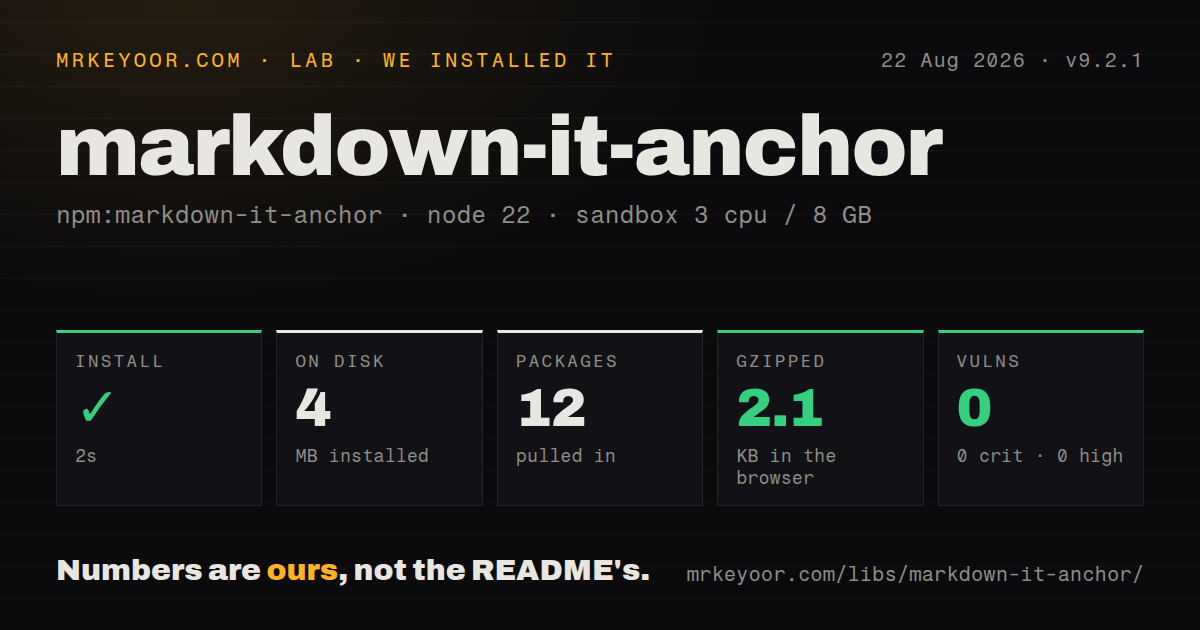
| Install | ✓ · 2s | 12 packages on disk · 4 MB |
| Import | ✓ | ESM import works · require() works · CommonJS package |
| Browser | 2.1 KB | gzipped (6.4 KB minified), bundled with esbuild |
| Types | ✓ | TypeScript types bundled |
| Known vulns | 0 | 0 critical · 0 high · 0 moderate · 0 low (npm audit) |
Answers from our run
Does markdown-it-anchor install cleanly?
Yes. In a fresh container with an empty cache, npm install markdown-it-anchor finished in 2 seconds, leaving 12 packages and 4 MB on disk. npm audit reported no known vulnerabilities.
How much does markdown-it-anchor add to a browser bundle?
2.1 KB gzipped (6.4 KB minified) when the whole package is bundled for the browser with esbuild. Importing only part of it is usually smaller.
Does markdown-it-anchor work with both ESM and CommonJS?
Yes. Both import 'markdown-it-anchor' and require('markdown-it-anchor') worked in Node 22 in our run. The package is published as CommonJS.
Does markdown-it-anchor include TypeScript types?
Yes, type declarations ship inside the package, so no @types install is needed.
markdown-it-anchor or markdown-it-headinganchor: which should you use?
markdown-it-headinganchor: Use it for an older markdown-it codebase that specifically expects separate named anchor elements. markdown-it-anchor 9.2.1 added 6.4 KB minified and 2.1 KB gzipped in our browser build, with 0 direct dependencies and 0 audit findings.
When should you not use markdown-it-anchor?
Your pipeline does not use markdown-it. The package declares markdown-it and @types/markdown-it as peers and operates on markdown-it tokens.
Use it if
- A markdown-it renderer needs stable fragment URLs that can be shared, indexed, and matched by a table of contents.
- Heading authors need explicit IDs through markdown-it-attrs, with generated IDs used for everything else.
- Permalink markup must account for screen-reader link lists, translated assistive text, and Safari Reader behavior.
- A build step needs each final title and de-duplicated slug through a callback instead of reimplementing the slug algorithm.
- Your pipeline does not use markdown-it. The package declares markdown-it and @types/markdown-it as peers and operates on markdown-it tokens.
- Headings arrive as raw HTML blocks. The README says HTML headings are ignored because the plugin only sees parsed Markdown heading tokens.
- GitHub-compatible fragments are required without testing. The default keeps punctuation through URI encoding, so its output does not match GitHub's cleaner slug rules.
- Editors may repeat hand-written IDs. Generated collisions get suffixes, but a duplicate ID supplied by an earlier plugin throws an error.
- The legal review requires MIT, Apache-2.0, or BSD wording. Version 9.2.1 is released under the Unlicense.
Setup reality
We installed markdown-it-anchor 9.2.1 in a fresh Node 22 Bookworm sandbox. npm completed in 2 seconds, left 12 packages using 4 MB, and reported 0 known vulnerabilities. The plugin itself is 168 KB unpacked with 0 direct dependencies and 2 peers. require() and ESM import both worked from its CommonJS entry without an exports map, and TypeScript declarations are included. Our browser bundle measured 6.4 KB minified and 2.1 KB gzipped.
Install markdown-it as the runtime peer. npm metadata also lists @types/markdown-it as a peer, which can matter under strict peer policies even though plain JavaScript does not consume those types. There are no credentials, native builds, or config files. Slug policy is the real setup work: once links are public, changing slugify, Unicode treatment, or uniqueSlugStartIndex changes URLs. Keep representative headings in snapshot tests.
Plugin order controls explicit IDs. markdown-it-attrs must run before markdown-it-anchor so its ID is visible; repeated author IDs then throw instead of being renamed. Only text and inline-code tokens contribute to the default title used for slugging. Images, raw inline HTML, and custom inline tokens can make the visible heading differ from its fragment unless getTokensText is replaced.
Headings receive tabindex=-1 by default to support focus after fragment navigation. Permalinks are opt-in, and each renderer has a different DOM cost. headerLink cannot wrap a heading that already contains a link and may need safariReaderFix. linkAfterHeader needs real assistive text and, for its visually-hidden style, CSS that hides content without removing it from accessibility APIs.
Patterns
Generate IDs without permalinks add-heading-ids
const MarkdownIt = require('markdown-it')
const anchor = require('markdown-it-anchor')
const md = new MarkdownIt().use(anchor)
console.log(md.render('# Account settings'))
The default output has id=account-settings and tabindex=-1. No permalink link is added unless configured.
Limit anchors to h2 and h3 select-levels
md.use(anchor, { level: [2, 3] })An array selects exact levels. Passing level: 2 means h2 through h6 instead.
Replace the default slug policy use-github-slugs
import GithubSlugger from 'github-slugger'
const slugger = new GithubSlugger()
md.use(anchor, { slugify: (title) => slugger.slug(title) })
Reset or recreate GithubSlugger for each document, or duplicate counters will leak across renders.
Include document state in fragments slug-with-state
md.use(anchor, {
  slugifyWithState(title, state) {
    return `${state.env.section}-${encodeURIComponent(title.toLowerCase())}`
  },
})
md.render(source, { section: 'api-v2' })
slugifyWithState overrides slugify. Encode every state value that can contain URL punctuation.
Honor an author's stable ID reuse-explicit-id
const attrs = require('markdown-it-attrs')
const md = new MarkdownIt().use(attrs).use(anchor)
md.render('# Translated heading {#billing}')
Load markdown-it-attrs first. Two explicit #billing IDs cause an error rather than automatic renaming.
Make the heading itself the permalink wrap-heading-link
md.use(anchor, {
  permalink: anchor.permalink.headerLink({ safariReaderFix: true }),
})
headerLink cannot contain another link. safariReaderFix inserts a span so Safari Reader keeps the heading.
Place translated link text after a heading add-assisted-link
md.use(anchor, {
  permalink: anchor.permalink.linkAfterHeader({
    style: 'visually-hidden',
    assistiveText: (title) => `Permalink to ${title}`,
    visuallyHiddenClass: 'sr-only',
  }),
})
Define sr-only with an accessibility-safe hiding recipe; display:none would remove the text from assistive technology.
Build an index from final slugs collect-headings
const headings = []
md.use(anchor, { callback: (_token, info) => headings.push(info) })
const html = md.render(source)
info contains the title and the final unique slug after collision handling, which keeps a table of contents in sync.
Choose which inline tokens form a slug change-token-text
md.use(anchor, {
  getTokensText(tokens) {
    return tokens.filter((t) => t.type === 'text' || t.type === 'code_inline')
      .map((t) => t.content).join('')
  },
})
The shown filter matches the default idea. Add custom token types only after checking how they change already published URLs.
Keep headings out of programmatic focus disable-tabindex
md.use(anchor, { tabIndex: false })The default is tabindex=-1 for fragment focus. Test keyboard and screen-reader navigation before removing it.
Begin duplicate suffixes at two set-duplicate-index
md.use(anchor, { uniqueSlugStartIndex: 2 })
md.render('## Repeat\n\n## Repeat')
Generated IDs become repeat and repeat-2. This option does not repair duplicate IDs supplied by authors.
Point fragments at a canonical document URL customize-link-target
md.use(anchor, {
  permalink: anchor.permalink.headerLink({
    renderHref: (slug, state) => `/docs/${encodeURIComponent(state.env.doc)}#${slug}`,
  }),
})
renderHref controls the emitted href. Keep the slug unchanged if existing external fragment links must continue working.
Alternatives
| Package | Registry | Pick it when |
|---|---|---|
| markdown-it-headinganchor | npm | Use it for an older markdown-it codebase that specifically expects separate named anchor elements. |
| markdown-it-toc-done-right | npm | Use it alongside an anchor policy when the missing feature is a generated table of contents. |
| github-slugger | npm | Use it when GitHub-compatible unique slug generation is needed outside markdown-it or as a custom slug source. |
More utils guides
lru-cache · type-fest · ajv · zod · p-limit · find-up · the whole shelf →
How this guide is made: grounded in the library's documentation, release notes, changelog, and issue history, on a fixed rubric — not a hands-on install of every release. The 50 most-downloaded entries are additionally install-verified in clean containers. Corrections: contact the desk.